Recolis
Receiver Application for Recot
Dirancang untuk iPhone, iPad, iPod touch
Gratis
- Batasan usia4+
- KategoriBisnis
- PengembangDigio Corp.
- BahasaInggris+ 1 lainnya
- Ukuran2,2 MB
Tertaut ke halaman resmi App Store
Download.org tidak menyimpan file Recolis apa pun. Tombol ini membuka halaman aplikasi di App Store, tempat Digio Corp. menerbitkannya. Halaman terakhir diperiksa pada 26/11/2026.
Tangkapan layar

Tentang
Pengembang belum menyediakan teks ini dalam bahasa Anda.
You can listen to the live audio from "Recot" with a delay of less than 1 second.
It supports two methods: "Cloud mode" that receives via the Internet, and "Local Wi-Fi mode" that connects to the local Wi-Fi dedicated to the Recolis installed at the venue.
[How to use]
1) Install the Recolis app.
2) You can start to listen with either the following methods a) b) or c).
a) If you have received the "Access Code URL" with email or SNS, Please simply tap the link on the app.
(If you can select the application when tapping the link, Please select the Recolis. If there is no Recolis in the choices, please select the WEB browser. You can select Recolis on the choices of the WEB browser)
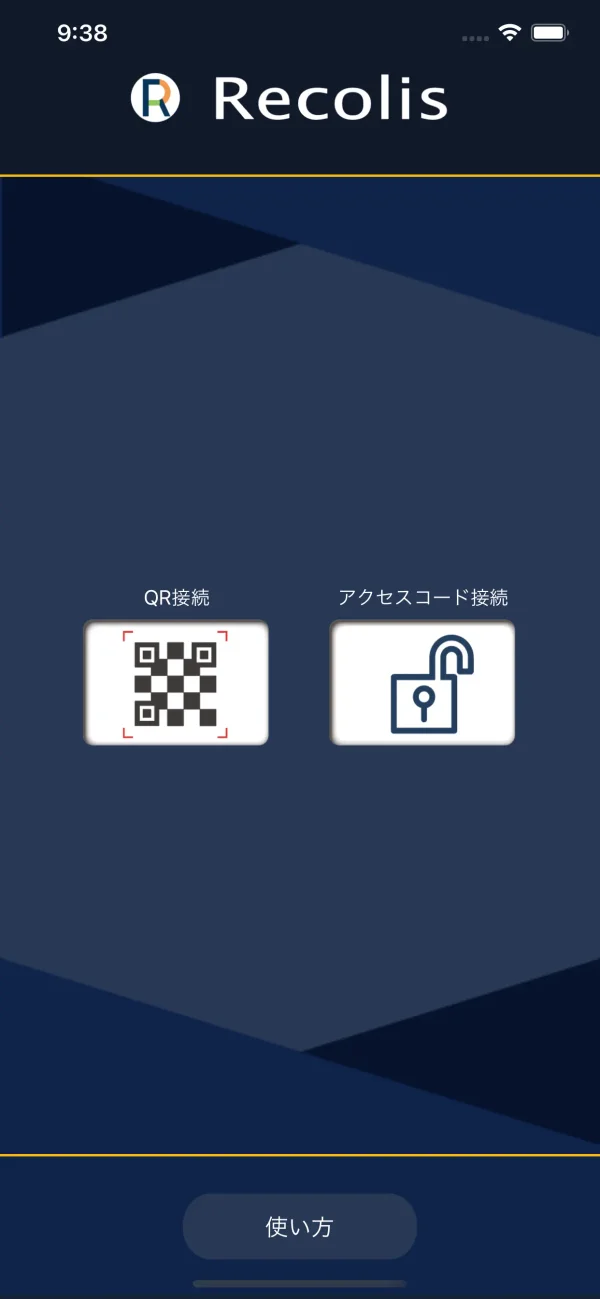
b) If you have received the "Access QR Code" image, Open the Recolis app then tap [QR Connection] button to read the QR code.
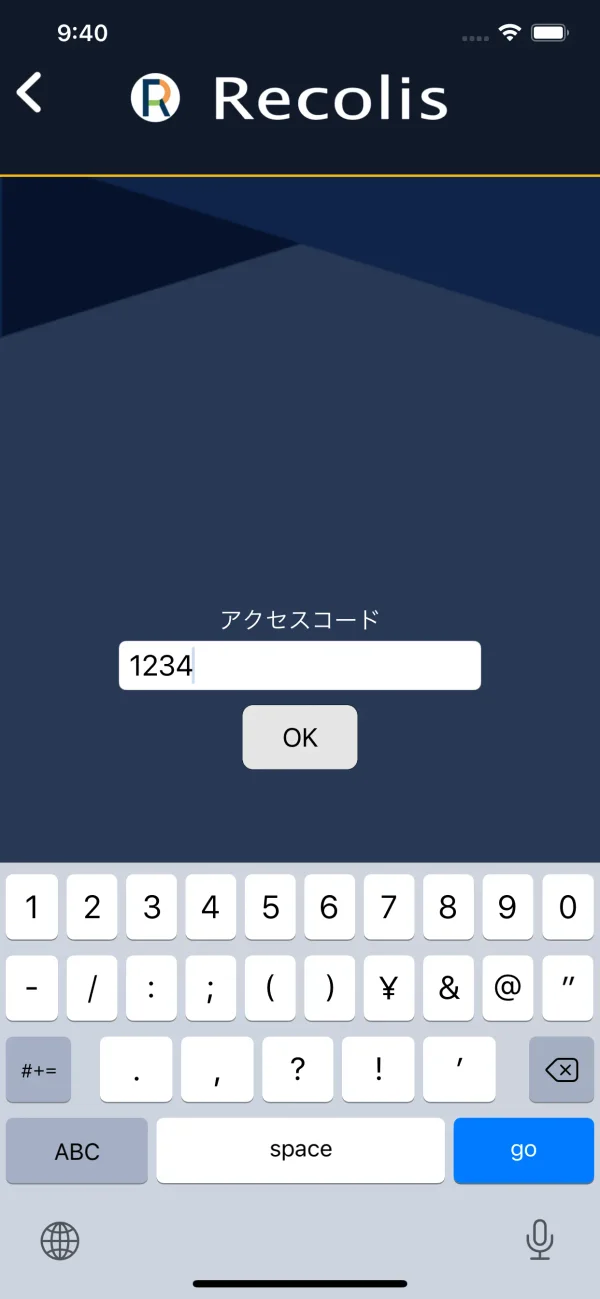
c) If you have received plane text of the "Access Code", Open the Recolis app then tap [Access Code Connection] button then type the Access Code.
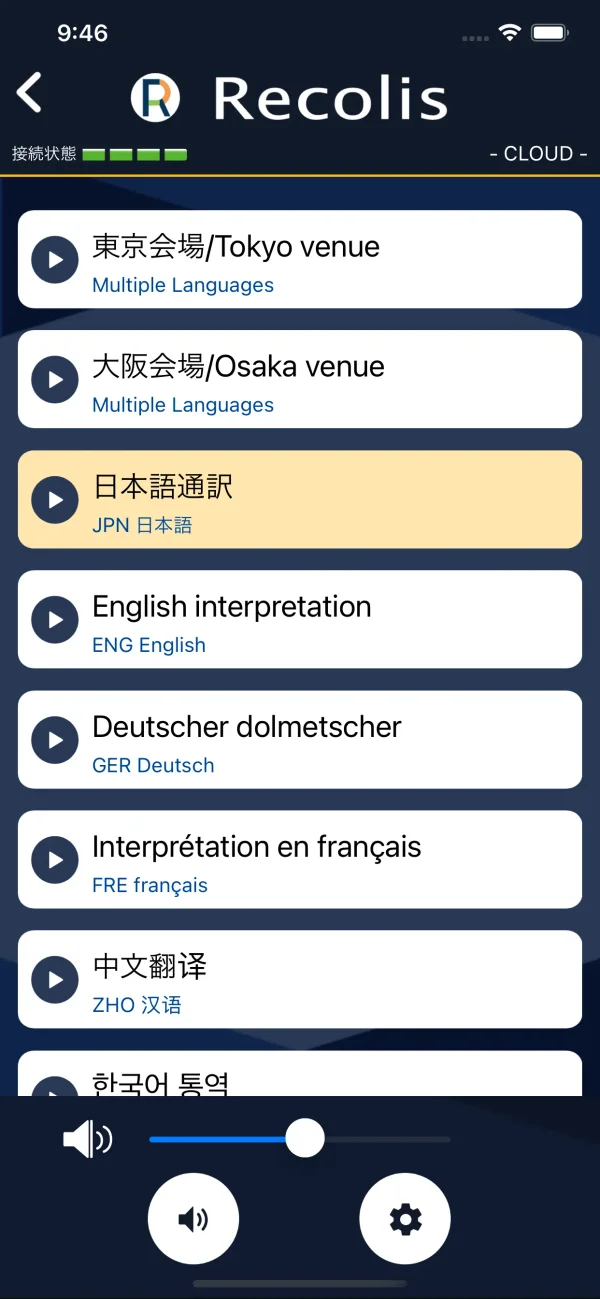
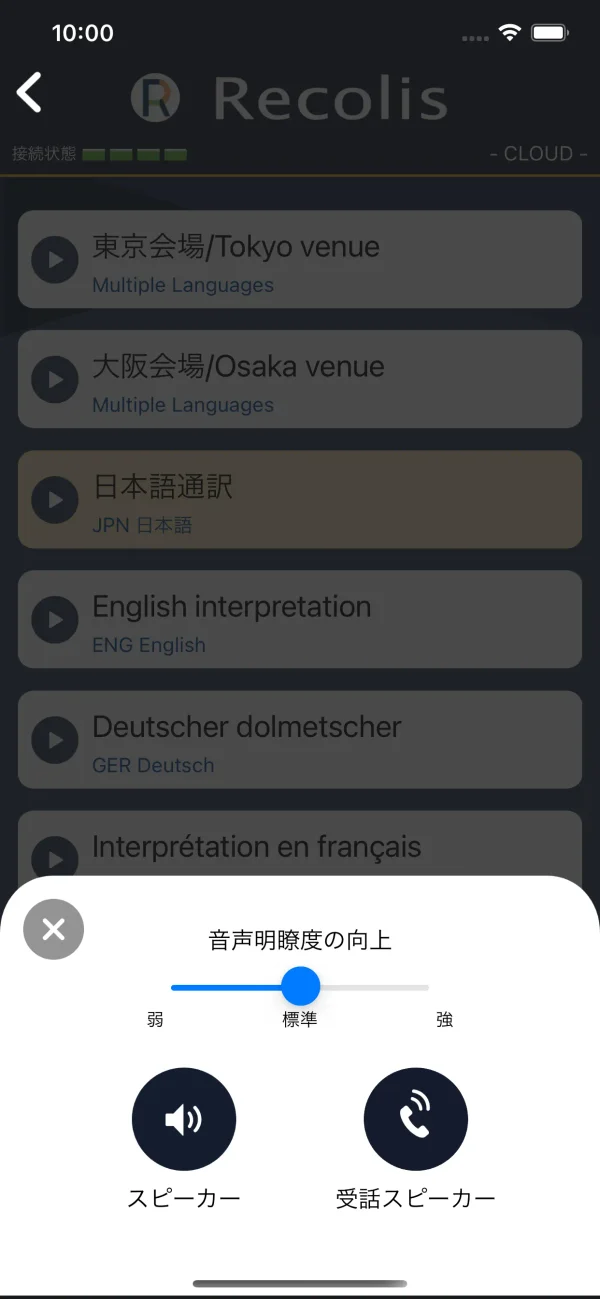
If authentication is successful by either method from a) to c), The list of audio programs being distributed will be displayed. Please tap a program you want to listen to.
If the list is not displayed, follow the instructions on the app screen to check procedures.
* Please use wired earphones or headphones. Bluetooth stuffs are not recommend because it may make extra audio delay or choppy sound due to the radio confliction with Wi-Fi. If you do not have earphones, please tap the speaker icon at the bottom of the screen and select [Receiver], then bring your smartphone to your ear. Now you can listen to the audio just like phone communication. (Some devices may not support the receiver.)
* In case of the Cloud mode, you can use either Wi-Fi connection at office or venue, or mobile network of cellular(3G/4G/5G). If audio is frequently interrupted or you do not listen well, Please use Wi-Fi or mobile network, whichever has the best reception.
* To broadcast your audio program, the "Recot" system is necessary . For details, please contact to Hoso Service Center.
https://www.hoso.co.jp/recot/
* Privacy policy of this application : https://dgo.xsrv.jp/recolis/privacypolicy.html
Yang baru
Versi 4.3.8 · 25/11/2026
Supports iOS27
Supports iPhone Duo
Privasi aplikasi
Yang dinyatakan Digio Corp. di App Store tentang cara aplikasi ini menangani data.
-
Data tidak dikumpulkan
Pengembang tidak mengumpulkan data apa pun dari aplikasi ini.
Praktik privasi dapat bervariasi, misalnya berdasarkan fitur yang Anda gunakan atau usia Anda.
Informasi
- Penjual
- DIJIO, K.K.
- Kategori
- Bisnis
- Versi
- 4.3.8
- Diperbarui
- 25/11/2026
- Dirilis
- 9/12/2018
- Ukuran
- 2,2 MB
- Memerlukan
- iOS 15.0 atau yang lebih baru
- Batasan usia
- 4+
- Harga
- Gratis
- Bahasa
- Inggris, Jepang
- Hak cipta
- © 2026 Hoso Service Center, Inc. All rights reserved