
Remote VibeCode
Run Codex over SSH from iOS
Dirancang untuk iPhone, iPad
Gratis · Pembelian dalam aplikasi
- Batasan usia4+
- KategoriAlat Pengembang
- PengembangJenson Ho
- BahasaInggris
- Ukuran12,1 MB
Tertaut ke halaman resmi App Store
Download.org tidak menyimpan file Remote VibeCode apa pun. Tombol ini membuka halaman aplikasi di App Store, tempat Jenson Ho menerbitkannya. Halaman terakhir diperiksa pada 15/11/2026.
Tangkapan layar

Tentang
Pengembang belum menyediakan teks ini dalam bahasa Anda.
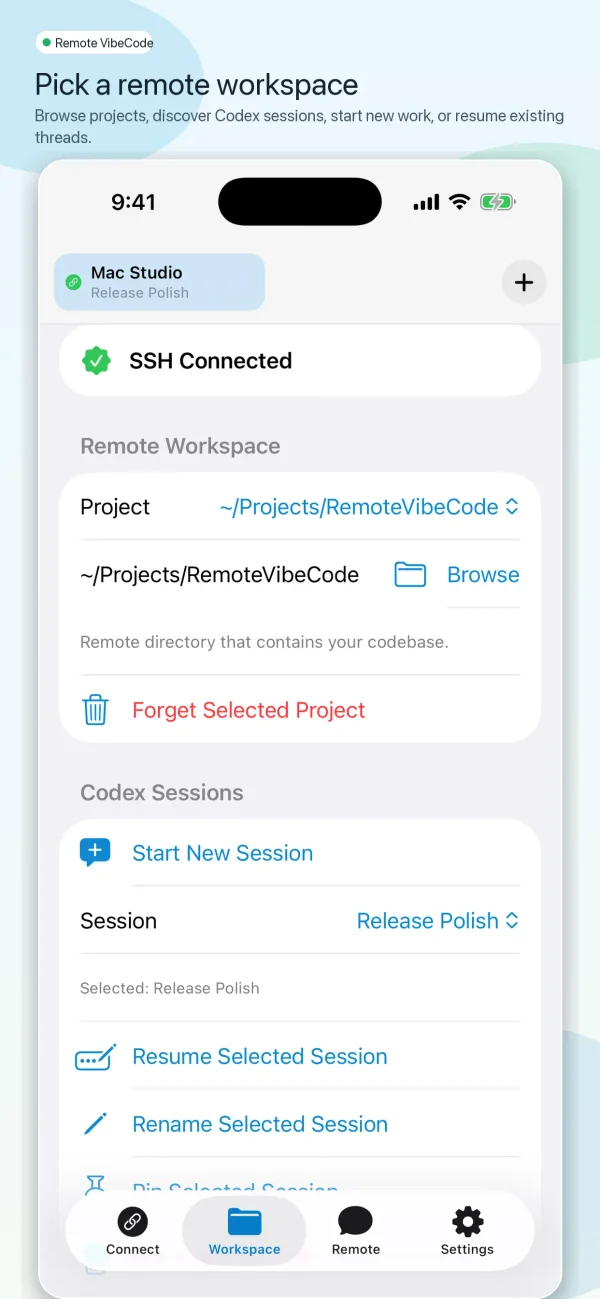
RemoteVibeCode is an iPhone and iPad app for working with OpenAI Codex on a remote machine over SSH.
Connect to your Linux, macOS, or Windows development machine, choose a project workspace, then start or resume Codex sessions from a focused mobile interface. You can type prompts, use iPhone voice-to-text, review Codex output, answer follow-up questions, queue additional prompts, and keep working against your remote codebase while away from your desk.
RemoteVibeCode is designed for developers who already run Codex on a remote system and want a practical mobile client for real coding workflows. Depending on your selected Codex approval and permission mode, Codex can inspect files, make code changes, and run commands on the remote host.
Features:
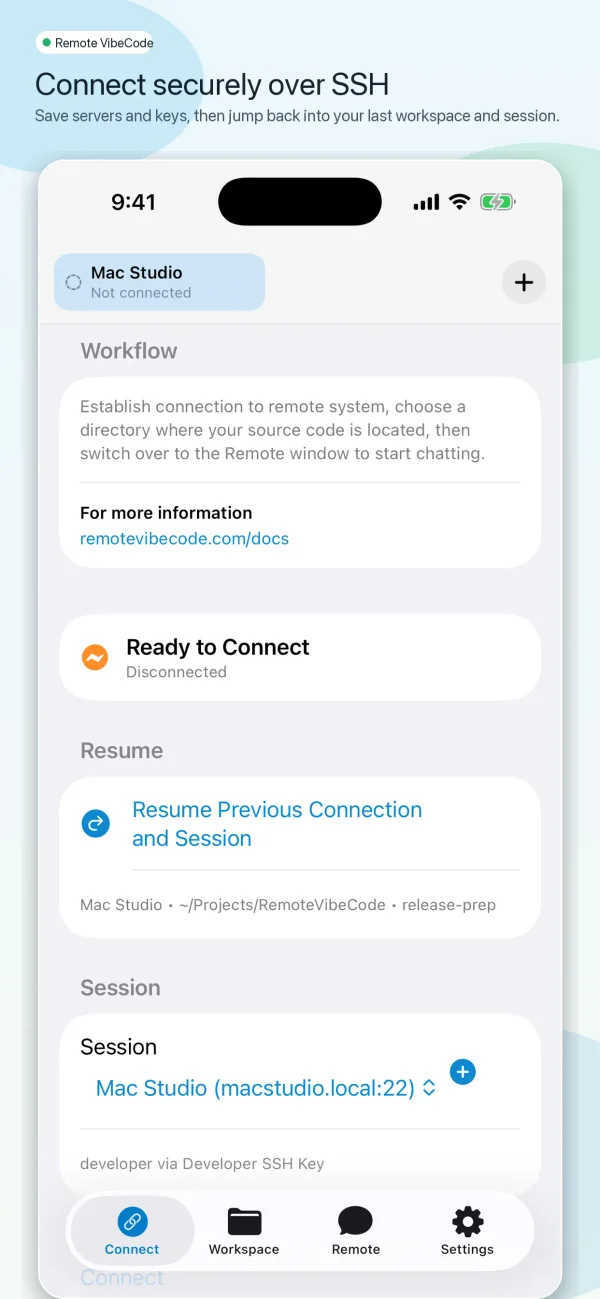
- Connect to remote development machines over SSH
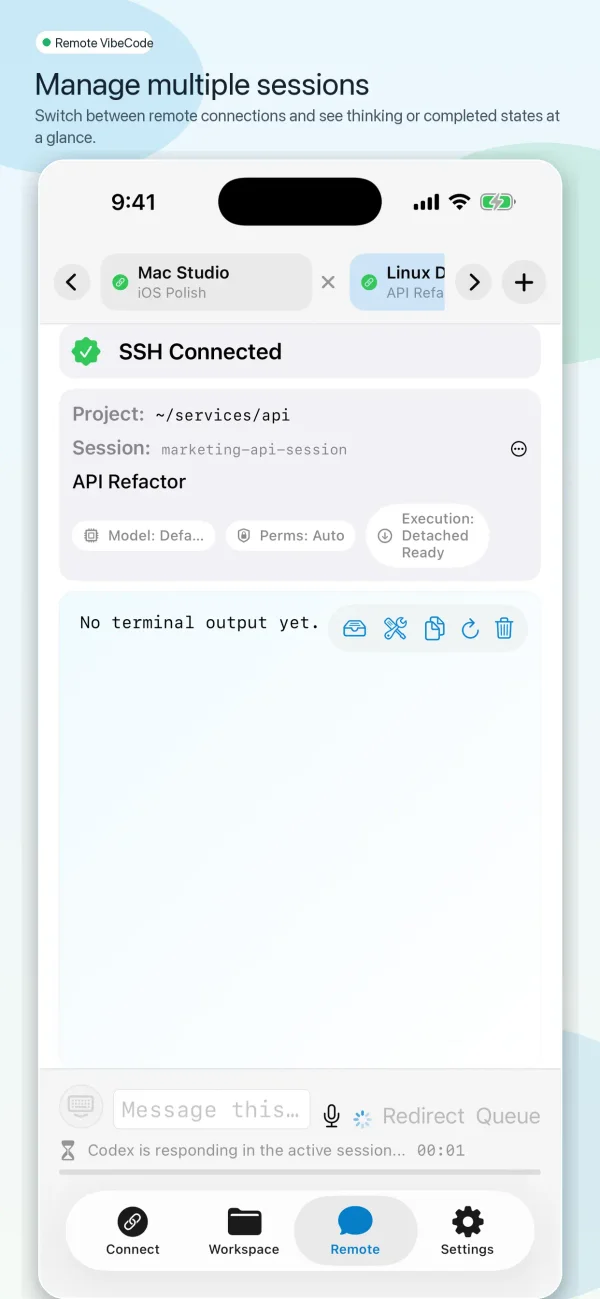
- Manage multiple remote connections with connection tabs
- Browse remote directories and select project workspaces
- Start new Codex sessions or resume existing ones
- Refresh available Codex models from the connected remote CLI
- Choose model and execution profile per session
- Type prompts or use iPhone voice-to-text
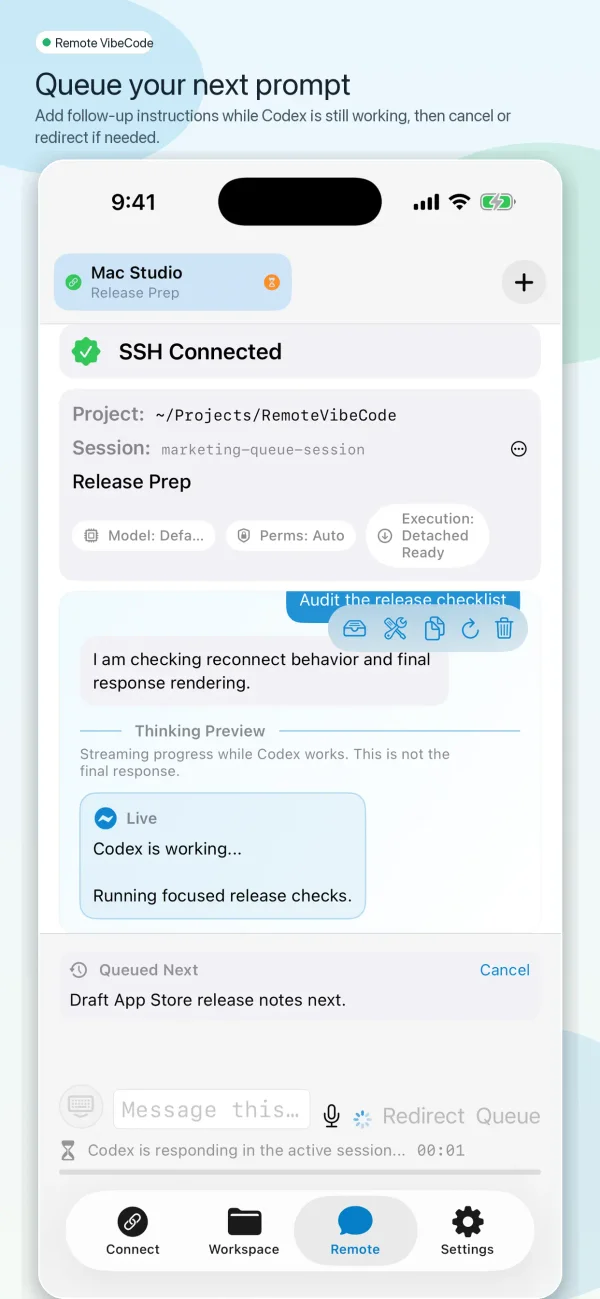
- Queue follow-up prompts while Codex is still working
- Review conversation history, final responses, and session output
- See active work and unread result indicators across tabs
- Inspect detached/background job status where supported
- Export or share session transcripts
- Save server, SSH key, and session settings for faster reconnects
- Get setup guidance for Codex install, login, and updates
Requirements:
- A remote system accessible over SSH
- Codex installed on that remote system
- Codex signed in with a ChatGPT or OpenAI account
- PowerShell, WSL, or another supported shell for Windows SSH targets
Yang baru
Versi 2.0 · 21/6/2026
What’s New in 2.0.0
RemoteVibeCode 2.0.0 is a major feature-complete update from the original 0.7.0 release, focused on making remote Codex work more resilient, flexible, and practical from iPhone and iPad.
- Added multi-connection tabs so you can keep multiple SSH/Codex contexts open and switch between them.
- Added per-tab session state, including active workspace, selected session, working status, and unread-result indicators.
- Improved workspace session discovery so sessions are scoped to the selected project directory.
- Added refreshed Codex model discovery from the connected remote CLI.
- Added per-session model and execution profile selection.
- Added queued prompts so you can line up follow-up instructions while Codex is still working.
- Added inline handling for Codex questions and approval prompts.
- Added detached/background runner support with job state, heartbeat, diagnostics, cancel/delete actions, and foreground-only fallback.
- Added reconnect and restore behavior for dropped SSH connections or app backgrounding.
- Added better stale connection detection when returning to the app.
- Added session rename support, including remote Codex session rename where available.
- Added session transcript export/share.
- Added setup and update guidance for Codex installs, including Homebrew, npm, and Windows winget paths.
- Improved Windows/PowerShell SSH support.
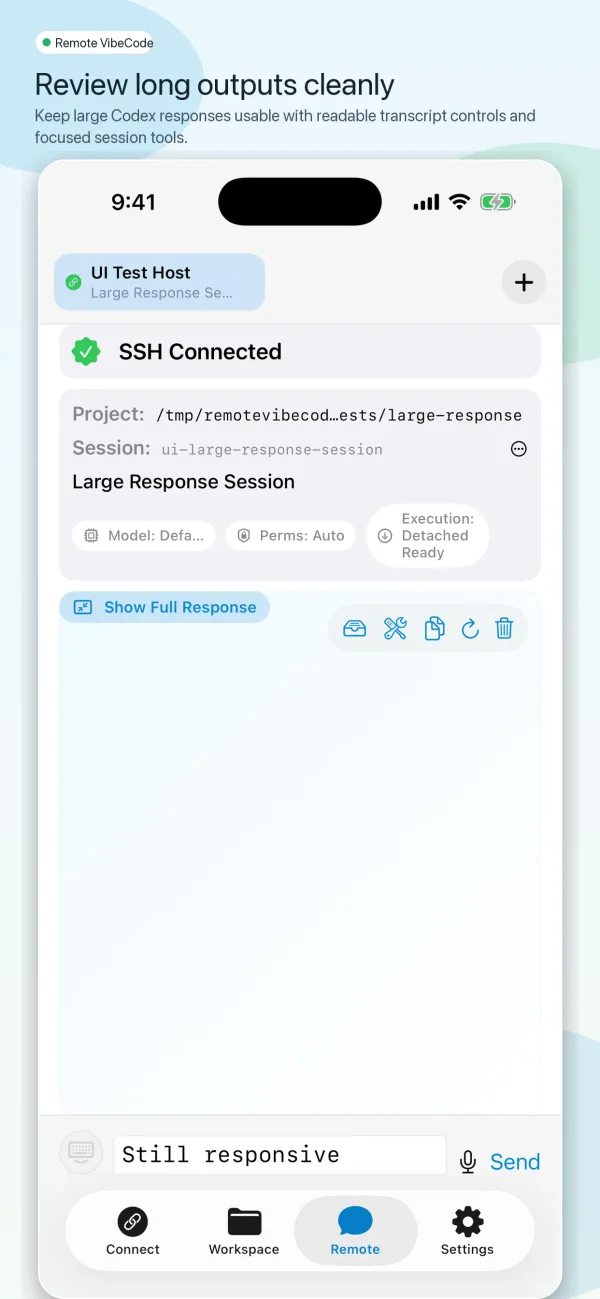
- Improved final response rendering, transcript parsing, long-output handling, and live output filtering.
- Improved smaller-phone layout, tab sizing, keyboard behavior, and remote output performance.
Privasi aplikasi
Yang dinyatakan Jenson Ho di App Store tentang cara aplikasi ini menangani data.
-
Data tidak dikumpulkan
Pengembang tidak mengumpulkan data apa pun dari aplikasi ini.
Praktik privasi dapat bervariasi, misalnya berdasarkan fitur yang Anda gunakan atau usia Anda.
Informasi
- Penjual
- Jenson Ho
- Kategori
- Alat Pengembang
- Versi
- 2.0
- Diperbarui
- 21/6/2026
- Dirilis
- 23/3/2026
- Ukuran
- 12,1 MB
- Memerlukan
- iOS 17.0 atau yang lebih baru
- Batasan usia
- 4+
- Harga
- Gratis
- Pembelian dalam aplikasi
- Ya
- Bahasa
- Inggris
- Hak cipta
- © 2026 Catlyte
Mungkin Anda juga suka
-
 DexRelay: Claude Code & CodexAlat Pengembang
-
 MacCode: Mobile AI CodingAlat Pengembang
-
 Remote AgentsAlat Pengembang
-
 DockPilot AIAlat Pengembang
-
 YuzuSSHAlat Pengembang
-
 Mossh: Codex SSH TerminalAlat Pengembang
-
 Vibe Code GuideAlat Pengembang
-
 Moshline: SSH & AI TerminalMosh Shell untuk Agen Coding
-
 Forge RemoteAlat Pengembang
-
 DatabeamAlat Pengembang