RUN interval - Running Timer
Interval running made easier.
Dirancang untuk iPhone, iPod touch
Gratis · Pembelian dalam aplikasi
- Batasan usia4+
- KategoriKesehatan & Kebugaran
- PengembangCAN YOU HEAR ME SOFTWARE
- BahasaInggris
- Ukuran34,0 MB
Tertaut ke halaman resmi App Store
Download.org tidak menyimpan file RUN interval - Running Timer apa pun. Tombol ini membuka halaman aplikasi di App Store, tempat CAN YOU HEAR ME SOFTWARE menerbitkannya. Halaman terakhir diperiksa pada 24/11/2026.
Tangkapan layar

Tentang
Pengembang belum menyediakan teks ini dalam bahasa Anda.
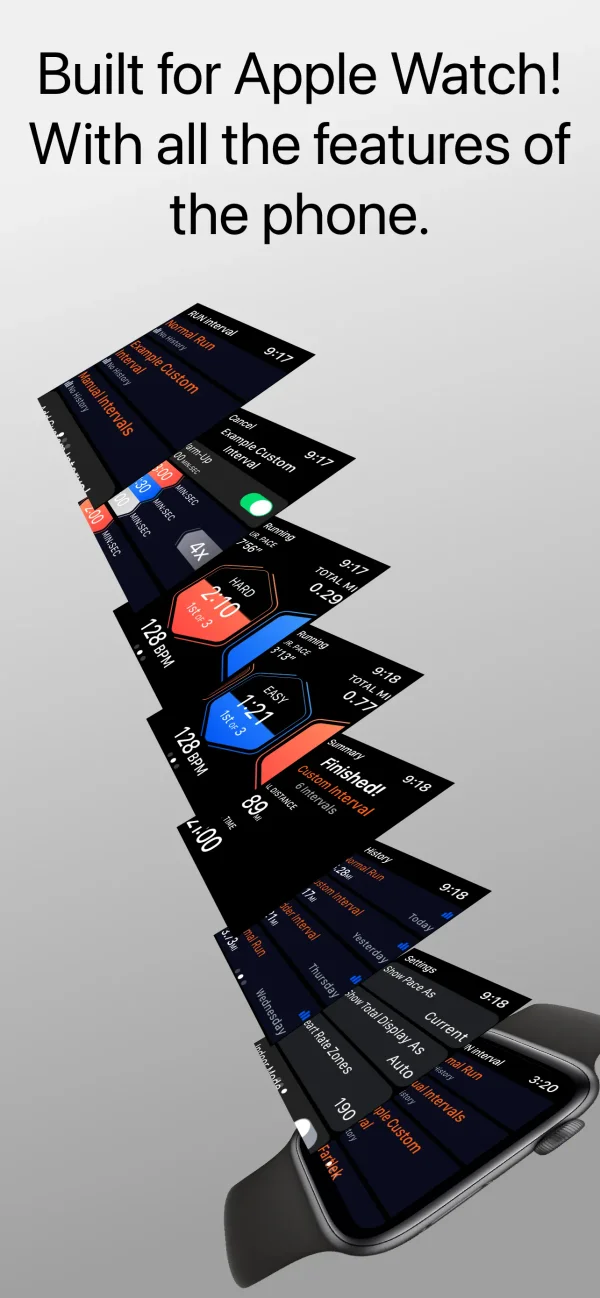
Easily set up and record your Interval and Fartlek running sessions. With the flexibility of using time and/or distance as interval targets for your "Hard", "Easy" and "Rest" efforts. The simple but highly configurable interface on your phone and watch will have you running sooner.
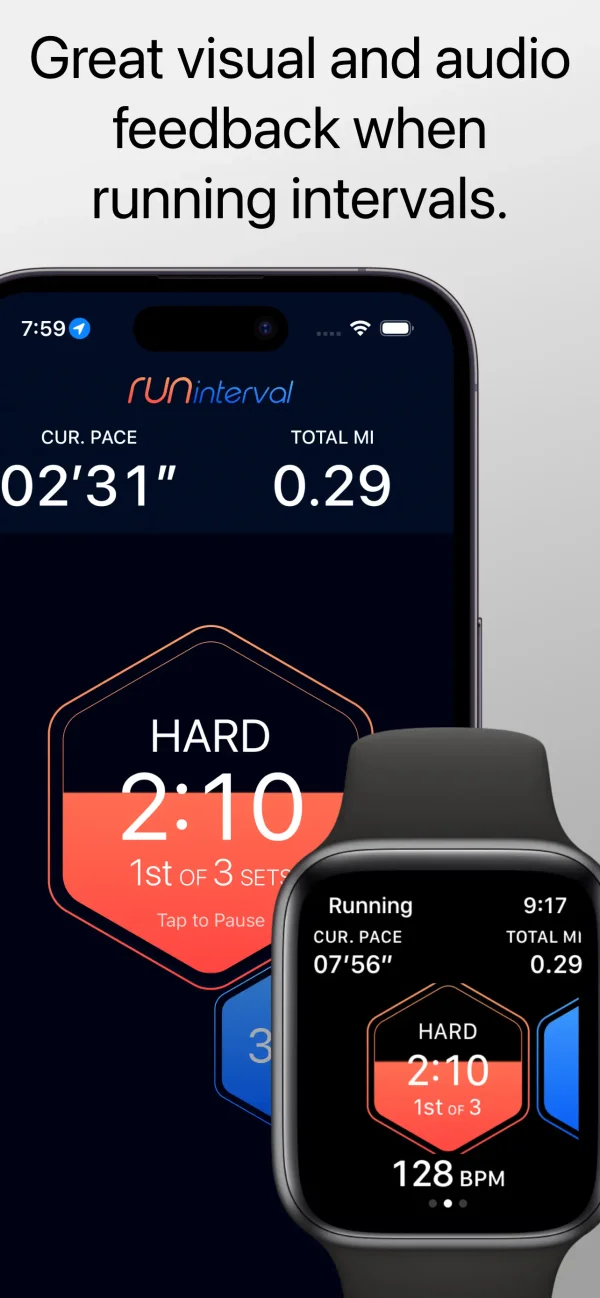
Now with a Distance Goal option for your session. Along with great audio and visual feedback, detailed post-run summary, share your runs to Strava, and a full-featured Apple Watch app.
You can also record your regular runs with voice-over calling out distance and pace feedback.
Key Features:
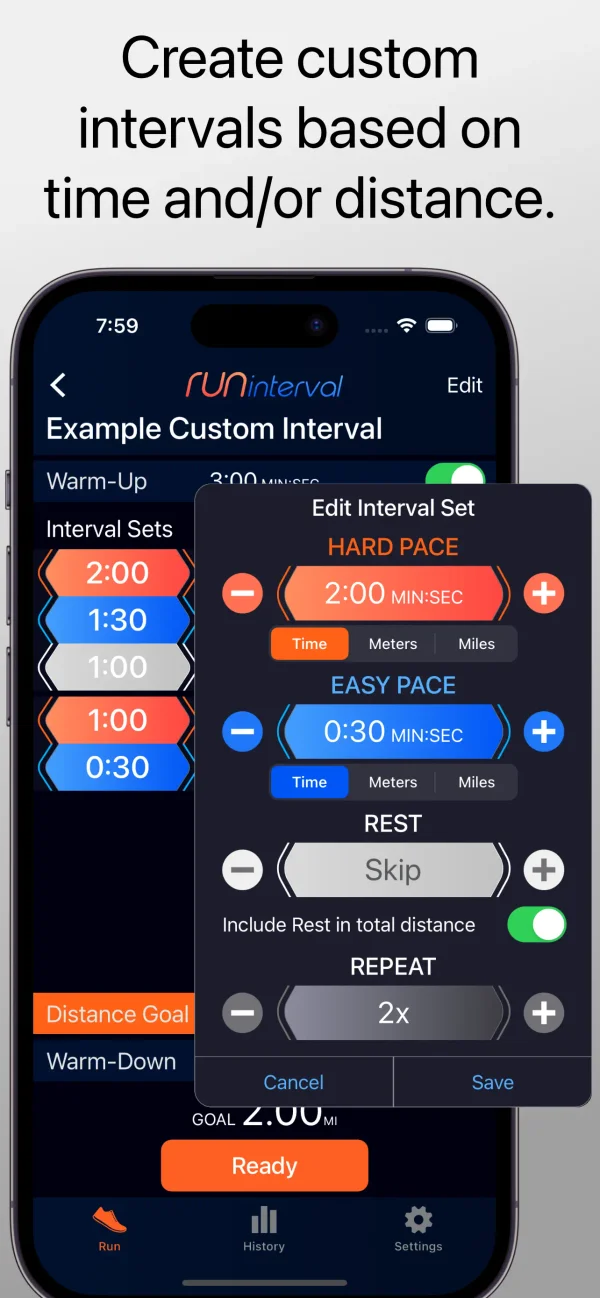
• Easily create flexible custom interval sessions.
• Utilize three effort targets "Hard", "Easy" and "Rest" in each set, targeting time or distance (meters or miles).
• You can "Skip" any of the three efforts to create flexible sets, like building a progressive intervals session.
• NEW: Set a Distance Goal for your session, that repeats the sets from the start until the distance has been reached.
• Set a Warm-Up and Warm-Down timer or distance around your session.
• Clear and easily glanceable visuals and audio prompts, including vibrations.
• Voice-over prompts to save you from looking at the screen, great for iPhone or headphone users.
• Voice-over prompts include the upcoming intervals effort and time/distance amount, and your last intervals average pace and heart rate.
• Full-featured Apple Watch App!
• Heart Rate Zones! (see description below)
• Indoor Mode, no GPS, for treadmill running.
• Sound Mode, for normal, discrete or silent audio prompts on your watch.
• Vibration feedback on both the phone and watch.
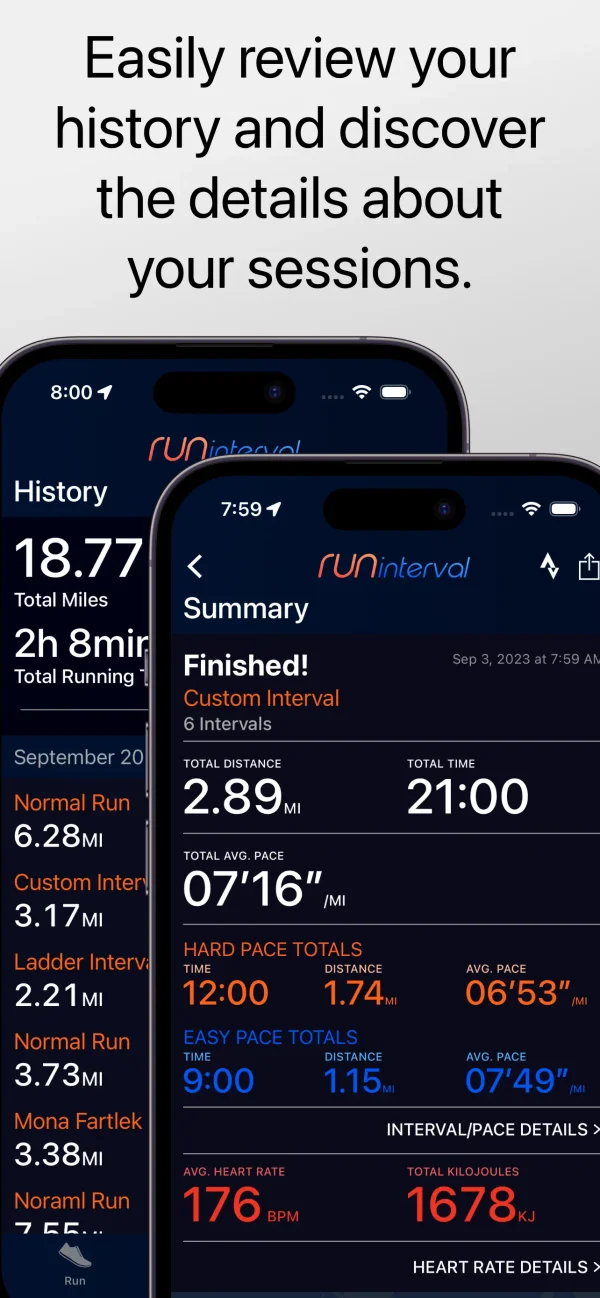
• Detailed run summary, showing pace for hard and easy efforts.
• The run summary also includes interval breakdown, distance breakdown and heart rate details.
• Play music or podcasts while running and still hear the audio prompts.
• Sharing. Share a summary photo with your friends.
• Private data. We don’t send any of your data to a server or share it with anyone.
Session Types:
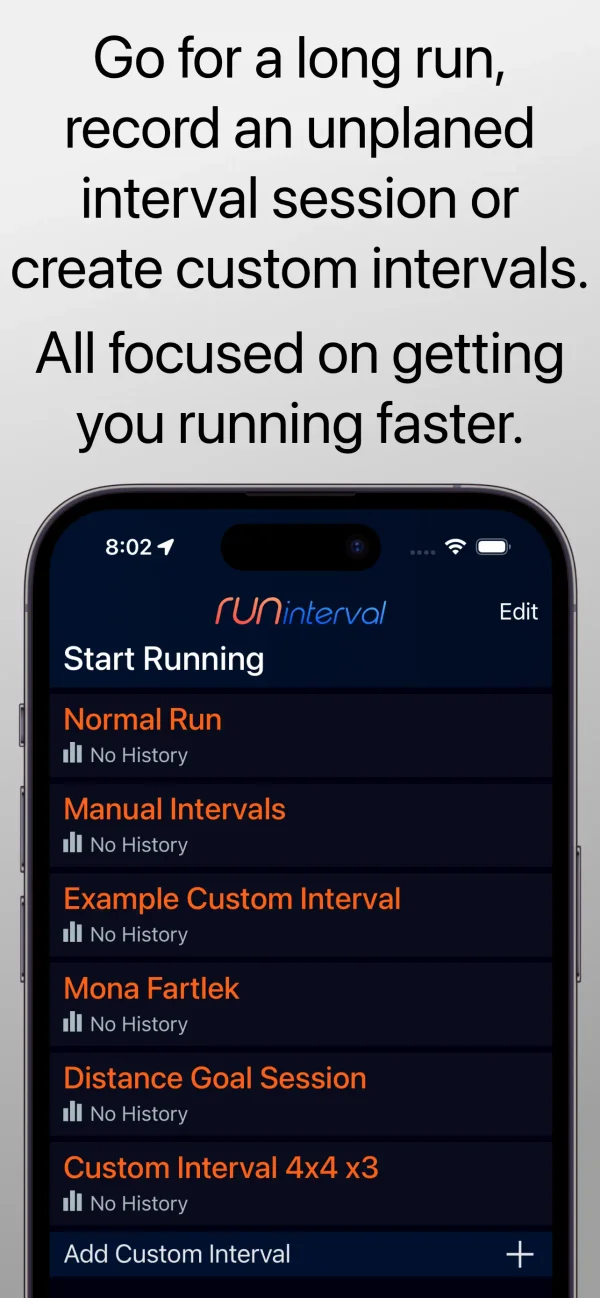
• Normal Run – Record a normal run, long or short.
• Record Intervals – If you run with a group or do an undefined session, then use the Record Interval option. It allows you to manually change between "Hard" and "Easy" reps, allowing you to record your session.
• Custom Intervals – Our fully flexible intervals that allow you to use time and/or distance for the efforts. Add multiple intervals sets together to create the session you want.
Sharing:
From the summary screen, you can share your runs with friends or across social media. If you want to share directly with friends or across other social media, you can share a summary image with the details of your run.
Heart Rate Zones: (Apple Watch Only)
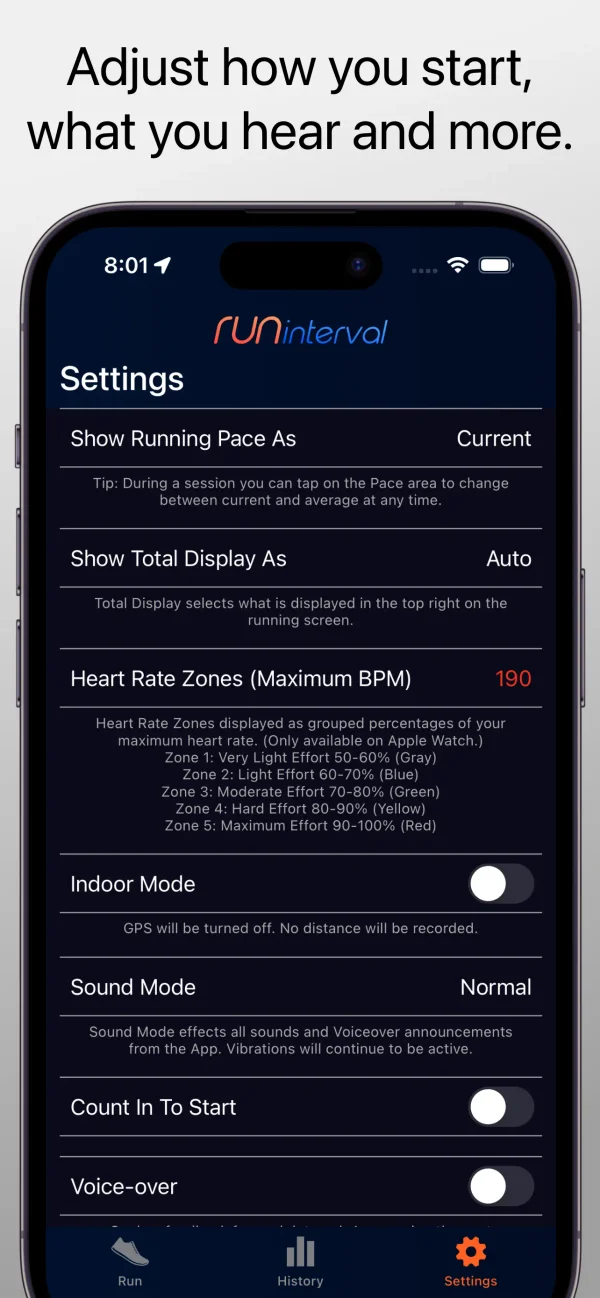
Zones are displayed as grouped percentages of your maximum heart rate. Giving you an indication of your current work rate based on your current heart rate. Just enter your maximum workout heart rate into our Settings screen and they will display on your Watch the next time you run.
Zone 1: Very Light Effort 50-60% (Gray)
Zone 2: Light Effort 60-70% (Blue)
Zone 3: Moderate Effort 70-80% (Green)
Zone 4: Hard Effort 80-90% (Yellow)
Zone 5: Maximum Effort 90-100% (Red)
Privacy:
We don’t want to know where you have run, that's for you to worry about. We don’t send any of your data to a server or share it with anyone you don't want too. We keep your running records safe in Apple Health so you have control. Apple Heath gives you the control over who accesses your data. We only write and read the data we record from your running.
Feedback:
And because we don't send any data to a server, we need you to send us feedback and suggestions. Hit the Support link below or visit our website to contact us.
Yang baru
Versi 6.1 · 5/6/2026
General improvements and updates.
Sadly have had to remove Strava sharing, as they have changed their program.
Privasi aplikasi
Yang dinyatakan CAN YOU HEAR ME SOFTWARE di App Store tentang cara aplikasi ini menangani data.
-
Data tidak dikumpulkan
Pengembang tidak mengumpulkan data apa pun dari aplikasi ini.
Praktik privasi dapat bervariasi, misalnya berdasarkan fitur yang Anda gunakan atau usia Anda.
Informasi
- Penjual
- CAN YOU HEAR ME SOFTWARE
- Kategori
- Kesehatan & Kebugaran
- Versi
- 6.1
- Diperbarui
- 5/6/2026
- Dirilis
- 1/11/2018
- Ukuran
- 34,0 MB
- Memerlukan
- iOS 15.6 atau yang lebih baru
- Batasan usia
- 4+
- Harga
- Gratis
- Pembelian dalam aplikasi
- Ya
- Bahasa
- Inggris
- Hak cipta
- © 2022 Justin Templar
Mungkin Anda juga suka
-
 Intervals Pro: HIIT TimerKesehatan & Kebugaran
-
 Jeff Galloway Run Walk RunKesehatan & Kebugaran
-
 Interval Timer: Run Walk, HIITKesehatan & Kebugaran
-
 HIIT: Simple interval timerKesehatan & Kebugaran
-
 Interval TimerKesehatan & Kebugaran
-
 Seconds Interval TimerKesehatan & Kebugaran
-
 Interval Timer - Tabata TimerKesehatan & Kebugaran
-
 Half Marathon 13.1 TrainerKesehatan & Kebugaran
-
 Interval Timer □ Workout TimerTimer latihan sederhana.
-
 Running Interval Timer TrackerKesehatan & Kebugaran