- Batasan usia4+
- KategoriPendidikan
- PengembangLodewijk Bonebakker
- BahasaInggris
- Ukuran18,6 MB
Tertaut ke halaman resmi App Store
Download.org tidak menyimpan file ScopeBoss apa pun. Tombol ini membuka halaman aplikasi di App Store, tempat Lodewijk Bonebakker menerbitkannya. Halaman terakhir diperiksa pada 12/11/2026.
Tangkapan layar


Tentang
Pengembang belum menyediakan teks ini dalam bahasa Anda.
ScopeBoss emulates the Autostar II controller for Meade LX200GPS telescopes. It communicates with the scope through a WiFi-to-Serial adapter, such as the SkyFi by Southern Stars or the GC Wi-Fi Adapter, and provides complete control from iPhone or iPad. Using your telescope has never been so simple, convenient and reliable.
ScopeBoss arranges the Autostar II functionality into logical, convenient tabs, making important but hard-to-find operations immediately accessible.
Keypad Tab
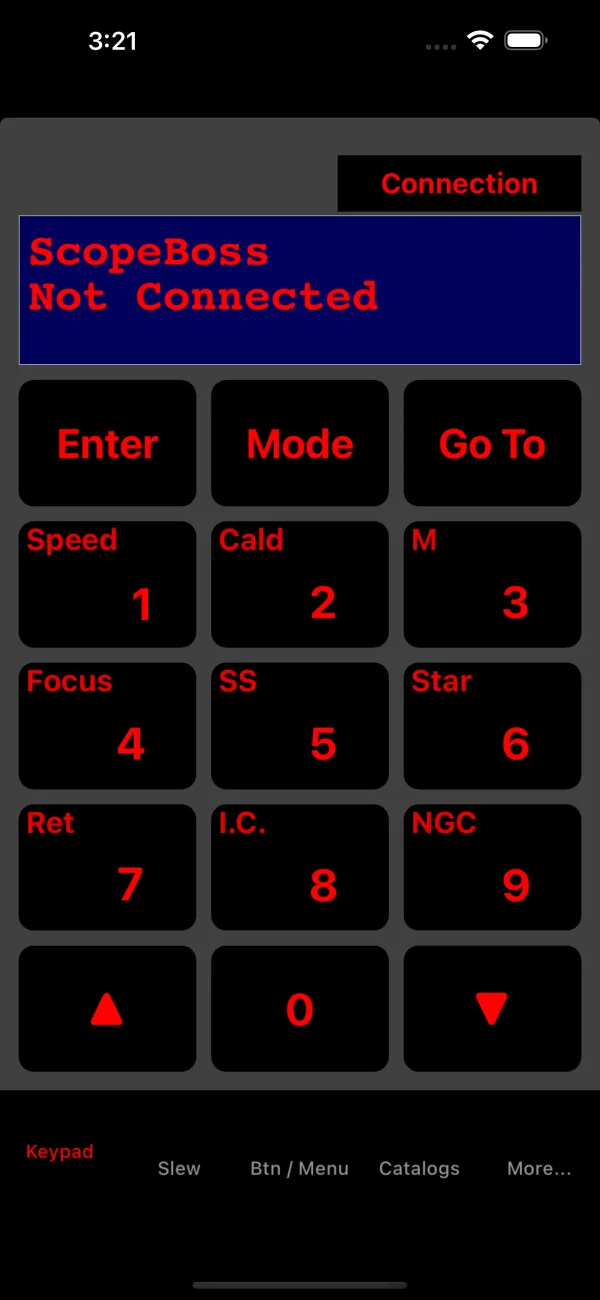
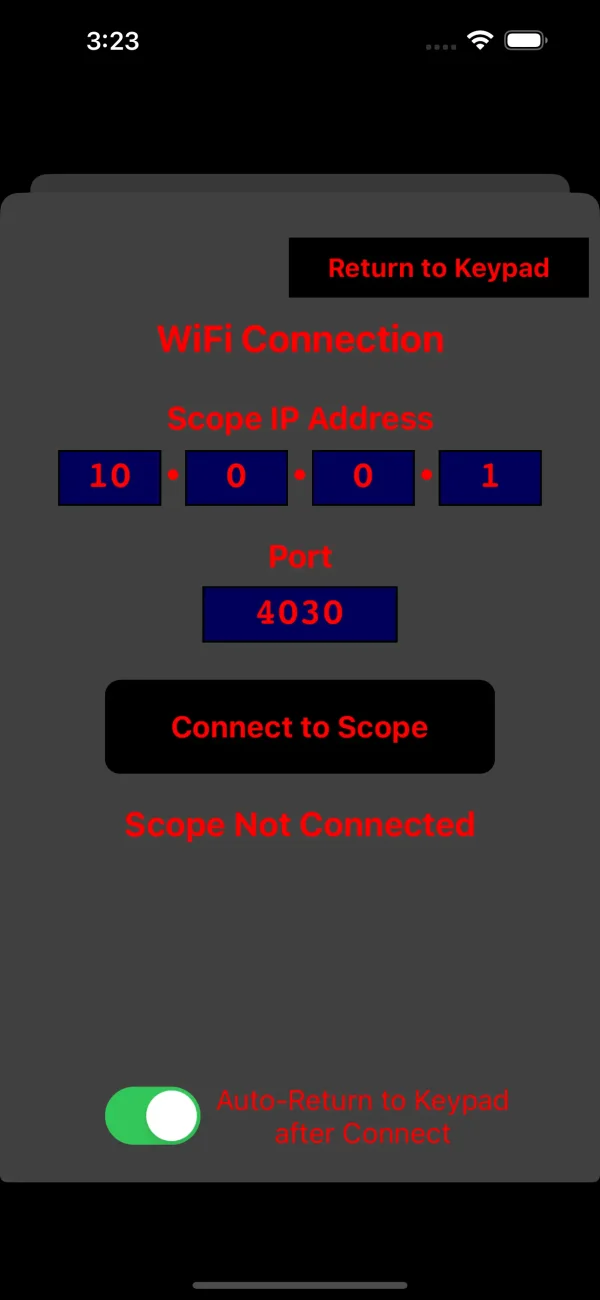
The Keypad Tab provides the LCD display and the primary keypad buttons (minus slew arrows, which are found on their own separate tab) of the real, Autostar II hand-box controller. Most LX200GPS users will find much functionality here familiar, including numeric keys for data entry and hot button short cuts, as well as scrolling arrows for object and option lists. The Enter, Mode, and Go To keys provide their full Autostar II functionality, including long presses for syncing, displaying or entering RA/Dec coordinates, and initiating spiral searches. "Flipping" to the back side of the Keypad tab reveals the Connection tab. Connection between the iPhone or iPad’s WiFi and the scope’s WiFi-to-Serial adapter is established in this tab. Input fields permit specification of the adapter’s specific IP Address and port number.
Slew Tab
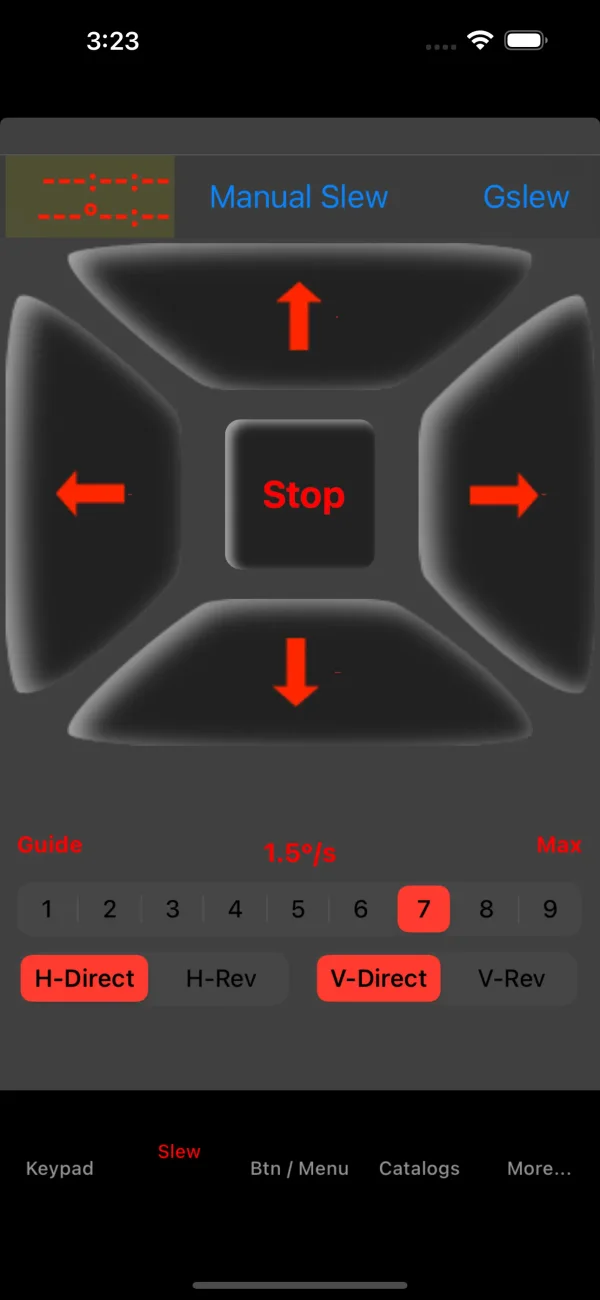
Manually slewing the scope is performed in the Slew Tab. The primary slewing method uses Up, Down, Left and Right arrow buttons in the same manner as the real Autostar II. In addition, segmented switches provide control of the slew speed, as well as the ability to reverse slewing direction to match the optical system. “Flipping” to the back side of the tab reveals a second, gesture-based slewing method. This method uses finger drag gestures to slew the scope. In addition, a third method slews the scope according to the tip and tilt of the iPhone or iPad.
Btn/Menu Tab
This tab makes much of the operation of the LX200GPS easier and more accessible. The front side of the tab provides customizable buttons for important functions such as Alignment methods, Parking, Initializing, Guided Tours and more. The back side presents the entire operation menu of the Autostar II in an expandable/collapsible table. This operation menu can be imported directly from the scope, or the default menu can be used.
Catalogs Tab
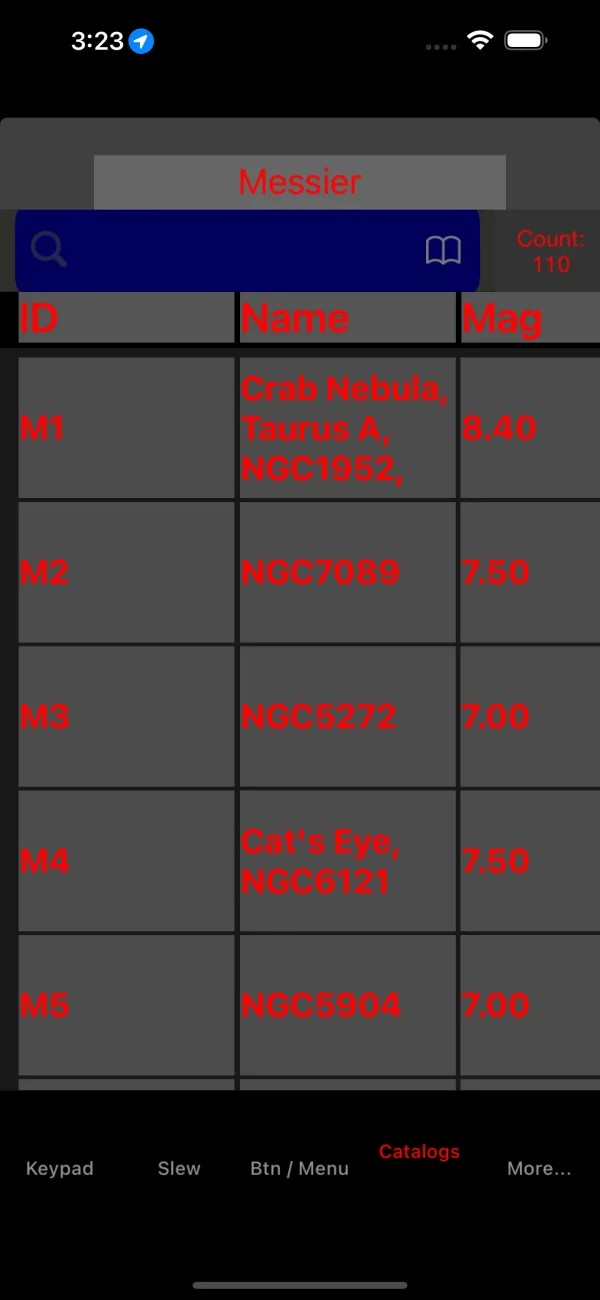
This tab provides a choice of two star catalogs and one Messier catalog, totaling over 21,000 objects. Each catalog is displayed in a scrollable, searchable table. Tapping on an object in the table displays additional object information and offers the option to Go To the object or add it to Favorites.
More…
Additional convenience functions are provided in the More… tab. Features include, displaying current coordinates or slewing to input coordinates (RA/Dec, Alt/Az), controlling the Meade micro focuser, entering manual commands, setting the scope from iPhone or iPad location and time, and more.
Yang baru
Versi 1.2.1 · 23/12/2023
This version fixes a dependency in iOS 17 that leads to an immediate crash, other fixes include the removal of deprecated iOS APIs. Most of the changes will be invisible to the user.
Privasi aplikasi
Yang dinyatakan Lodewijk Bonebakker di App Store tentang cara aplikasi ini menangani data.
-
Data tidak dikumpulkan
Pengembang tidak mengumpulkan data apa pun dari aplikasi ini.
Praktik privasi dapat bervariasi, misalnya berdasarkan fitur yang Anda gunakan atau usia Anda.
Informasi
- Penjual
- Lodewijk Bonebakker
- Kategori
- Pendidikan
- Versi
- 1.2.1
- Diperbarui
- 23/12/2023
- Dirilis
- 15/2/2015
- Ukuran
- 18,6 MB
- Memerlukan
- iOS 12.0 atau yang lebih baru
- Batasan usia
- 4+
- Harga
- Gratis
- Bahasa
- Inggris
- Hak cipta
- © 2015 KeplerTech
Mungkin Anda juga suka
-
 Telescope AssistPendidikan
-
 PegasusAstro UnityPendidikan
-
 SNEWS EventsPendidikan
-
 SkySafari 8 ProAstronomy Guide To Night Sky
-
 SkySafari 8 PlusAstronomy Guide To Night Sky
-
 SDO ViewerPendidikan
-
 SkySafari 7 ProAstronomy Guide To Night Sky
-
 SkySafari 7 PlusAstronomy Guide To Night Sky
-
 Hubble Space Telescope TrackerPendidikan
-
 TelescopiusPendidikan