
ScreenHarmony:Parental control
Parental Control by Schedule
Dirancang untuk iPhone, iPad
Gratis · Pembelian dalam aplikasi
- Batasan usia4+
- KategoriGaya Hidup
- Pengembang集军 孟
- BahasaJerman+ 4 lainnya
- Ukuran8,3 MB
Tertaut ke halaman resmi App Store
Download.org tidak menyimpan file ScreenHarmony:Parental control apa pun. Tombol ini membuka halaman aplikasi di App Store, tempat 集军 孟 menerbitkannya. Halaman terakhir diperiksa pada 13/11/2026.
Tangkapan layar



Tentang
Pengembang belum menyediakan teks ini dalam bahasa Anda.
ScreenHarmony is more than a simple app blocking tool. It is a family screen time management solution that helps parents create clear, consistent, and practical digital rules for different moments in a child’s day.
Set different app limits, protection rules, and website access controls for study time, homework, bedtime, weekends, and more. ScreenHarmony automatically applies the right rules at the right time, helping reduce repeated reminders and everyday conflicts around device use.
KEY FEATURES
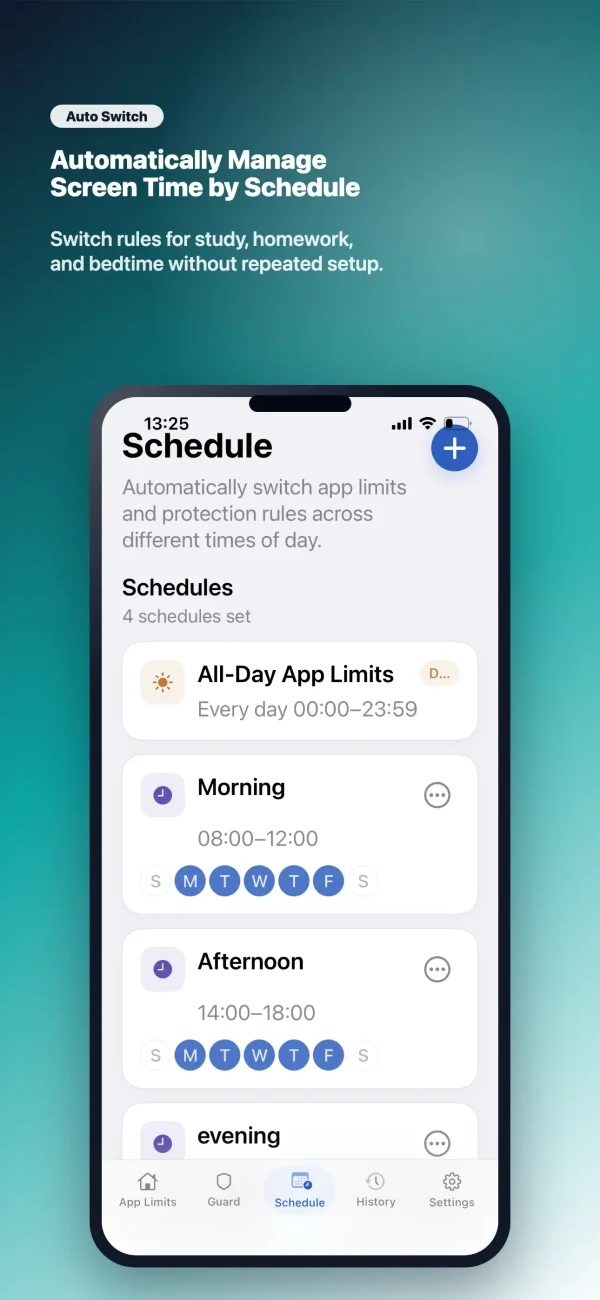
1. Automatic schedules throughout the day
Create rules for different parts of the day, such as school hours, homework time, evenings, and weekends. Each schedule can use its own app limits and protection rules, so screen time management fits real family routines.
2. App limits and reminders
Set daily time limits by app or category. For learning apps, you can choose reminders only. For games, short videos, or social apps, you can limit access during specific time periods to help children stay focused.
3. Protection rules
Apply different protection strategies at different times. Keep social apps away during school hours, limit games in the evening, and let the rules run automatically without constant manual changes.
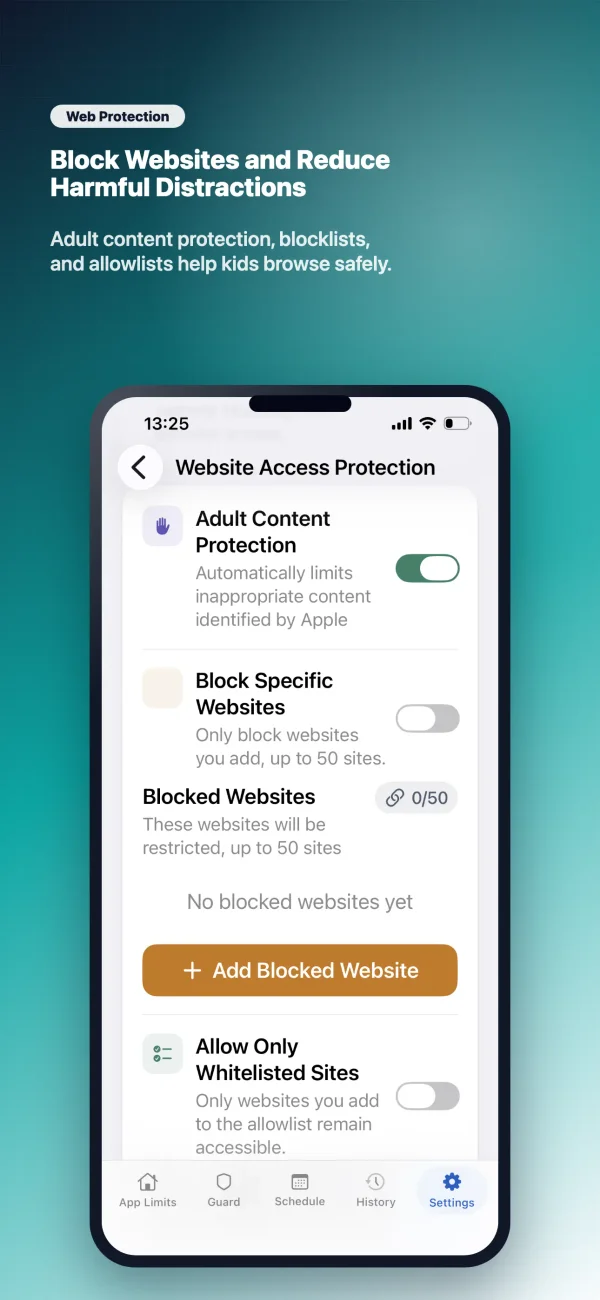
4. Website access protection
Support for adult content protection, blocked websites, and allowlist mode helps children browse more safely and stay away from inappropriate content.
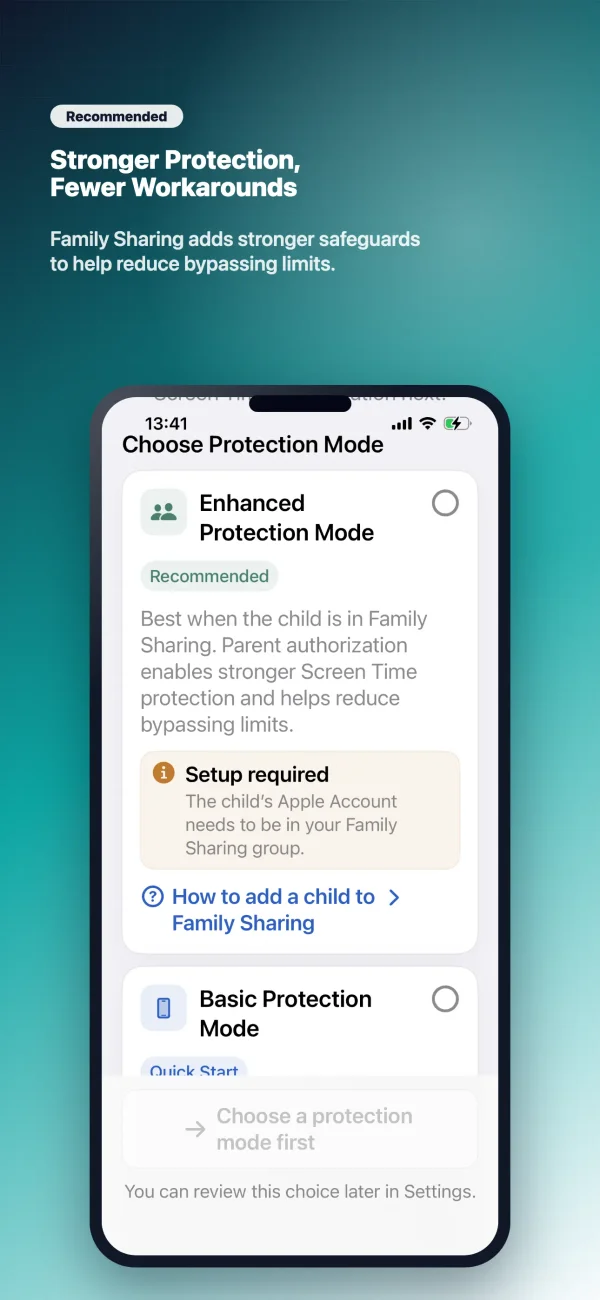
5. Enhanced Protection Mode
Use Family Sharing and Screen Time authorization to enable stronger parental controls and reduce the chance that children can bypass limits by changing settings, switching accounts, or using other common workarounds.
6. More protection settings
Limit account-related changes, device passcode changes, Game Center multiplayer, and Game Center friend requests to help parents keep control of important device settings.
7. Privacy first
ScreenHarmony uses Apple’s Screen Time technologies to manage app access. Data is kept on the device as much as possible, and we do not collect your personal privacy data, so families can manage screen time with greater peace of mind.
WHO IT’S FOR
• Parents who want to reduce excessive use of games, short videos, or social apps
• Families who need different rules for school, homework, bedtime, and weekends
• Parents who want stronger screen time management through Family Sharing
• Families who prefer a calmer, more transparent way to build healthy digital habits
• People who want basic screen time support for family members who are less familiar with smartphones but tend to overuse them
ScreenHarmony is not just about “blocking the phone.” It helps families build clear, stable, and practical digital routines. By agreeing on schedules and limits in advance, children can better understand when it is time to study and when it is okay to relax, while parents can reduce repeated reminders and daily friction.
SUBSCRIPTION INFORMATION
ScreenHarmony Pro offers monthly and quarterly subscription options. A subscription unlocks more complete schedule management, app limits, protection rules, website protection, and advanced protection features.
Payment will be charged to your Apple ID account. Your subscription automatically renews unless auto-renewal is turned off at least 24 hours before the end of the current period. You can manage or cancel your subscription anytime in your App Store account settings.
Terms & Privacy
Privacy Policy:
https://apps.newbasoft.com/privacy.html
Terms of Use:
https://www.apple.com/legal/internet-services/itunes/dev/stdeula/
Yang baru
Versi 2.0 · 29/7/2026
Summer Referral is now live!
- Create and share your personal invite code
- When a friend subscribes using your code, they can claim 1 month of Pro
- After your friend successfully claims their reward, you can receive an additional month of Pro
- The event and subscription pages now display your claimed invite code and reward status
- Added reward push notifications and clearer claiming instructions
- Refreshed the event page UI and improved the overall experience
Invite your friends to HarmonyHour and enjoy 1 month of Pro together.
Privasi aplikasi
Yang dinyatakan 集军 孟 di App Store tentang cara aplikasi ini menangani data.
-
Data tidak dikumpulkan
Pengembang tidak mengumpulkan data apa pun dari aplikasi ini.
Praktik privasi dapat bervariasi, misalnya berdasarkan fitur yang Anda gunakan atau usia Anda.
Informasi
- Penjual
- 集军 孟
- Kategori
- Gaya Hidup
- Versi
- 2.0
- Diperbarui
- 29/7/2026
- Dirilis
- 18/8/2025
- Ukuran
- 8,3 MB
- Memerlukan
- iOS 16.6 atau yang lebih baru
- Batasan usia
- 4+
- Harga
- Gratis
- Pembelian dalam aplikasi
- Ya
- Bahasa
- Jerman, Inggris, Jepang, Spanyol, Tionghoa Sederhana
- Hak cipta
- © 2026 Jijun Meng
Mungkin Anda juga suka
-
 Guardian BubbleGaya Hidup
-
 Parental Control App NannyHereGaya Hidup
-
 Parental Control: Screen TimeGaya Hidup
-
 Garden Tracker - Seed PocketGaya Hidup
-
 Parental Control App:PatLockGaya Hidup
-
 SmartDaddy Child Screen TimeGaya Hidup
-
 Family Safe - Parental ControlGaya Hidup
-
 Parental Control: SmartDaddyGaya Hidup
-
 Üb YouthGaya Hidup
-
 Kontrol Orang Tua: Screen TimeParental Control App & Blocker