ScreenLocation: Block Apps
Block apps by place
Dirancang untuk iPhone, iPad
Gratis · Pembelian dalam aplikasi
- Batasan usia4+
- KategoriProduktivitas
- PengembangAndrew Meyers
- BahasaInggris
- Ukuran2,1 MB
Tertaut ke halaman resmi App Store
Download.org tidak menyimpan file ScreenLocation: Block Apps apa pun. Tombol ini membuka halaman aplikasi di App Store, tempat Andrew Meyers menerbitkannya. Halaman terakhir diperiksa pada 18/11/2026.
Tangkapan layar
Tentang
Pengembang belum menyediakan teks ini dalam bahasa Anda.
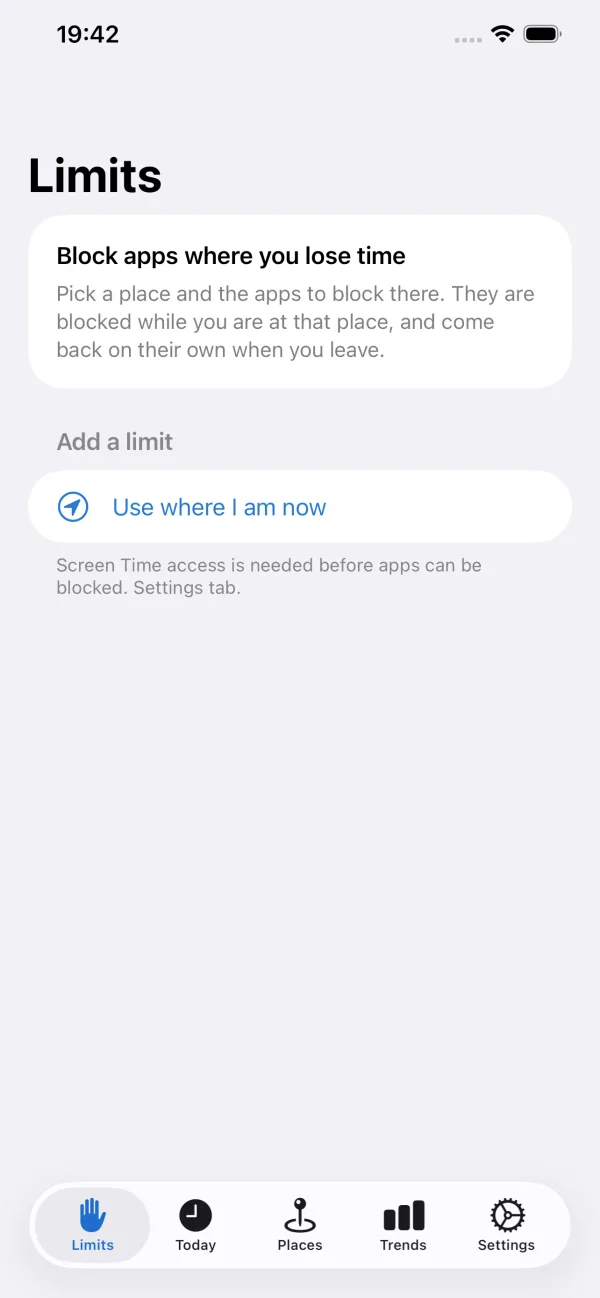
Block the apps you lose time to, at the places you lose it.
ScreenLocation notices the places you go, names them using Apple's own map data, and lets you shut distracting apps off while you are there. Block social media at your desk. Block games at the gym. They come back on their own the moment you leave.
You never tag a location, name a place, or confirm anything.
SET A LIMIT
- Pick a place, pick the apps, done
- Those apps are blocked while you are there and released when you leave
- Turn a limit off for an afternoon without deleting it
- Limits follow the place, not a schedule you have to maintain
SEE WHERE IT GOES
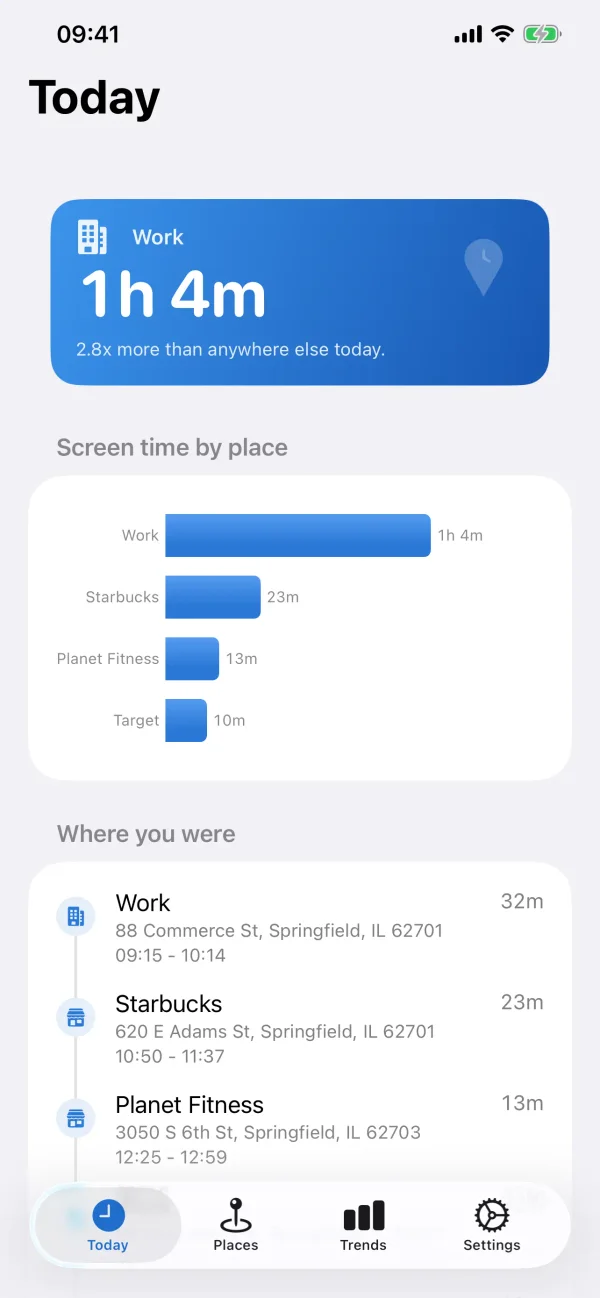
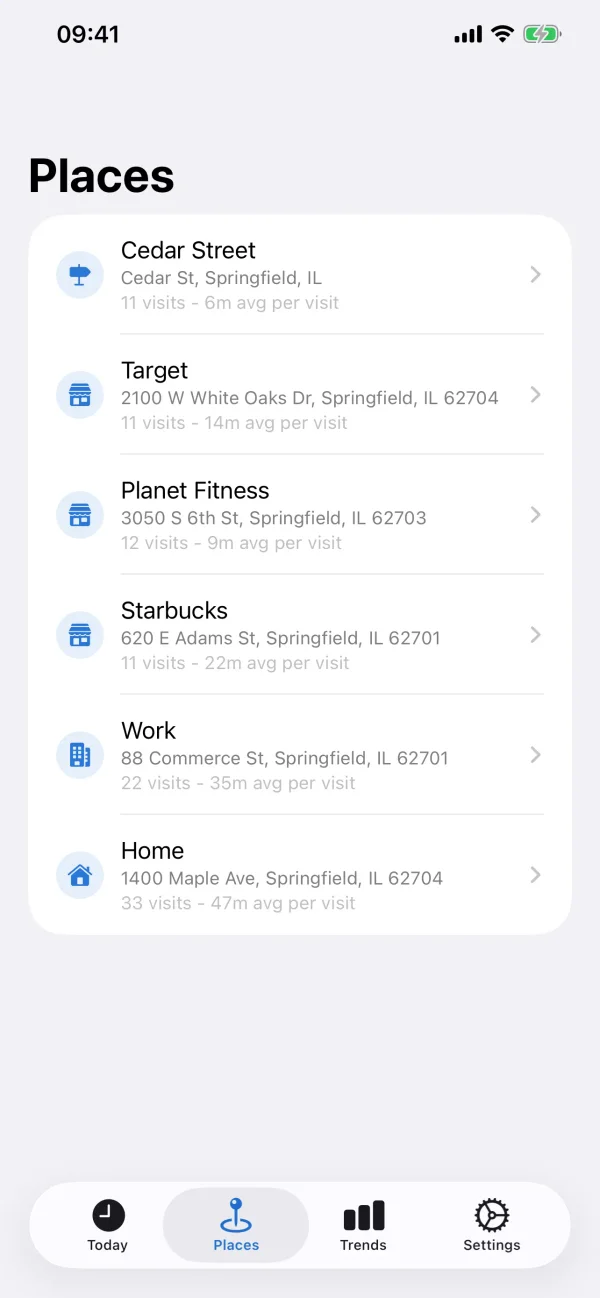
- Screen time attributed to each place you visit
- Ranked, so you can see which places actually cost you
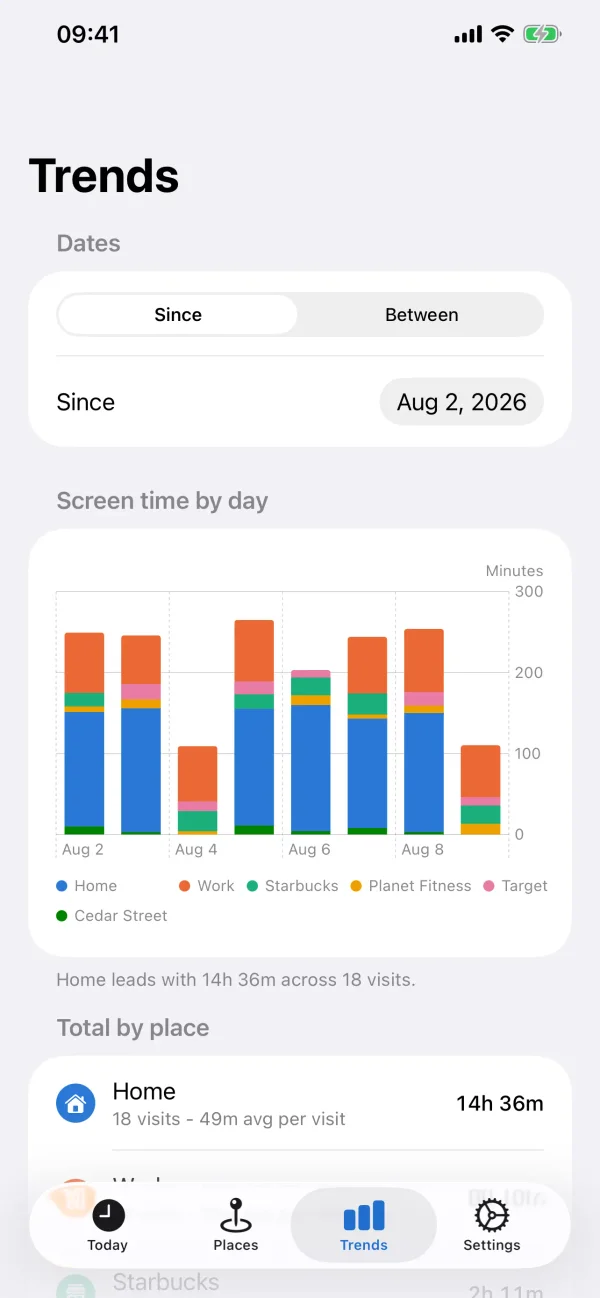
- Every day charted by place, over any date range
- Every place gets a street address, whether or not a business was identified
HOW THE NAMING WORKS
Home and Work are worked out purely from your own pattern - where your phone spends its nights, and where it spends weekday working hours. Anywhere else, the app asks Apple's map data what business sits at that spot. If nothing is listed, it uses the street name.
It will not guess. If two shops sit side by side and a visit cannot tell them apart, it shows the address and offers you the choice.
PRIVACY
Everything stays on your device. No account, no sign-in, no sync, no analytics, no ads, no third parties. The only network use is a single map lookup when a brand-new place is first detected, so that it can be given a name.
FREE TRIAL, THEN ONE PAYMENT
Everything is unlocked for 7 days. After that, tracking and the limits you have already set keep working. Adding new limits and the Trends tab need a one-time $1.99 purchase - kept for good, on every device signed in to your Apple Account. No subscription.
WHAT IT NEEDS
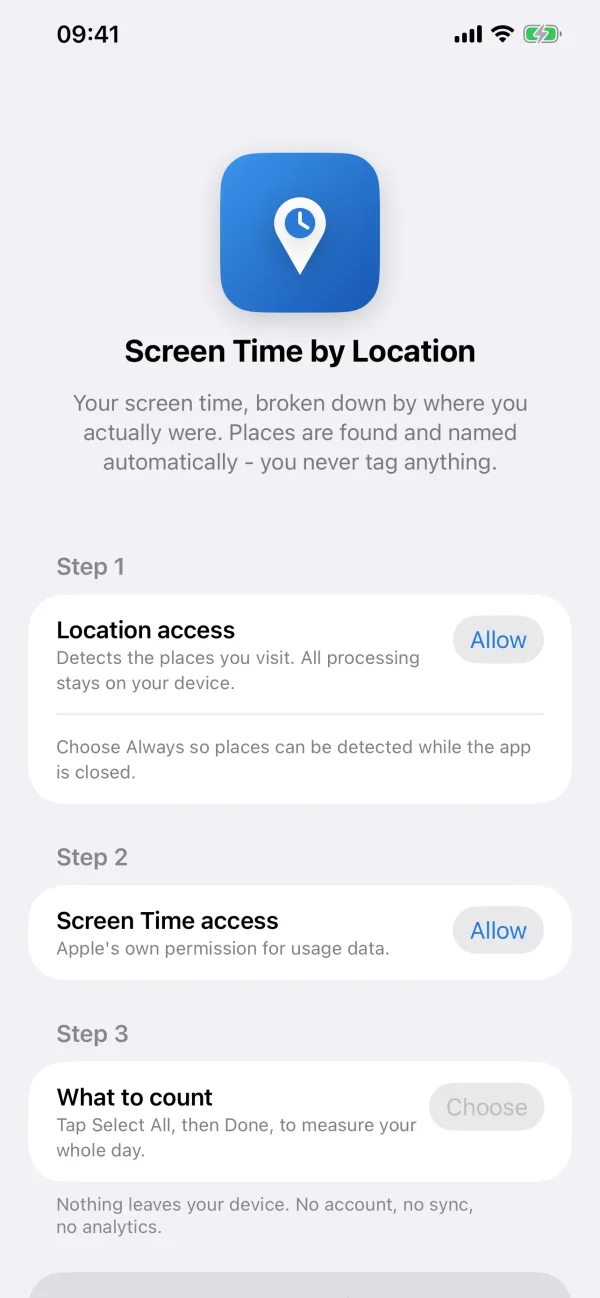
- "Always" location access, so places can be detected while the app is closed. It uses Apple's low-power visit monitoring, not continuous GPS tracking.
- Screen Time access, Apple's own permission for setting app limits and reading usage.
A NOTE ON ACCURACY
iOS does not give third-party apps a live running total of usage, so per-place minutes are estimated from usage thresholds and will not add up exactly to the figure in Settings. Time spent travelling between places is deliberately left out rather than assigned to whichever place happened to be nearest. Apple's own exact daily total is shown inside the app so you can always compare.
Privasi aplikasi
Yang dinyatakan Andrew Meyers di App Store tentang cara aplikasi ini menangani data.
-
Data tidak dikumpulkan
Pengembang tidak mengumpulkan data apa pun dari aplikasi ini.
Praktik privasi dapat bervariasi, misalnya berdasarkan fitur yang Anda gunakan atau usia Anda.
Informasi
- Penjual
- Andrew Meyers
- Kategori
- Produktivitas
- Versi
- 1.12.0
- Diperbarui
- 15/8/2026
- Dirilis
- 14/8/2026
- Ukuran
- 2,1 MB
- Memerlukan
- iOS 17.0 atau yang lebih baru
- Batasan usia
- 4+
- Harga
- Gratis
- Pembelian dalam aplikasi
- Ya
- Bahasa
- Inggris
- Hak cipta
- © 2026 ScreentimeByLocation
Mungkin Anda juga suka
-
 Curfew: App & Site BlockerProduktivitas
-
 ReadLock: App BlockerProduktivitas
-
 Pemblokir Aplikasi: RYZRAlarm & rutinitas pagi
-
 ScreenHaltProduktivitas
-
 Stahp.Produktivitas
-
 App Blocker & Focus - IsshinProduktivitas
-
 ByTime: Time HubProduktivitas
-
 Rebound: App BlockerProduktivitas
-
 AppTimeLock: Block AppsProduktivitas
-
 Strict App Blocker:Block AppsProduktivitas