Scrivix Remote
Live Presentation Annotation
Dirancang untuk iPad
Gratis · Pembelian dalam aplikasi
- Batasan usia4+
- KategoriPendidikan
- PengembangJonathan Shaffer
- BahasaInggris
- Ukuran8,2 MB
Tertaut ke halaman resmi App Store
Download.org tidak menyimpan file Scrivix Remote apa pun. Tombol ini membuka halaman aplikasi di App Store, tempat Jonathan Shaffer menerbitkannya. Halaman terakhir diperiksa pada 23/11/2026.
Tangkapan layar





Tentang
Pengembang belum menyediakan teks ini dalam bahasa Anda.
Teachers! Presenters! What are you waiting for? Check out the best classroom and presentation app out there!
Do you have materials on your Mac like websites, worksheets, and quiz reviews that you wish you could write all over?
Do you wish you could control your Mac, open files, move windows around, scroll, and all the basics from the back of the classroom?
Do you play review games that you wish you could control from anywhere in the room?
It's time to check out Scrivix!
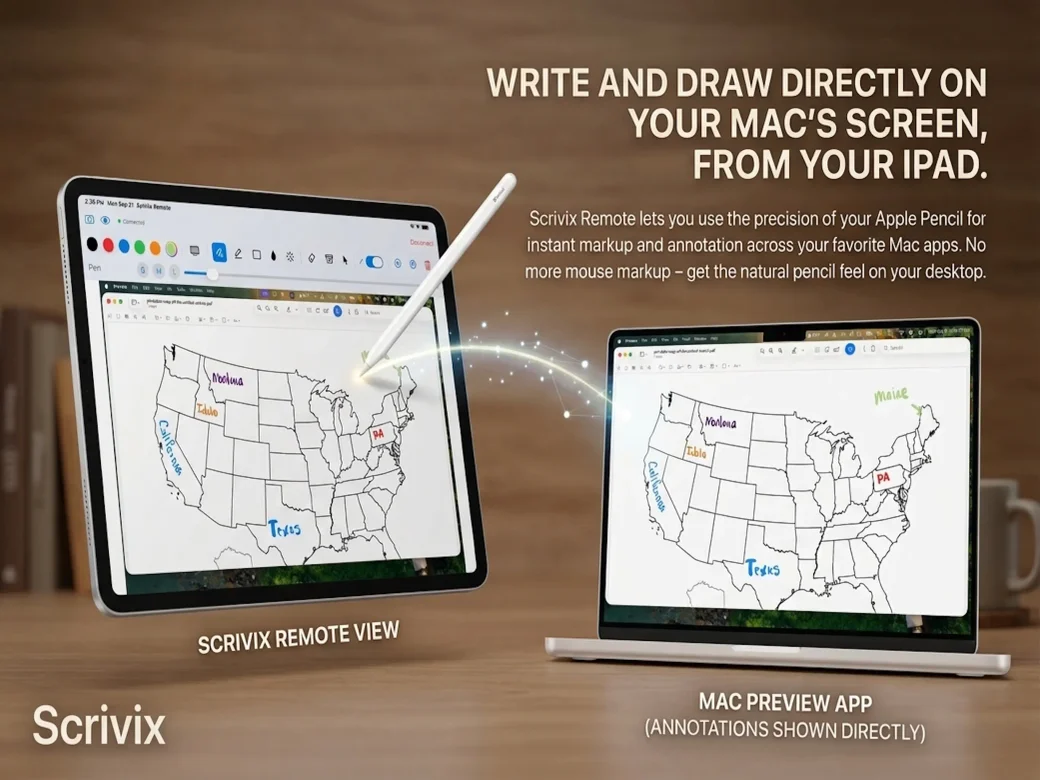
Turn your iPad into a wireless annotation, presentation, and control surface for your Mac. Scrivix combines Apple Pencil precision with live desktop annotation, remote Mac controls, and reusable iPad presentations.
Whether you’re teaching a mathematics lesson, marking up a diagram, explaining a document, or presenting live, Scrivix keeps your ideas visible without tying you to your desk. Communication happens over your local network with no cloud account required.
KEY FEATURES
LIVE MAC ANNOTATION
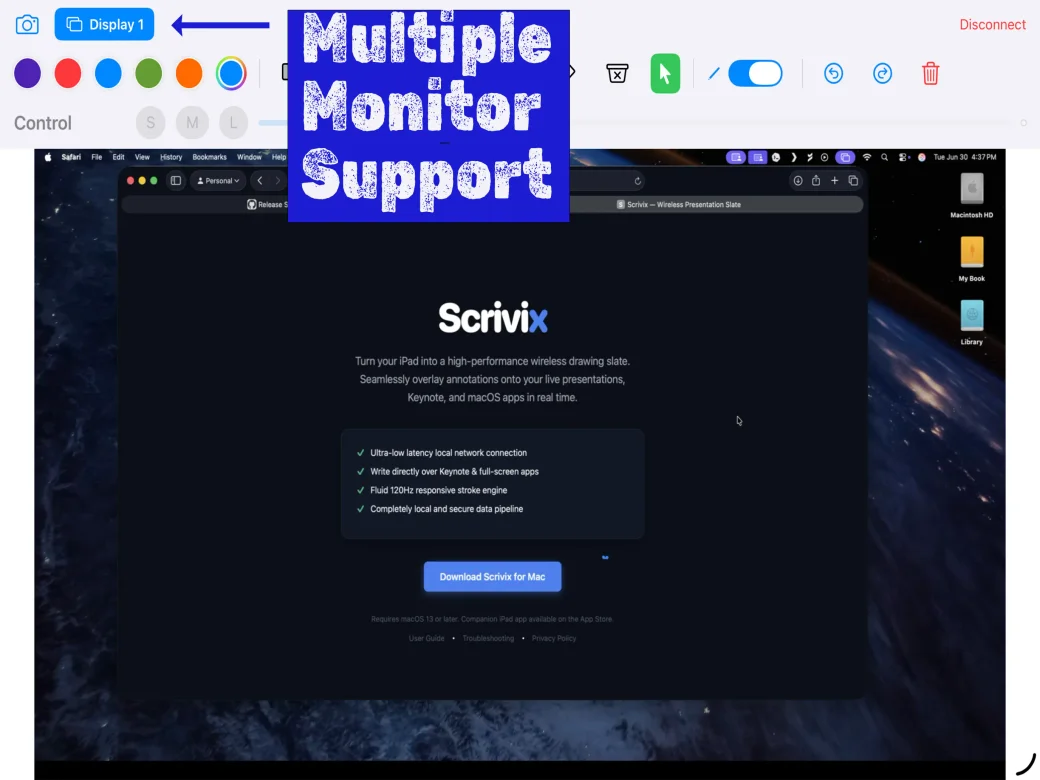
Write, highlight, draw shapes, and point over Keynote, PowerPoint, PDFs, websites, videos, and other Mac apps. Your annotations appear on the Mac as you write from your iPad.
APPLE PENCIL TOOLS
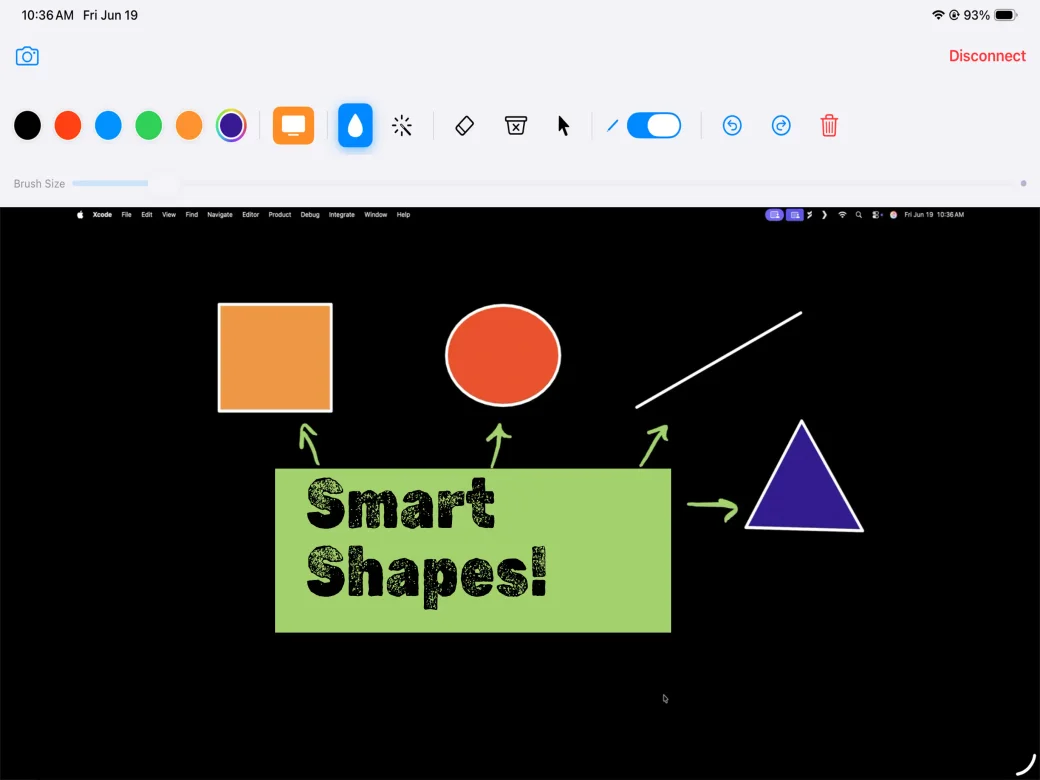
Use Brush, Highlighter, Laser Pointer, Fill, object erasing, Smart Shapes, precise lines, arrows, rectangles, and circles. Rainbow and Astro pens provide additional creative options.
SELECTION AND EDITING
Select annotations to move, resize, or delete them. Lines and shapes include editing controls for making precise adjustments without redrawing.
SMART SHAPE RECOGNITION
Draw a rough line, rectangle, circle, triangle, or arrow, then briefly hold Apple Pencil down to refine it into a cleaner shape.
CONTROL MODE
Control your Mac from iPad using clicks, double-clicks, right-clicks, window dragging, Apple Pencil hover, two-finger scrolling, and supported pinch gestures for application zoom.
FLEXIBLE WHITEBOARDS
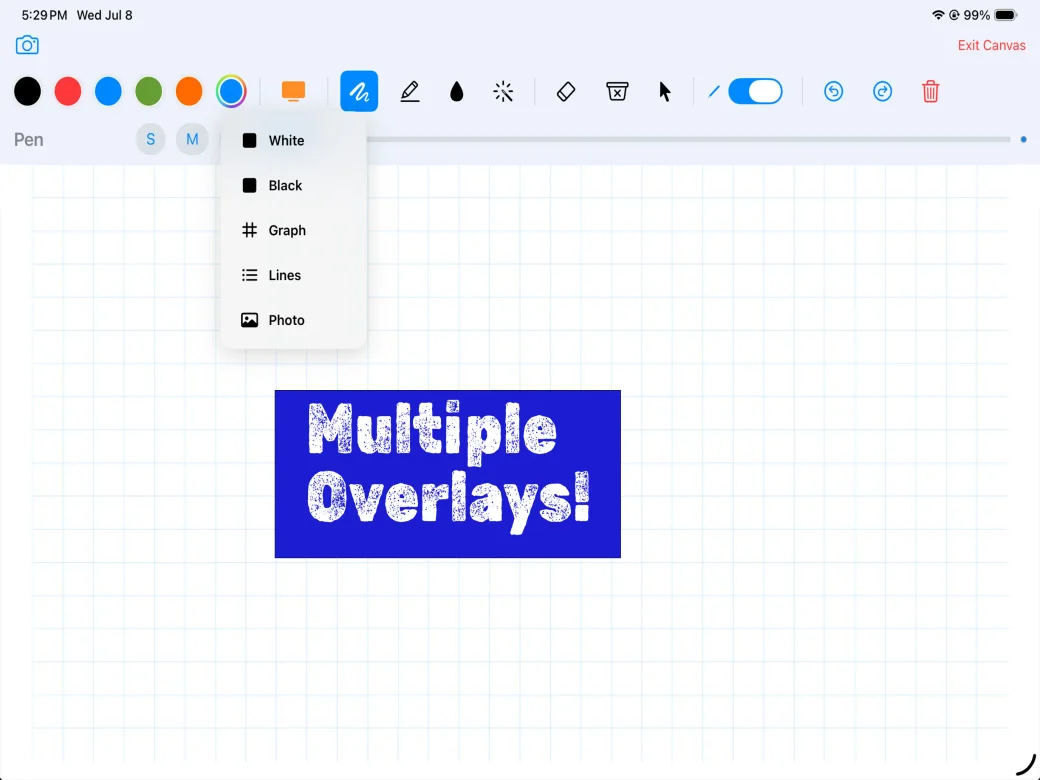
Switch between transparent Mac annotation, white or black canvases, graph paper, lined paper, and photo backgrounds. Grid size and line thickness can be adjusted and remembered.
PRESENTATION PAGES
Create multi-page presentations directly on iPad. Add, duplicate, delete, and rearrange pages, or swipe with two fingers to move through your presentation.
IMAGES AND LAYERING
Add multiple scalable images to a page, then reposition, resize, delete, or rearrange their layer order.
SAVE, REOPEN, AND EXPORT
Save editable Scrivix presentations to your iPad or iCloud Drive, reopen them later, and export an entire presentation as a PDF.
CLEAN AIRPLAY PRESENTATION
When using an external display, Scrivix can show only your canvas and annotations while keeping the editing toolbar on your iPad.
LOCAL AND PRIVATE
Your screen stream, drawings, and controls remain on your local network. Scrivix does not upload presentation content or annotations to external cloud servers.
SCRIVIX ULTIMATE
Free Mac connections last 10 minutes and may be restarted. A one-time Scrivix Ultimate purchase unlocks unlimited connected sessions and premium presentation features. No subscription is required.
IMPORTANT
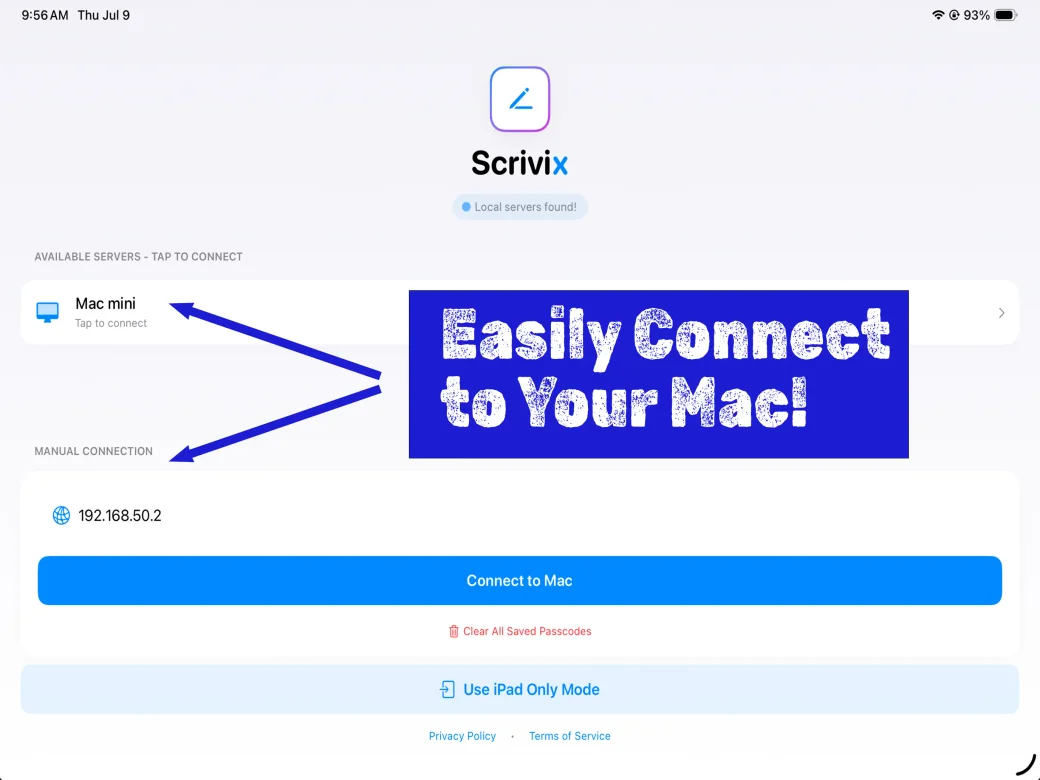
The free Scrivix Mac companion app is required for Mac annotation and control. Download it at scrivix.us and connect both devices to the same local network.
SYSTEM REQUIREMENTS
iPad: Requires iPadOS 17.6 or later. Optimized for Apple Pencil Pro, Apple Pencil (2nd generation), and Apple Pencil USB-C.
Mac companion: Requires macOS 14.6 or later and is compatible with Apple silicon and Intel Macs.
Yang baru
Versi 2.2 · 17/11/2026
What’s New in Version 2.2
• Paste images copied from other iPad apps directly into a presentation.
• Double-tap a scalable image to crop it, then move or resize it on the canvas.
• Export sharper PDFs with improved page rendering.
• Enjoy more reliable image selection, cropping, and editing in both iPad-only and Mac-connected modes.
• You can now add audio files to iPad presentations that can either play by tapping on the icon or setting to auto play with scrubbing features!
Privasi aplikasi
Yang dinyatakan Jonathan Shaffer di App Store tentang cara aplikasi ini menangani data.
-
Data tidak dikumpulkan
Pengembang tidak mengumpulkan data apa pun dari aplikasi ini.
Praktik privasi dapat bervariasi, misalnya berdasarkan fitur yang Anda gunakan atau usia Anda.
Informasi
- Penjual
- Jonathan Shaffer
- Kategori
- Pendidikan
- Versi
- 2.2
- Diperbarui
- 17/11/2026
- Dirilis
- 25/6/2026
- Ukuran
- 8,2 MB
- Memerlukan
- iOS 17.6 atau yang lebih baru
- Batasan usia
- 4+
- Harga
- Gratis
- Pembelian dalam aplikasi
- Ya
- Bahasa
- Inggris
- Hak cipta
- © Jonathan Shaffer
Mungkin Anda juga suka
-
 USMLE 1 Practice QuestionsPendidikan
-
 PauseInkPendidikan
-
 Rhema Bible StudyPendidikan
-
 Annotate.netPendidikan
-
 Focal: Visual Bible + WidgetReferensi
-
 PAES ScanPendidikan
-
 English Verbs: Visual VocabPendidikan
-
 Pass with PASSPendidikan
-
 Notlu: Peta Minda AICatatan Visual untuk Ujian
-
 DECODE CIVILS 2.0Pendidikan