
- Batasan usia4+
- KategoriProduktivitas
- PengembangMSP Ventures Inc.
- BahasaInggris
- Ukuran7,2 MB
Tertaut ke halaman resmi App Store
Download.org tidak menyimpan file SimplePlay Pro apa pun. Tombol ini membuka halaman aplikasi di App Store, tempat MSP Ventures Inc. menerbitkannya. Halaman terakhir diperiksa pada 18/11/2026.
Tangkapan layar


Tentang
Pengembang belum menyediakan teks ini dalam bahasa Anda.
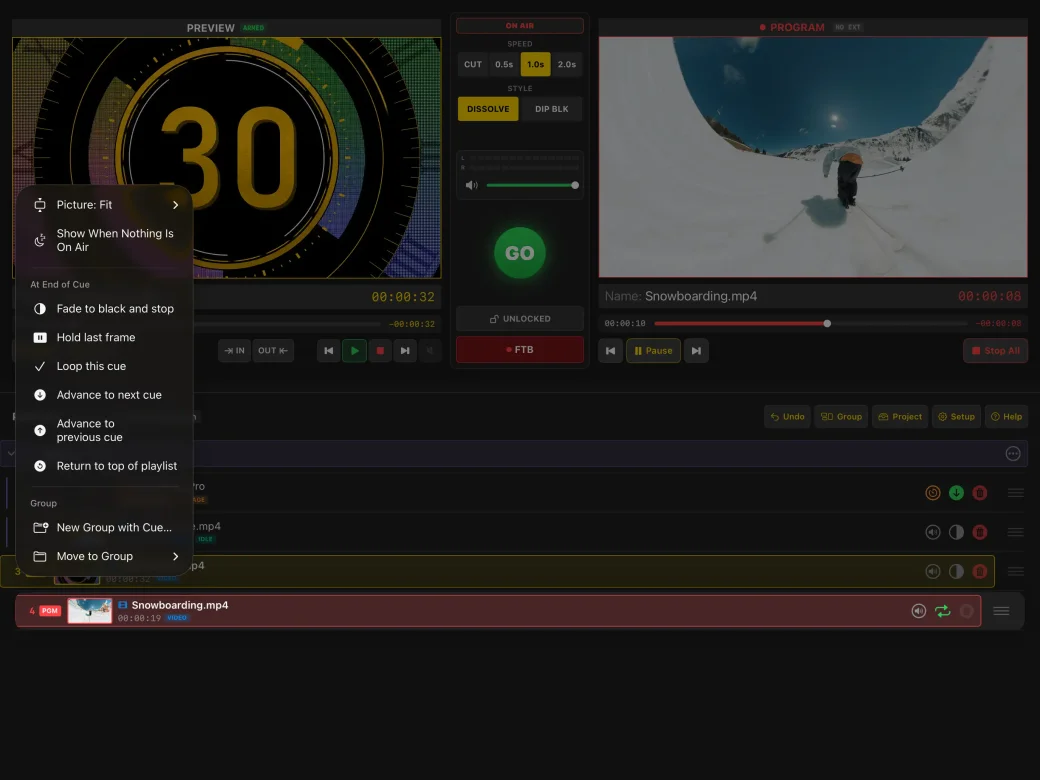
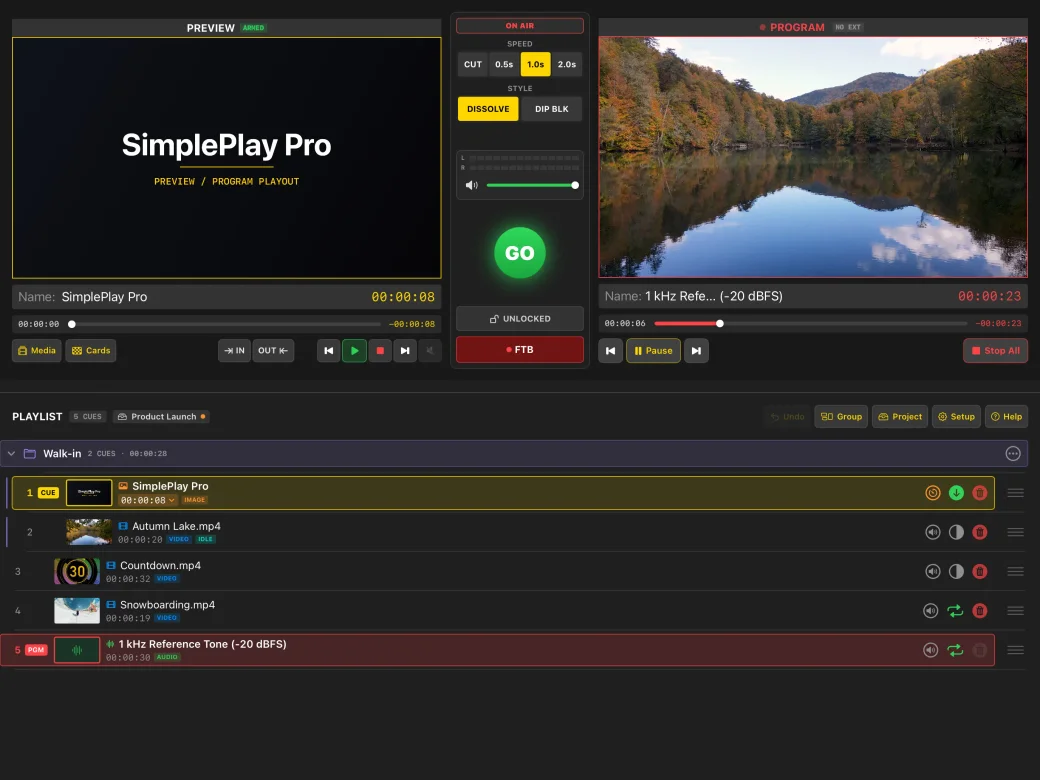
SimplePlay Pro turns an iPad into a playout deck for live events. Line up the next video, still or sound in PREVIEW, check it, and send it to PROGRAM, the picture your audience sees, with one press of GO. PROGRAM goes full screen to a projector, TV or LED wall over USB-C/HDMI, while PREVIEW, the playlist and every control stay on the iPad.
BUILT LIKE A BROADCAST SWITCHER
• Separate PREVIEW and PROGRAM monitors, with yellow CUE and red PGM tally in the playlist
• GO turns green only when the cue is loaded and ready, and the take is instant
• Real cross-dissolves, dips to black and cuts, at 0.5, 1 or 2 seconds
• A confidence monitor on the iPad that shows exactly what is going out, fades included
RUNS THE SHOW FOR YOU
• Every cue decides what happens when it ends: fade out, hold the last frame, loop seamlessly, or go on to the next cue, the previous cue or the top
• An idle picture or looping background whenever nothing is on air, and behind music and sound cues, instead of black
• Trim any clip with IN and OUT points
• Fit, fill or stretch each picture to the screen
SAFE FOR LIVE USE
• Show Safe locks everything that could cut the show by accident, and leaves GO and fade to black ready
• Errors appear as banners, never as alerts that block the deck
• Media is copied into the app, so a file can't go offline from iCloud or Dropbox mid-show
• Undo for playlist edits
CONTROL IT YOUR WAY
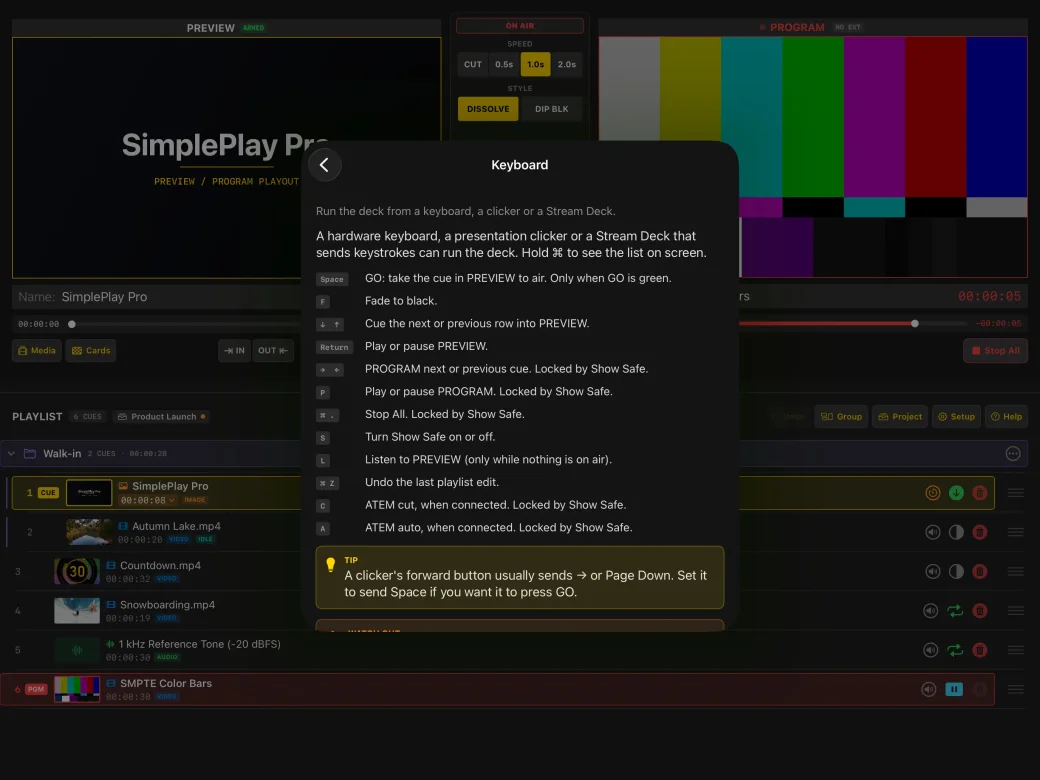
• Keyboard shortcuts for a keyboard, presentation clicker or Stream Deck: Space is GO
• MIDI triggers with learn mode, over USB, Bluetooth or Network MIDI
• OSC remote control for Bitfocus Companion, QLab, TouchOSC and more
READY FOR THE VENUE
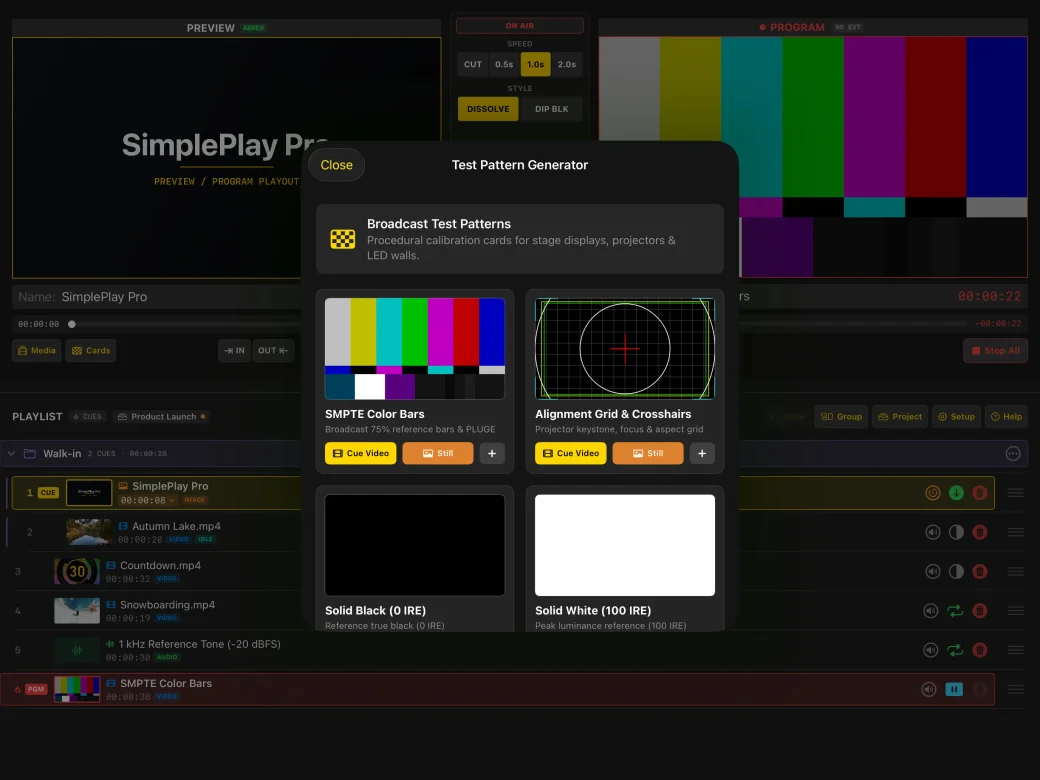
• Test cards built in: SMPTE colour bars, an alignment grid, black, white and a 1 kHz line-up tone
• Choose the output resolution the projector or LED processor accepts, and shrink the picture for TVs that crop the edges
• Display Diagnostics shows what the iPad is sending, with a report you can copy for support
• Copy big show files straight from a Mac in Finder over a cable
ORGANISED
• Save shows as projects and reopen them exactly
• Fold the playlist into named groups: Walk-in, Speakers, Closing
• Full user guide built into the app
Plays MP4 and MOV (H.264 or HEVC), MP3, WAV, AAC, AIFF, FLAC and common image formats. Requires an iPad with iPadOS 18 or later, and a USB-C-to-HDMI adapter or HDMI cable for external output.
One-time purchase. No subscriptions or in-app purchases.
Terms of Use (EULA): https://www.apple.com/legal/internet-services/itunes/dev/stdeula/
Privacy Policy: https://www.simpleplaypro.com/simpleplaypro-ipad/privacy
Yang baru
Versi 2.0 · 16/10/2026
SimplePlay Pro 2.0 is rebuilt around the PREVIEW and PROGRAM workflow of a broadcast switcher.
• PREVIEW and PROGRAM monitors: cue it, check it, and press GO for an instant take
• Cross-dissolves, dips to black and cuts, at 0.5, 1 or 2 seconds
• Seamless loops, and an end action for every cue: fade out, hold, loop, or go to the next cue, the previous cue or the top
• Idle picture: a holding slide or looping background instead of black
• Show Safe locks anything that could cut the show by accident
• Keyboard shortcuts for a keyboard, presentation clicker or Stream Deck
• MIDI triggers with learn mode, and OSC remote control for Companion, QLab and TouchOSC
• Built-in test cards and line-up tone, a choice of output resolution, and Display Diagnostics
• Saved projects and named playlist groups
• Undo for playlist edits
• Copy media straight from a Mac in Finder
• A full user guide, built into the app
Requires iPadOS 18 or later.
Privasi aplikasi
Yang dinyatakan MSP Ventures Inc. di App Store tentang cara aplikasi ini menangani data.
-
Data tidak dikumpulkan
Pengembang tidak mengumpulkan data apa pun dari aplikasi ini.
Praktik privasi dapat bervariasi, misalnya berdasarkan fitur yang Anda gunakan atau usia Anda.
Informasi
- Penjual
- MSP Ventures Inc.
- Kategori
- Produktivitas
- Versi
- 2.0
- Diperbarui
- 16/10/2026
- Dirilis
- 12/2/2025
- Ukuran
- 7,2 MB
- Memerlukan
- iOS 18.0 atau yang lebih baru
- Batasan usia
- 4+
- Harga
- Rp 999ribu
- Bahasa
- Inggris
- Hak cipta
- © 2026 MSP Ventures Inc.
Mungkin Anda juga suka
-
 LeaseKeeper: Rental RecordsProduktivitas
-
 Plain Text Editor By MCKProduktivitas
-
 To Do List: TaskerProProduktivitas
-
 InkSpaceThe perfect notes app
-
 AI Image TranslatorProduktivitas
-
 Om Mantra Chanting: MeditationProduktivitas
-
 AutoClick - Tapper & ClickerProduktivitas
-
 AI Meeting Notes: Scribbe AIProduktivitas
-
 UniFi DesignProduktivitas
-
 Google AI Edge EloquentProduktivitas