- Batasan usia4+
- KategoriKegunaan
- PengembangAlireza Kasnavi
- BahasaInggris
- Ukuran60,8 MB
Tertaut ke halaman resmi App Store
Download.org tidak menyimpan file SnapTrans apa pun. Tombol ini membuka halaman aplikasi di App Store, tempat Alireza Kasnavi menerbitkannya. Halaman terakhir diperiksa pada 8/11/2026.
Tangkapan layar

Tentang
Pengembang belum menyediakan teks ini dalam bahasa Anda.
IOSTranslator is one of the world's newest OCR apps optimized for speed, ease-of-use, and efficiency. Using Apple's cutting-edge AI Vision framework, it efficiently utilizes the Apple Silicon chip to capture all text regardless of internet, making it usable anywhere you go. At the same time, it is heavily optimized and therefore extremely lightweight, wasting no time translating your images.
Translating:
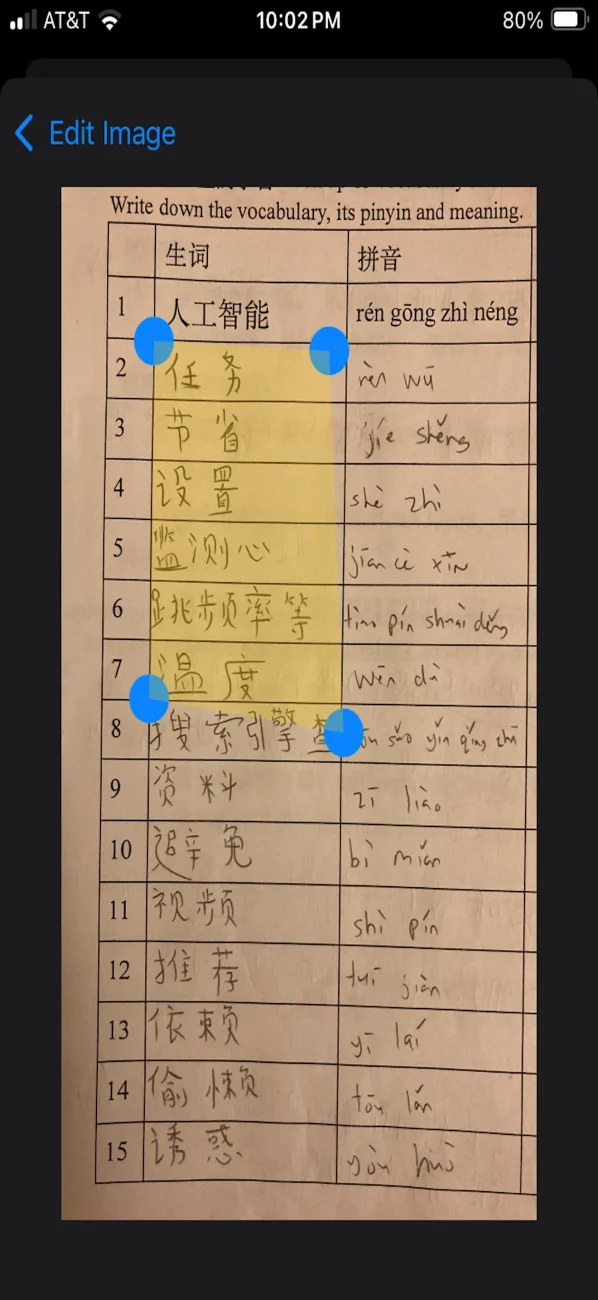
Upon taking a photo and pressing the "Translate" button, the Vision framework automatically searches the photo for texts and retrieves the bounding rectangles that encapsulate those texts. Upon clicking the rectangle, you will find the pronunciations and definitions for those words. At the bottom, you can decide on whether to retrieve by characters or by lines (separated by spaces). If you are translating from Chinese, you can choose the option "Use Definition" to use the dictionary definitions.
Cropping:
In case your photo is not sized properly for translation, we've also implemented a cropping feature to only include the important information to translate.
Scanning Documents:
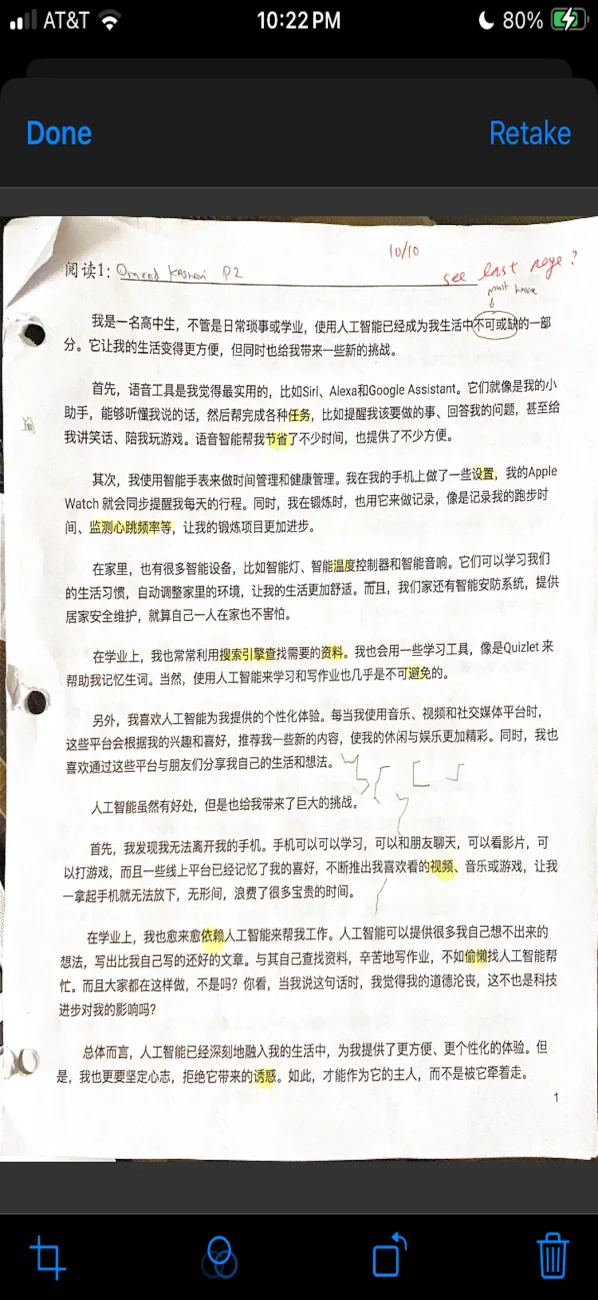
IOSTranslator also implements a document scanner feature, where it will convert the scanned document into a pdf file that can be easily copied to retrieve the words. This would be ideal for translating large documents without having to manually translate every line.
Sharing:
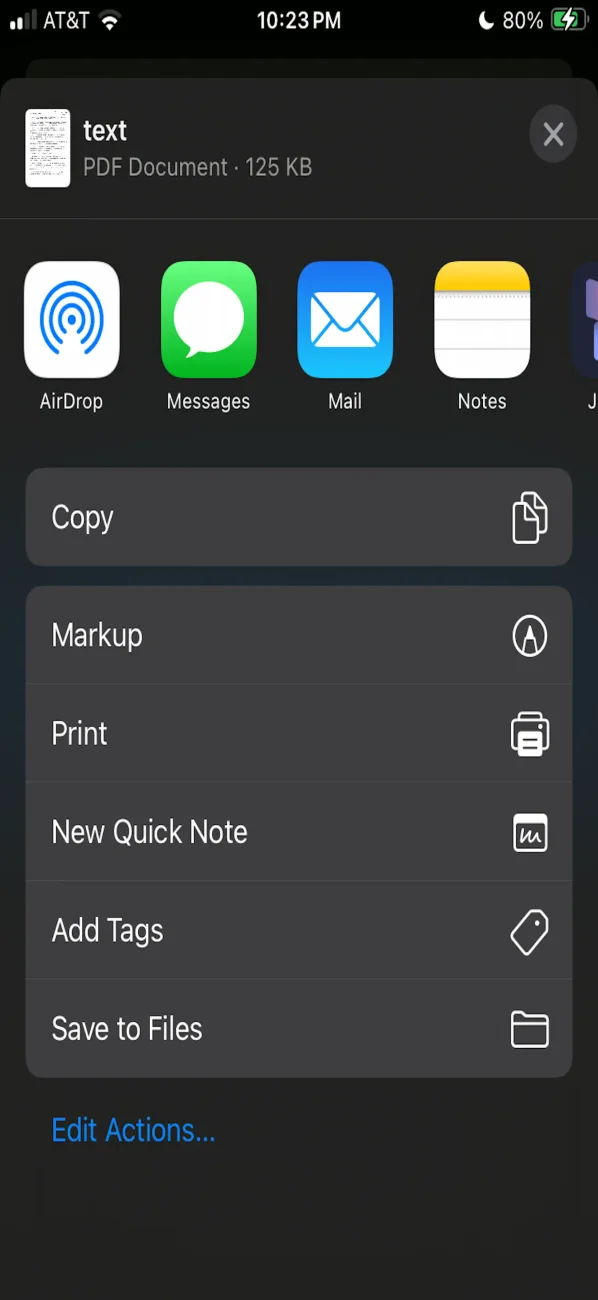
IOSTranslator also adds a share feature, where every scanned document will be automatically sent to the sharing menu where you can choose to save anywhere you like, including airdrops, messages, and so forth. After taking a photo, you can also choose to save the photo and share it in the bottom middle button.
Privasi aplikasi
Yang dinyatakan Alireza Kasnavi di App Store tentang cara aplikasi ini menangani data.
-
Data tidak dikumpulkan
Pengembang tidak mengumpulkan data apa pun dari aplikasi ini.
Praktik privasi dapat bervariasi, misalnya berdasarkan fitur yang Anda gunakan atau usia Anda.
Informasi
- Penjual
- Alireza Kasnavi
- Kategori
- Kegunaan
- Versi
- 1.0
- Diperbarui
- 14/6/2025
- Dirilis
- 14/6/2025
- Ukuran
- 60,8 MB
- Memerlukan
- iOS 18.0 atau yang lebih baru
- Batasan usia
- 4+
- Harga
- Gratis
- Bahasa
- Inggris
- Hak cipta
- © 2025 OnlyKode