
Spacetime Ledger
True monthly costs, your way
Dirancang untuk iPhone, iPad
Gratis
- Batasan usia4+
- KategoriKeuangan
- PengembangShuhei Onishi
- BahasaInggris
- Ukuran2,5 MB
Tertaut ke halaman resmi App Store
Download.org tidak menyimpan file Spacetime Ledger apa pun. Tombol ini membuka halaman aplikasi di App Store, tempat Shuhei Onishi menerbitkannya. Halaman terakhir diperiksa pada 23/11/2026.
Tangkapan layar


Tentang
Pengembang belum menyediakan teks ini dalam bahasa Anda.
What does your car really cost each month?
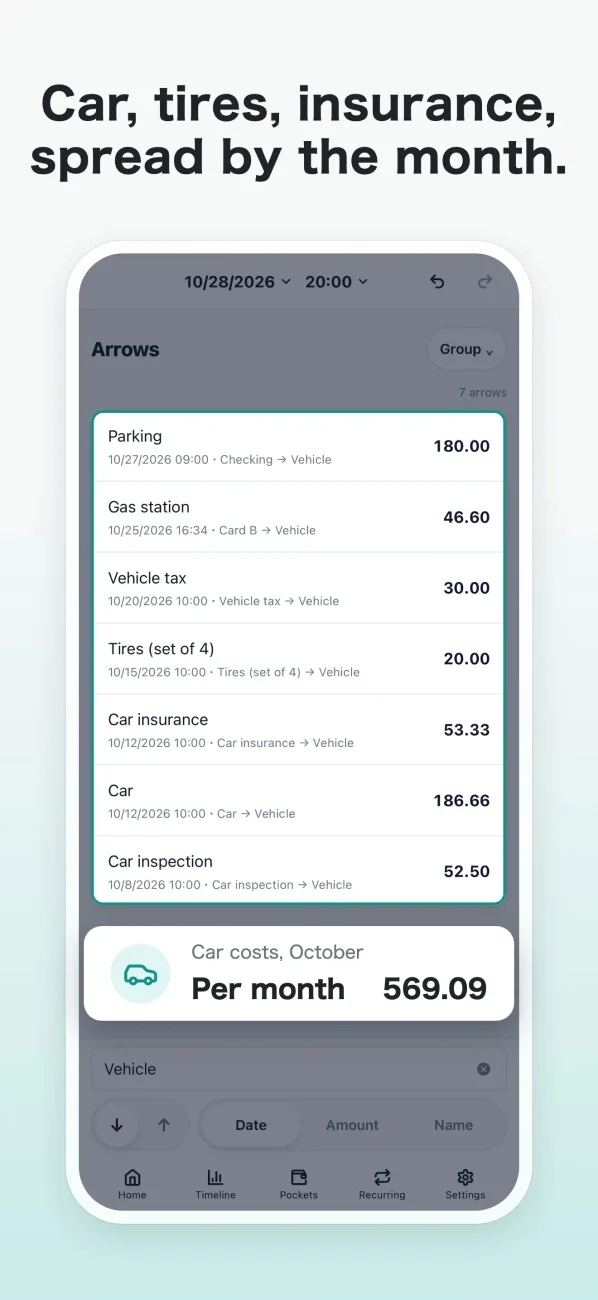
A car costs more than the price tag and gas. There's parking, inspections, insurance, taxes, and tires. Spread what you pay up front over the months you use it, and the real monthly cost shows up.
• Car $22,400 → over 120 months: $186.66/mo
• Car insurance (yearly) $640 → over 12 months: $53.33/mo
• Vehicle tax $360 → over 12 months: $30.00/mo
• Tires (set of 4) $720 → over 36 months: $20.00/mo
• Inspection $1,260 → over 24 months: $52.50/mo
• Parking $180 and gas $46.60 (monthly)
→ $569.09 a month
The same goes for a fridge, a washing machine, a 30-year mortgage, or a yearly subscription. See what you actually spend each month.
■ An open inbox for your records
The app has a way in for records from outside. Put a plain text file in a folder in iCloud Drive, one line per record (date, name, amount, from, to), and the app records it the next time you open it.
How you make that file is up to you. Give your order emails or receipt photos to the AI you already use, and a single "Online store $37.20" line on your card statement becomes one record per item. The format is spelled out in Settings under "Explain the app to your AI". Paste it into your AI as is.
■ Your balance, 10 years from now
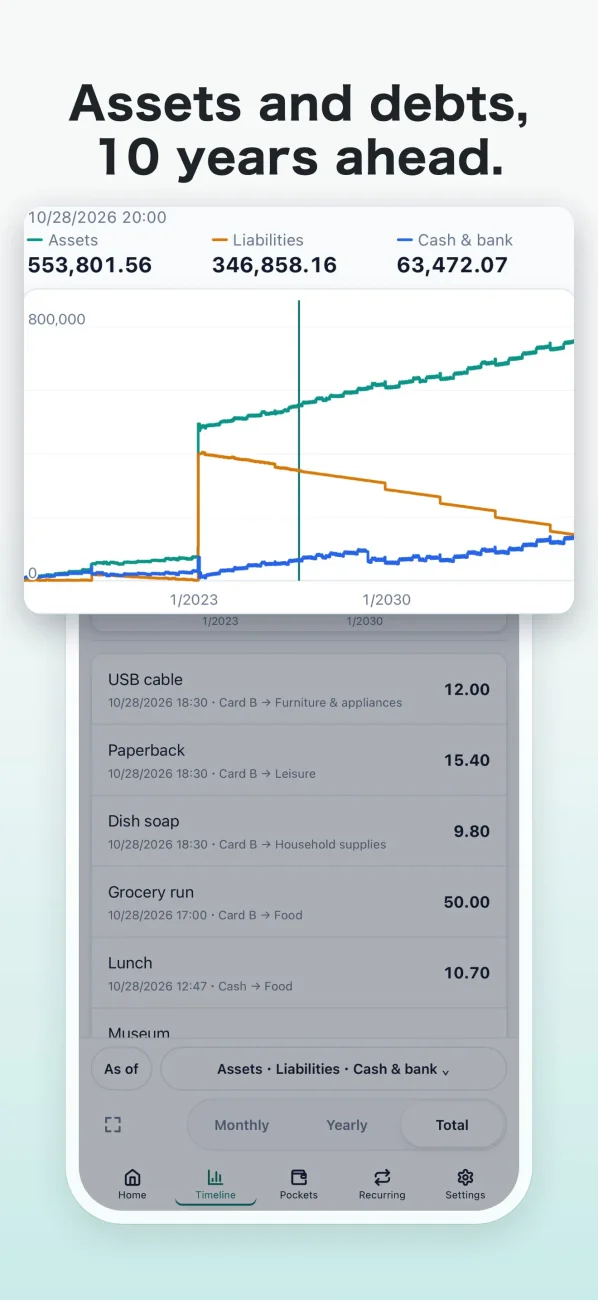
Recurring money like salary, rent, and loan payments is entered once and laid out ahead. Move the date at the top of the screen, and your assets, liabilities, and net worth switch to that day. The graph shows the past through 10 years ahead as one line.
■ Reconcile whenever you like
Enter an "Adjust" to match your real balance whenever you want: every week, twice a year, or never. You can edit or delete it later.
■ Your books, your way
Built on double-entry, money can move from any place to any other. There are no debits and credits and no fixed chart of accounts. You set up the categories.
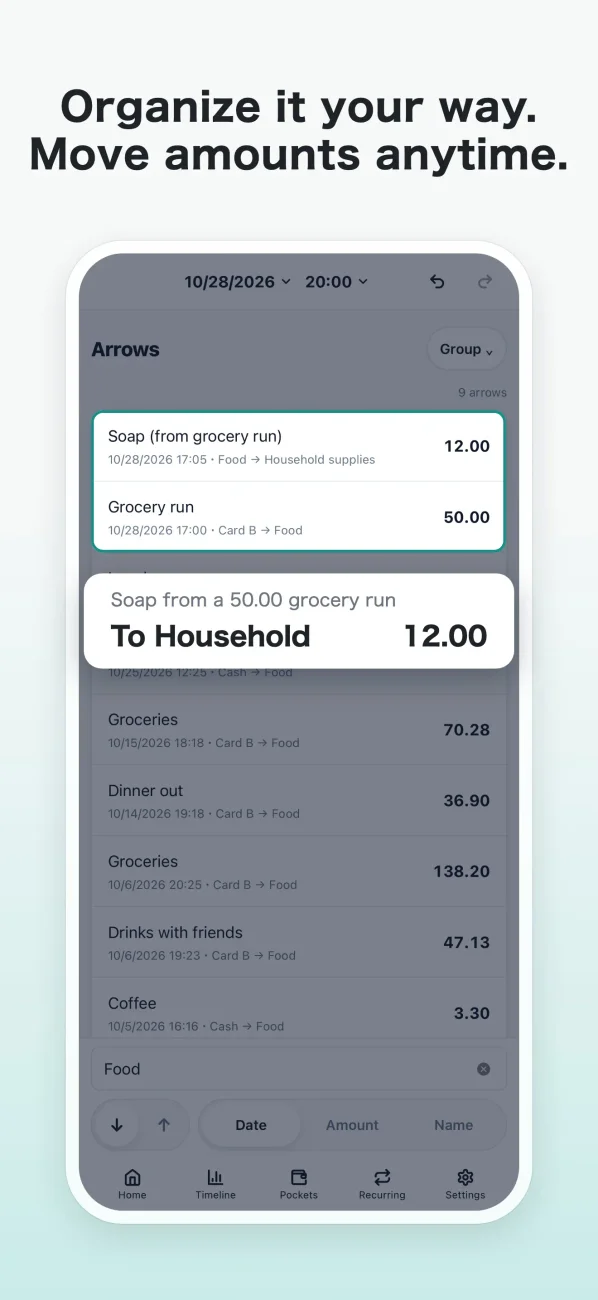
Record a grocery run as Food, then move the soap to Household supplies later. Treat taxes as less income rather than spending. Record a donation as spending, a tax reduction, or less income. It's your call.
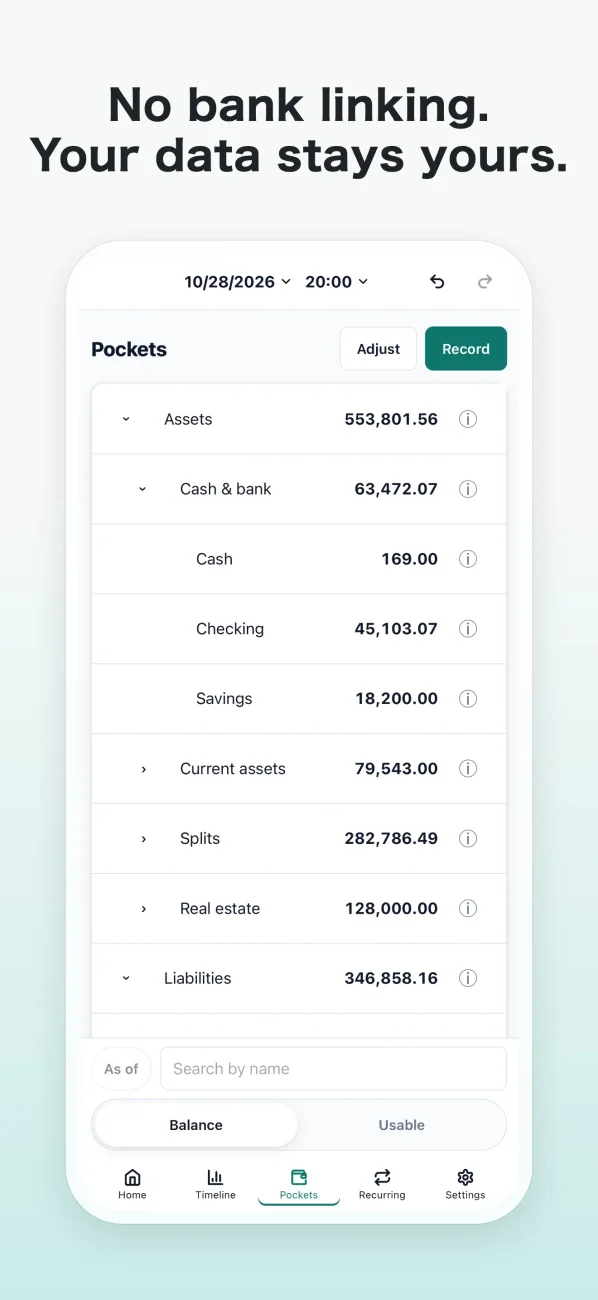
■ No bank linking. Your data stays yours.
No account and no bank connection. Records are stored on this device, and only when you turn on iCloud is a copy placed in your own iCloud Drive. Export everything as CSV or JSON anytime. No ads.
This app is a personal record-keeping tool. For formal tax or accounting decisions, consult a professional. Use at your own risk.
Yang baru
Versi 1.0.10 · 16/11/2026
You can now switch a record between an entry and a split. Plus minor improvements.
Privasi aplikasi
Yang dinyatakan Shuhei Onishi di App Store tentang cara aplikasi ini menangani data.
-
Data tidak dikumpulkan
Pengembang tidak mengumpulkan data apa pun dari aplikasi ini.
Praktik privasi dapat bervariasi, misalnya berdasarkan fitur yang Anda gunakan atau usia Anda.
Informasi
- Penjual
- Shuhei Onishi
- Kategori
- Keuangan
- Versi
- 1.0.10
- Diperbarui
- 16/11/2026
- Dirilis
- 26/10/2026
- Ukuran
- 2,5 MB
- Memerlukan
- iOS 17.0 atau yang lebih baru
- Batasan usia
- 4+
- Harga
- Gratis
- Bahasa
- Inggris
- Hak cipta
- © 2026 snishi-code