SparkDeck: AI Command Center
GPU Monitor, SSH & Local LLM
Dirancang untuk iPhone
Gratis · Pembelian dalam aplikasi
- Batasan usia4+
- KategoriAlat Pengembang
- PengembangYunus Sahin
- BahasaInggris
- Ukuran15,9 MB
Tertaut ke halaman resmi App Store
Download.org tidak menyimpan file SparkDeck: AI Command Center apa pun. Tombol ini membuka halaman aplikasi di App Store, tempat Yunus Sahin menerbitkannya. Halaman terakhir diperiksa pada 14/11/2026.
Tangkapan layar
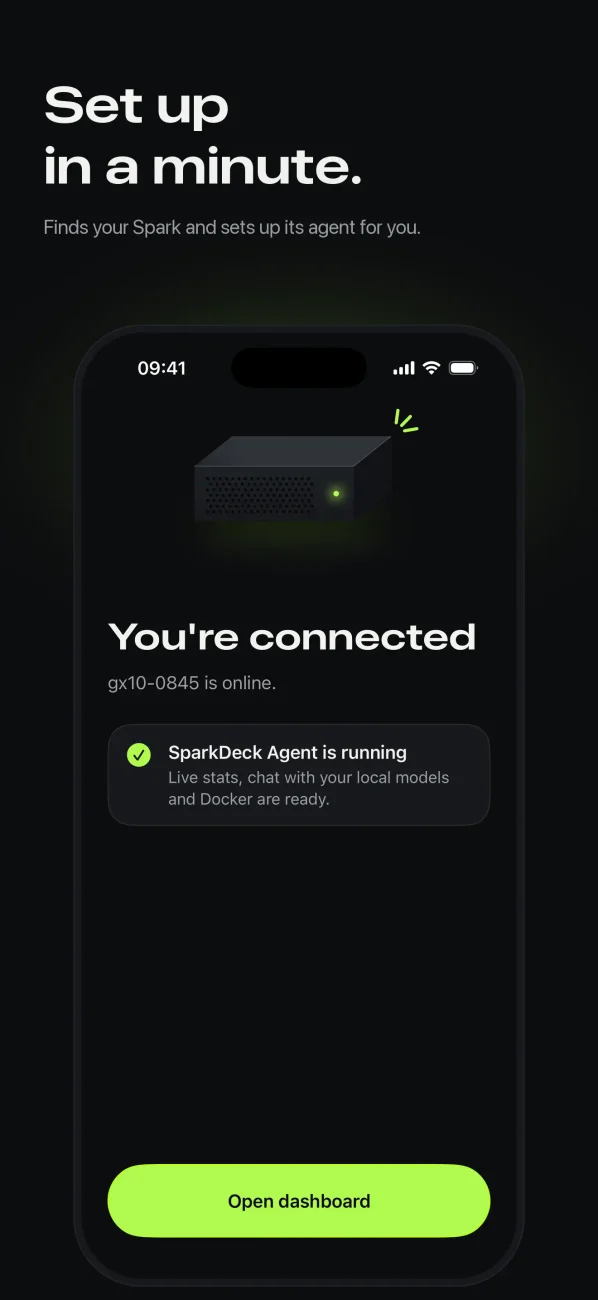
Tentang
Pengembang belum menyediakan teks ini dalam bahasa Anda.
SparkDeck puts your NVIDIA DGX Spark in your pocket. See the GPU and memory live, chat with the models running on your desk, open a terminal and control your containers, all from your iPhone.
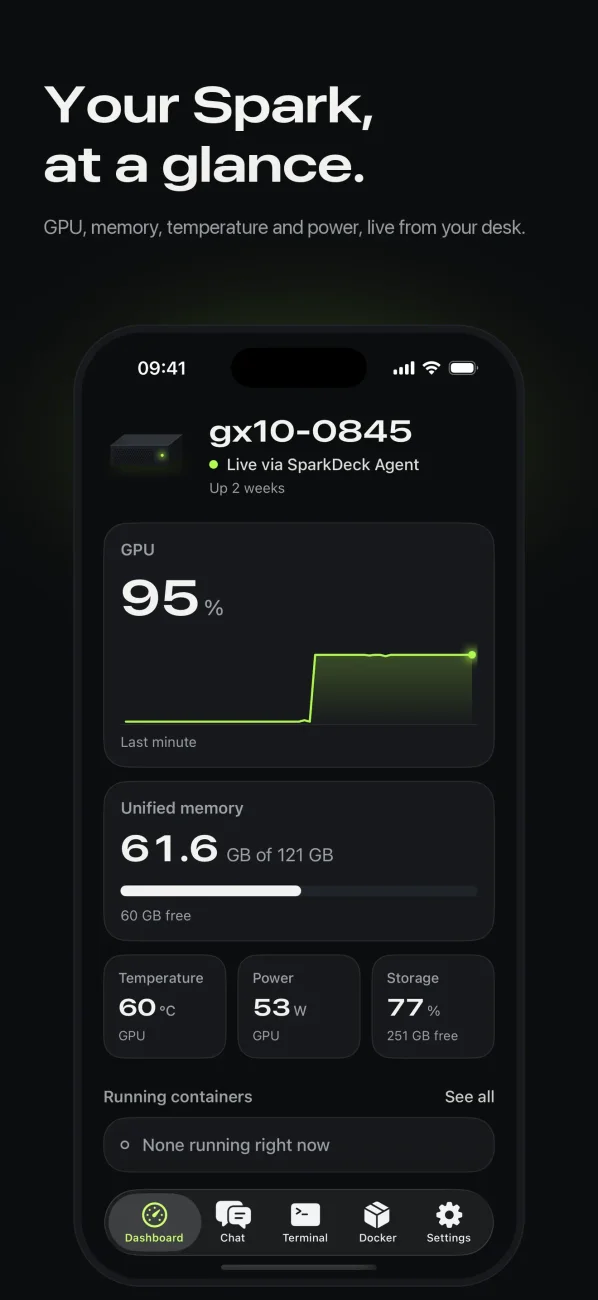
YOUR SPARK AT A GLANCE
• GPU load with a live trace, unified memory, temperature, power and storage.
• The containers that are running, right on the dashboard.
• A reading your Spark can't give shows a dash, never a made-up number.
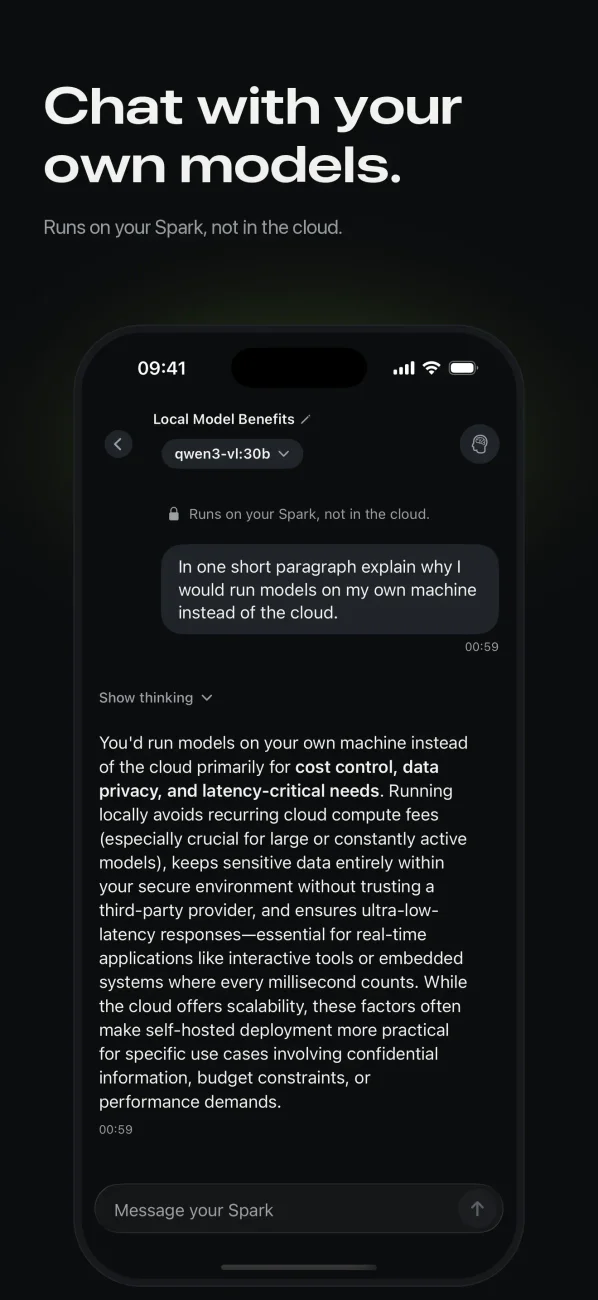
CHAT WITH YOUR OWN MODELS
• Talk to the models your Spark serves with Ollama, vLLM or another OpenAI-compatible server.
• Your conversations go between your iPhone and your Spark, not through a cloud service.
• Get a notification when a reply finishes while SparkDeck is in the background.
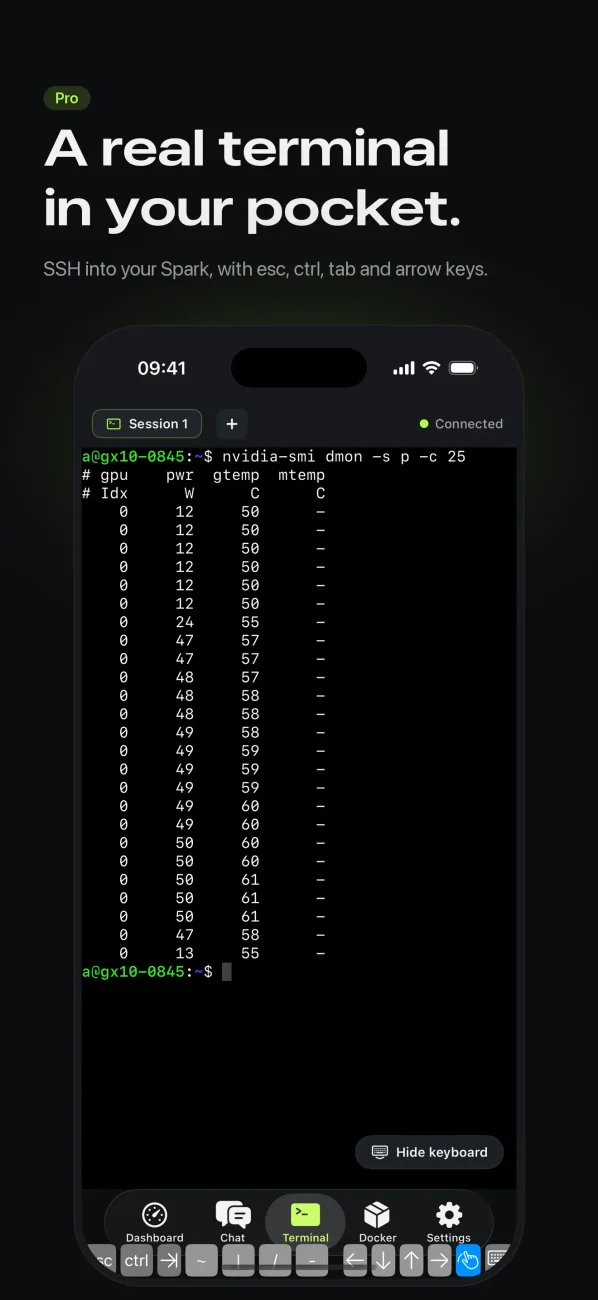
A REAL TERMINAL (PRO)
• A full SSH terminal with several sessions, plus keys for esc, ctrl, tab and the arrows.
• Sign in with your password or an Ed25519 key. Your password stays in this iPhone's Keychain.
CONTAINERS (PRO)
• Start, stop and restart Docker containers, and see why one failed.
EASY SETUP
SparkDeck finds your Spark on your Wi-Fi. Sign in with the account you use on your Spark, and SparkDeck installs its small agent (sparkdeck-agent, published on PyPI) for live stats, chat and Docker. Away from home, connect over Tailscale.
FREE AND PRO
SparkDeck is free with live stats, 25 chat messages a day and one device. Pro, a monthly or annual subscription, adds the terminal, Docker controls, unlimited chat and more devices. Subscriptions renew automatically unless cancelled at least 24 hours before the end of the period; manage them in your App Store account settings.
REQUIREMENTS
iOS 18 or later, and an NVIDIA DGX Spark or another GB10 system, such as the ASUS Ascent GX10, on your network or your Tailscale network.
SparkDeck is an independent app. It is not affiliated with or endorsed by NVIDIA or ASUS.
Terms of Use: https://sparkdeck.net/terms
Privacy Policy: https://sparkdeck.net/privacy
Yang baru
Versi 1.0.1 · 25/10/2026
SparkDeck has a new design, from the first run to every tab.
• Setup: find your Spark on your Wi-Fi, sign in once, and SparkDeck sets up its agent for you.
• Dashboard: GPU, unified memory, temperature, power and storage at a glance, with your running containers. A reading your Spark can't give shows a dash, not a made-up 0.
• Chat: replies from reasoning models no longer show their thinking, each message is sent once, and a new chat opens on a model that can chat.
• Terminal: sign in with an Ed25519 key, and SparkDeck remembers your Spark's host key.
• Docker: clear messages when an action fails.
• Send feedback from Settings.
• Fixes for connecting, the agent and large text sizes.
Privasi aplikasi
Yang dinyatakan Yunus Sahin di App Store tentang cara aplikasi ini menangani data.
-
Data yang tidak ditautkan dengan Anda
Dapat dikumpulkan, tetapi tidak ditautkan dengan identitas Anda.
- Pembelian
- Pengenal
- Diagnostik
Praktik privasi dapat bervariasi, misalnya berdasarkan fitur yang Anda gunakan atau usia Anda.
Informasi
- Penjual
- Yunus Sahin
- Kategori
- Alat Pengembang
- Versi
- 1.0.1
- Diperbarui
- 25/10/2026
- Dirilis
- 9/5/2026
- Ukuran
- 15,9 MB
- Memerlukan
- iOS 18.0 atau yang lebih baru
- Batasan usia
- 4+
- Harga
- Gratis
- Pembelian dalam aplikasi
- Ya
- Bahasa
- Inggris
- Hak cipta
- © 2026 Yunus Sahin
Mungkin Anda juga suka
-
 Machete DGXAlat Pengembang
-
 SparkSync MobileAlat Pengembang
-
 Porta: SSH Terminal & AgentsAlat Pengembang
-
 EdgeLLMAlat Pengembang
-
 Mossh: Codex SSH TerminalAlat Pengembang
-
 SnapDeploy: Cloud HostingAlat Pengembang
-
 TARS: Private ControlAlat Pengembang
-
 siGit Code & DeploySoftware factory done right
-
 PasteMe - Pastebin ClientAlat Pengembang
-
 CatClaw TerminalAlat Pengembang