
- Batasan usia4+
- KategoriFoto & Video
- PengembangBenjamin Carroll
- BahasaInggris
- Ukuran1,1 MB
Tertaut ke halaman resmi App Store
Download.org tidak menyimpan file Speekr! apa pun. Tombol ini membuka halaman aplikasi di App Store, tempat Benjamin Carroll menerbitkannya. Halaman terakhir diperiksa pada 17/11/2026.
Tangkapan layar

Tentang
Pengembang belum menyediakan teks ini dalam bahasa Anda.
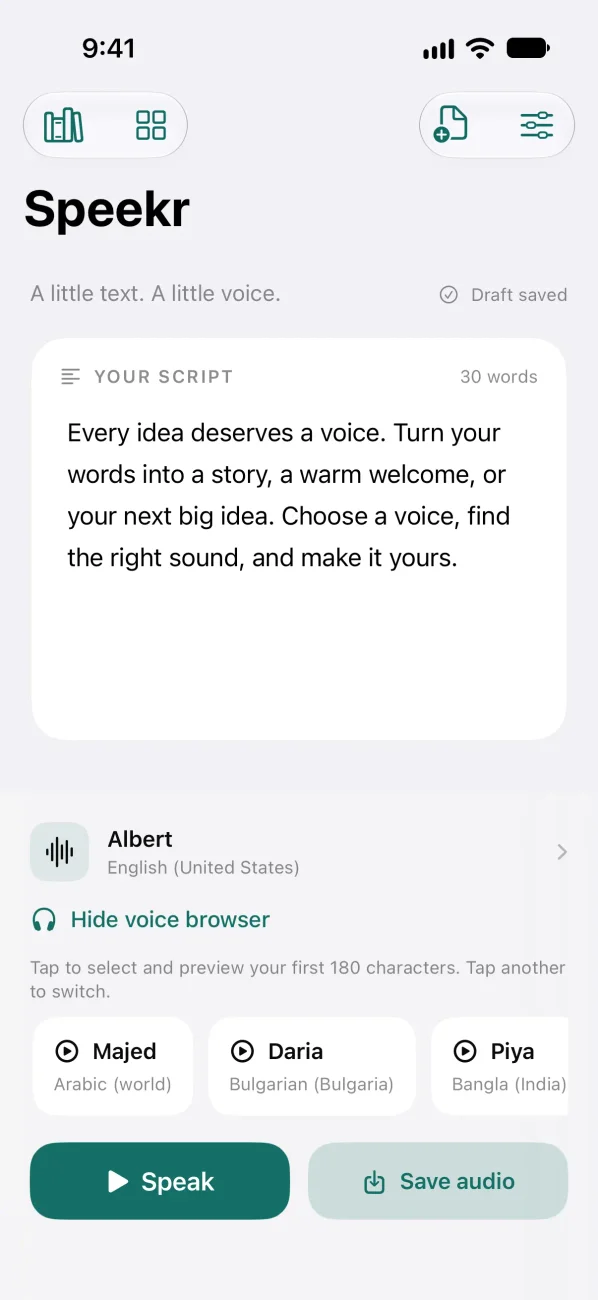
There are a million uses for Speekr!, but it was designed with one main use in mind, and if you have this use, this app is for you.
Here's the use: you're a content creator and you want to narrate your videos, but you don't want to use your own voice. With Speekr!, you can draft and edit your narrations, and choose any of the available iOS voices--with accents from around the world!--and create audio files to mix into your videos before uploading them.
You're no longer stuck with the default voices that are built into that clock social network, or the snappy one, or any other. All the iOS voices are right there, ready for you to use.
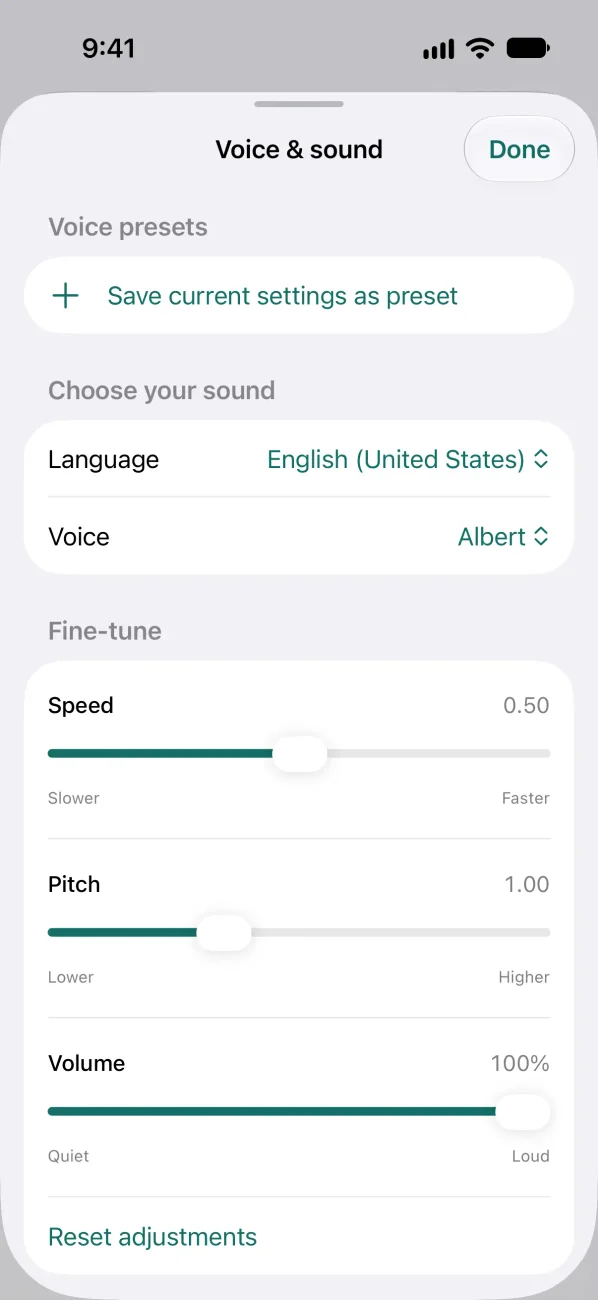
Just type your narration, hit "Say It" to hear what it sounds like, and even expand the settings menu to change the pitch and delivery speed to customize it just right. When it's ready to go, hit "Save It", and the audio will be saved as a file in the Files app that you can easily import into iMovie or whatever video editing app you prefer.
No more holding your phone's speaker to your computer's microphone. Nothing cumbersome or costly. Just type it, tweak it, hear it, save it, and you're good to go!
Speekr! does one thing and does it really well! Download it today for free!
Yang baru
Versi 2.0 · 26/10/2026
Find your voice, keep your best ideas, and share what you create. This update brings a fresh look to Speekr and a smoother journey from text to speech.
• Audition voices: Hear a preview of your own text as you browse voices. Tap between them to find the right fit.
• Save and share audio: Name your recordings, preview them, and share directly or save to Files. Choose M4A, WAV, or CAF.
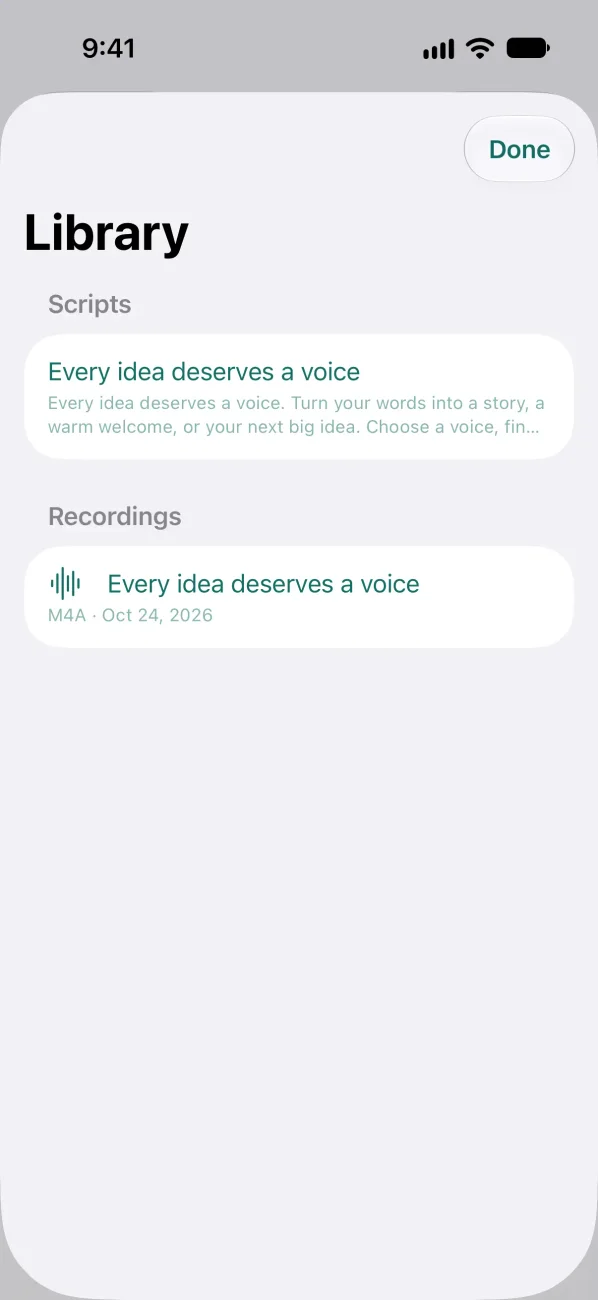
• Your own library: Keep scripts and recordings together. Reopen saved scripts with their voice settings, make changes, and create a fresh take.
• Reusable voice presets: Save your favorite combinations of voice, speed, pitch, and volume, then apply them to another script.
• Personal Voice made easier: Use your configured Personal Voice, with an optional guide to setup and permissions. Once your voice is ready, the guide steps out of the way.
• Pick up where you left off: Your draft and sound settings are saved automatically between sessions. A new warning helps protect unsaved changes when opening another script.
• A refreshed design: Enjoy a roomier editor, word count, adaptive light and dark colors, and a dedicated Voice & Sound panel.
• Clearer language choices: Choose specific languages and regional accents, with remembered selections and a starting language based on your device preferences.
• More to discover: Explore other apps from the developer in the new More Apps gallery.
Plus, more reliable playback and audio exports, clearer error messages, and safer handling of unavailable voices and saved recordings.
Privasi aplikasi
Yang dinyatakan Benjamin Carroll di App Store tentang cara aplikasi ini menangani data.
-
Data tidak dikumpulkan
Pengembang tidak mengumpulkan data apa pun dari aplikasi ini.
Praktik privasi dapat bervariasi, misalnya berdasarkan fitur yang Anda gunakan atau usia Anda.
Informasi
- Penjual
- Benjamin Carroll
- Kategori
- Foto & Video
- Versi
- 2.0
- Diperbarui
- 26/10/2026
- Dirilis
- 29/12/2021
- Ukuran
- 1,1 MB
- Memerlukan
- iOS 26.0 atau yang lebih baru
- Batasan usia
- 4+
- Harga
- Gratis
- Bahasa
- Inggris
- Hak cipta
- © 2021 Benjamin Carroll
Mungkin Anda juga suka
-
 pixel art photos - PixelatorFoto & Video
-
 ClickBait AIFoto & Video
-
 Lightsaber Camera DeluxeFoto & Video
-
 Neura - AIFoto & Video
-
 Quick Video EditorFoto & Video
-
 DragonFly CompanionFoto & Video
-
 Dimension - Spatial PhotosFoto & Video
-
 ULooksMax AI: Face Score& TipsFoto & Video
-
 Video Accelerator ProFoto & Video
-
 Pembuat Thumbnail For YouTube!Membuat YT Intro dan Spanduk