
SpendSteps: Expense Tracker
Private expense tracker
Dirancang untuk iPhone
Gratis
- Batasan usia4+
- KategoriKeuangan
- PengembangZestworks LLC
- BahasaJerman+ 13 lainnya
- Ukuran28,9 MB
Tertaut ke halaman resmi App Store
Download.org tidak menyimpan file SpendSteps: Expense Tracker apa pun. Tombol ini membuka halaman aplikasi di App Store, tempat Zestworks LLC menerbitkannya. Halaman terakhir diperiksa pada 23/11/2026.
Tangkapan layar

Tentang
Pengembang belum menyediakan teks ini dalam bahasa Anda.
SpendSteps is a beautifully simple expense tracker that keeps every number on your device. Log spending in seconds, ask where your money went in plain language, and stay ahead of your budget.
WHY SPENDSTEPS
- Private by design. Your data lives on your phone — including the AI that answers your questions. There's no login and no cloud account required to get started.
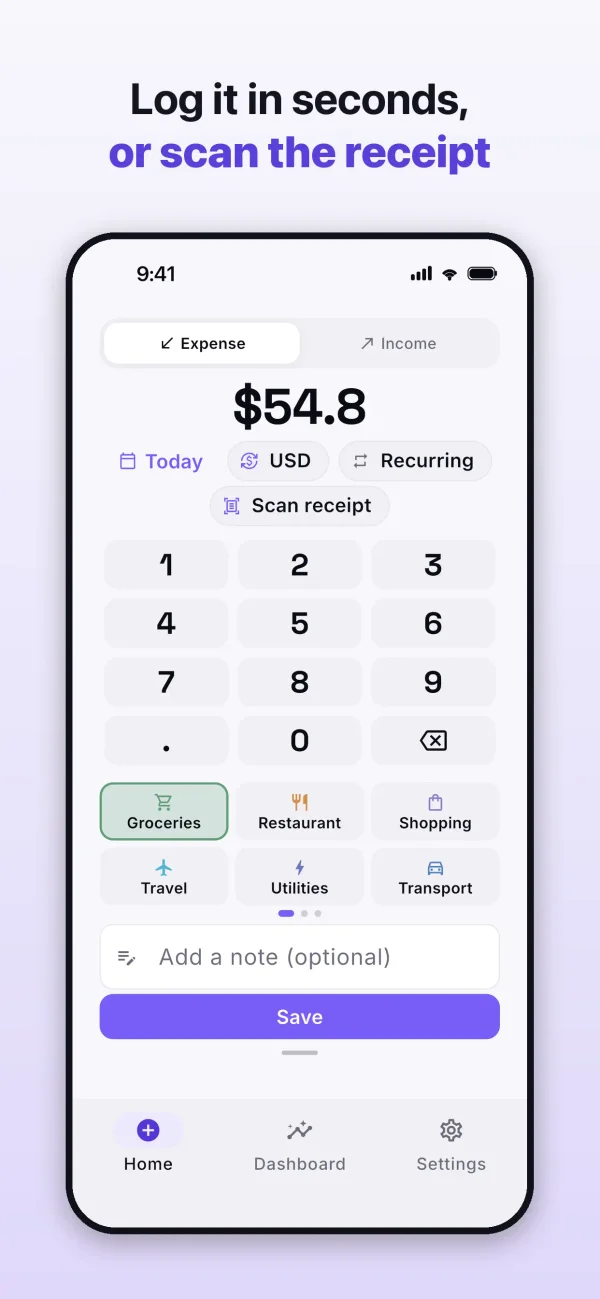
- Fast to log. Quick-add an expense or income in a couple of taps, with an optional note.
- Made to look at. A clean, calm interface with light and dark themes.
LOG WITHOUT LIFTING A FINGER
- Auto-log Apple Pay: a one-time Shortcuts setup logs every Apple Pay purchase silently, in the currency you paid, with a guided walkthrough in the app.
- New Apple Pay cards are added as accounts automatically, and gas-pump holds are flagged so you can enter the final amount.
- SpendSteps learns your merchants — file a purchase once and future ones are categorized for you.
- Glance at your recent entries right from the record screen to confirm a save or undo a mistake.
ON YOUR WRIST AND HOME SCREEN
- Apple Watch: see this month's spending and your budget at a glance, and log a spend with the Digital Crown.
- Add SpendSteps to your watch face to log or check your budget in one tap.
- Home Screen widgets show your spending and budgets, and let you log without opening the app.
TRACK EVERY PURCHASE
- Scan receipts with your camera or photo library and attach them to a transaction — in any of the app's supported languages.
- Multi-currency support for 150+ currencies with live or cached exchange rates, converted to your base currency. Change your base currency any time and convert your existing amounts.
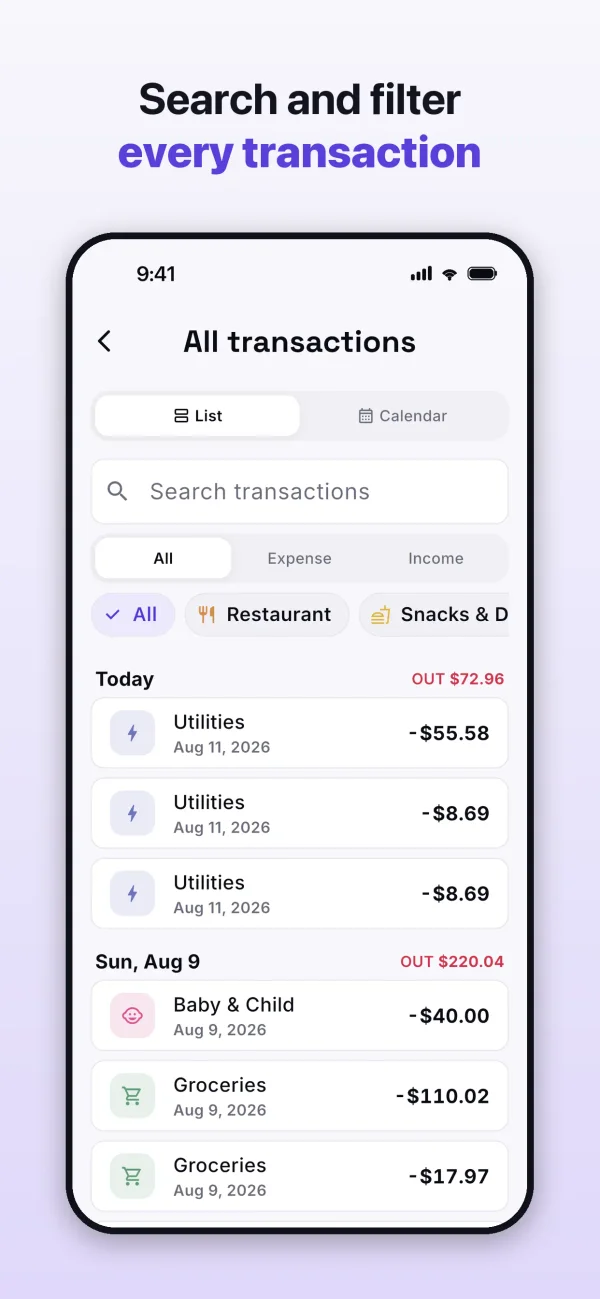
- Browse transactions as a list or on a calendar, and search or filter instantly.
- Split one purchase across several categories.
KEEP YOUR ACCOUNTS STRAIGHT
- Create accounts for your cash, cards, and bank accounts, and manage them in Settings.
- Pick an account on every transaction, right where you log it.
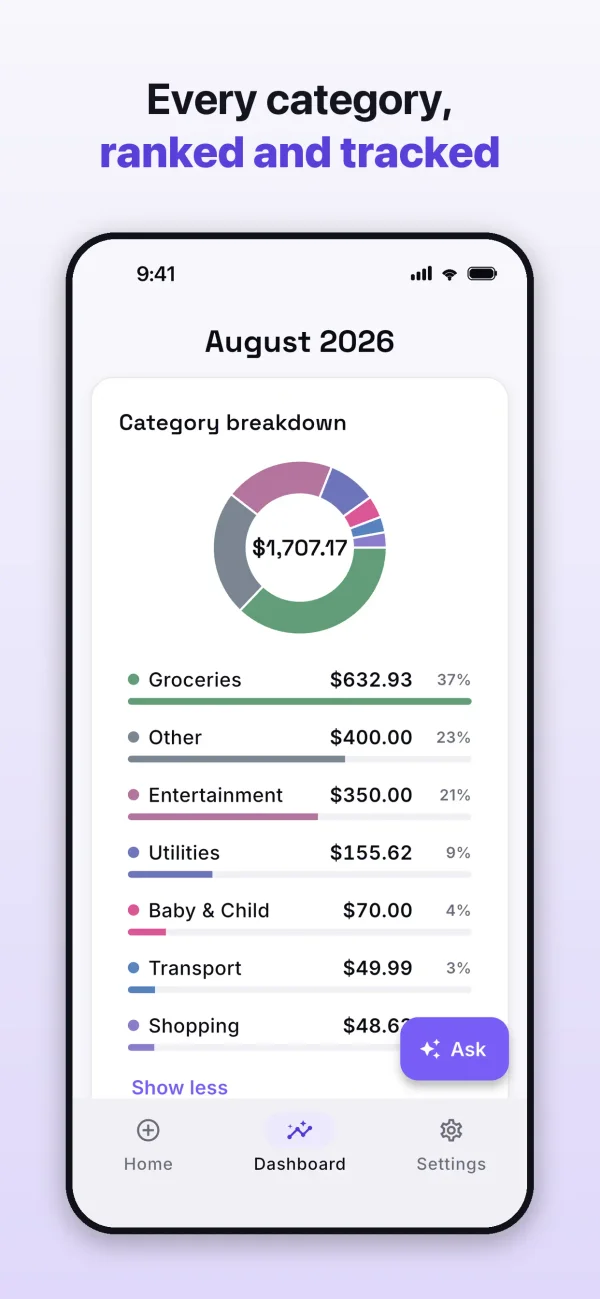
- See an account breakdown in Insights to know which one your money flows through.
BUDGETS & INSIGHTS
- Set monthly spending limits by category and see how much is left at a glance.
- Get an alert when a budget is almost used up, and when you go over.
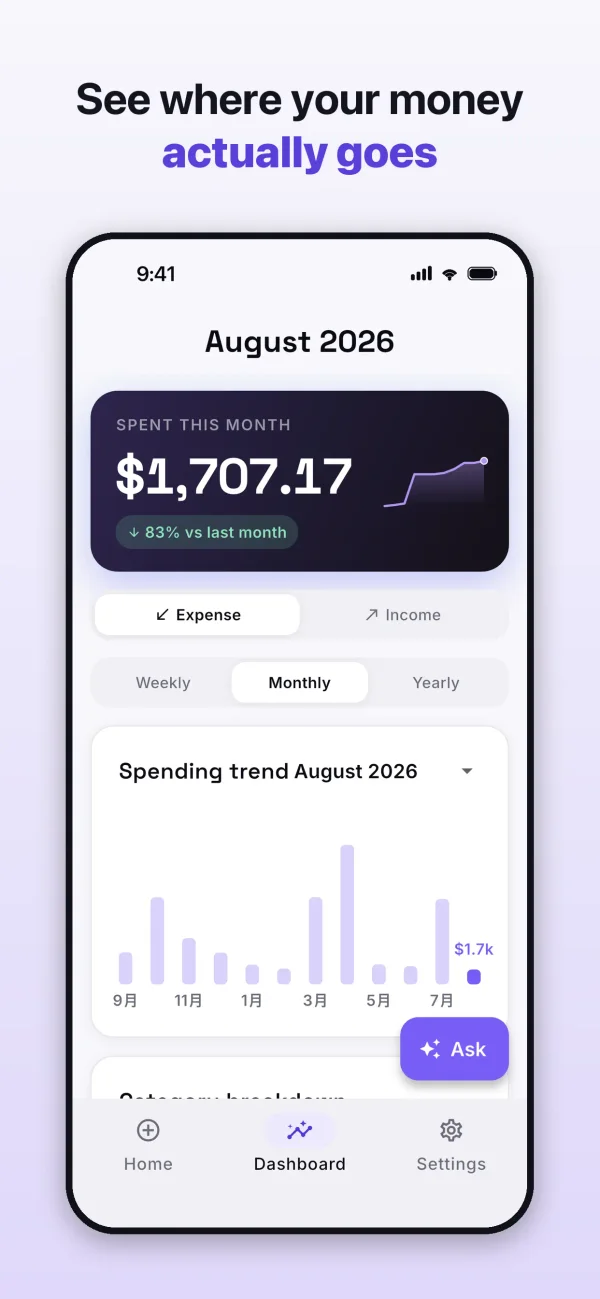
- Spot trends with weekly, monthly, and yearly charts for spending and income.
- Get a monthly recap on the 1st of each month.
JUST ASK
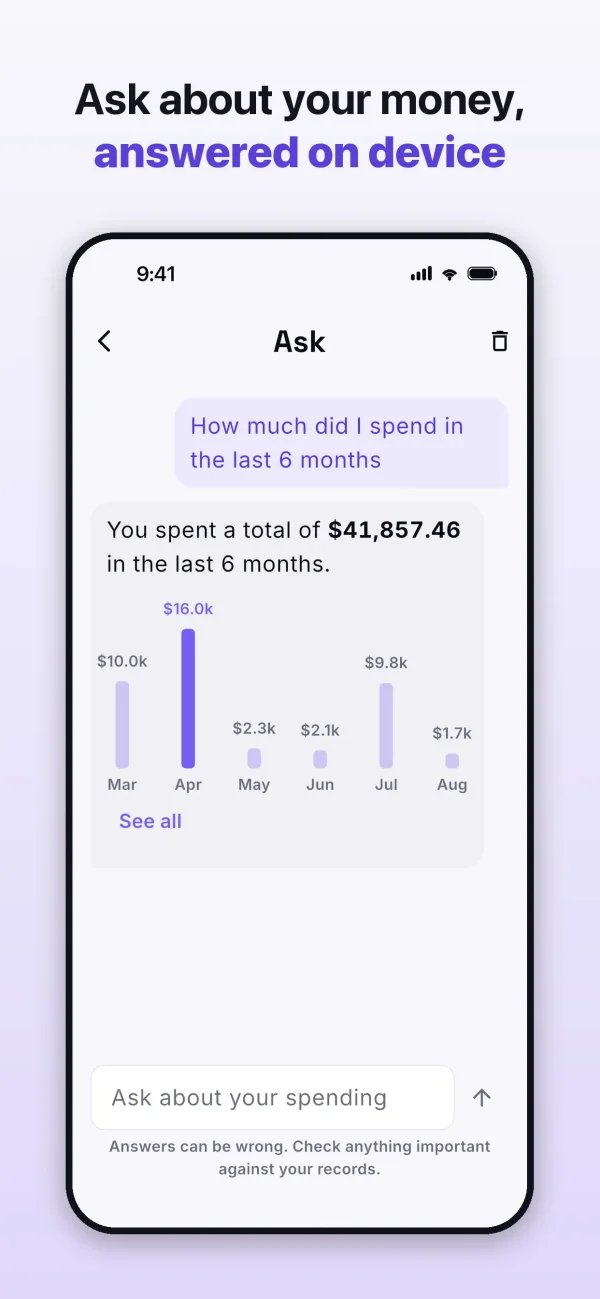
- Ask about your spending in plain language — "what did I spend most on?", "how does this month compare to last month?", "what was my biggest purchase this year?"
- Every answer comes with the chart or list behind it, so you can check the figures.
- Answers are worked out on your iPhone: your questions and transactions never leave it, and nothing trains on them.
- Requires Apple Intelligence (iPhone 15 Pro or later); hidden where it can't run.
NEVER MISS A BILL
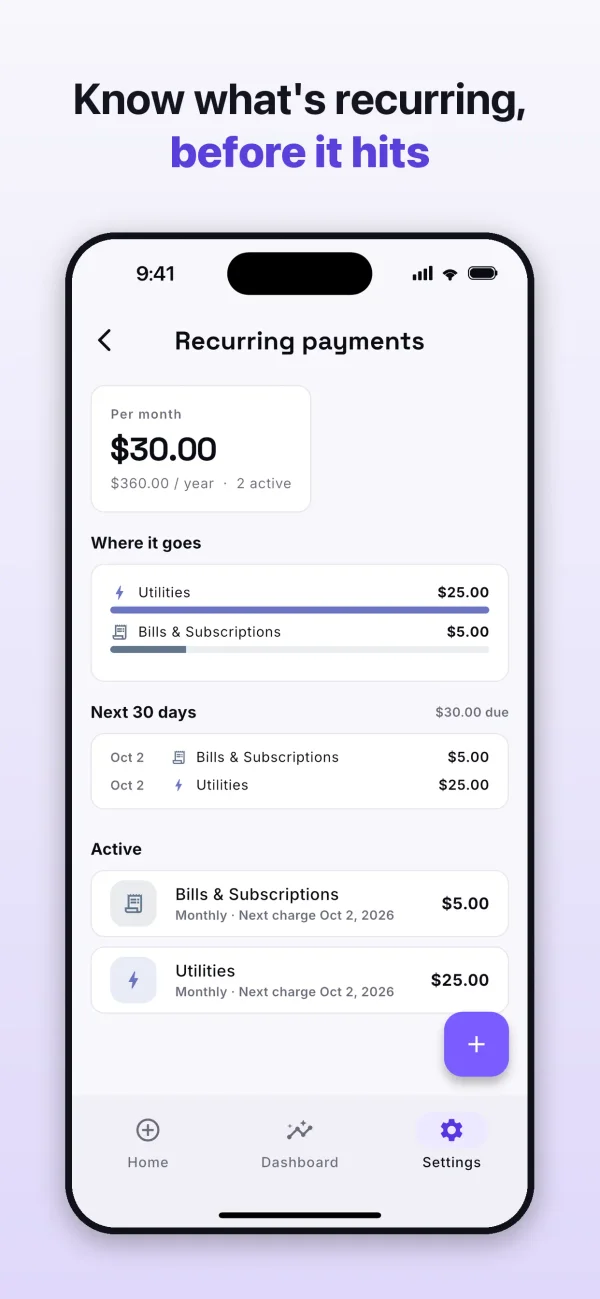
- Log recurring payments, from subscriptions to bills, automatically.
- Get a reminder before each bill or subscription is due.
- Choose weekly, biweekly, monthly, or yearly, pause any time, and always know your next charge.
ORGANIZE YOUR WAY
- Customize categories with your own names, colors, and icons.
- Start fast with a built-in set: Snack & Drink, Groceries, Transport, Shopping, Bills & Subscriptions, and more.
YOUR DATA, YOUR CONTROL
- Lock the app with Face ID or your passcode.
- Export all transactions to CSV, edit in a spreadsheet, and import them back — re-importing the same file never creates duplicates.
- Share any month as a PDF report, for a partner, an accountant, or your records.
- Available in English, Simplified Chinese, Traditional Chinese, Japanese, Korean, Spanish, French, German, Italian, Portuguese, Hindi, Indonesian, Vietnamese, and Arabic.
SpendSteps is a fast, private way to know exactly where your money goes.
Download SpendSteps and take control of your spending today.
Yang baru
Versi 1.1.13 · 20/11/2026
Thank you for using SpendSteps and for all your feedback. It shapes every update.
• Smarter receipt scanning: the right total and store name, far more often, in every language
• Bug fixes and stability improvements
Privasi aplikasi
Yang dinyatakan Zestworks LLC di App Store tentang cara aplikasi ini menangani data.
-
Data tidak dikumpulkan
Pengembang tidak mengumpulkan data apa pun dari aplikasi ini.
Praktik privasi dapat bervariasi, misalnya berdasarkan fitur yang Anda gunakan atau usia Anda.
Informasi
- Penjual
- Zestworks LLC
- Kategori
- Keuangan
- Versi
- 1.1.13
- Diperbarui
- 20/11/2026
- Dirilis
- 21/10/2026
- Ukuran
- 28,9 MB
- Memerlukan
- iOS 17.0 atau yang lebih baru
- Batasan usia
- 4+
- Harga
- Gratis
- Bahasa
- Jerman, Arab, Inggris, Prancis, Hindi, Bahasa Indonesia, Italia, Jepang, Korea, Portugis, Spanyol, Tionghoa Tradisional + 2 lainnya
- Hak cipta
- © 2026 Zestworks
Mungkin Anda juga suka
-
 Orevalis: Multi-Currency MoneyKeuangan
-
 LedgeryKeuangan
-
 TraMon - Track your moneyKeuangan
-
 YES Expense TrackerKeuangan
-
 Cashly: Expense TrackerKeuangan
-
 PayShare: Catatan KeuanganPengeluaran, Tabungan, Dompet
-
 Mês Leve: Budget PlannerKeuangan
-
 Walletable: Multi-CurrencyKeuangan
-
 Expense Tracker - Digits AIKeuangan
-
 Spentra: Expense TrackerKeuangan