
- Batasan usia+4
- KategoriFoto & Video
- PengembangTetsushi Kaneko
- BahasaInggris+ 1 lainnya
- Ukuran4,2 MB
Tertaut ke halaman resmi App Store
Download.org tidak menyimpan file STARCLIP apa pun. Tombol ini membuka halaman aplikasi di App Store, tempat Tetsushi Kaneko menerbitkannya. Halaman terakhir diperiksa pada 23/11/2026.
Tangkapan layar
Tentang
Pengembang belum menyediakan teks ini dalam bahasa Anda.
Film the game. Tap the star on every goal.
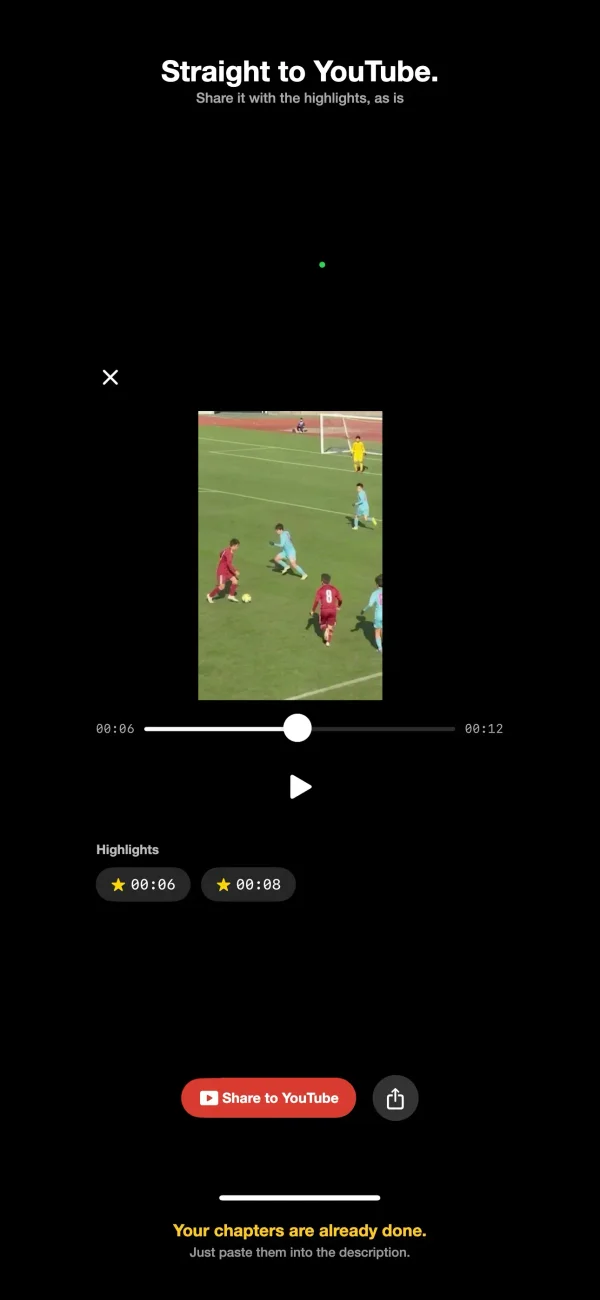
Upload to YouTube. Chapters already done.
STARCLIP is a camera app that makes sports filming fun and effortless.
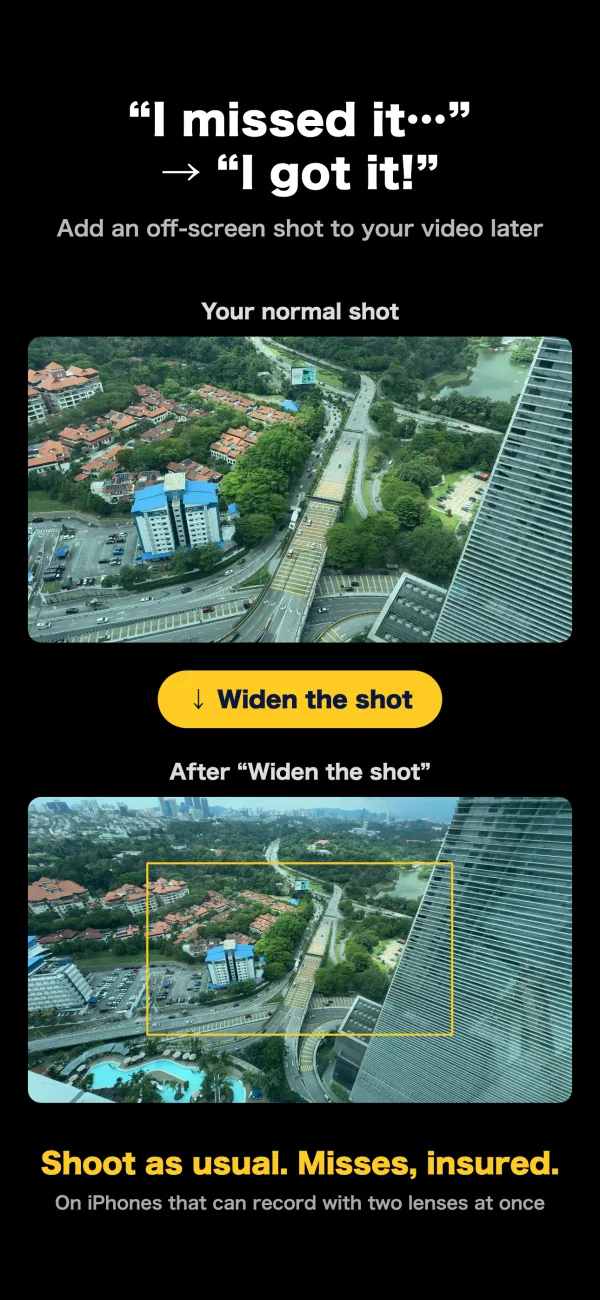
NEW: "I MISSED IT" BECOMES "I GOT IT!"
The best moments are exactly when you get caught up in the game. You look up, and the shot already happened off-screen.
"I wish I'd gotten that." Every parent who films games knows the feeling.
Record with Wide Later Video, and you may never have to feel that again.
You shoot just like always. Meanwhile, the ultra wide lens is recording everything outside your frame at the same time.
After the game, tap "Widen the shot" in the app, and add the shot that happened off-screen into your video.
Shoot as usual, and you're insured against missed shots.
So stop worrying about the camera and cheer for the game in front of you.
- Works on live game video, not just scenery
- The star works as usual. Watch full screen from the list, jump straight to each star, and go to "Widen the shot" from there
- The two clips (wide and ultra wide) also go straight to your camera roll. Export the widened video and save it
- Works for photos too (Wide Later Photo). Your camera roll gets one photo that looks just like a normal photo, and you can remake the widened one in the app as many times as you like
* Available on iPhones that can shoot with two lenses at the same time. Anything outside the ultra wide view can't be added.
THE PROBLEM
You film your kid's soccer game and upload it to YouTube. Then the real work starts — rewatching the entire game, noting timestamps for every goal and highlight, typing them into the description. It takes forever.
THE SOLUTION
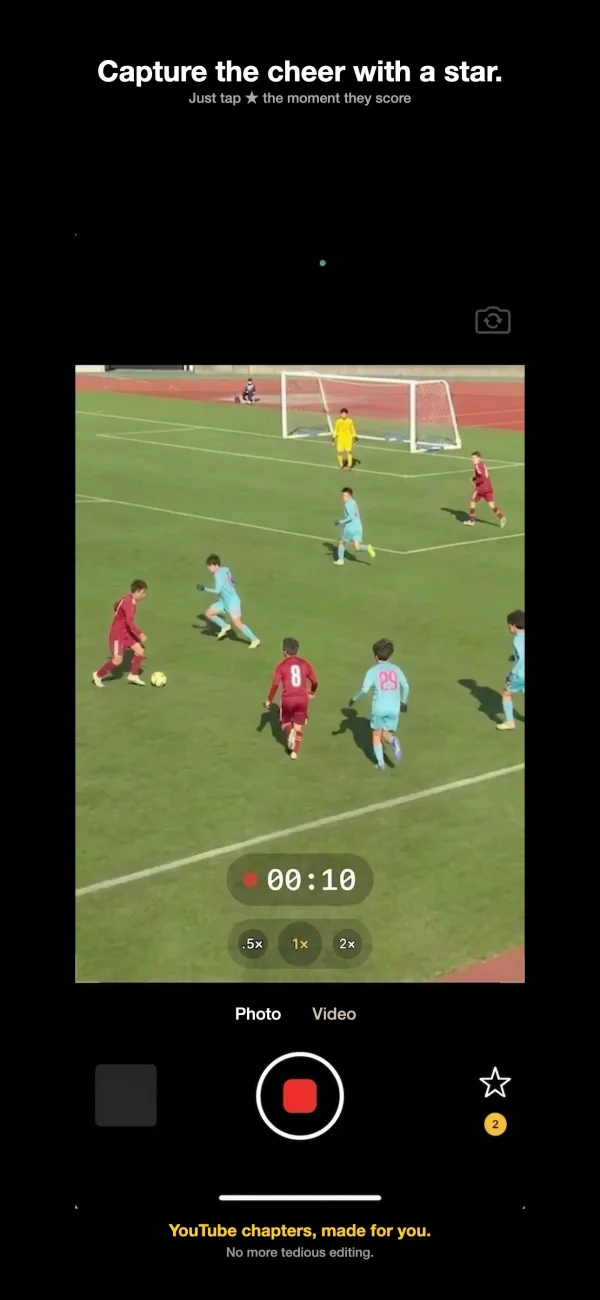
Tap the star while recording. Goal, great save, amazing play — one tap in the moment. When you stop recording, YouTube-ready chapter timestamps are already in your clipboard. Just paste.
How it works:
1. Start recording the game in Video mode
2. Tap the star whenever something great happens
3. Stop recording — timestamps auto-copied
4. Paste into YouTube description — chapters done
INSTANT LAUNCH
Camera is live the millisecond you tap the icon. Ready before kickoff.
PRECISION ZOOM DIAL
Long-press to reveal a semicircle dial for smooth zoom. Catch the action on the far side of the pitch.
For parents filming games. For club members on camera duty.
Film it. Tap it. Enjoy it later.
Yang baru
Versi 1.3.1 · 21/11/2026
【Improved】
- Wide Later Photo and Wide Later Video now have the zoom dial. Hold a zoom button for a moment, or swipe across it, and the dial appears. Keep moving your finger to zoom in and out
- The zoom dial in Photo and Video now looks and works the same way
- In Wide Later Photo and Wide Later Video, tap the screen to set focus and brightness there. Touch and hold to lock them (AE/AF Lock), then swipe up or down to adjust brightness
Privasi aplikasi
Yang dinyatakan Tetsushi Kaneko di App Store tentang cara aplikasi ini menangani data.
-
Data tidak dikumpulkan
Pengembang tidak mengumpulkan data apa pun dari aplikasi ini.
Praktik privasi dapat bervariasi, misalnya berdasarkan fitur yang Anda gunakan atau usia Anda.
Informasi
- Penjual
- Tetsushi Kaneko
- Kategori
- Foto & Video
- Versi
- 1.3.1
- Diperbarui
- 21/11/2026
- Dirilis
- 7/4/2026
- Ukuran
- 4,2 MB
- Memerlukan
- iOS 18.5 atau yang lebih baru
- Batasan usia
- +4
- Harga
- Gratis
- Bahasa
- Inggris, Jepang
- Hak cipta
- © 2026 Starclip.app
Mungkin Anda juga suka
-
 PanoramaVideoFoto & Video
-
 Hyper Zoom - AI Cam TelephotoFoto & Video
-
 Focus Picture - Portrait modeFoto & Video
-
 Time Lapse Photo From VideoMultiple thumbnail maker
-
 Video Editor · ·Foto & Video
-
 Teropong: Zoom 30x Tanpa RugiFilter real-time, stabil & OCR
-
 IHorizonLock CameraFoto & Video
-
 Photograph+ – 48 MP Pro CameraFoto & Video
-
 WeBlend-AI Couple PhotoFoto & Video
-
 iZoom Cam: 100x Zoom CameraFoto & Video