
Stock Inventory
Stock Portfolio Tracker
Dirancang untuk iPhone
Gratis · Pembelian dalam aplikasi
- Batasan usia4+
- KategoriKeuangan
- PengembangKevin Tang
- BahasaInggris
- Ukuran150,7 MB
Tertaut ke halaman resmi App Store
Download.org tidak menyimpan file Stock Inventory apa pun. Tombol ini membuka halaman aplikasi di App Store, tempat Kevin Tang menerbitkannya. Halaman terakhir diperiksa pada 12/11/2026.
Tangkapan layar






Tentang
Pengembang belum menyediakan teks ini dalam bahasa Anda.
Track all your stock investments across multiple brokerages in one beautiful, secure app—without sharing your portfolio information or account credentials with anyone.
Stock Inventory gives you complete control over your stock portfolio data while delivering real-time insights into your performance, dividends, and allocation.
KEY FEATURES
Real-Time Stock Portfolio Tracking
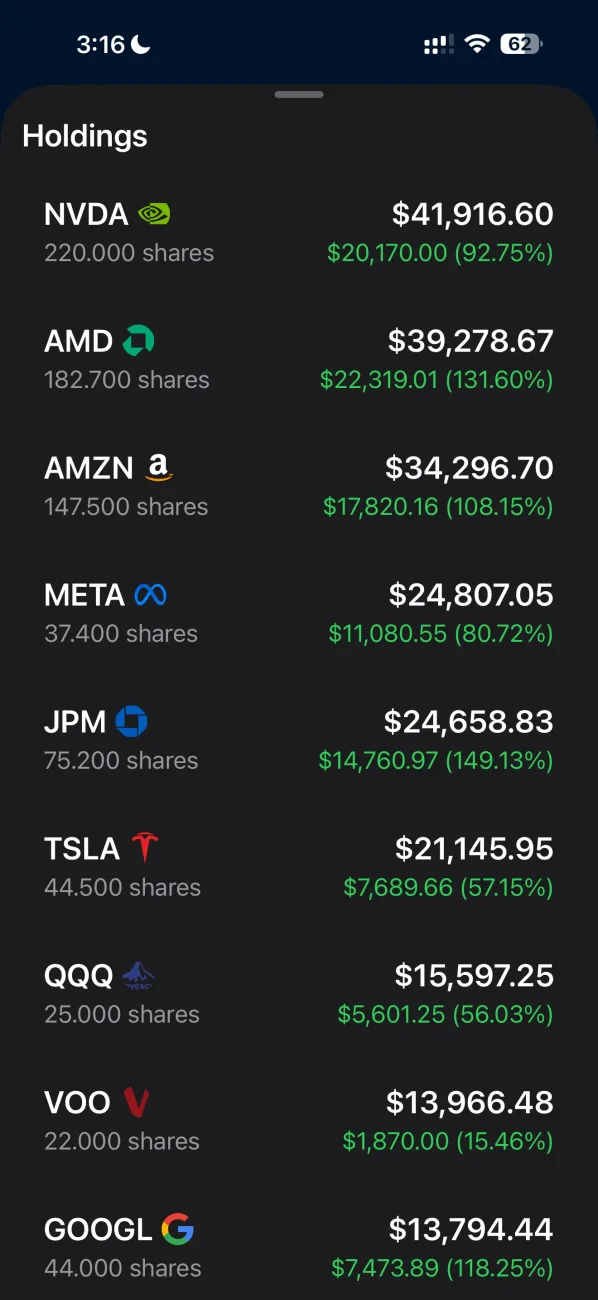
• Monitor total value, cost basis, and gains across all your stock brokerage and retirement accounts using any ticker symbol
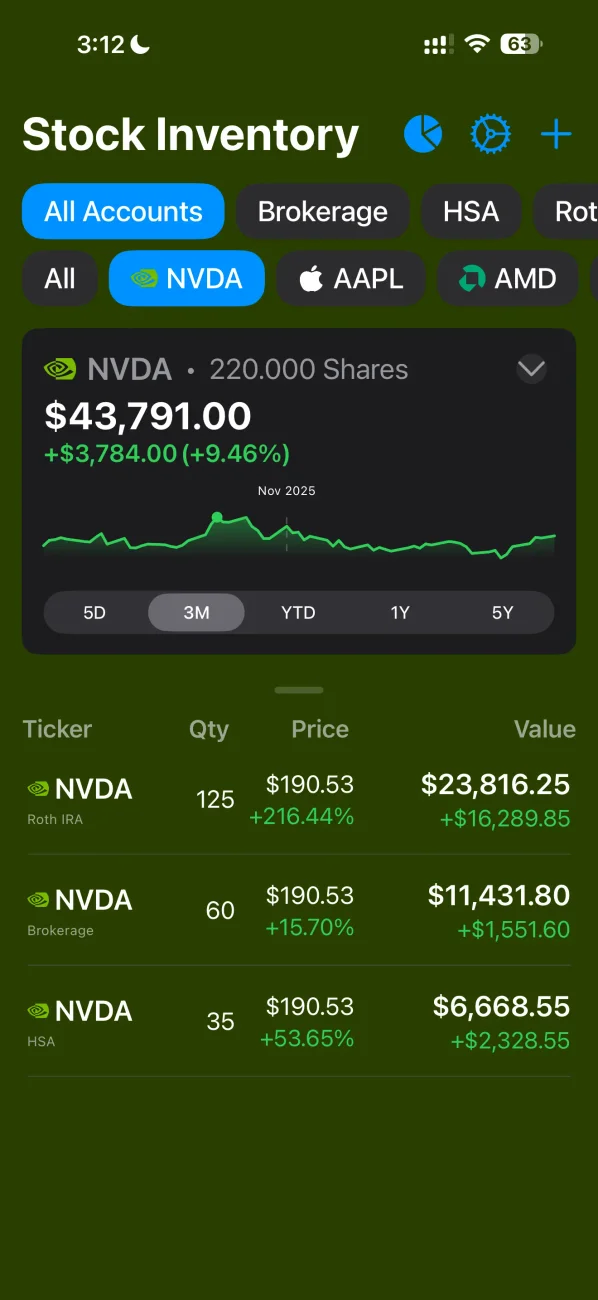
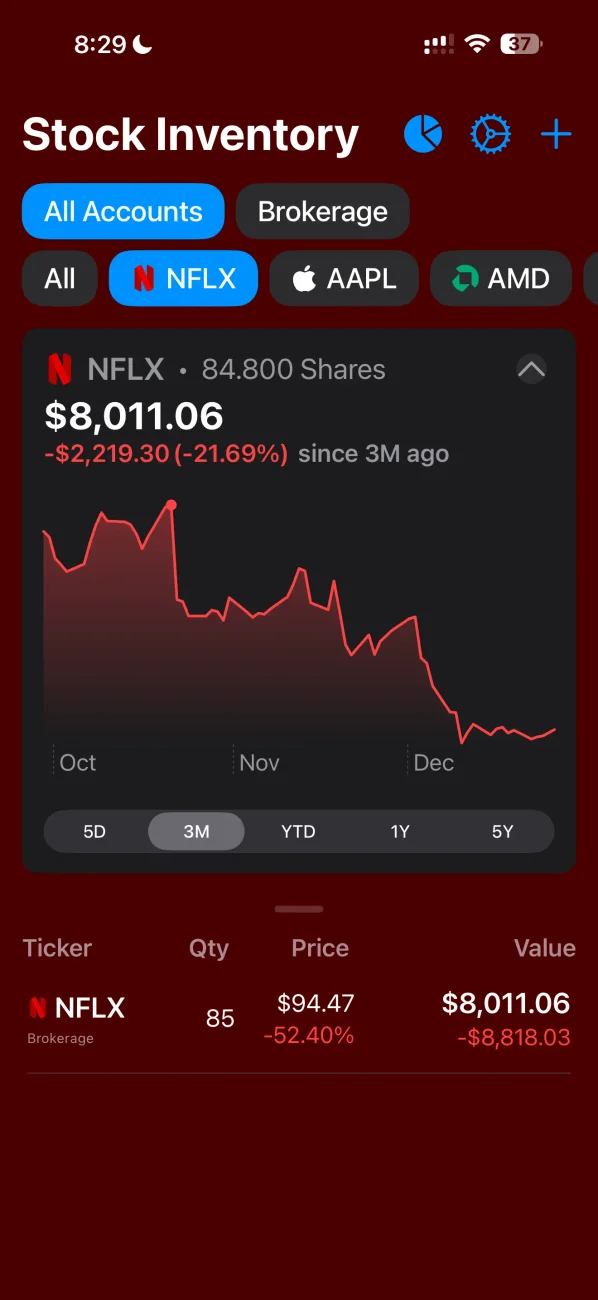
• Track current stock price and performance with interactive scrubbable charts (5D, 3M, YTD, 1Y, 5Y)—see highest price and price changes at a glance
• Identify tickers instantly with logos for thousands of companies, ETFs, and mutual funds (Vanguard, Fidelity, iShares, Blackrock, Charles Schwab)
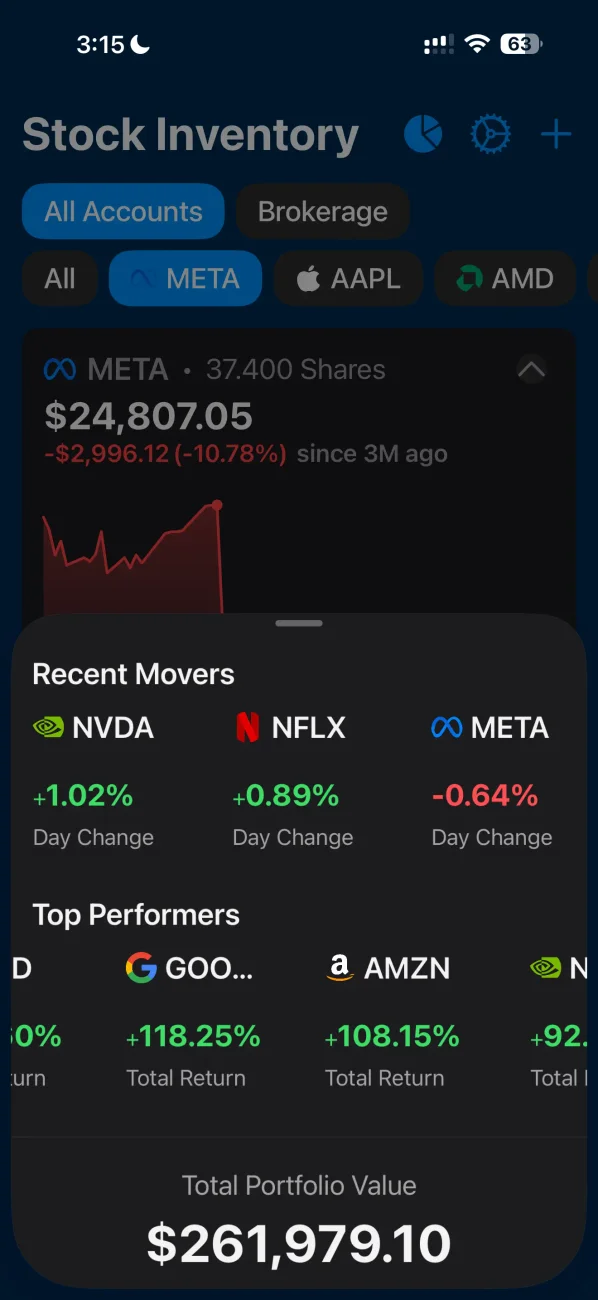
• Learn about your recent movers and top gainer stocks easily in an animated summary view
• Dig into your portfolio growth statistics, split out by account or individual stock ticker
• Learn from beautiful and insightful total portfolio visualizations with line, area, and pie charts
Dividend Income Tracking
• Automatic dividend estimates for all holdings
• See your total annual dividend income at a glance
• Monitor dividend yield across your portfolio
Privacy-First Design
• Military-grade AES encryption for all data
• Stored securely on your device—not in the cloud
• No account credentials required
Intuitive Interface
• Built for iOS with native SwiftUI
• Dark mode optimized
• Haptic feedback and smooth animations
• Drag to explore detailed chart data
Smart Organization
• Filter by account (Brokerage, IRA, etc.) or ticker
• Multiple sorting options: value, total gains, percent gains, price, quantity
• Quick access to top performers and recent movers
Data Portability (Pro)
• Export your data to JSON or CSV
• Import from spreadsheets
• Ad-free experience
WHO IT'S FOR
Perfect for dividend investors, buy-and-hold investors, and anyone managing stocks across multiple brokerages who values privacy and wants a consolidated view without linking bank accounts.
GET STARTED
Simply add your purchases manually—ticker, quantity, price, and date. Stock Inventory handles the rest, fetching current prices and calculating your performance automatically.
Upgrade to Pro for export features and an ad-free experience.
Yang baru
Versi 1.3.5 · 24/10/2026
Improved ad privacy and reduced interruptions.
Privasi aplikasi
Yang dinyatakan Kevin Tang di App Store tentang cara aplikasi ini menangani data.
-
Data yang digunakan untuk melacak Anda
Dapat digunakan untuk melacak Anda di aplikasi dan situs web milik perusahaan lain.
- Pengenal
- Data penggunaan
-
Data yang ditautkan dengan Anda
Dapat dikumpulkan dan ditautkan dengan identitas Anda.
- Pengenal
- Data penggunaan
Praktik privasi dapat bervariasi, misalnya berdasarkan fitur yang Anda gunakan atau usia Anda.
Informasi
- Penjual
- Kevin Tang
- Kategori
- Keuangan
- Versi
- 1.3.5
- Diperbarui
- 24/10/2026
- Dirilis
- 7/1/2026
- Ukuran
- 150,7 MB
- Memerlukan
- iOS 18.6 atau yang lebih baru
- Batasan usia
- 4+
- Harga
- Gratis
- Pembelian dalam aplikasi
- Ya
- Bahasa
- Inggris
- Hak cipta
- © 2025 Kevin Tang
Mungkin Anda juga suka
-
 Ledger - The Portfolio TrackerKeuangan
-
 Portfolio SnapshotKeuangan
-
 Fynceo - Portfolio TrackerKeuangan
-
 Aksvest: Investment JournalKeuangan
-
 Selium Performance CEKeuangan
-
 doji portfolioKeuangan
-
 CaribVest UltraKeuangan
-
 Just PortfolioKeuangan
-
 Permanent Portfolio TrackerKeuangan
-
 NorthLedger: Budget & WealthKeuangan