
- Batasan usia4+
- KategoriKegunaan
- PengembangHudsucker Industries LLC
- BahasaInggris
- Ukuran23,9 MB
Tertaut ke halaman resmi App Store
Download.org tidak menyimpan file Swabbie apa pun. Tombol ini membuka halaman aplikasi di App Store, tempat Hudsucker Industries LLC menerbitkannya. Halaman terakhir diperiksa pada 26/11/2026.
Tangkapan layar

Tentang
Pengembang belum menyediakan teks ini dalam bahasa Anda.
Swabbie is the all-in-one boat management app built for cruisers, liveaboards, and serious sailors who want to stay on top of every system, spare part, and sea mile.
MAINTENANCE & SCHEDULING
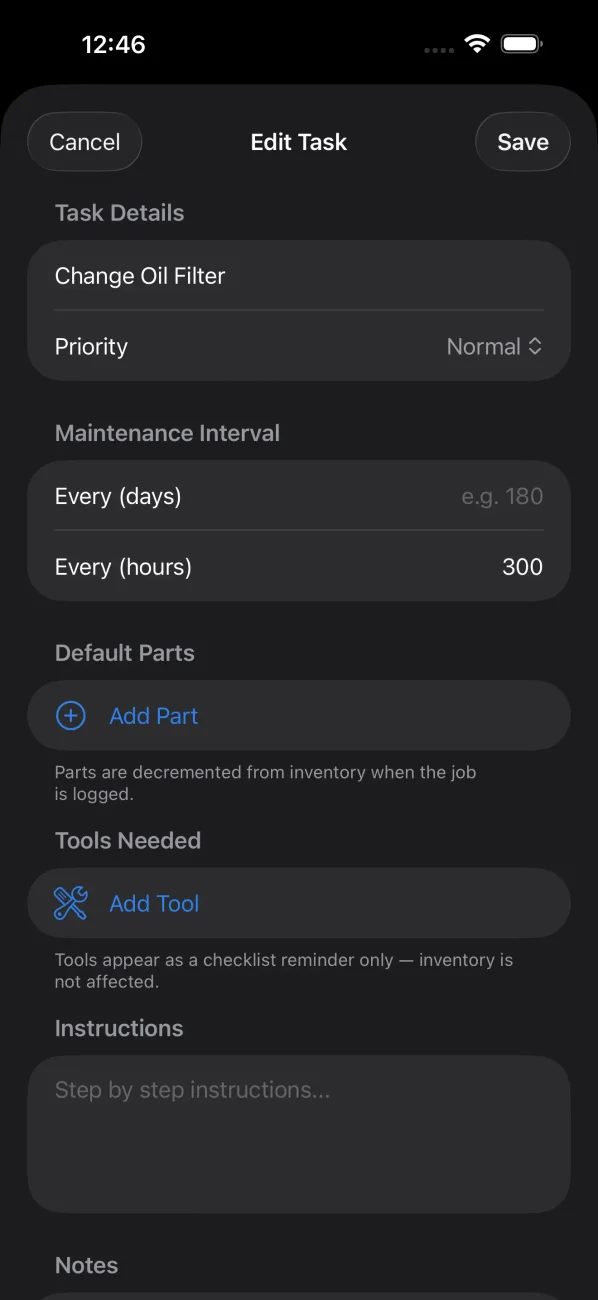
Set up your boat's systems and components — from propulsion to plumbing — and create maintenance tasks with calendar and engine-hour intervals. Swabbie automatically schedules what's due so nothing falls through the cracks. Log completed work with parts used, costs, and notes.
ENGINE HOURS TRACKING
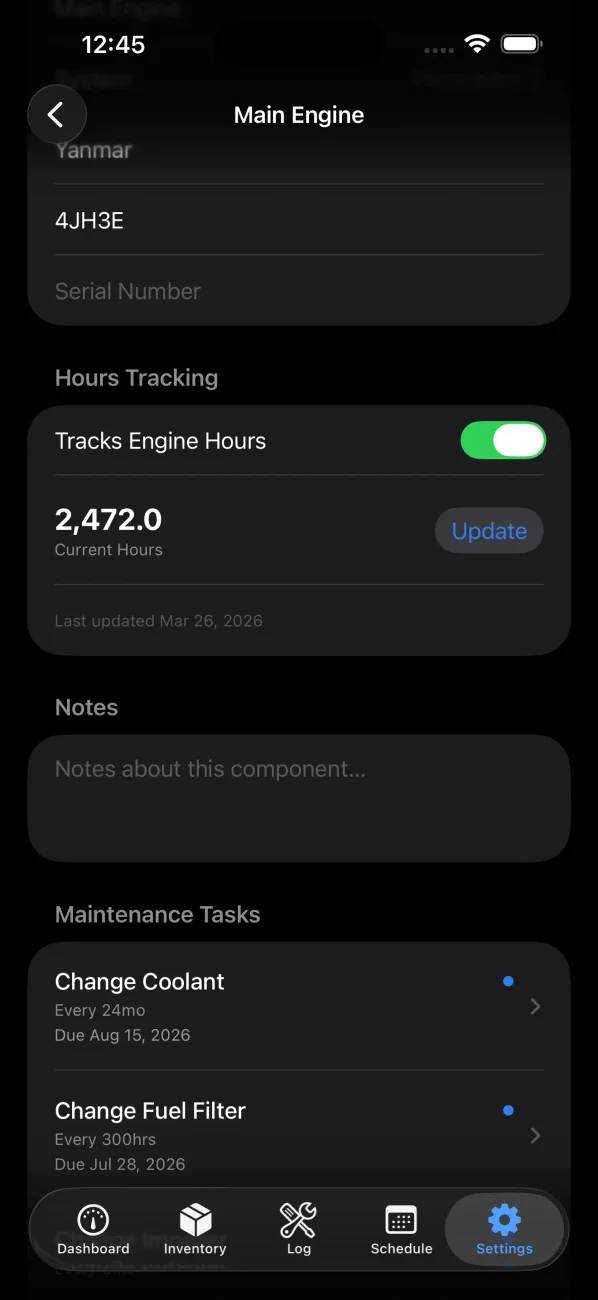
Track hours on your main engine, generator, and any other equipment. Engine-hour-based maintenance schedules update automatically as you log runtime.
INVENTORY & PARTS
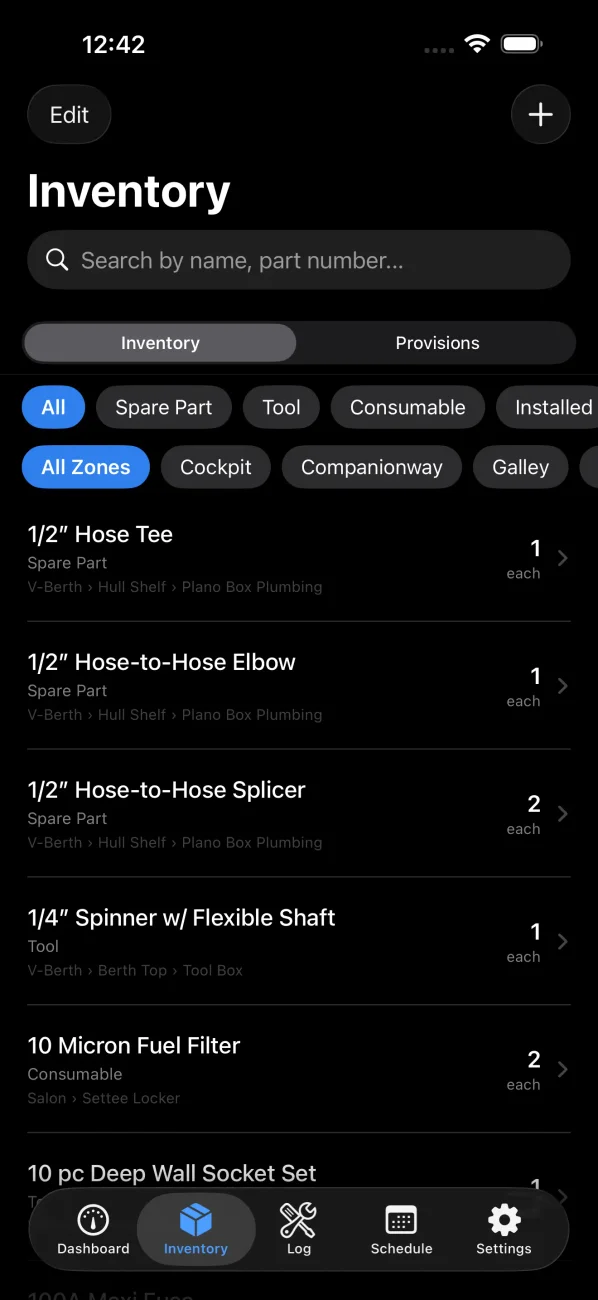
Catalog every spare part, tool, and consumable aboard. Organize by zone, location, and container so you can find what you need — even in the depths of the lazarette. Set minimum stock levels and get low-stock alerts. Scan barcodes to add items quickly. Import existing inventories via CSV.
PROVISIONS
Track food, drinks, and supplies with expiry date monitoring. Scan barcodes to look up product details automatically. Know exactly what's aboard and what's running low before your next provisioning run.
CRUISING LOG
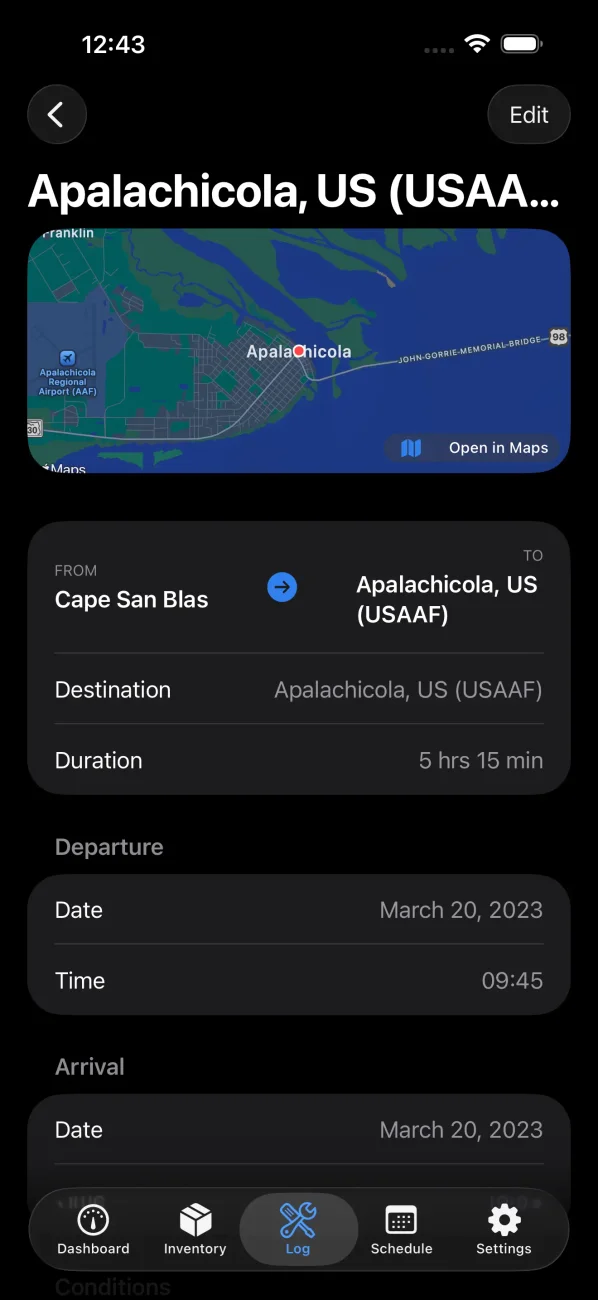
Record every passage with departure and arrival ports, weather conditions, wind, waves, and barometer readings. Add passage notes and port logs. Map snapshots are generated automatically for each destination.
CHECKLISTS
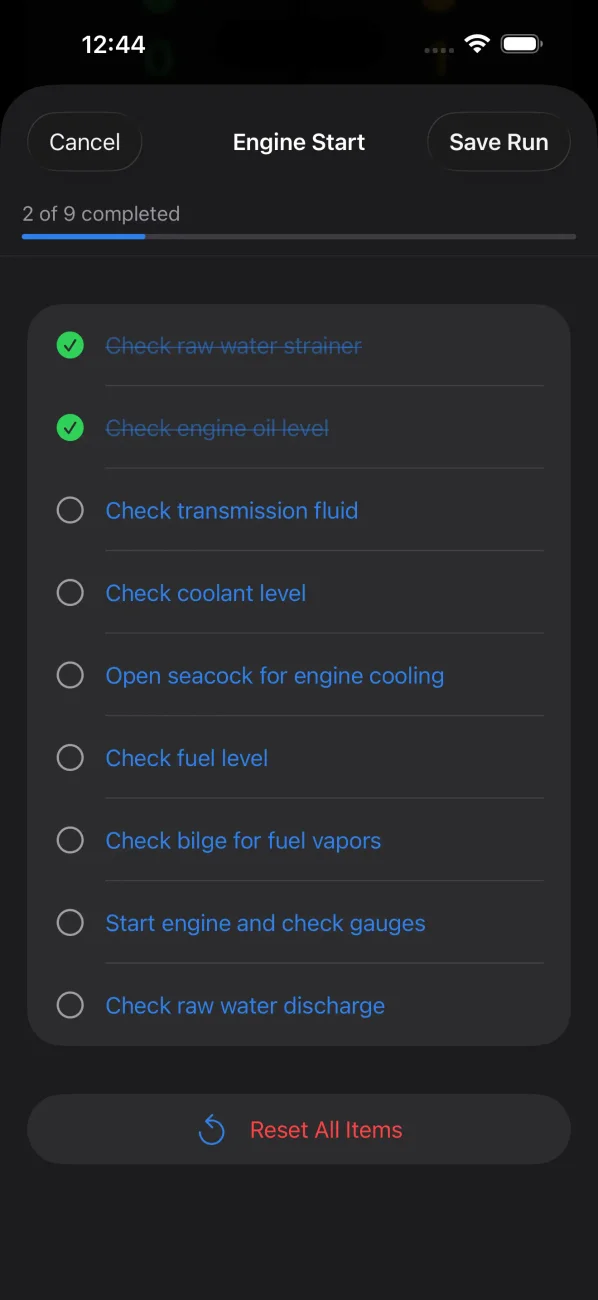
Pre-built templates for pre-departure safety, engine start, docking, and watch handoff — or create your own. Run checklists and track completion history. Pin your most-used checklists to the dashboard.
FUEL LOG
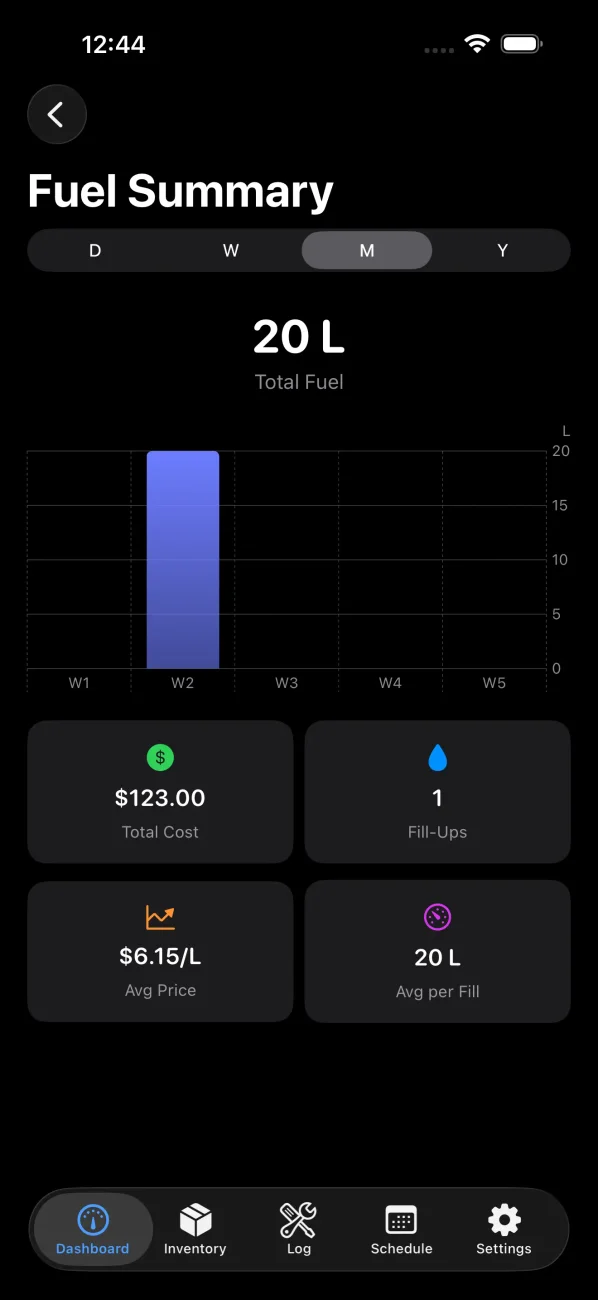
Log every fill-up with volume, price, location, and engine hours. Track fuel costs over time and see consumption trends at a glance.
DASHBOARD
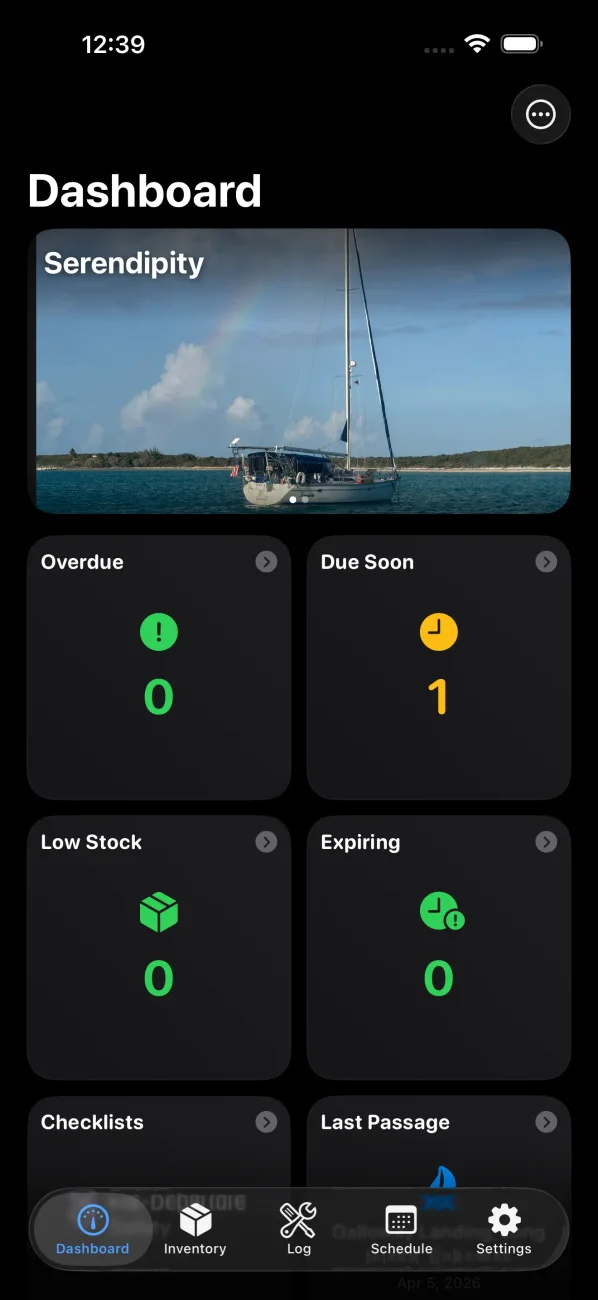
A customizable home screen with widgets showing overdue maintenance, upcoming tasks, low stock alerts, expiring provisions, fuel summaries, engine hours, your last passage, and active checklists. Add, remove, and reorder widgets to match how you use your boat.
BOAT PROFILE
Store your vessel's details — make, model, year, LOA, draft, air draft, displacement, fuel and water capacity, HIN, registration, MMSI, and call sign — all in one place. Add a banner photo that appears across the app.
ORGANIZED BY YOUR BOAT'S LAYOUT
Create zones (Engine Room, Galley, V-Berth), locations within each zone, and containers within locations. Every inventory item and provision can be pinpointed to its exact spot aboard.
ICLOUD SYNC
All your data syncs seamlessly across iPhone and iPad via iCloud. Update engine hours on your phone in the cockpit and see it instantly on your iPad at the nav station.
BACKUP & RESTORE
Export complete backups as JSON files to any folder. Restore from backup at any time. Enable automatic backups for peace of mind.
CSV IMPORT
Migrating from spreadsheets? Import your maintenance logs, cruising logs, and inventory via CSV so you're up and running fast.
Swabbie was designed by cruisers, for cruisers. No subscriptions. No ads. Just a clean, focused tool that helps you keep your boat — and your peace of mind — shipshape.
Yang baru
Versi 1.10.0 · 24/11/2026
This update adds Bulk Scan for provisions. After a grocery run, tap + and choose Bulk Scan, pick where the food is going, then scan item after item. A running list builds up as you scan. Items already on board have their quantity increased instead of being added twice, and new items are looked up automatically. Tap Add All to save the whole haul at once. Adding a single provision is quicker too: Quantity now starts at 1, both Quantity and Minimum Stock have − and + buttons instead of the number pad, and "Save & Add Another" takes you back to the top of the form. As for fixes, forms you've edited can no longer be closed by an accidental swipe down, and on iOS 27 you're asked before your changes are discarded. Barcodes now match between iPhone and Android, so a can added on one is recognised when it's scanned on the other.
Privasi aplikasi
Yang dinyatakan Hudsucker Industries LLC di App Store tentang cara aplikasi ini menangani data.
-
Data tidak dikumpulkan
Pengembang tidak mengumpulkan data apa pun dari aplikasi ini.
Praktik privasi dapat bervariasi, misalnya berdasarkan fitur yang Anda gunakan atau usia Anda.
Informasi
- Penjual
- Hudsucker Industries LLC
- Kategori
- Kegunaan
- Versi
- 1.10.0
- Diperbarui
- 24/11/2026
- Dirilis
- 10/4/2026
- Ukuran
- 23,9 MB
- Memerlukan
- iOS 18.6 atau yang lebih baru
- Batasan usia
- 4+
- Harga
- Gratis
- Bahasa
- Inggris
- Hak cipta
- © 2026 Hudsucker Industries LLC