Task Mike Declutter Your Brain
Get things done. ADHD friendly
Dirancang untuk iPhone
Gratis
- Batasan usia4+
- KategoriKegunaan
- PengembangBerazee Technology
- BahasaInggris
- Ukuran12,2 MB
Tertaut ke halaman resmi App Store
Download.org tidak menyimpan file Task Mike Declutter Your Brain apa pun. Tombol ini membuka halaman aplikasi di App Store, tempat Berazee Technology menerbitkannya. Halaman terakhir diperiksa pada 23/11/2026.
Tangkapan layar
Tentang
Pengembang belum menyediakan teks ini dalam bahasa Anda.
Your best thought rarely arrives when you are ready for it.
Hold the button and speak. Type when you need to be quiet. Task Mike catches the thought first, then lets you decide what it should become.
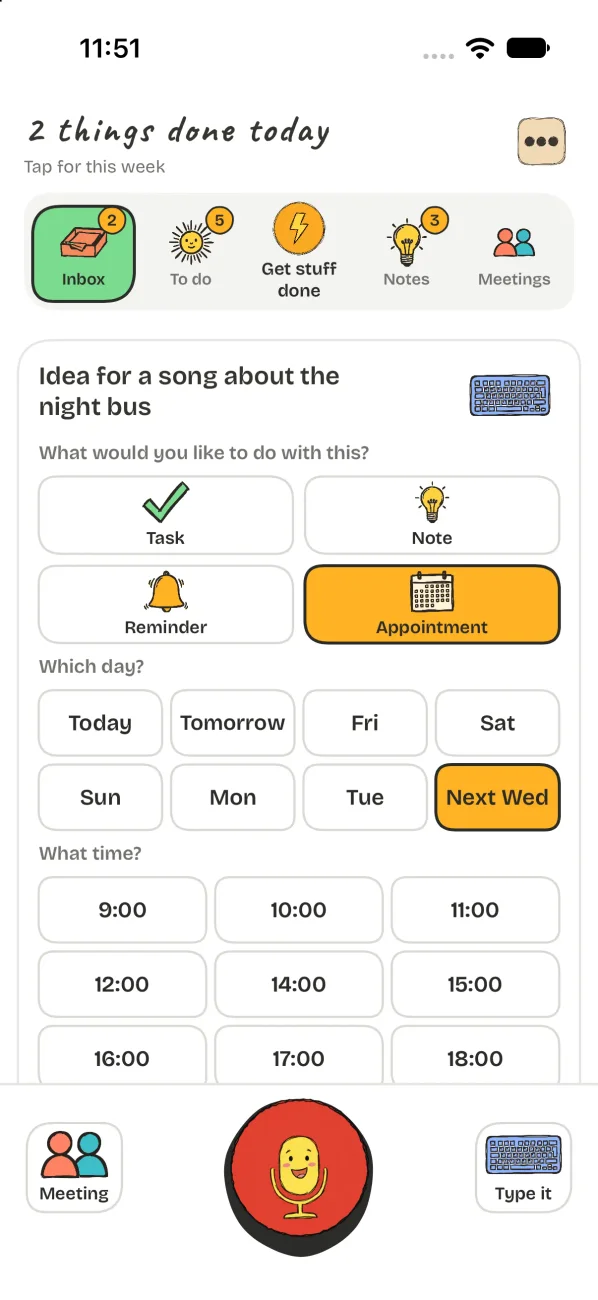
Keep it as a note. Turn it into a task. Add a date and time. Make an appointment. Start a project. Or leave it in your Inbox until your head is quieter.
Task Mike is built for creative brains: writers, musicians, designers, founders, freelancers and anyone with ADHD-shaped days. It gives every thought somewhere to land without making you organise it on the spot.
CATCH IT FAST
Hold to record and let go to save. Task Mike keeps the original recording and turns your voice into text on your iPhone. You can also type a thought, paste text or share something into the app. On iOS 27 with Apple Intelligence, share a photo of a letter or a list and Task Mike reads it into tasks.
HANDS FREE
Say "Turn on Task Mike" or "Activate Task Mike" and it starts recording. When you go quiet it stops and saves. The Action button and the widgets do the same. Task Mike keeps the original recording next to the text, so you can check what the AI made of it.
DECIDE WHAT IT IS
Turn a captured thought into:
• A note for later
• A task, with a day or without one
• A reminder: say "call mum Friday 3pm" and the day and time are offered in one tap
• An appointment: pick a day, then a time
• A project broken into smaller steps
Tasks can repeat daily, weekly or monthly. If one recording contains several jobs, Task Mike can offer to split them into separate tasks.
NOTES THAT STAY FINDABLE
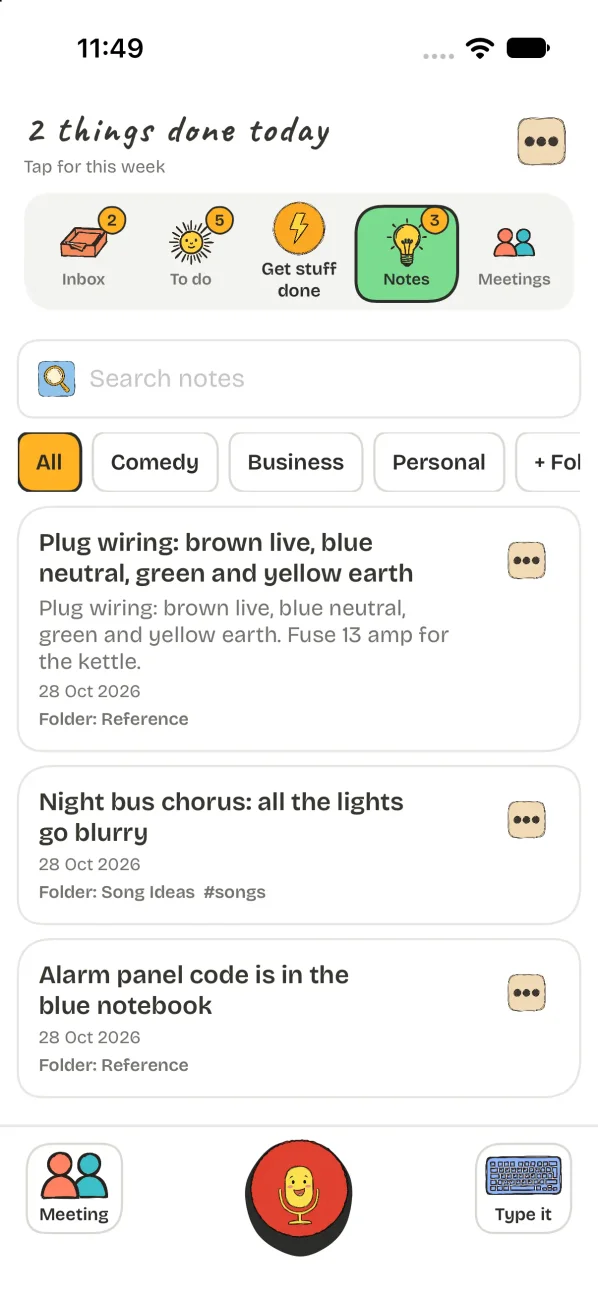
Tag notes with names such as Comedy, Business or Song Ideas. A note can carry several tags. Search the words you remember and get back to the note you need. Swipe any row to bin it.
VISION BOARD
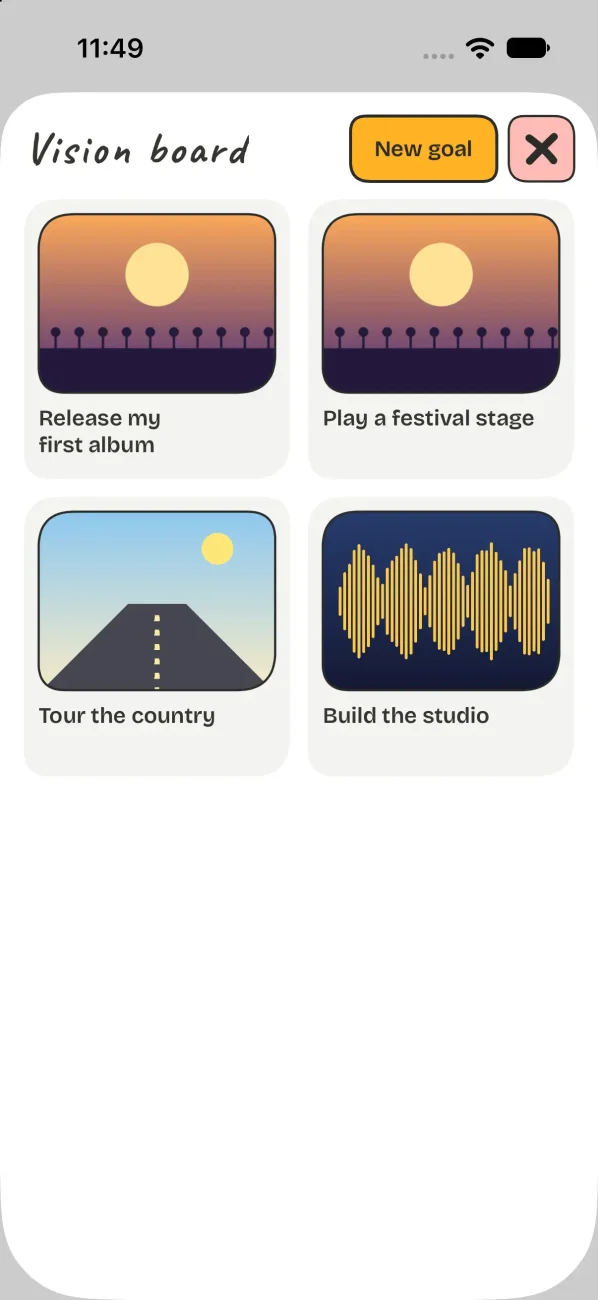
Keep your big goals with pictures, then break each one into tasks you can actually start.
START WITHOUT THE STARE-DOWN
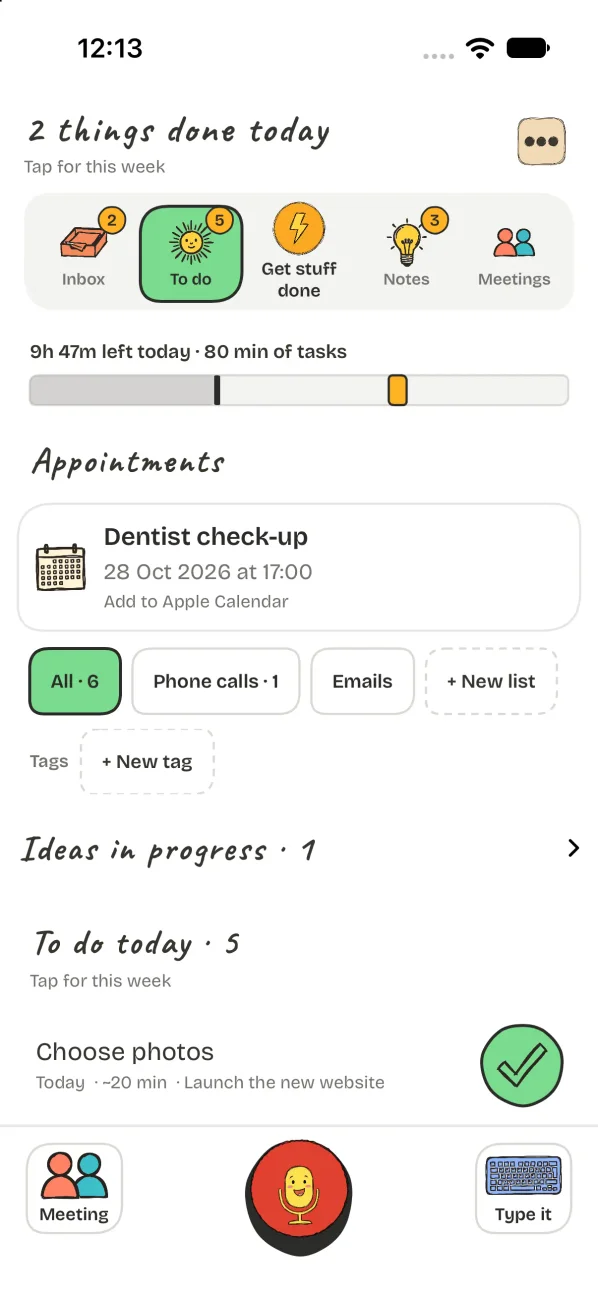
Long lists can make starting harder. Task Mike keeps Today focused and gives you a few different ways in:
• Pick three for the day, and To do shows only those
• Do One Now picks a task that fits the time you have left
• Quick Win finds an easier task
• 15-Minute Sprint starts a short burst
• Body Double checks in while you work
• Tomato Timer runs 25 minutes of focus and 5 minutes off
• Shrink It turns a task into a tiny first step
Tasks with no day sit in an Anytime list under today, so they stay in sight.
PROJECTS THAT SHOW THE NEXT STEP
Tell Task Mike the bigger job. It can break supported projects into smaller actions using Apple Intelligence on compatible iPhones. Instead of facing the whole project every time, you can see the next useful step.
MEETINGS AND APPOINTMENTS
Record a meeting to keep the audio, transcript, summary, decisions and action items together. Mention a day and time in a captured thought and Task Mike can suggest them when you turn it into an appointment. You stay in control before anything is added to Calendar.
WORK WITH YOUR ENERGY
Organise tasks by project, type, energy, place or time. Batch the calls, emails or errands that belong together. Gentle reminders are optional, overdue work does not turn into a wall of red, and nothing in the app scolds you for taking a break.
SMALL WINS COUNT
Earn points, level up and build a streak as you finish things. A freeze day can protect your streak, and coming back after time away is treated as a win.
ALWAYS CLOSE BY
Ask Siri what is on your list or what to do now, and tick things off by voice. Tick tasks from the Home Screen widget. Find a task from your iPhone's search. Record from Lock Screen widgets, Control Centre, the Action Button and Apple Watch. The One Thing timer counts down on your Lock Screen.
There is no account and there are no ads. Recording, transcription and sorting happen on your iPhone. Your tasks can back up to your own iCloud Drive, and you can switch that off.
Task Mike is a productivity tool. It does not provide medical advice or treat ADHD.
Yang baru
Versi 2.0.5 · 22/11/2026
A calmer, quicker Task Mike.
- One tap on the Task tick files a thought straight to your to-do list.
- To do opens on what to do today. Older tasks and filters are folded out of the way.
- Get stuff done has one big Do one now button, with the other ways to begin as simple tiles.
- More rewards: points for finishing early or on time, for your first tick of the day and for three in a day, plus the odd surprise.
- See your progress to the next level, and name a treat to earn.
- A recording with no words is now one small row: play it, keep it or bin it.
- The keyboard widget is labelled Type it.
Privasi aplikasi
Yang dinyatakan Berazee Technology di App Store tentang cara aplikasi ini menangani data.
-
Data tidak dikumpulkan
Pengembang tidak mengumpulkan data apa pun dari aplikasi ini.
Praktik privasi dapat bervariasi, misalnya berdasarkan fitur yang Anda gunakan atau usia Anda.
Informasi
- Penjual
- Christopher Binns
- Kategori
- Kegunaan
- Versi
- 2.0.5
- Diperbarui
- 22/11/2026
- Dirilis
- 2/9/2011
- Ukuran
- 12,2 MB
- Memerlukan
- iOS 26.0 atau yang lebih baru
- Batasan usia
- 4+
- Harga
- Gratis
- Bahasa
- Inggris
- Hak cipta
- © 2026 Decent Apps