Taskly: Task & Project Planner
Type it the way you'd say it
Dirancang untuk iPhone, Mac
Gratis · Pembelian dalam aplikasi
- Batasan usia4+
- KategoriProduktivitas
- PengembangMaximilian Johannes Anzinger
- BahasaInggris+ 1 lainnya
- Ukuran21,9 MB
Tertaut ke halaman resmi App Store
Download.org tidak menyimpan file Taskly: Task & Project Planner apa pun. Tombol ini membuka halaman aplikasi di App Store, tempat Maximilian Johannes Anzinger menerbitkannya. Halaman terakhir diperiksa pada 23/11/2026.
Tangkapan layar
Tentang
Pengembang belum menyediakan teks ini dalam bahasa Anda.
Taskly is a calm task manager for iPhone and Mac. Write a task the way you'd say it, and let the app do the filing.
TYPE IT, DON'T FILL IT IN
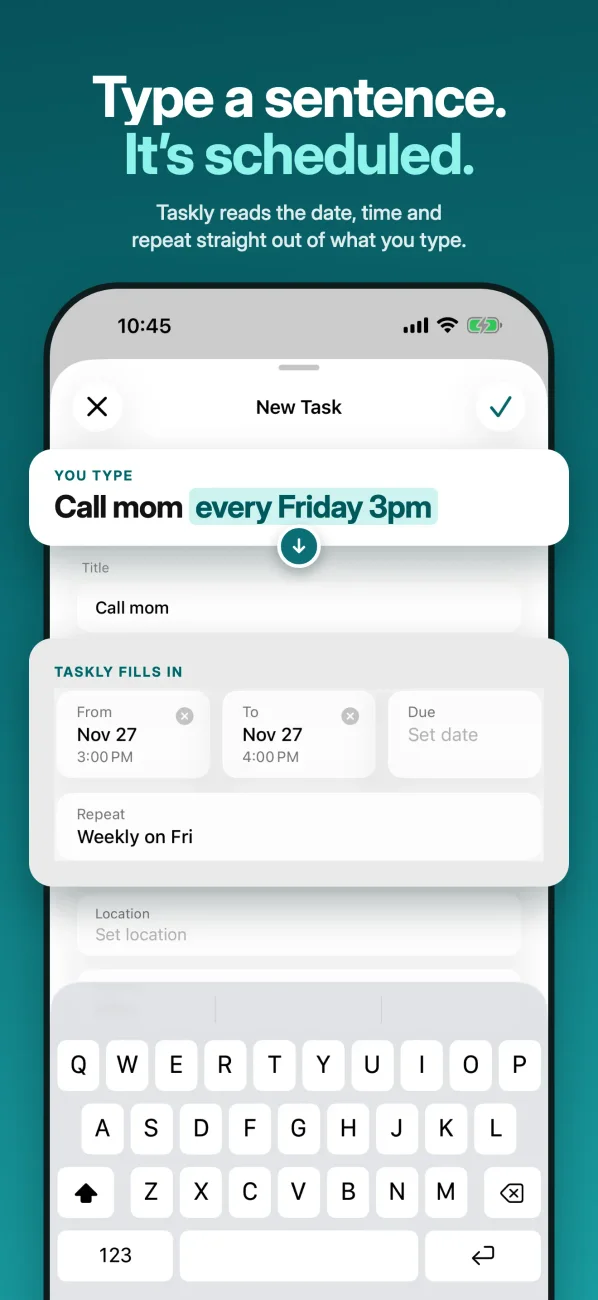
Write "Call mom Friday 3pm" and Taskly reads the date and time straight out of the sentence, then tidies them out of the title. "Submit report by Friday" becomes a due date. "Meeting from 2pm to 4pm" becomes a start and an end. Edit anything by hand and Taskly stops overwriting it.
A HOME SCREEN THAT ANSWERS ONE QUESTION
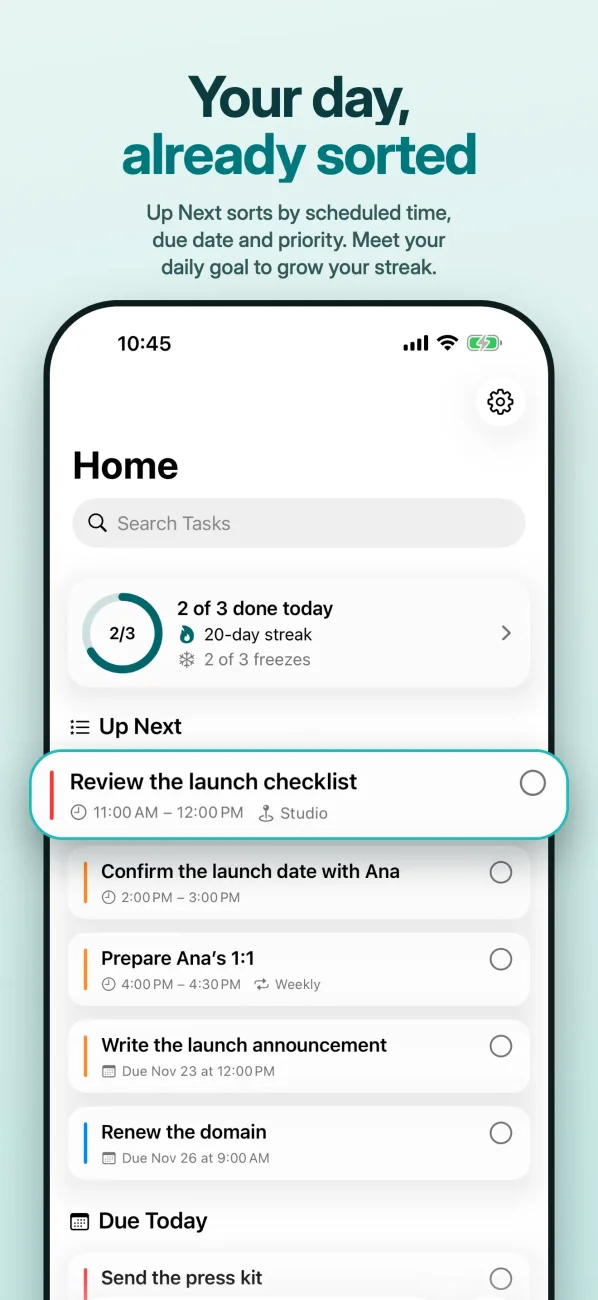
Up Next shows what deserves your attention, ranked by when it starts, when it's due, then how urgent it is. Due Today and Overdue sit below it, and anything you captured without filing lands in the Inbox; once it has a time or due date, it can show up in Up Next too. Up Next never repeats what is already sitting in Due Today or Overdue.
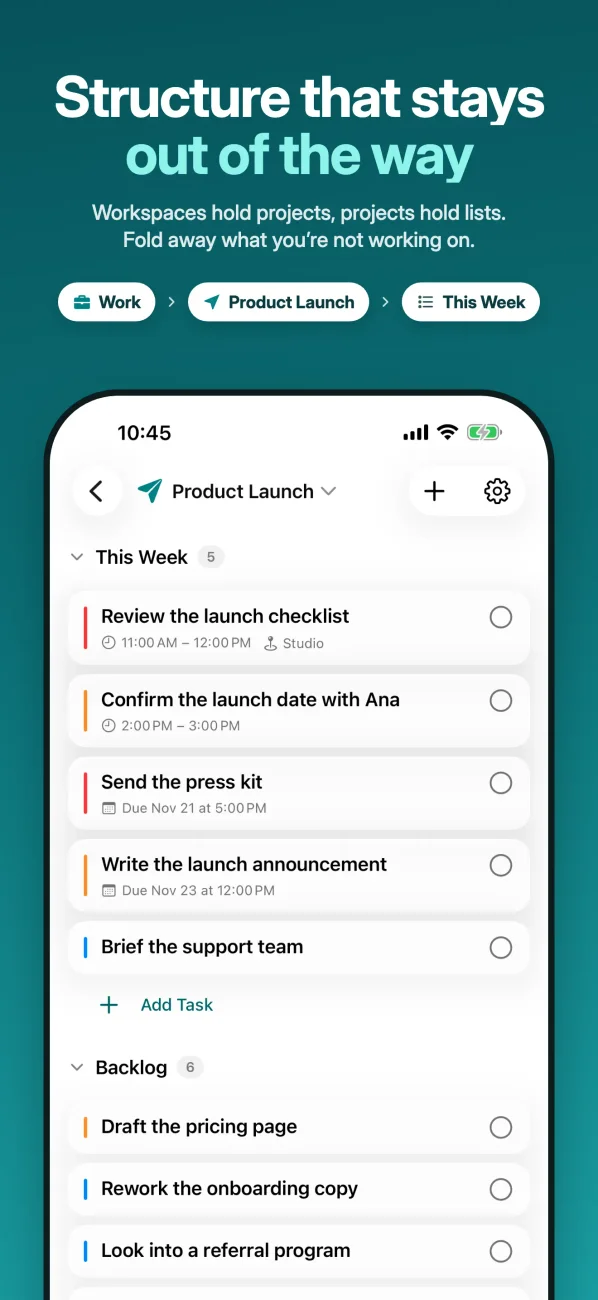
STRUCTURE THAT STAYS OUT OF THE WAY
Workspaces hold projects, projects hold lists, lists hold tasks. Give every workspace and project its own icon — an SF Symbol in a color you choose, or an emoji. Drag tasks to reorder them, or to move one into another list.
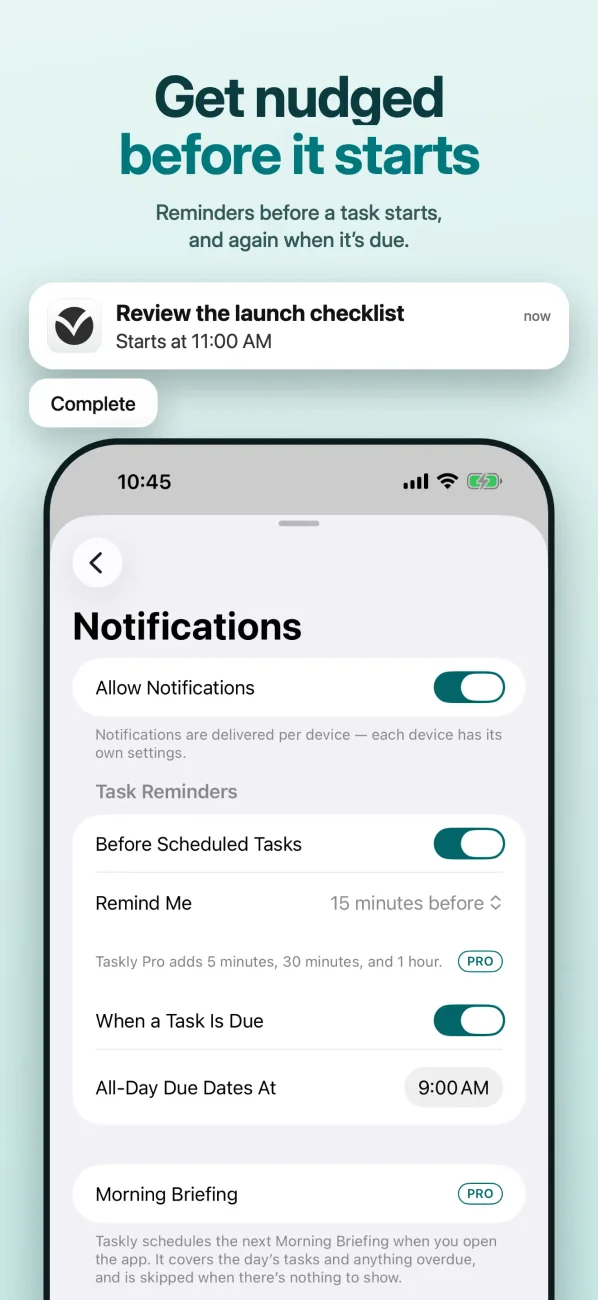
REMINDERS THAT KNOW THE DIFFERENCE
Get a reminder before a task with a set start time, and a reminder when a task is due — at its due time, or in the morning for a task due all day. Complete a task straight from the notification without opening the app.
KEEP GOING
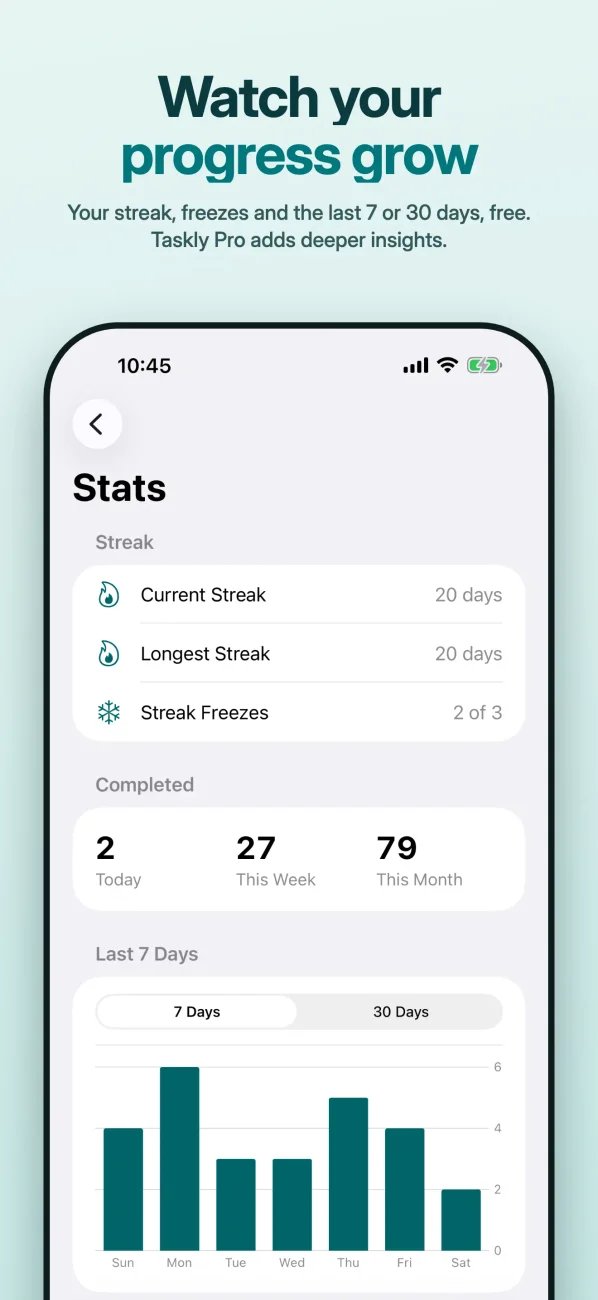
Set a daily goal and watch the ring on Home fill up. Every day you reach it grows your streak, and freezes keep it going on a day you miss. Stats counts the tasks you complete and charts your last 30 days, and an optional Weekly Recap looks back at your week. All free.
YOUR TASKS STAY YOURS
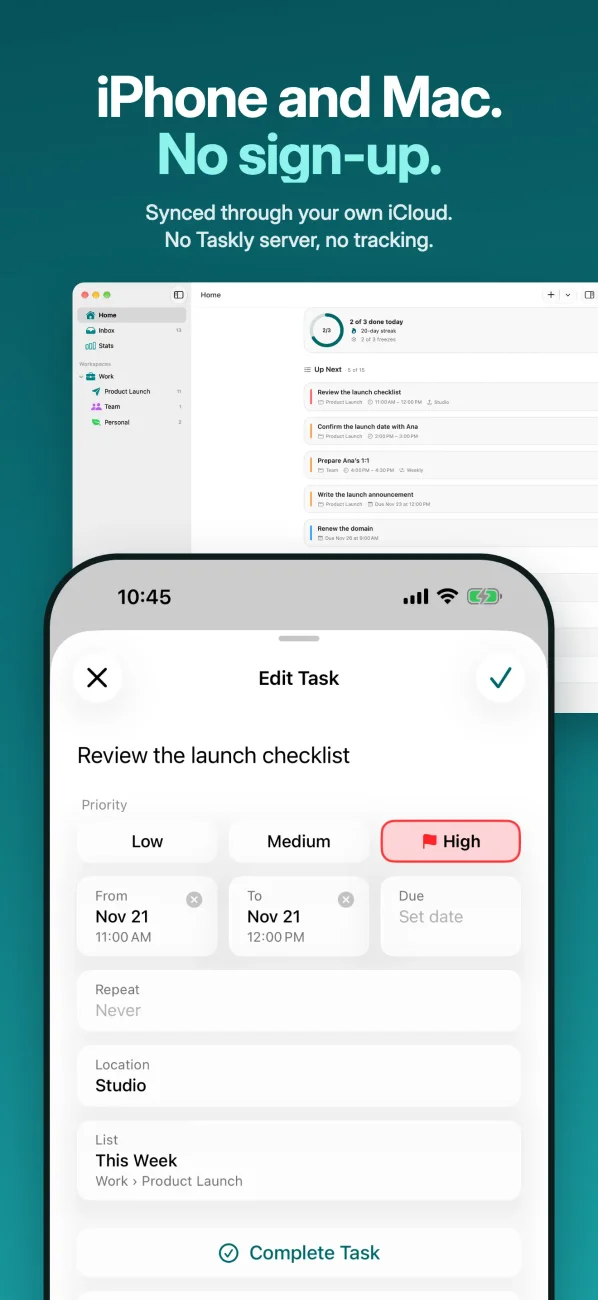
There is no Taskly account, because there is no Taskly server. Your tasks live on your device and sync privately through your own iCloud, so they appear on your iPhone and Mac. Nothing is sent to us, and there is no third party for it to go to. Taskly's AI features run entirely on your device using Apple Intelligence.
MADE FOR THE MAC, NOT JUST RESIZED
A real sidebar, full keyboard navigation, undo and redo, and menu-bar commands for the things you do often.
TASKLY PRO
The free plan includes one workspace and five projects, and never locks data you already created. Taskly Pro adds:
• Unlimited workspaces and projects
• AI Autofill, which reads priority and location out of your sentence, and turns a noun into an action (requires a device with Apple Intelligence)
• A Morning Briefing summarizing what's due and what's overdue
• More lead times for start reminders, on top of the free At start and 15 minutes
• Reordering the criteria behind Up Next
• Deeper Insights in Stats: your tasks per project and workspace, your last 12 months, your best day and time, and deadlines met
Taskly Pro is available monthly, yearly, or as a one-time lifetime unlock. Dates, times, reminders, and iCloud sync are all free and always will be.
Terms of Use: https://www.apple.com/legal/internet-services/itunes/dev/stdeula/
Privacy Policy: https://atlas-lbs.de/taskly/privacy
Yang baru
Versi 1.3.0 · 23/11/2026
Taskly 1.3 helps you keep going.
• Daily goal: choose how many tasks you want to finish each day, and watch the ring on Home fill up
• Streaks: every day you reach your goal grows your streak. Every 7 such days earn a freeze, up to 3, and a freeze keeps your streak going on a day you miss
• Stats: your current and longest streak, how many tasks you completed today, this week, and this month, and a chart of your last 7 or 30 days. Open it from the progress card on Home, from Settings on iPhone, or from the sidebar on Mac
• Weekly Recap: on the day and time you choose, a notification with how many tasks you completed that week, plus your best day and your streak when there are any. Weeks with nothing completed are skipped. Turn it on under Notifications in Taskly's settings
• All of this is free. Taskly Pro adds Deeper Insights to Stats: your tasks per project and workspace, your last 12 months, your best day and time, and deadlines met
• Also new: a new workspace or project takes just a name, Inbox tasks with a time or a due date can show up in Up Next, and on Mac you can drag several tasks at once to another list or project and select tasks with the arrow keys
• Your history starts with this update: only tasks you complete in 1.3 or later count, so update Taskly on all your devices
Privasi aplikasi
Yang dinyatakan Maximilian Johannes Anzinger di App Store tentang cara aplikasi ini menangani data.
-
Data tidak dikumpulkan
Pengembang tidak mengumpulkan data apa pun dari aplikasi ini.
Praktik privasi dapat bervariasi, misalnya berdasarkan fitur yang Anda gunakan atau usia Anda.
Informasi
- Penjual
- Maximilian Johannes Anzinger
- Kategori
- Produktivitas
- Versi
- 1.3.0
- Diperbarui
- 23/11/2026
- Dirilis
- 13/11/2026
- Ukuran
- 21,9 MB
- Memerlukan
- iOS 26.0 atau yang lebih baru
- Batasan usia
- 4+
- Harga
- Gratis
- Pembelian dalam aplikasi
- Ya
- Bahasa
- Inggris, Jerman
- Hak cipta
- © 2026 Atlas Labs
Mungkin Anda juga suka
-
 Dayglass: Task PlannerProduktivitas
-
 Todomi: Task PlannerProduktivitas
-
 Daily tasks - plannerProduktivitas
-
 Remote-TimerProduktivitas
-
 Whispr: Voice to Text KeyboardProduktivitas
-
 Normal: Screen Time ControlProduktivitas
-
 Bluetooth Low Energy BLE toolProduktivitas
-
 Timemator: Time TrackerProduktivitas
-
 Kimai MobileProduktivitas
-
 Spool: Screen Time ControlProduktivitas