
ThalesMeasure
Measure heights by elevation
Dirancang untuk iPhone, iPad
Gratis · Pembelian dalam aplikasi
- Batasan usia4+
- KategoriKegunaan
- PengembangMasayuki Akamatsu
- BahasaInggris+ 1 lainnya
- Ukuran5,1 MB
Tertaut ke halaman resmi App Store
Download.org tidak menyimpan file ThalesMeasure apa pun. Tombol ini membuka halaman aplikasi di App Store, tempat Masayuki Akamatsu menerbitkannya. Halaman terakhir diperiksa pada 12/11/2026.
Tangkapan layar




Tentang
Pengembang belum menyediakan teks ini dalam bahasa Anda.
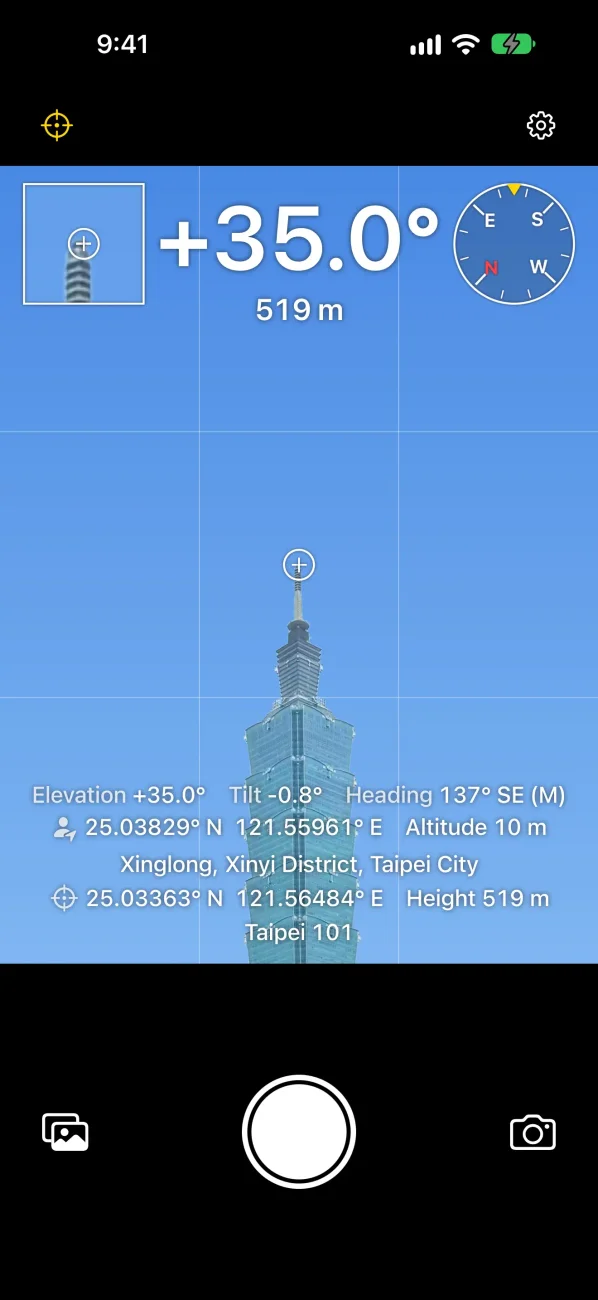
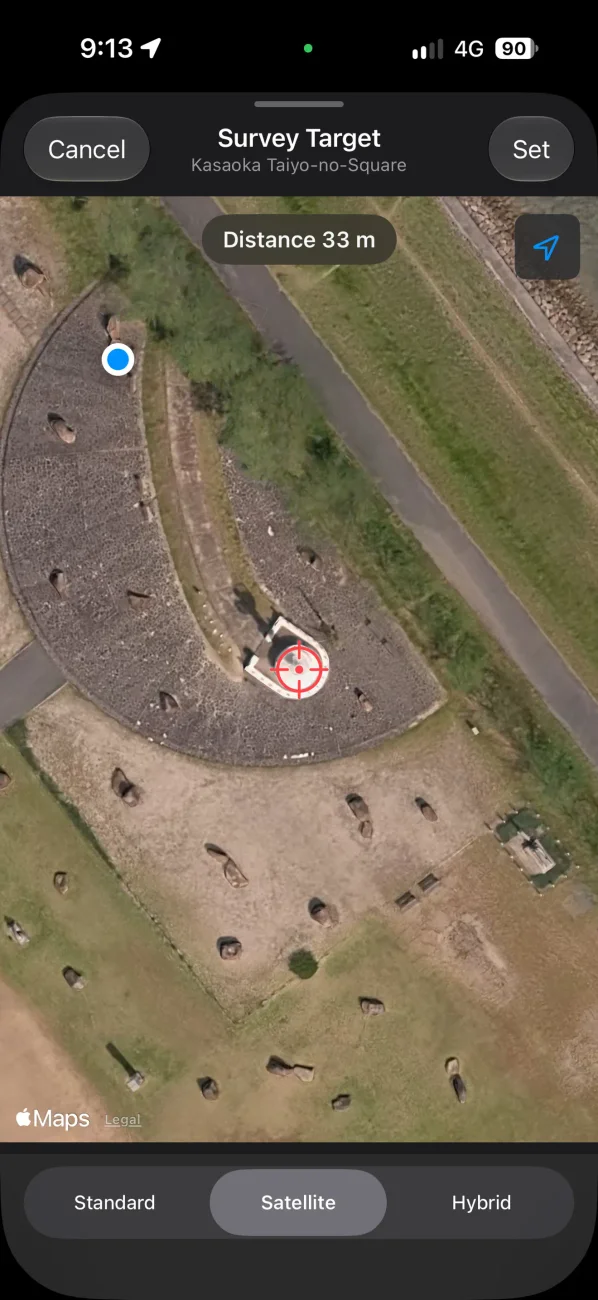
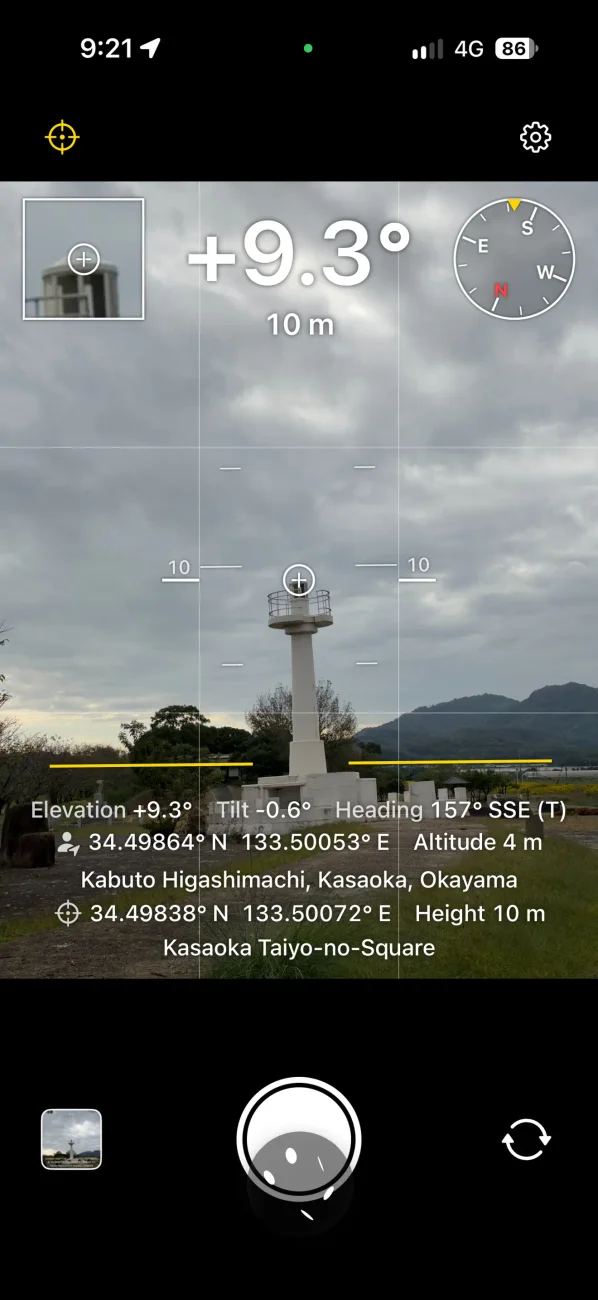
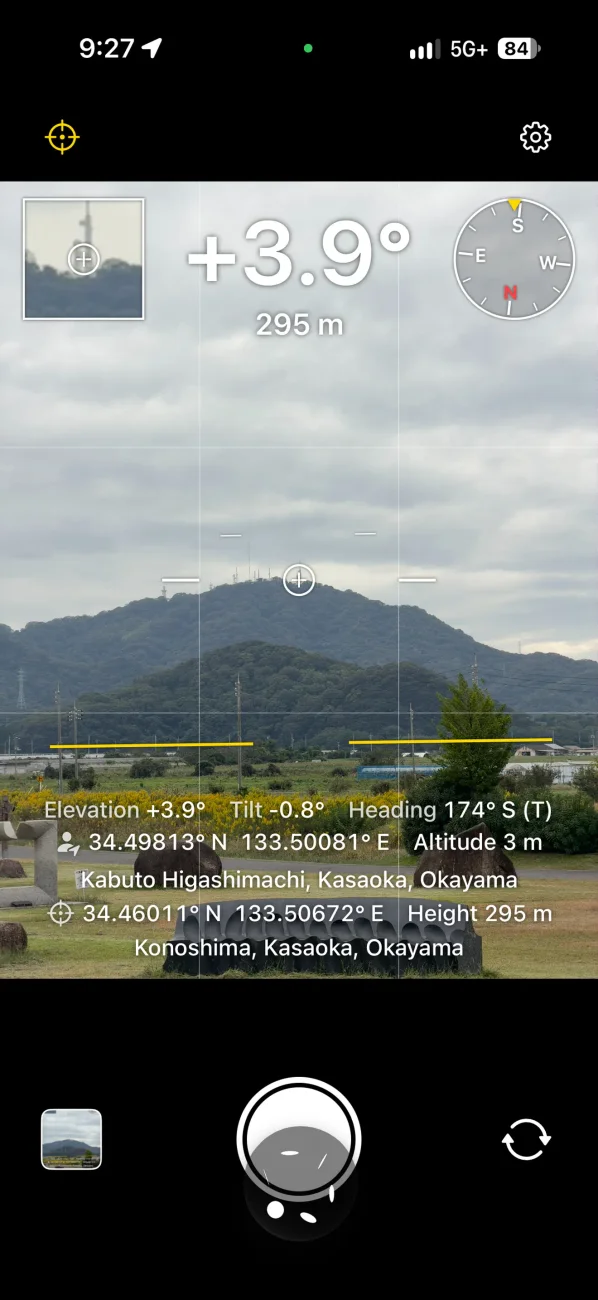
ThalesMeasure is a level with a camera preview. Aim the center of the picture at the top of a mountain or a building, and read its elevation angle. Set the object on the map, and ThalesMeasure tells you how high it is. Keep in mind, though, that the result carries a fair amount of error.
Just as the ancient Greek philosopher Thales of Miletus measured the height of a pyramid, this app finds a height from an angle and a distance, from far away. Pick the object on the map, aim the center mark at its top, and its height above the ground you stand on appears under the elevation angle. The height is the distance times the tangent of the angle plus the height of the camera at eye level, corrected for the curvature of the Earth and for atmospheric refraction.
The preview shows the real horizon and a scale every 5° at true elevation angles, so you can see at a glance how high things stand. A large figure shows the elevation of the center; a magnifier in the corner shows the center enlarged, so you can put the mark exactly on a summit or a spire. A compass shows the direction the camera faces, from true north once your position is known.
The lines at the bottom show the elevation, tilt and heading; your latitude, longitude and altitude with the place name; and the target's position, height and name. On the map, drag the object under the sight; the name of the place and the distance from you are shown as you go. The map can be Standard, Satellite or Hybrid.
Photos already taken can be measured too. A photo from the iPhone's Camera app records how the camera was tilted, the lens and where it was taken. Choose it, drag and pinch it until the top of the object sits on the center mark, and its elevation and height are shown as with the camera. Photos without that record can still be shown and zoomed.
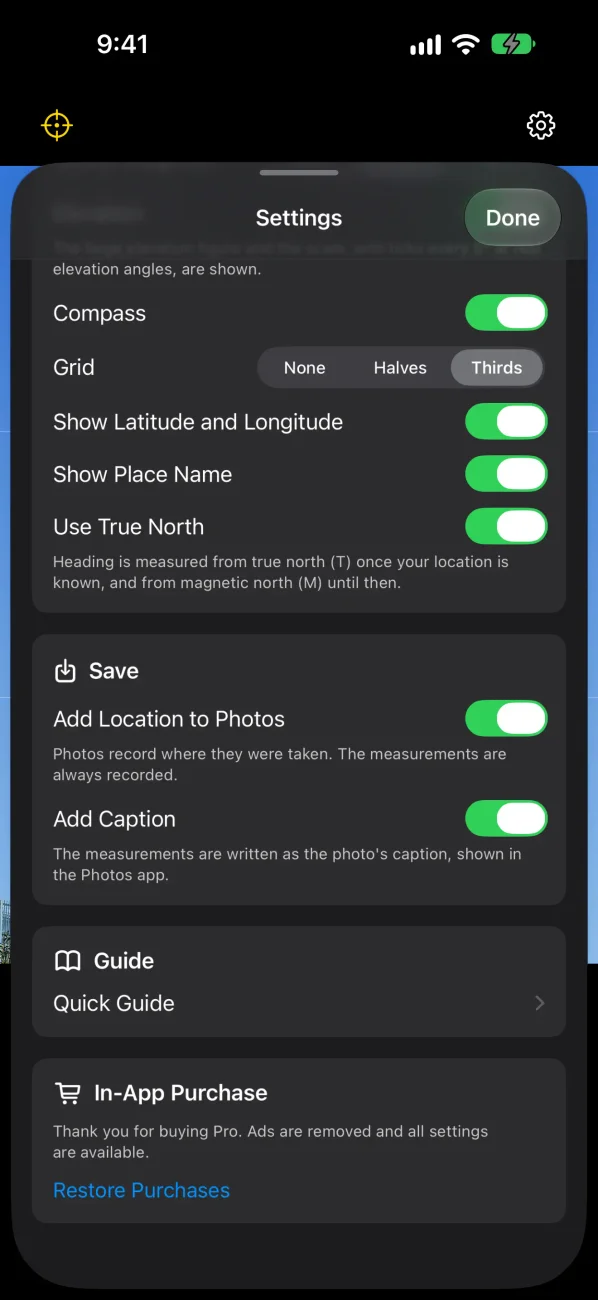
The shutter saves the preview with the measurements drawn on it, upright however you hold the device. The measurements are also written into the photo's caption, shown in the Photos app, and into its metadata, together with the location.
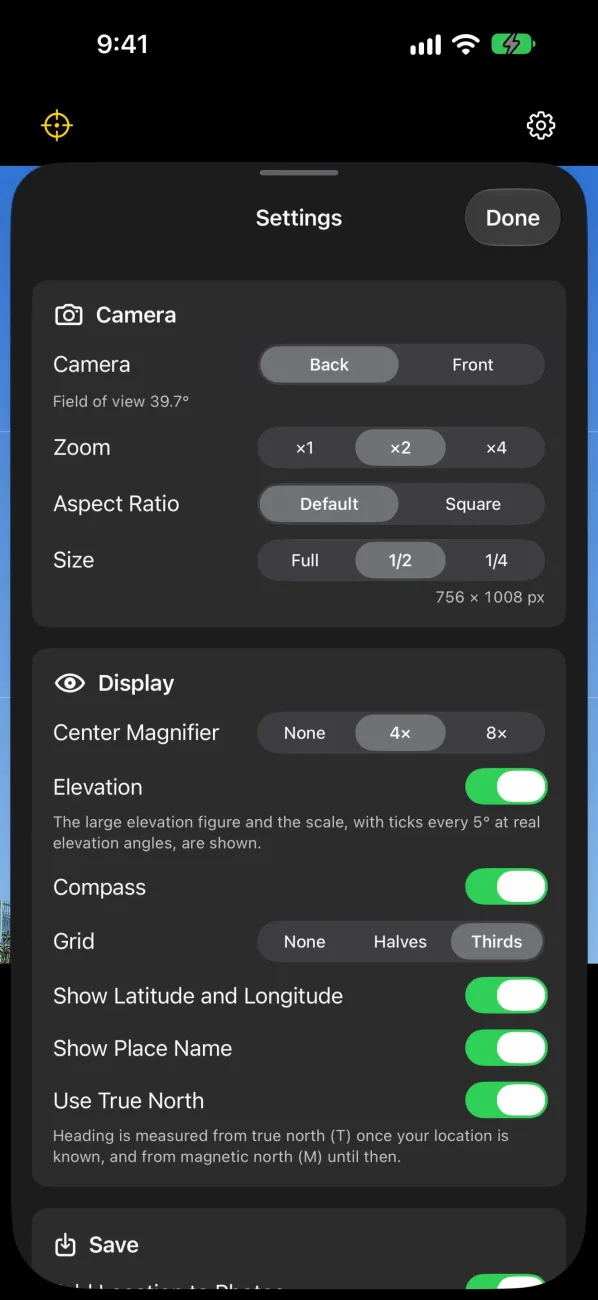
Choose the back or front camera, zoom (×1, ×2, ×4, and the telephoto lens and ×8 where there is one), the aspect ratio (3:4 or square) and the photo size. Turn the magnifier, the elevation scale, the compass, a grid and each line of information on or off. Heights and distances follow the measurement system set on the device: meters or feet. A quick guide is built in.
ThalesMeasure is free with a banner ad. Pro, a one-time in-app purchase, removes the ad and lets you change every setting.
Privasi aplikasi
Yang dinyatakan Masayuki Akamatsu di App Store tentang cara aplikasi ini menangani data.
-
Data yang digunakan untuk melacak Anda
Dapat digunakan untuk melacak Anda di aplikasi dan situs web milik perusahaan lain.
- Pengenal
-
Data yang ditautkan dengan Anda
Dapat dikumpulkan dan ditautkan dengan identitas Anda.
- Lokasi
- Pengenal
- Data penggunaan
-
Data yang tidak ditautkan dengan Anda
Dapat dikumpulkan, tetapi tidak ditautkan dengan identitas Anda.
- Diagnostik
Praktik privasi dapat bervariasi, misalnya berdasarkan fitur yang Anda gunakan atau usia Anda.
Informasi
- Penjual
- 正行 Akamatsu
- Kategori
- Kegunaan
- Versi
- 1.0
- Diperbarui
- 28/10/2026
- Dirilis
- 28/10/2026
- Ukuran
- 5,1 MB
- Memerlukan
- iOS 17.6 atau yang lebih baru
- Batasan usia
- 4+
- Harga
- Gratis
- Pembelian dalam aplikasi
- Ya
- Bahasa
- Inggris, Jepang
- Hak cipta
- © Masayuki Akamatsu
Mungkin Anda juga suka
-
 MetaCAD Pocket: Marine ToolsKegunaan
-
 Harmoni IletisimKegunaan
-
 Spatial Video ConverterKegunaan
-
 GPS Path - Mock Locations DataKegunaan
-
 System Monitor & Device InfoKegunaan
-
 SSD Performance TestKegunaan
-
 RulerMe - Penggaris AR Meteraninci sentimeter milimeter
-
 ALLPOWERS3Kegunaan
-
 Feng-Shui CompassKegunaan
-
 System Info - Monitor RAM & OSKegunaan