
- Batasan usia4+
- KategoriProduktivitas
- PengembangJin Nakamura
- BahasaJepang+ 11 lainnya
- Ukuran1,1 MB
Tertaut ke halaman resmi App Store
Download.org tidak menyimpan file Tilecheck apa pun. Tombol ini membuka halaman aplikasi di App Store, tempat Jin Nakamura menerbitkannya. Halaman terakhir diperiksa pada 8/11/2026.
Tangkapan layar
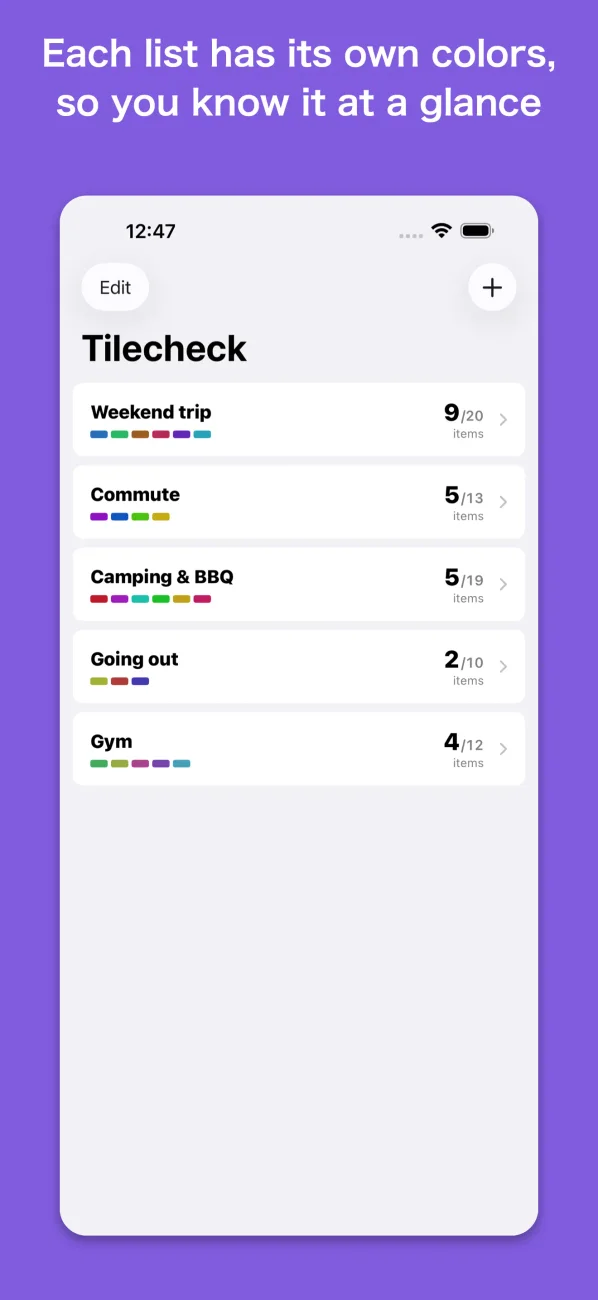
Tentang
Pengembang belum menyediakan teks ini dalam bahasa Anda.
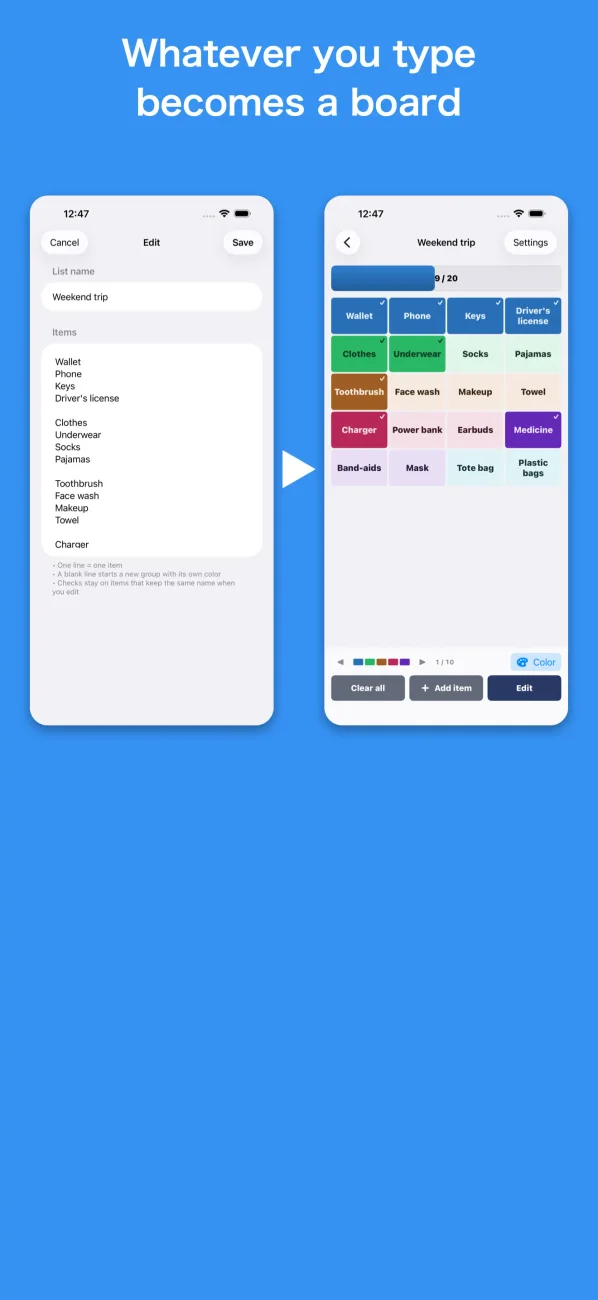
Whatever you type becomes a color-coded board.
■ No input forms
You don't add items one by one through a form. Just type one item per line, like in a notes app.
Wallet
Phone
Keys
(blank line)
Charger
Earbuds
A blank line starts a new group with its own color. Groups have no names: the separator is a blank line, the difference is color. That's all.
■ See it as a board
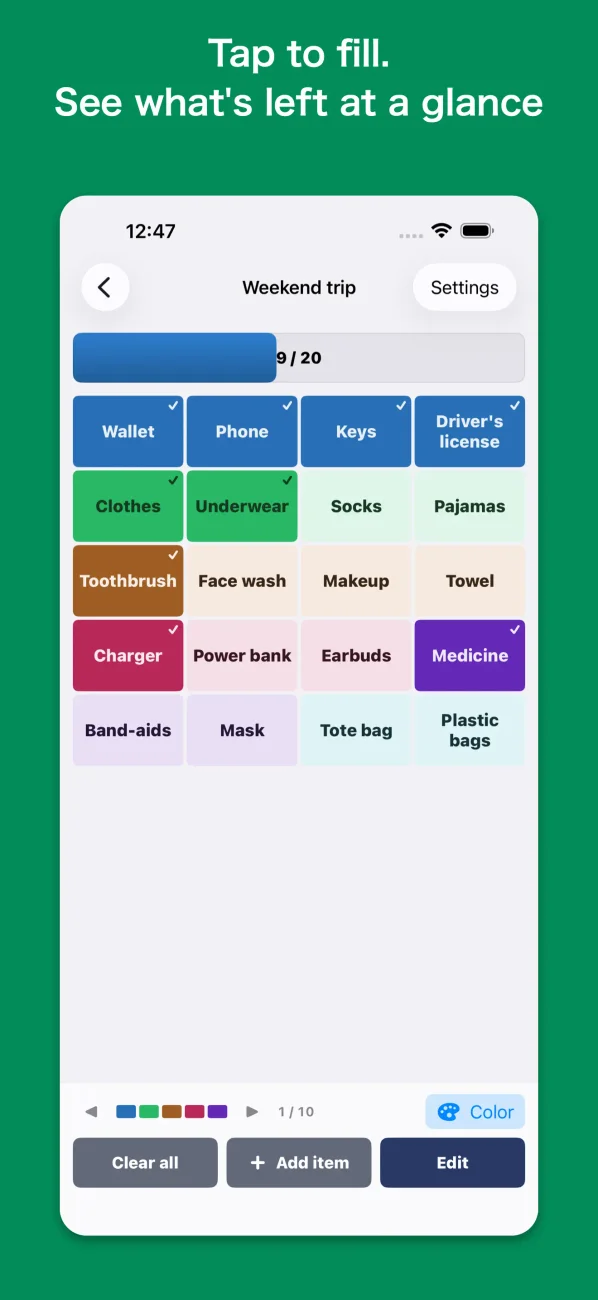
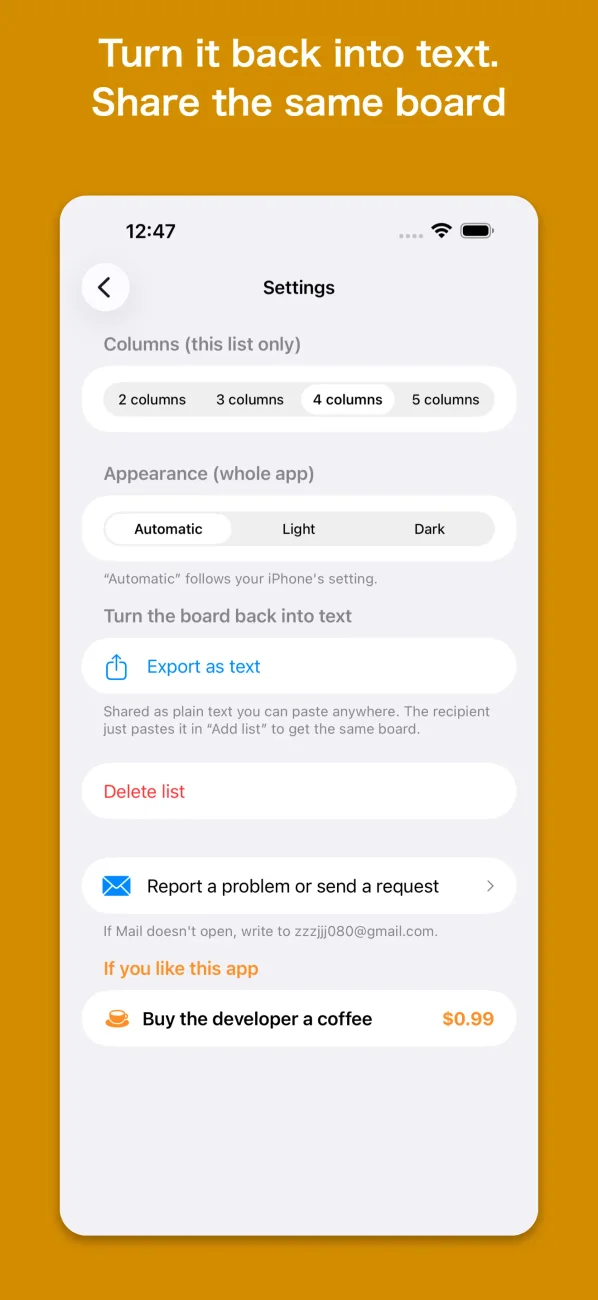
Your text becomes a board of tiles instead of a long list. You see everything at once, so you never hunt for what's left. Choose 2 to 5 columns.
■ Tap to fill
Tap a tile when it's done and its color deepens, with a haptic tap so you know it registered without looking. Checks stay until you clear them, so the same board can be used again and again.
When everything is done, the bar above the board says "All set!". Tap it to clear the board for next time.
■ Duplicate to start fast
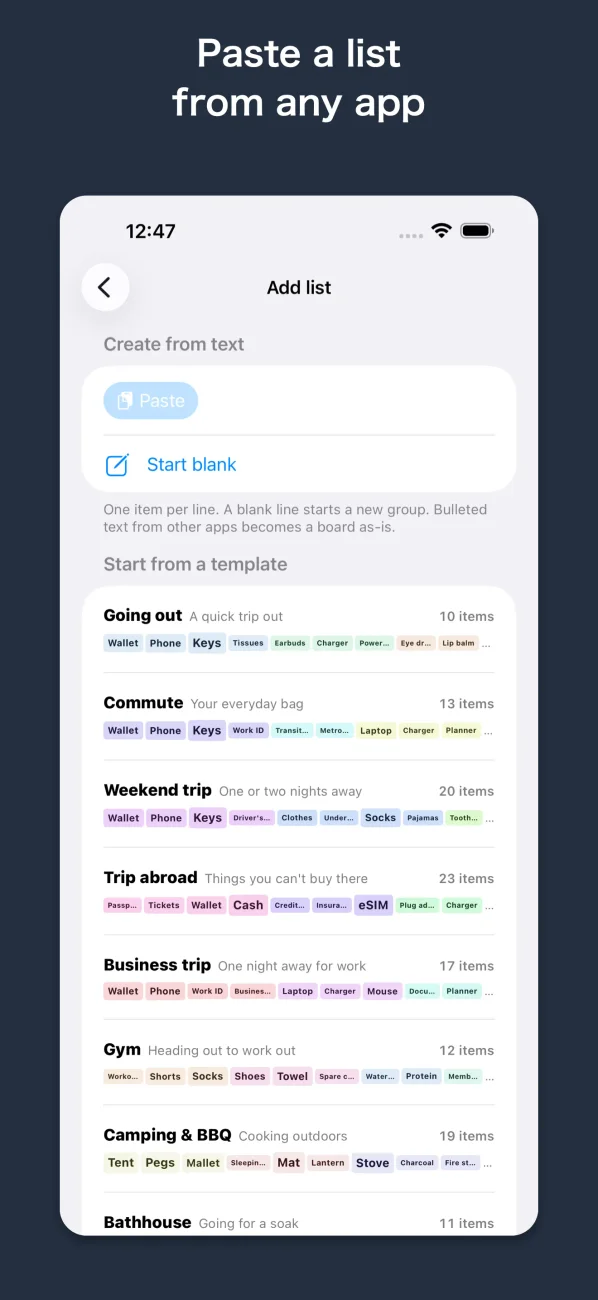
Swipe a list to the right to copy it. Your own weekend-trip list is a better starting point for a trip abroad than any template. Only the text is copied, not the checks.
■ Remembers when you last used it
When a board is complete, the date appears in the list, so you know when you last used it.
■ Back to plain text
Export any board as plain text. There's no special format, so you can paste it into mail, notes or chat. The person you send it to just pastes it into "Add list" to get the same board. Bulleted text from other apps works too.
■ Colors with one tap
10 color schemes; the arrows shift the hues a step at a time. Turn "Color" off to show everything in one color. Each list keeps its own colors. Every scheme is measured for readable contrast, and the app follows your text size setting, using fewer columns when text is large.
■ Read aloud, hands-free
Tap "Read" and your unchecked items are read one by one, over and over, until everything is done. Grab what you hear and tap its tile. Choose the pause and one of 5 voices.
■ Uses
• Packing for a trip
• Your everyday bag
• Shopping
• Tools before a job
• Locking up before you leave
• Checking an emergency kit
■ Your text stays on your device
Nothing you write leaves your iPhone. No account, no sign-in, no ads, no analytics. The app does not connect to the internet at all.
Languages: English, 日本語, 简体中文, 繁體中文, 한국어, Español, Français, Deutsch, Italiano, Português (Brasil), Русский, العربية
Yang baru
Versi 1.4 · 4/10/2026
The voluntary tip (“Buy the developer a coffee”) has been removed. At the bottom of Settings there is now a link to the developer's other apps.
With the tip gone, the app no longer connects to the internet at all.
Privasi aplikasi
Yang dinyatakan Jin Nakamura di App Store tentang cara aplikasi ini menangani data.
-
Data tidak dikumpulkan
Pengembang tidak mengumpulkan data apa pun dari aplikasi ini.
Praktik privasi dapat bervariasi, misalnya berdasarkan fitur yang Anda gunakan atau usia Anda.
Informasi
- Penjual
- Jin Nakamura
- Kategori
- Produktivitas
- Versi
- 1.4
- Diperbarui
- 4/10/2026
- Dirilis
- 16/9/2026
- Ukuran
- 1,1 MB
- Memerlukan
- iOS 18.0 atau yang lebih baru
- Batasan usia
- 4+
- Harga
- Gratis
- Bahasa
- Jepang, Arab, Italia, Spanyol, Jerman, Prancis, Portugis, Rusia, Tionghoa Sederhana, Tionghoa Tradisional, Inggris, Korea
- Hak cipta
- © 2026 Jin Nakamura
Mungkin Anda juga suka
-
 DomiosProduktivitas
-
 abcNotes Full VersionToDo, Checklists and Stickers
-
 TimeDrawProduktivitas
-
 Note Taker HDProduktivitas
-
 Plusminus - Habit trackerProduktivitas
-
 Mr.Card - Card ManagerProduktivitas
-
 Datacolor ColorReaderProduktivitas
-
 Laposte.net – Votre boîte mailProduktivitas
-
 Tally: Counter & Score TrackerProduktivitas
-
 Planmore: Schedule Planner AppProduktivitas