TimeLapsed - Time Lapse Camera
Star Trails, Blending & Video
Dirancang untuk iPhone, iPad
Gratis · Pembelian dalam aplikasi
- Batasan usia4+
- KategoriFoto & Video
- PengembangShutter Speed Apps, LLC
- BahasaInggris+ 11 lainnya
- Ukuran169,0 MB
Tertaut ke halaman resmi App Store
Download.org tidak menyimpan file TimeLapsed - Time Lapse Camera apa pun. Tombol ini membuka halaman aplikasi di App Store, tempat Shutter Speed Apps, LLC menerbitkannya. Halaman terakhir diperiksa pada 12/11/2026.
Tangkapan layar
Tentang
Pengembang belum menyediakan teks ini dalam bahasa Anda.
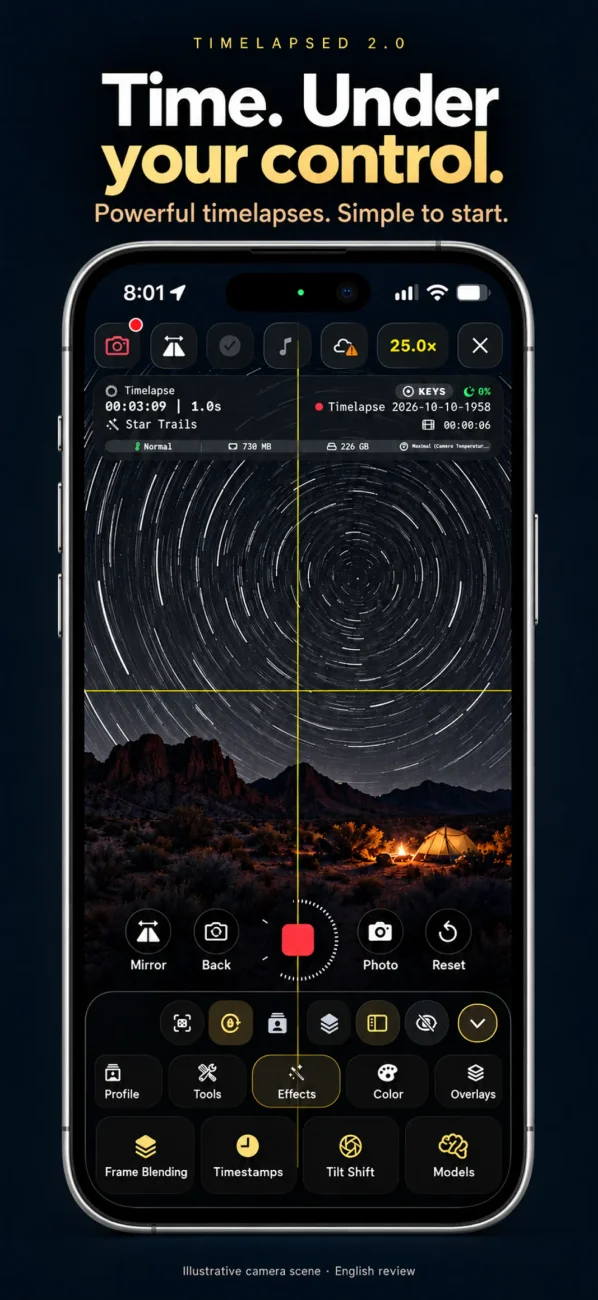
Time. Under your control.
Turn passing clouds, a city after dark, aircraft and traffic into motion you can shape. TimeLapsed brings a professional timelapse camera, programmable capture and a powerful frame-blending engine to iPhone and iPad. Start with a profile. Go deeper when the shot demands it.
SEE THE TRAILS BUILD
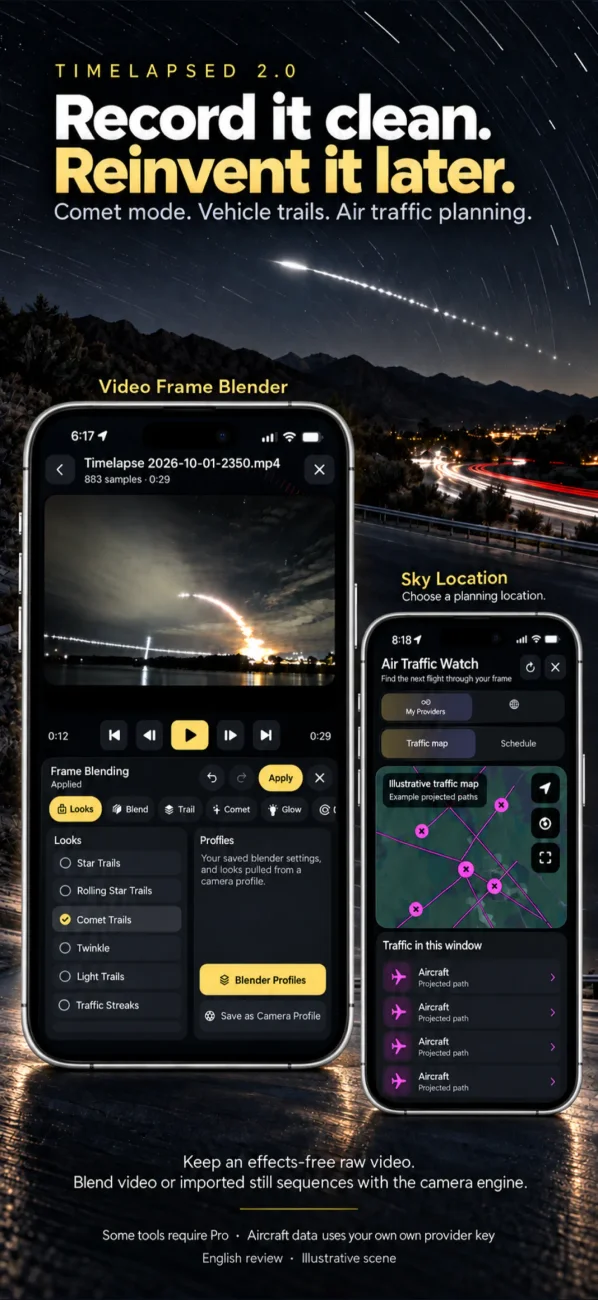
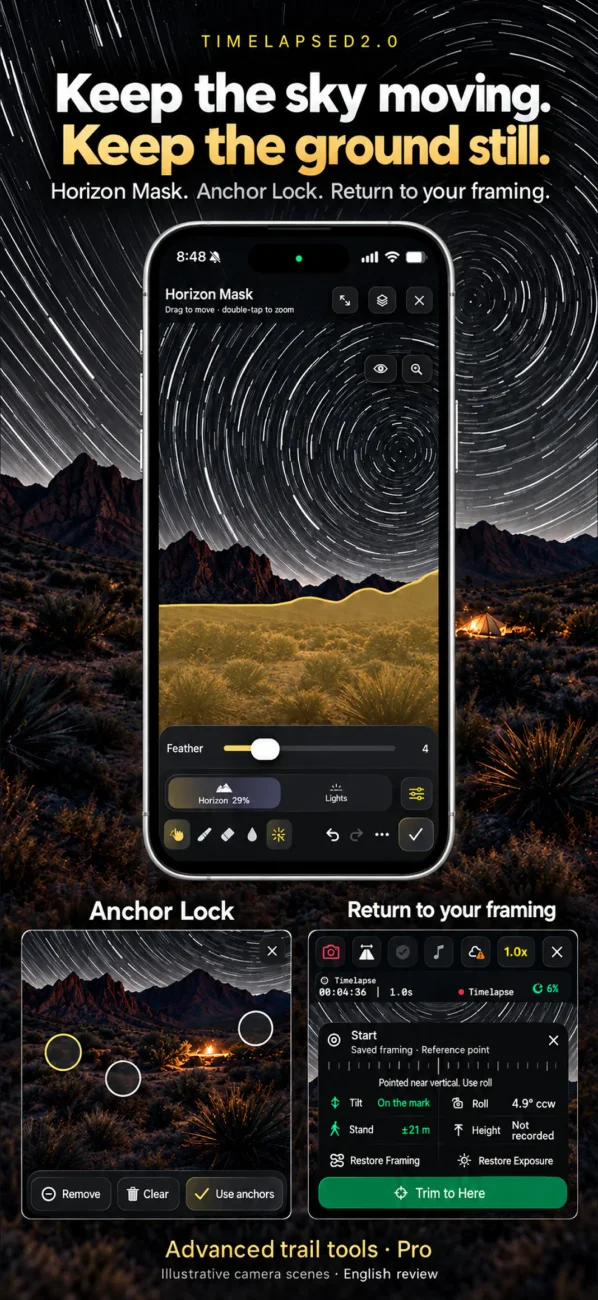
Create star trails, rolling trails and comet tails in the live camera preview. Tune trail length, blending, glow and color while you shoot. Use Horizon Mask to keep sky trails off the foreground and Anchor Lock to help correct mounted-camera bumps.
CONTROL EVERY DETAIL
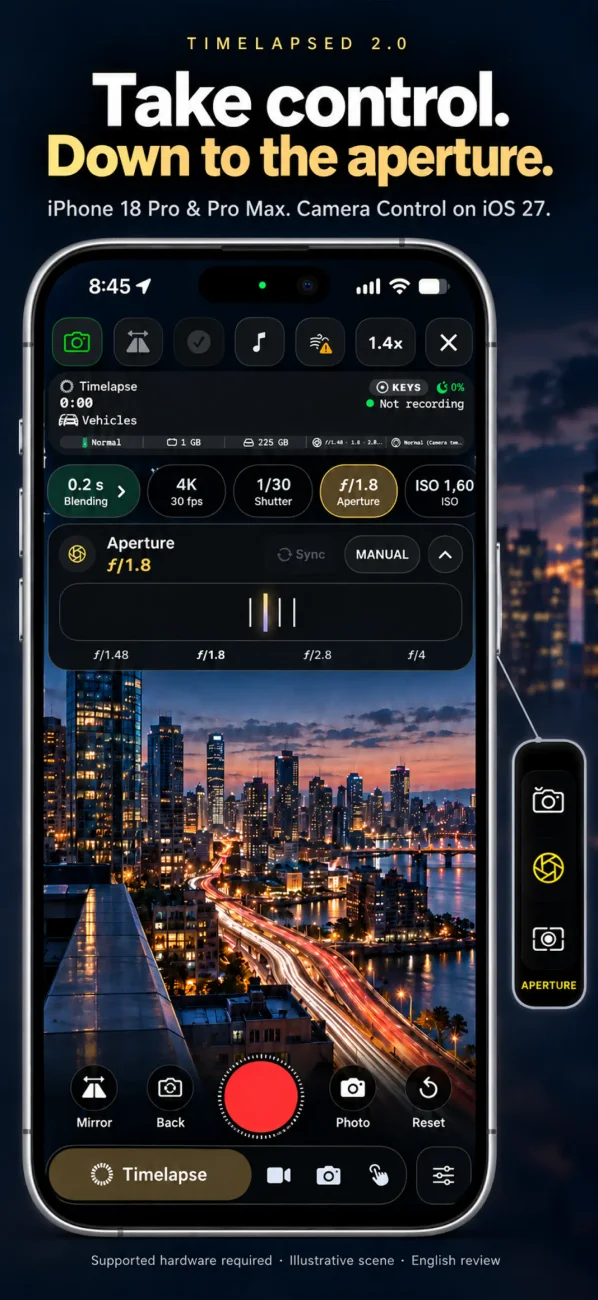
Set shutter, ISO, focus, white balance, interval and zoom. Keep recording time, exposure and device status visible in the HUD. Save camera profiles and use position recall to guide your framing back to a saved reference. Updated for iOS 27, with aperture controls on supported iPhone 18 Pro and Pro Max lenses and Camera Control integration on supported iPhones.
PROGRAM HOW THE SHOT EVOLVES
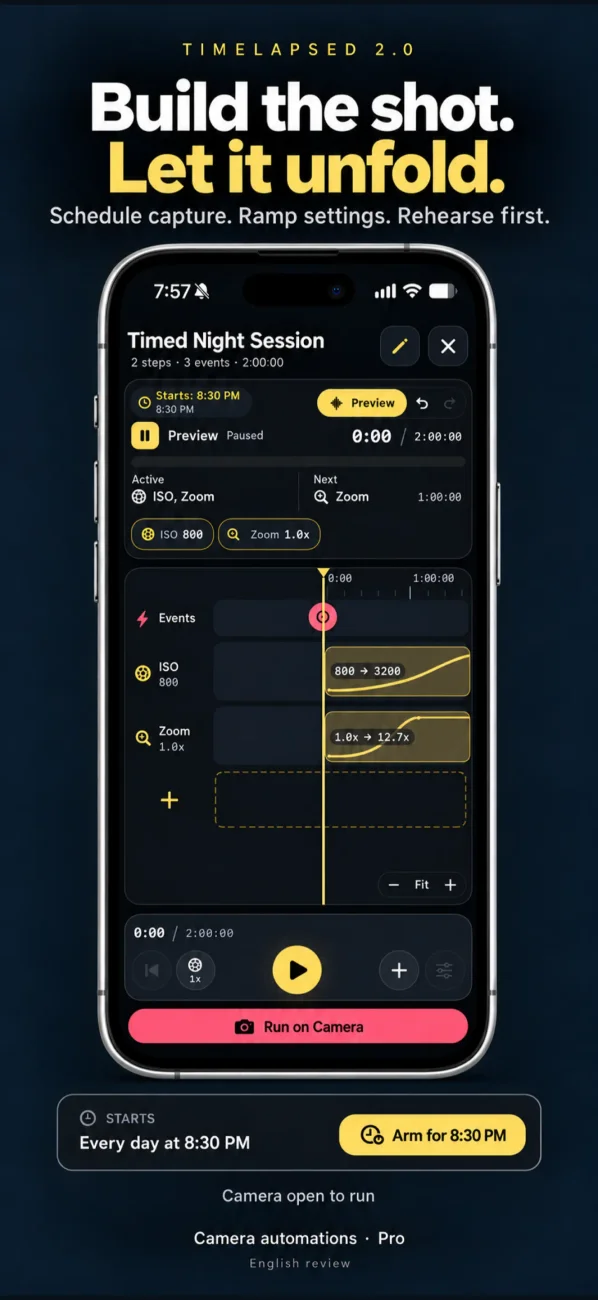
Build camera automations with timed changes and smooth ramps for exposure, interval, color and trail effects. Rehearse your timeline before recording. Scheduled capture requires the camera to stay open in the foreground.
CAPTURE NOW. BLEND LATER.
Save an effects-free companion movie alongside your processed capture. Open a video in the editor, preview and tune a new blend, then render star trails or comet effects with the same engine. Import still-image sequences from other cameras through Photos or Files and turn them into timelapses.
MAKE EVERY TAKE COUNT
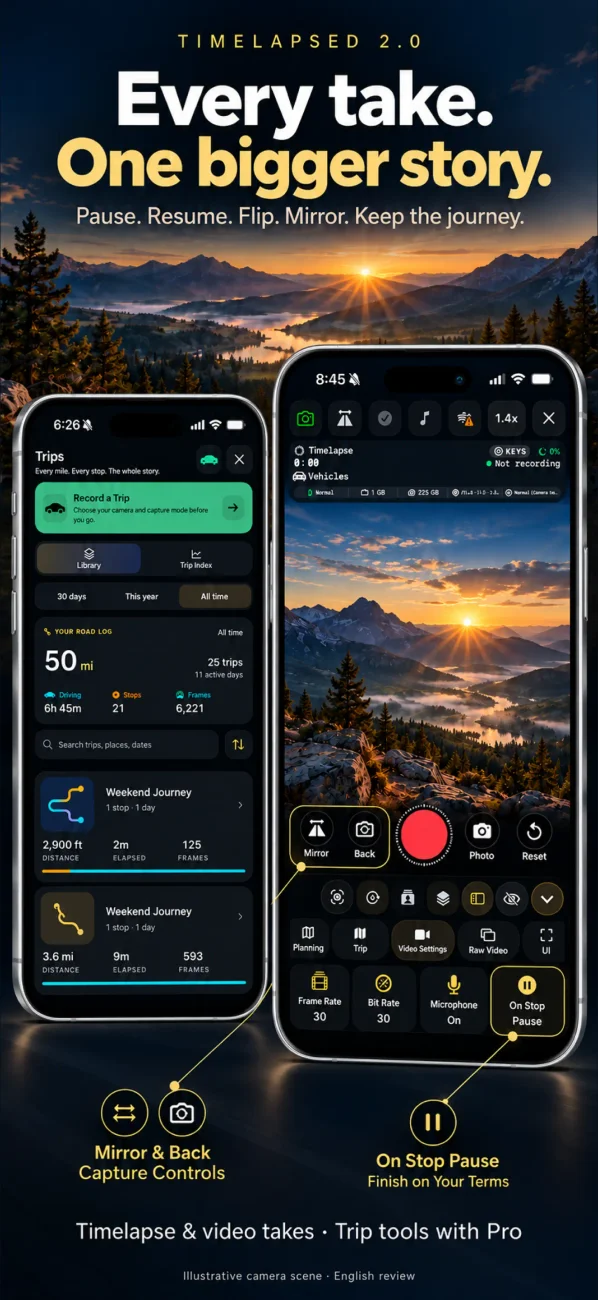
Pause and resume video recording, flip or mirror the camera, split clips and build a trip into a film. Edit speed, framing, color, titles and audio. Shoot and edit widescreen 16:9 as well as portrait video. Mark Moments to keep the right part of a recording, and save still frames from videos.
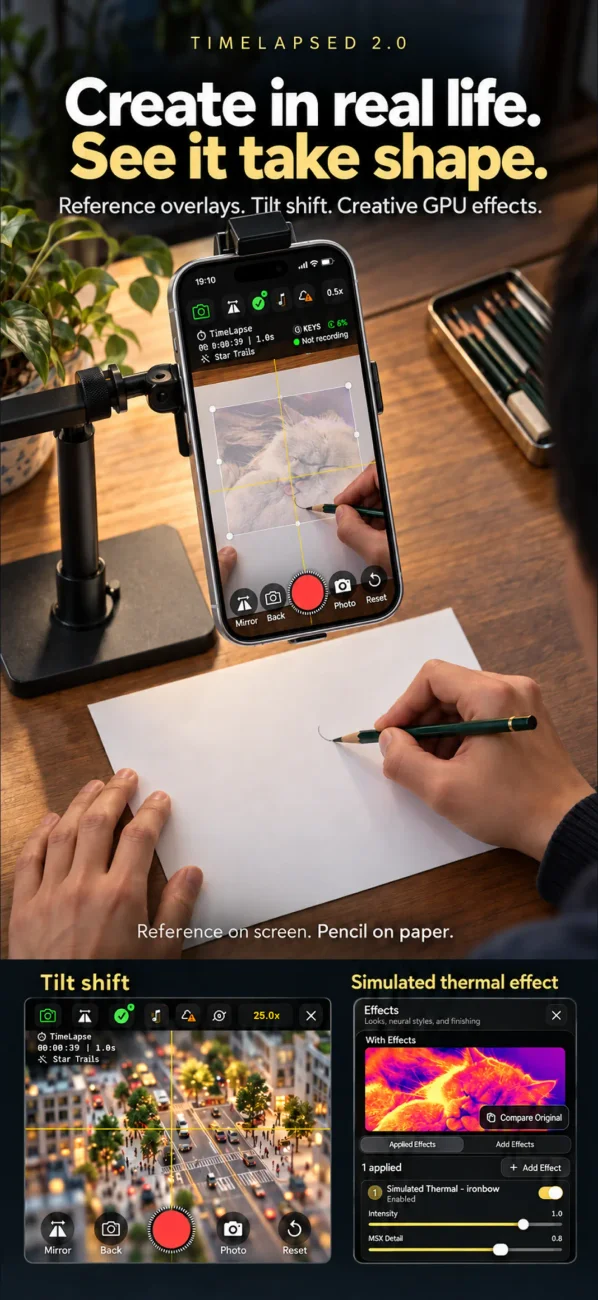
CREATE IN REAL LIFE
Place a framed, translucent reference image over the live camera view while you draw on real paper. Record the artwork taking shape. Explore tilt shift, simulated night vision and simulated thermal effects.
KNOW WHERE. KNOW WHEN.
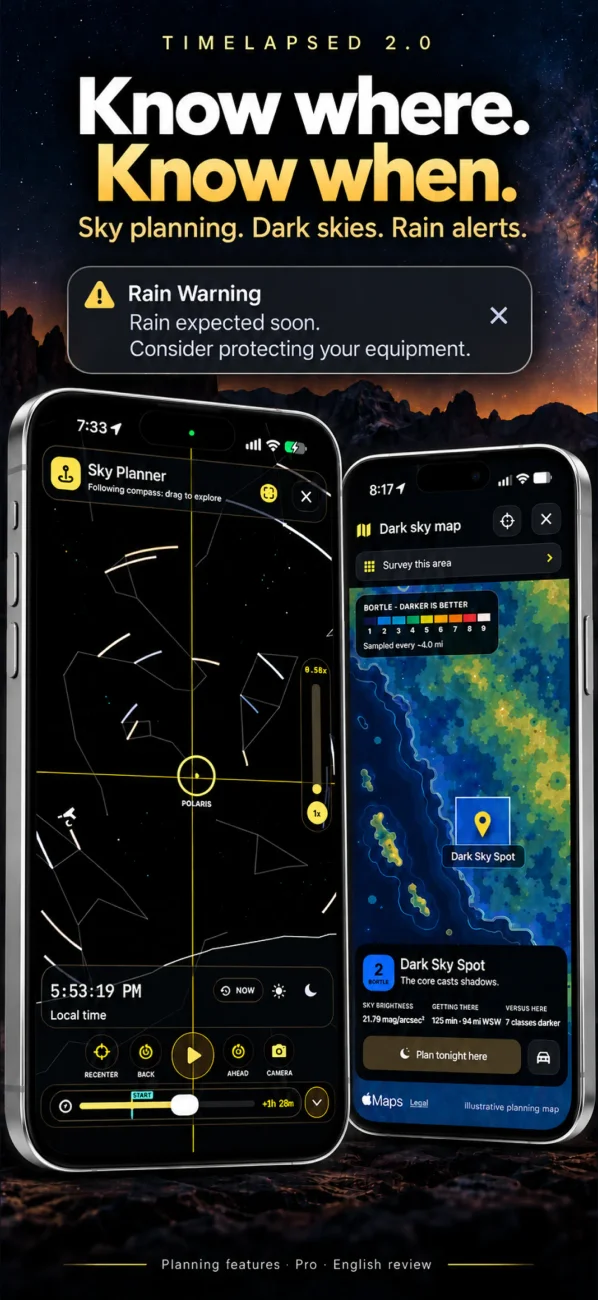
Plan with the Sun, Moon and stars in Sky Planner. Find Dark Hours, explore light-pollution maps and Bortle panels, and get directions toward darker skies. Check weather radar and forecast-based rain alerts during your shoot. Air Traffic Watch adds aircraft data and predicted paths using your own flight-provider keys.
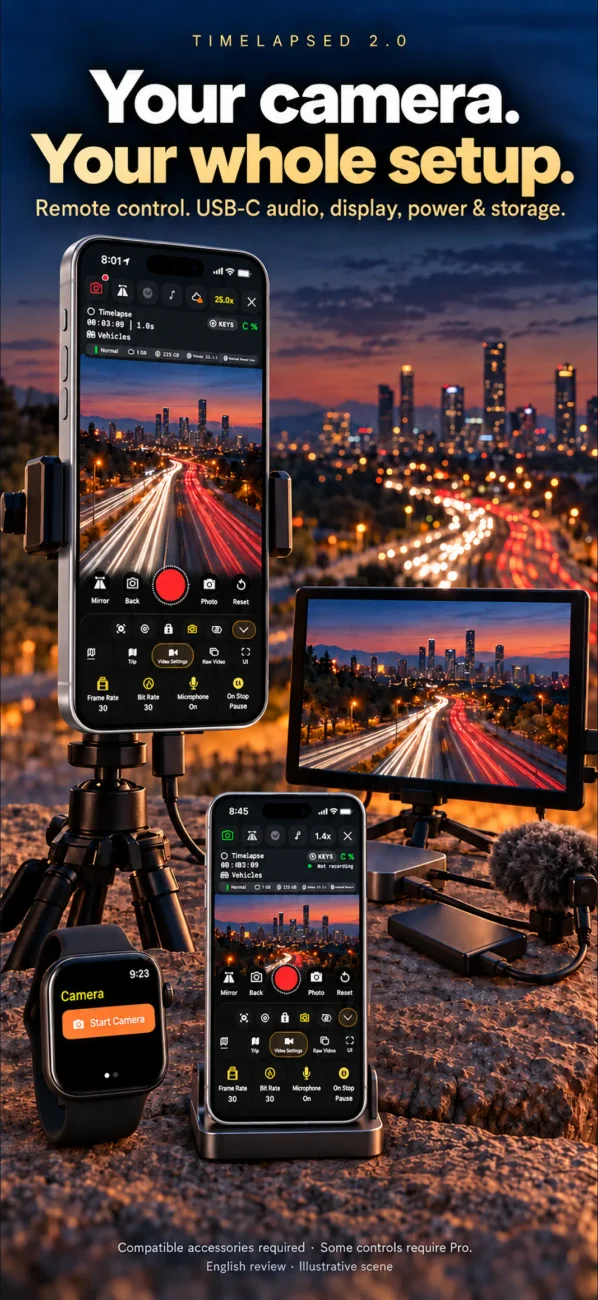
BUILD YOUR CAMERA SETUP
Preview and control capture from Apple Watch or another TimeLapsed device. Remote control also supports compatible Canon cameras. Connect supported external displays, USB-C microphones, Power Delivery hubs and external storage for a mounted recording setup.
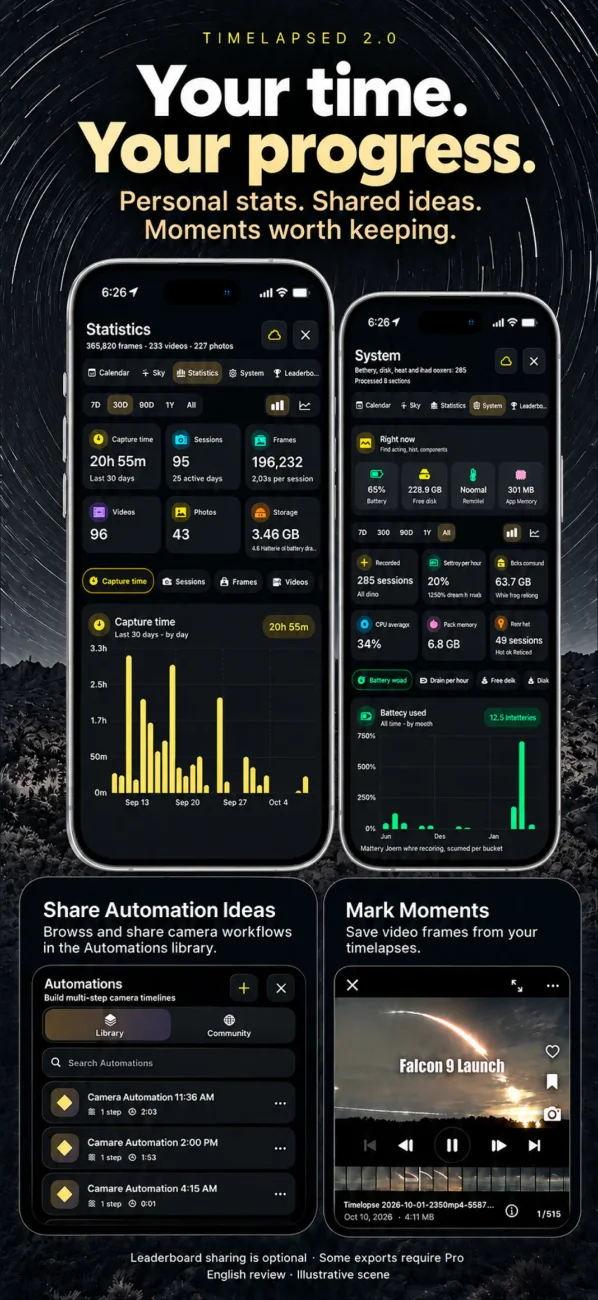
YOUR TIME. YOUR PROGRESS.
Review capture history with exposure, white balance, weather, battery, CPU, memory and thermal-state statistics. Keep personal records or join the optional leaderboard. Discover and share videos, images, camera profiles and automations in the Community. Add music from the integrated catalog. Analyze Scene offers optional AI camera recommendations for you to review and apply.
START FREE. GO FURTHER WITH PRO.
The core camera, built-in profiles and watermarked 1080p exports are free. Advanced workflows, clean exports and additional planning tools require Pro. Watch preview and record controls are free; advanced Watch controls require Pro. Existing full-version owners keep lifetime Pro through Restore Purchases.
Features depend on compatible hardware, accessories and service availability. Aircraft providers may charge for your own keys. Production Display has a separate license. Companion video is effects-free video, not sensor RAW. Thermal and night-vision effects are simulated.
EULA / Terms of Service: https://shutterspeedapps.com/timelapsed/tos?language=en
Privacy Policy: https://shutterspeedapps.com/timelapsed/privacy?language=en
AI Usage Policy: https://shutterspeedapps.com/timelapsed/aiusage?language=en
Yang baru
Versi 2.2 · 21/10/2026
• Improved memory management on smaller iOS devices with 4 GB of memory. Larger phones were unaffected.
• Enabled real-time filters in the camera.
• Improved multi-lens zoom and camera switching. A brief pause and an on-screen notice allow exposure to synchronize before the image switches, helping protect frame blending and long-exposure shots when changing cameras during a recording. This small delay is normal while the camera engine synchronizes exposure.
• Removed in-camera tap-to-zoom to prevent accidental zoom changes from disrupting timelapses or light painting. Use pinch zoom or the zoom controls instead.
• Fixed bugs in the timelapse history map. Location must be enabled during timelapse sessions for media to appear on the map.
• Improved overall performance and fixed other minor bugs.
Privasi aplikasi
Yang dinyatakan Shutter Speed Apps, LLC di App Store tentang cara aplikasi ini menangani data.
-
Data yang tidak ditautkan dengan Anda
Dapat dikumpulkan, tetapi tidak ditautkan dengan identitas Anda.
- Data penggunaan
- Diagnostik
Praktik privasi dapat bervariasi, misalnya berdasarkan fitur yang Anda gunakan atau usia Anda.
Informasi
- Penjual
- Shutter Speed Apps, LLC
- Kategori
- Foto & Video
- Versi
- 2.2
- Diperbarui
- 21/10/2026
- Dirilis
- 29/3/2024
- Ukuran
- 169,0 MB
- Memerlukan
- iOS 18.0 atau yang lebih baru
- Batasan usia
- 4+
- Harga
- Gratis
- Pembelian dalam aplikasi
- Ya
- Bahasa
- Inggris, Prancis, Jerman, Hindi, Italia, Jepang, Korea, Portugis, Rusia, Tionghoa Sederhana, Spanyol, Turki
- Hak cipta
- © 2026 Shutter Speed Apps, LLC
Mungkin Anda juga suka
-
 Timelapse Camera: Stop MotionFoto & Video
-
 Time-Lapse AfidusFoto & Video
-
 OSnap! Pro 2: Lapse & MotionFoto & Video
-
 Timelapse CamFoto & Video
-
 Timelapse by ReeLapseFoto & Video
-
 CameraFTP Time LapseFoto & Video
-
 OSnap! Lapse & MotionFoto & Video
-
 OneLapse AI Photo to TimelapseFoto & Video
-
 Skyflow – Kamera Time-lapseFoto & Video
-
 Super Slow Shutter Camera FXFoto & Video