Timetracks4D
A camera that cuts out time
Dirancang untuk iPhone, iPad
Gratis · Pembelian dalam aplikasi
- Batasan usia4+
- KategoriFoto & Video
- PengembangMasayuki Akamatsu
- BahasaInggris+ 1 lainnya
- Ukuran4,8 MB
Tertaut ke halaman resmi App Store
Download.org tidak menyimpan file Timetracks4D apa pun. Tombol ini membuka halaman aplikasi di App Store, tempat Masayuki Akamatsu menerbitkannya. Halaman terakhir diperiksa pada 12/11/2026.
Tangkapan layar




Tentang
Pengembang belum menyediakan teks ini dalam bahasa Anda.
Timetracks4D is a camera that cuts time out as if it were space.
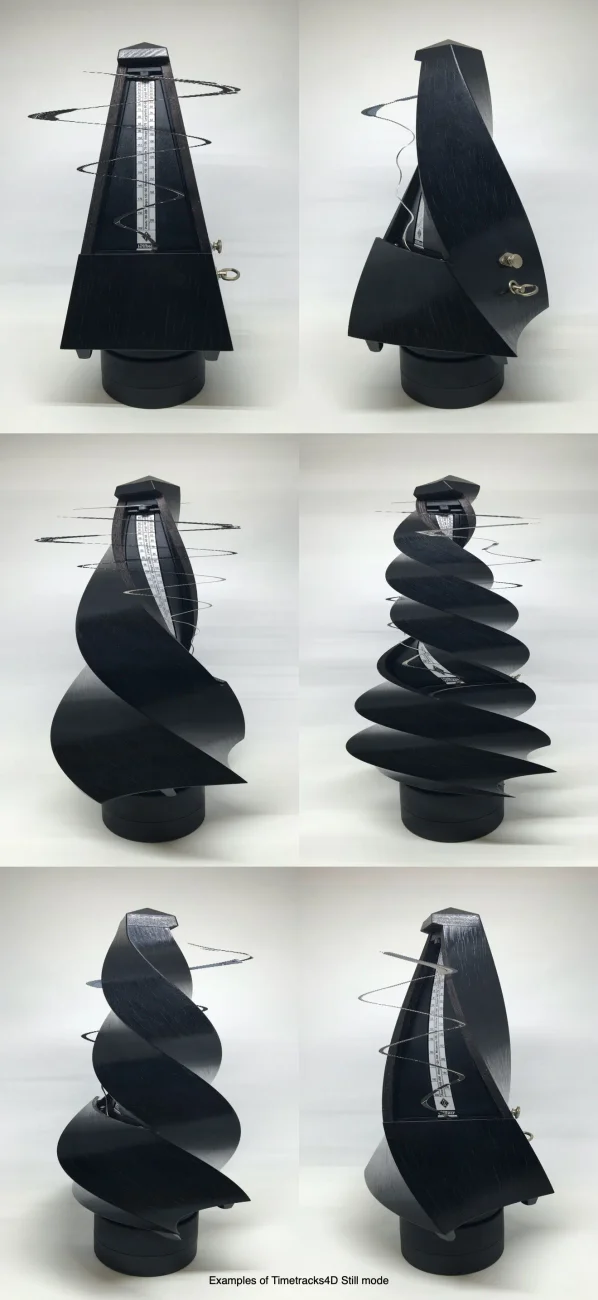
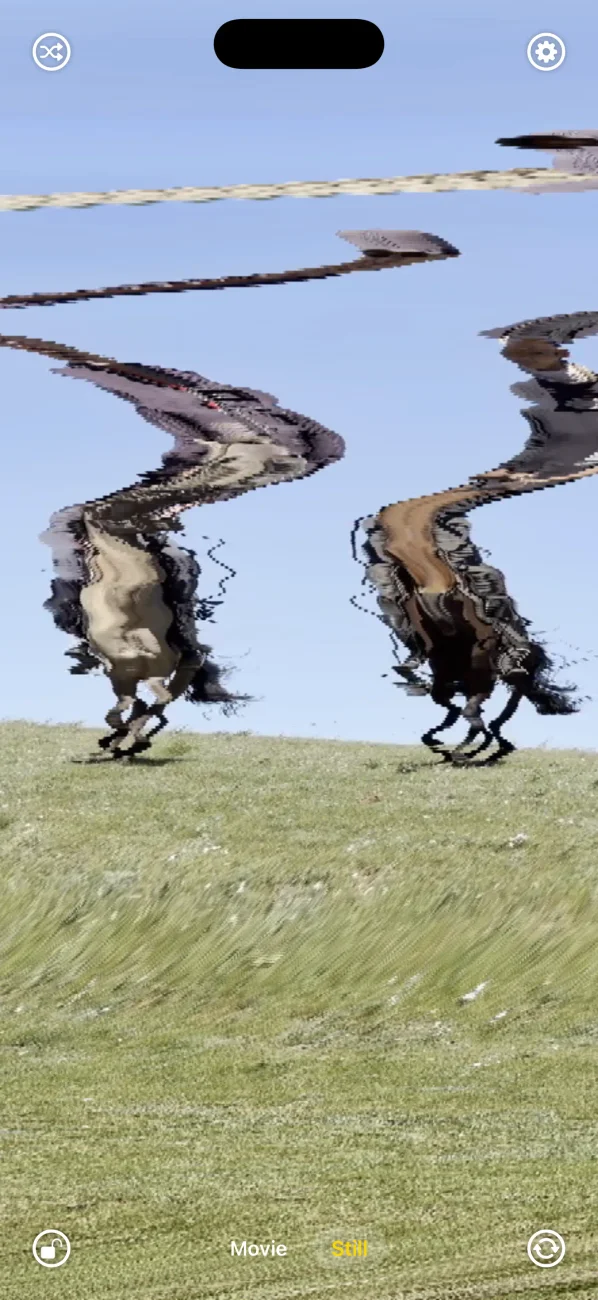
Think of video as a cube stacked in three directions: width, height and time. Ordinary playback cuts that cube straight across time and shows you the slices one after another. Timetracks4D tilts the cut. Once it is tilted, every place on the screen shows a different moment: whatever held still comes out as it was, and only what moved is twisted.
■ Two ways to shoot
[Movie] Records while the cut turns. The tilt changes from frame to frame, so the picture keeps moving. Angle, Speed and Window Time change how it twists.
[Still] Builds one picture by stacking narrow bands, one at a time. Each band was taken at a different moment, so the finished picture reads as the flow of time from top to bottom. This is the slit scan, the way the first Timetracks worked. It saves a long picture: eight screenfuls joined end to end, each at the camera's own resolution.
Both are made from the same camera feed, but they treat time differently, so each one has its own settings.
■ Main settings
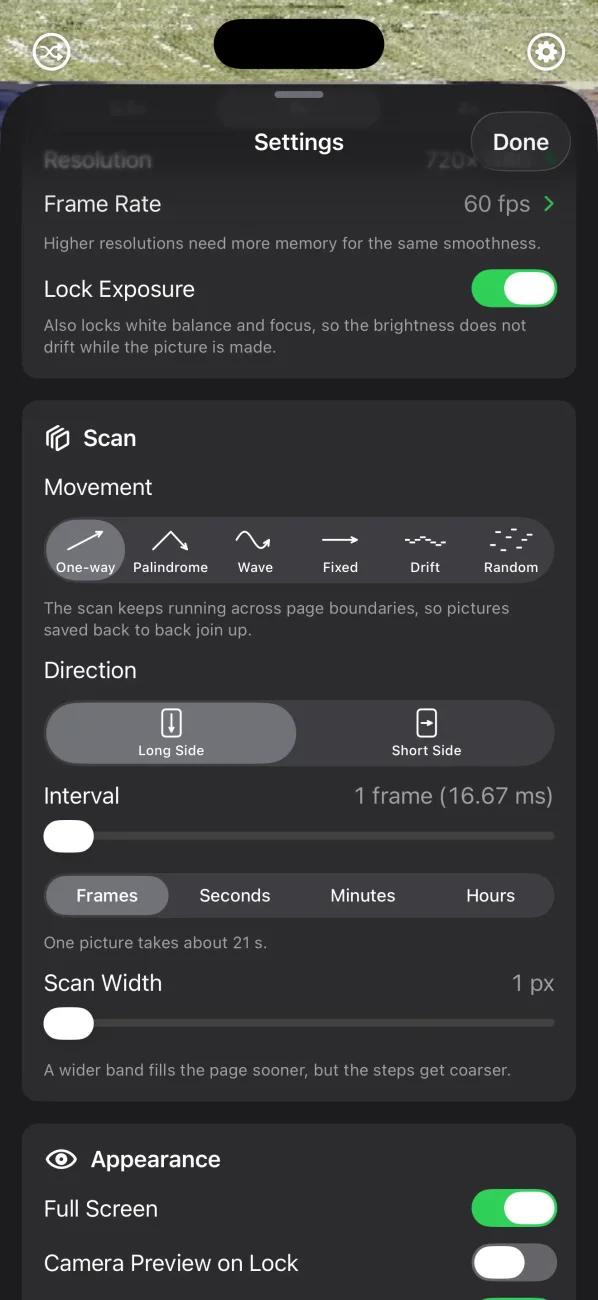
- Camera (Back / Front), Zoom (Lens), Resolution, Frame Rate
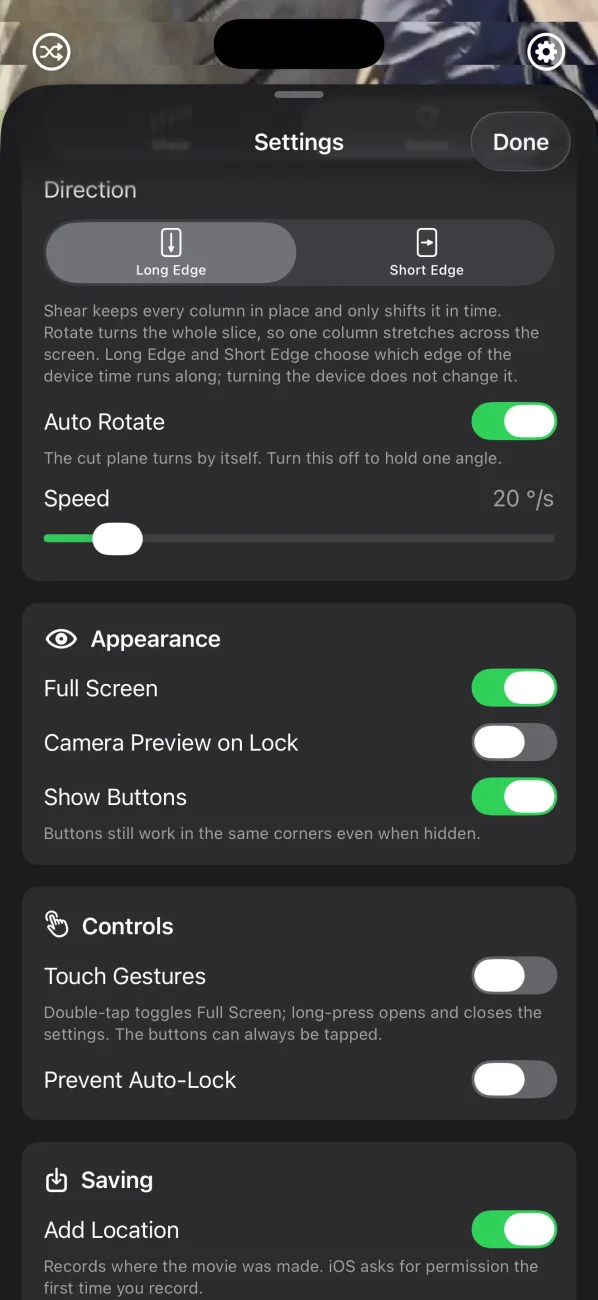
- Transform (Shear / Rotate) and the edge time runs along (Long Edge / Short Edge)
- Auto Rotate speed, Angle, Window Time
- How the band moves (One-way / Palindrome / Wave / Fixed / Drift / Random)
- Interval between bands, from single frames to hours
- Scan Width
- Full Screen, Show Buttons, Touch Gestures, Prevent Auto-Lock
- Add Location
There is a button that randomizes the settings. If you are not sure what to touch first, press that.
■ Getting a good result
Hold the device still. If the device moves, the whole picture moves with it and you cannot tell that apart from the subject moving. A tripod or a table is the sure way.
Point it at something that moves. A still subject seen from a still device gives the same picture at every moment, so nothing happens. People walking, a hand, water, traffic, anything swaying in the wind - these work well.
Once you have the feel of it, try moving the device instead. That is where the more complicated shapes come from.
■ Pricing
Everything except recording is free. Play with the camera and the settings as much as you like; the picture you would get is on the screen already. Try it first.
Full Access (a one-time in-app purchase) removes the ad and lets you save movies and stills.
If you have already bought Timetracks, you do not need to buy anything. Full Access turns on by itself when you update.
Yang baru
Versi 3.0.2 · 21/9/2026
Minor fixes. (3.0.2)Minor fixes. (3.0.1)Timetracks has been rebuilt from the ground up and renamed Timetracks4D. (3.0.0)
■ New Movie mode
It treats video as a cube of width, height and time, and records while tilting the cut through it. The cut keeps turning, so the picture twists as it moves. Angle, rotation Speed and Window Time are all yours to set.
■ Still mode rebuilt
- Shoots at the camera's own resolution (up to 4032 x 3024).
- High frame rates are now available (up to 240 fps).
- Saves a long picture: eight screenfuls joined end to end.
- Wave, Drift and Random have been added to how the band moves.
- The interval between bands runs from single frames to hours.
- A progress ring around the shutter shows how far the picture has come.
■ Other improvements
- Front camera and lens switching.
- A button that randomizes the settings.
- A quick guide inside the app.
- The place you recorded can be saved with the file.
- Support for 120 fps (ProMotion) displays.
■ Pricing has changed
The app is now free, and everything except recording is yours to try. Removing the ad and saving your work come with Full Access, a one-time purchase.
If you have already bought Timetracks, you do not need to buy anything. Full Access turns on by itself when you update.
Privasi aplikasi
Yang dinyatakan Masayuki Akamatsu di App Store tentang cara aplikasi ini menangani data.
-
Data yang digunakan untuk melacak Anda
Dapat digunakan untuk melacak Anda di aplikasi dan situs web milik perusahaan lain.
- Pengenal
-
Data yang ditautkan dengan Anda
Dapat dikumpulkan dan ditautkan dengan identitas Anda.
- Lokasi
- Pengenal
- Data penggunaan
-
Data yang tidak ditautkan dengan Anda
Dapat dikumpulkan, tetapi tidak ditautkan dengan identitas Anda.
- Diagnostik
Praktik privasi dapat bervariasi, misalnya berdasarkan fitur yang Anda gunakan atau usia Anda.
Informasi
- Penjual
- 正行 Akamatsu
- Kategori
- Foto & Video
- Versi
- 3.0.2
- Diperbarui
- 21/9/2026
- Dirilis
- 1/1/2010
- Ukuran
- 4,8 MB
- Memerlukan
- iOS 17.6 atau yang lebih baru
- Batasan usia
- 4+
- Harga
- Gratis
- Pembelian dalam aplikasi
- Ya
- Bahasa
- Inggris, Jepang
- Hak cipta
- © Masayuki Akamatsu