
- Batasan usia4+
- KategoriFoto & Video
- PengembangJakir Hossain
- BahasaInggris
- Ukuran2,6 MB
Tertaut ke halaman resmi App Store
Download.org tidak menyimpan file Trim Image apa pun. Tombol ini membuka halaman aplikasi di App Store, tempat Jakir Hossain menerbitkannya. Halaman terakhir diperiksa pada 7/11/2026.
Tangkapan layar

Tentang
Pengembang belum menyediakan teks ini dalam bahasa Anda.
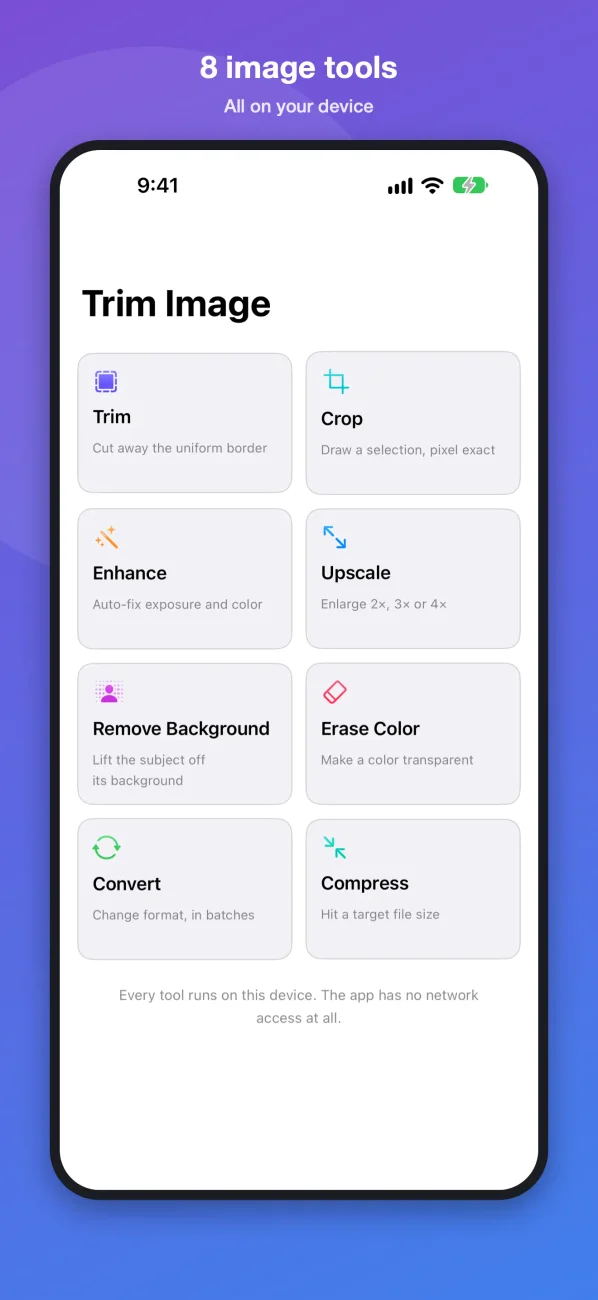
Eight image tools in one private app. Trim empty borders, crop, enhance, upscale, remove backgrounds, erase a color, convert formats and compress to a target size, all on your iPhone, iPad or Mac. Nothing is uploaded, and no account is needed.
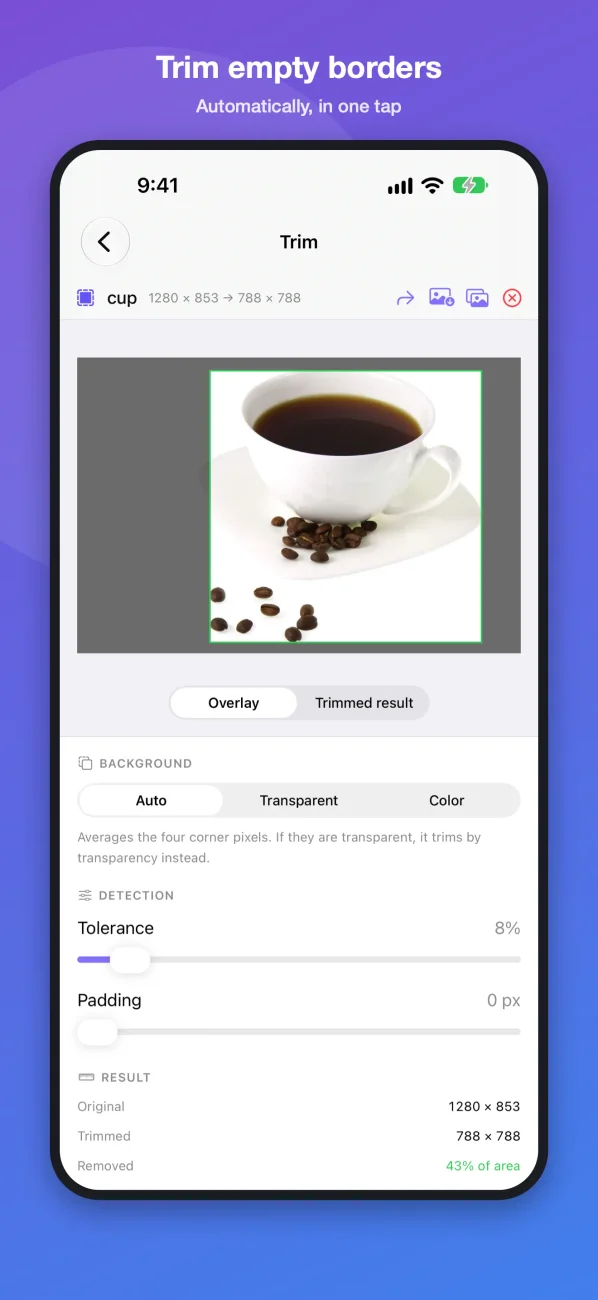
TRIM
Cut away the uniform border around an image, like Image › Trim in a desktop editor. Detect the background automatically, trim by transparency, or pick a color with the eyedropper. Adjust tolerance for noisy edges and add padding.
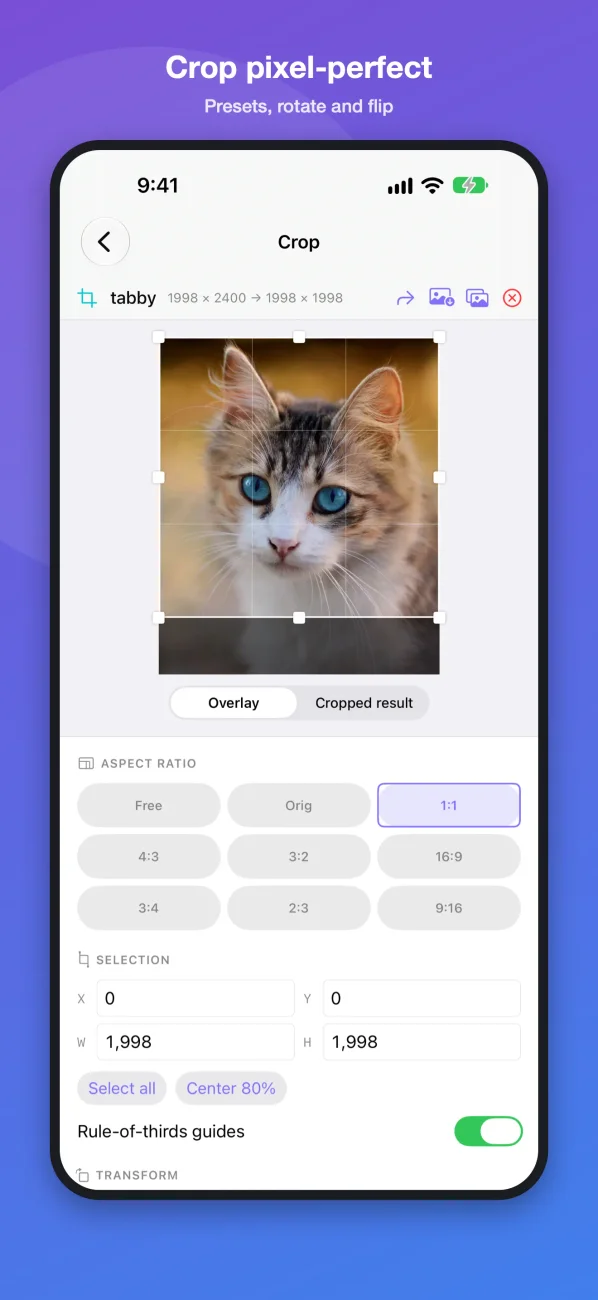
CROP
Draw a selection with pixel-exact X, Y, width and height. Aspect-ratio presets, rotate and flip, and arrow-key nudging with a keyboard.
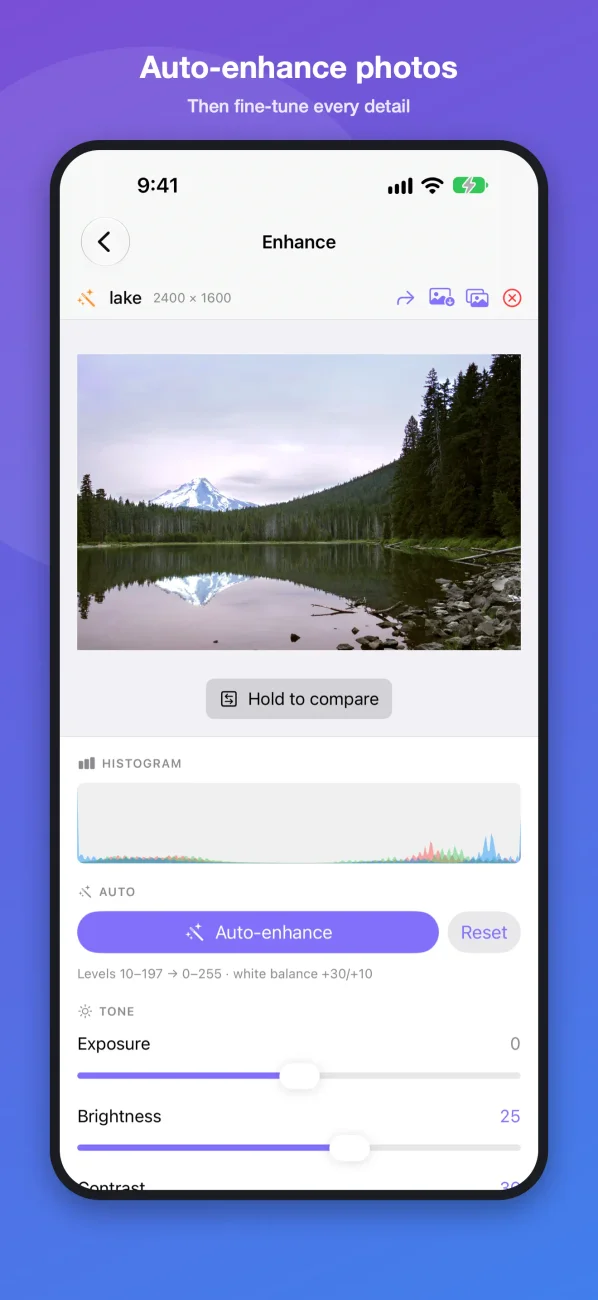
ENHANCE
One-tap auto levels and color balance, with exposure, contrast, highlights, shadows, saturation, temperature, sharpening and more to fine-tune. Hold to compare with the original.
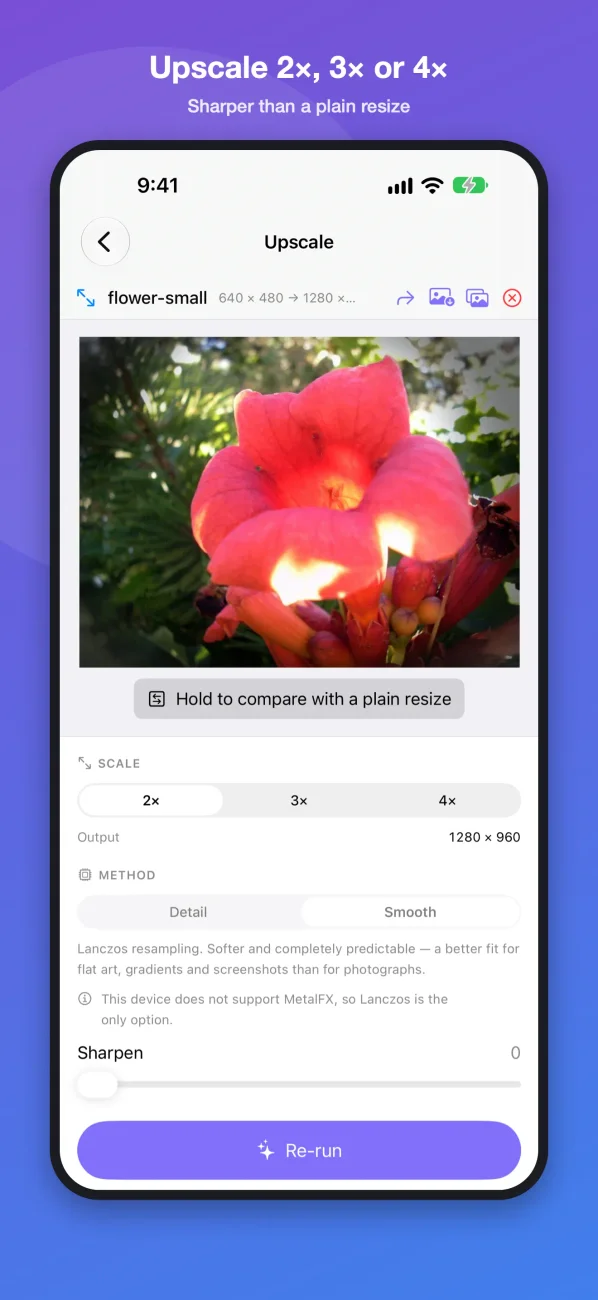
UPSCALE
Enlarge images 2×, 3× or 4× with the GPU-accelerated scaler built into your device. Sizes that wouldn't fit in memory are never offered, so it doesn't crash on big photos.
REMOVE BACKGROUND
Lift the subject off its background on-device. Keep it transparent or place it on a solid color, with shrink and feather controls for clean edges.
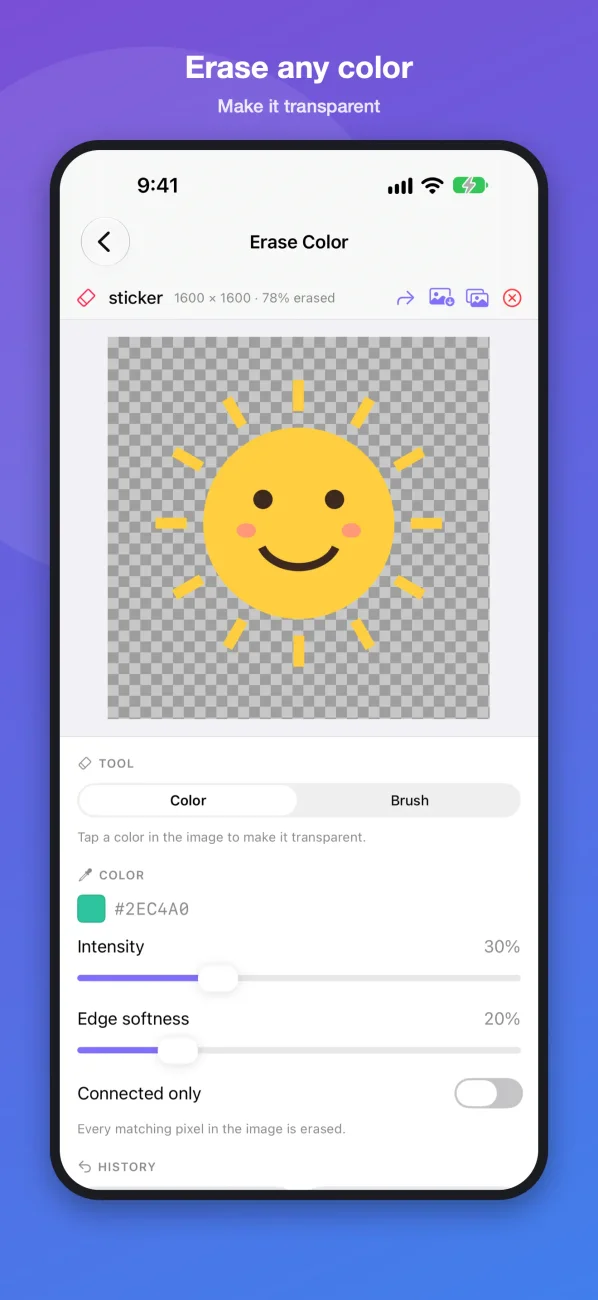
ERASE COLOR
Tap a color to make it transparent, across the whole image or just the connected region. A brush, restore mode and full undo and redo for touch-ups.
CONVERT
Convert many images at once to PNG, JPEG, HEIC or TIFF. Opens WebP, GIF, BMP and camera RAW too. Choose quality, flatten transparency onto a color, and save them all in one go.
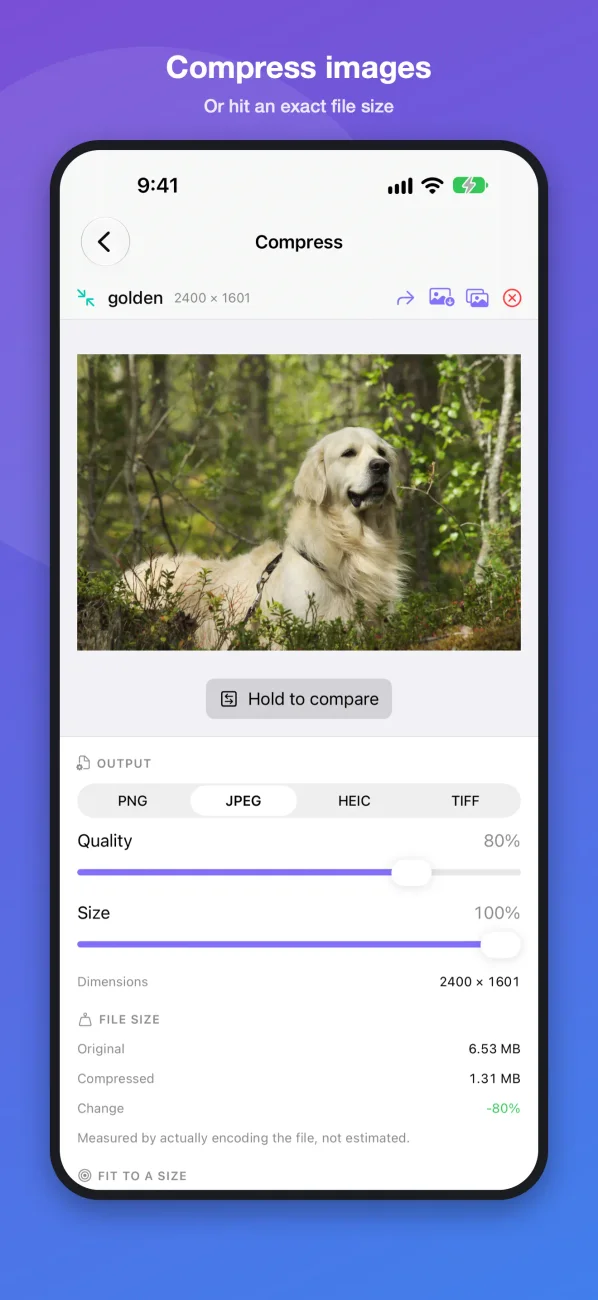
COMPRESS
Make an image smaller, or hit an exact target file size. See the size and quality before you save.
BUILT FOR EVERY DEVICE
• Open from Files, Photos, the clipboard or drag and drop
• Save, copy, share, drag out or save to Photos in the format you choose
• Send a result straight to another tool
• One app for iPhone, iPad and Mac
• Keyboard shortcuts on Mac and iPad
• VoiceOver labels and Dynamic Type support
PRIVATE BY DESIGN
Every tool runs on your device. The app has no network access, no ads, no tracking and no account. Your images stay yours.
Privacy policy: https://www.imagetrimmer.com/privacy.html
Support: https://www.imagetrimmer.com/support.html
Privasi aplikasi
Yang dinyatakan Jakir Hossain di App Store tentang cara aplikasi ini menangani data.
-
Data tidak dikumpulkan
Pengembang tidak mengumpulkan data apa pun dari aplikasi ini.
Praktik privasi dapat bervariasi, misalnya berdasarkan fitur yang Anda gunakan atau usia Anda.
Informasi
- Penjual
- Jakir Hossain
- Kategori
- Foto & Video
- Versi
- 1.0
- Diperbarui
- 3/11/2026
- Dirilis
- 2/11/2026
- Ukuran
- 2,6 MB
- Memerlukan
- iOS 17.0 atau yang lebih baru
- Batasan usia
- 4+
- Harga
- Gratis
- Bahasa
- Inggris
- Hak cipta
- © 2026 Jakir Hossain