- Batasan usia4+
- KategoriFoto & Video
- PengembangMichael Sparks
- BahasaInggris
- Ukuran5,0 MB
Tertaut ke halaman resmi App Store
Download.org tidak menyimpan file True Tone Studio apa pun. Tombol ini membuka halaman aplikasi di App Store, tempat Michael Sparks menerbitkannya. Halaman terakhir diperiksa pada 12/11/2026.
Tangkapan layar


Tentang
Pengembang belum menyediakan teks ini dalam bahasa Anda.
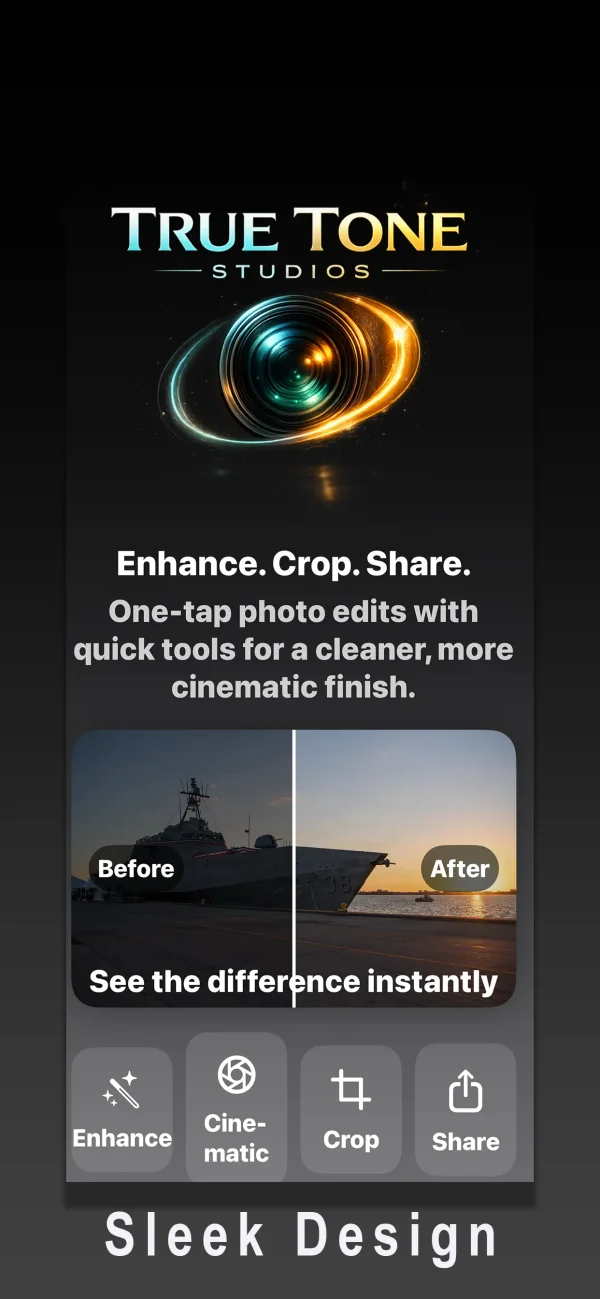
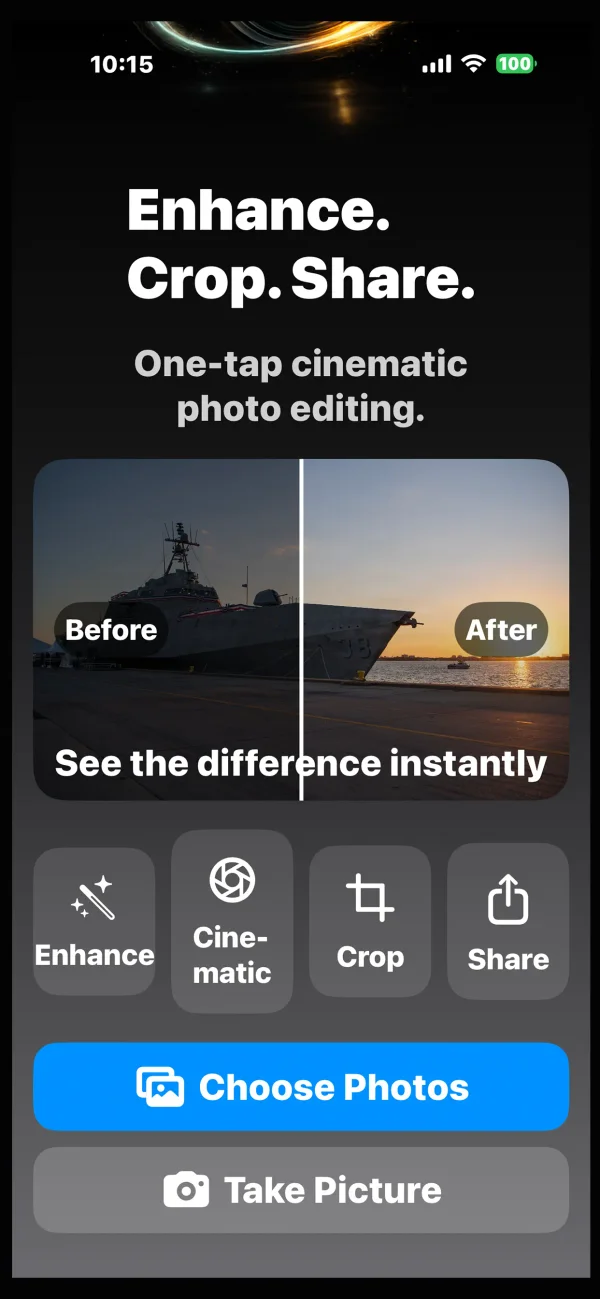
True Tone Studios makes photo editing fast, clean and cinematic.
Whether you're enhancing aviation photography, social media content, travel shots, portraits or everyday moments, True Tone Studios gives you powerful one-tap editing tools without the complexity of professional editing software.
FEATURES
• Smart Enhance
Instantly improve brightness, color, detail and depth with a balanced universal enhancement preset designed to make almost any photo look better.
• Cinematic Look
Apply richer contrast, warmer tones and soft vignette styling for a polished cinematic feel.
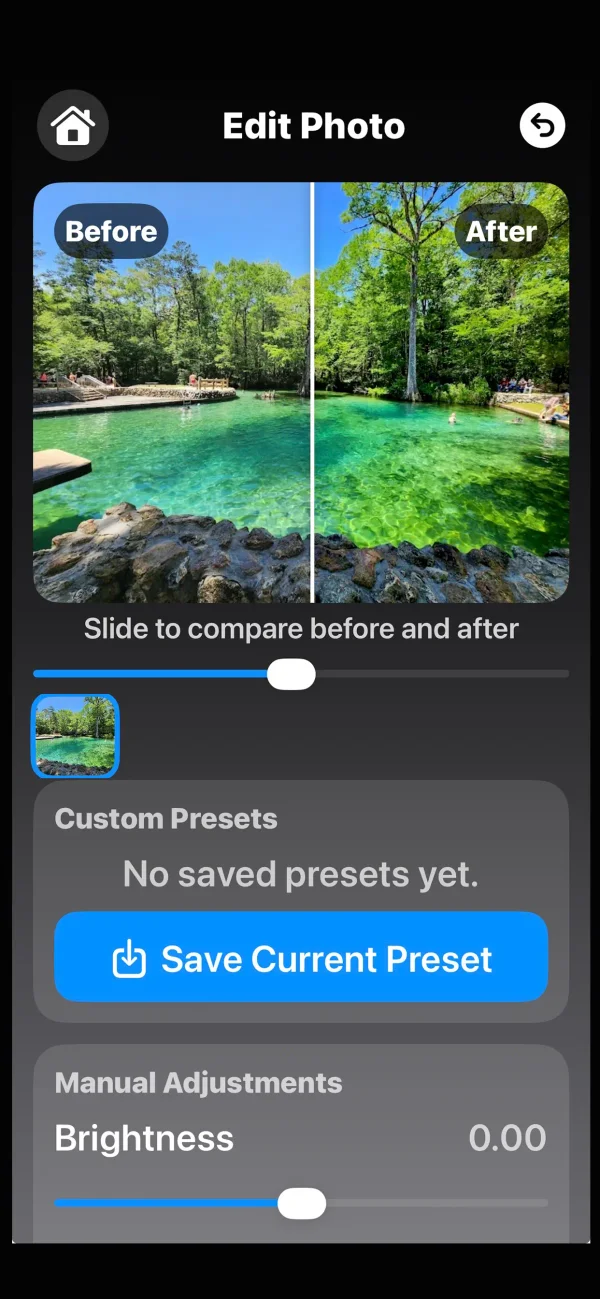
• Before & After Comparison
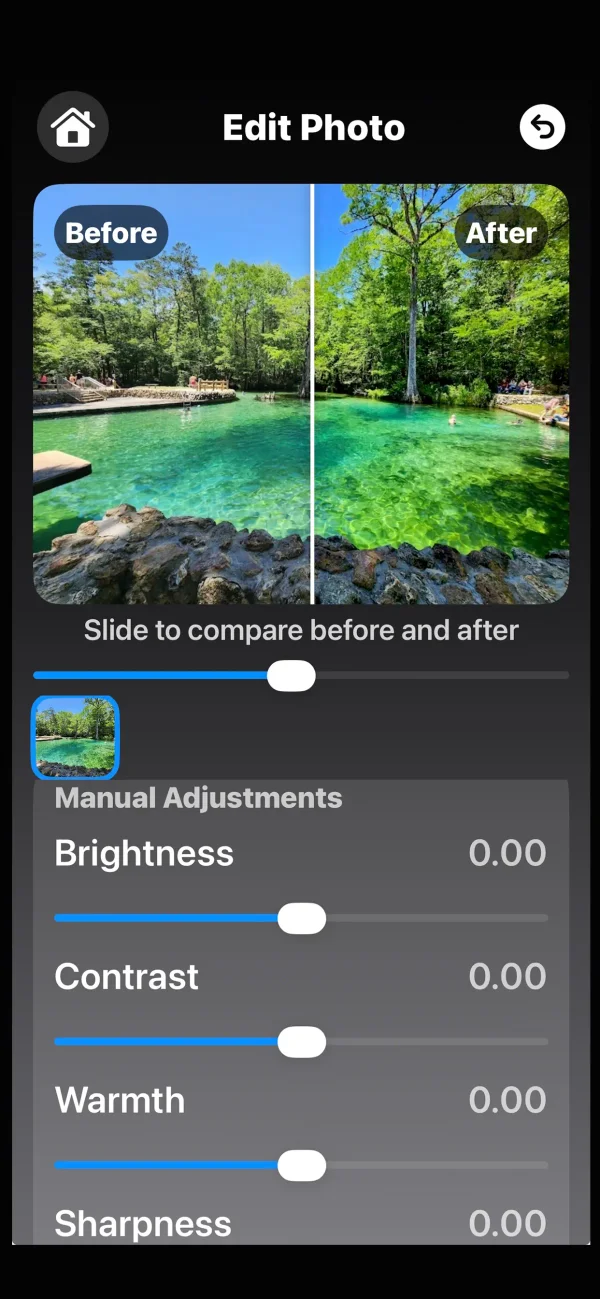
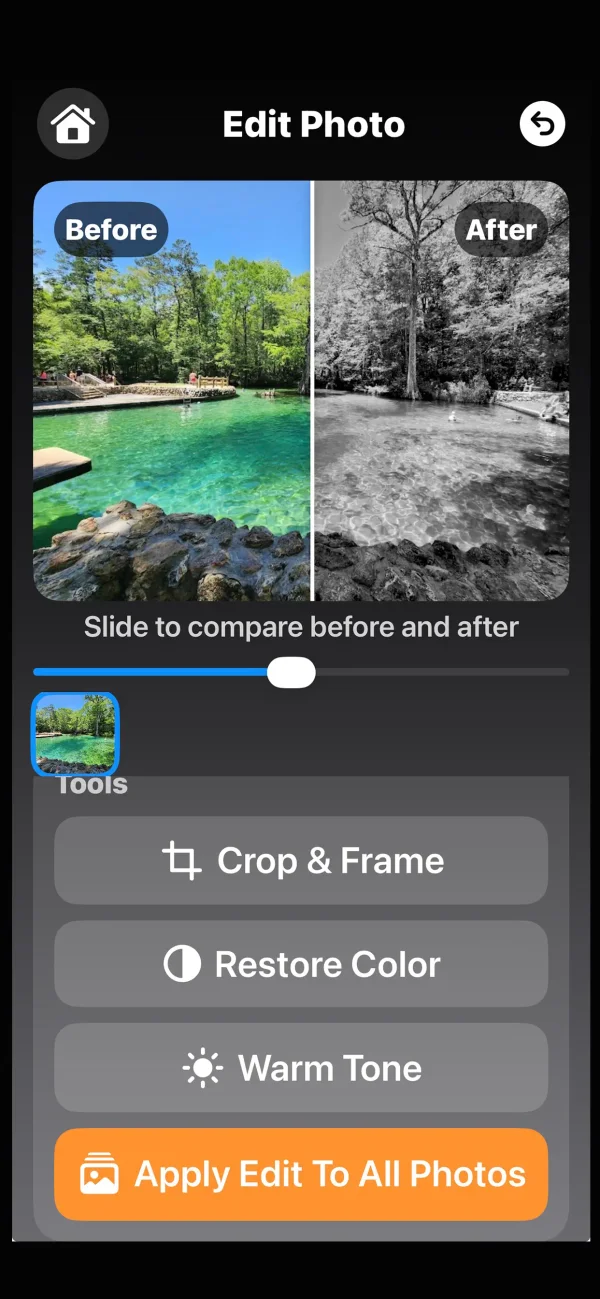
Use the interactive slider to instantly compare your original image with your edited version.
• Crop & Frame Tools
Crop your photos into square, portrait or landscape formats while moving and zooming the image for the perfect composition.
• Quick Edit Tools
Make fast adjustments with:
- Brighten
- Darken
- Black & White
- Warm Tone
- Soft Blur
- Reset Edits
• Save & Share
Save directly to your photo library or instantly share to:
- Instagram
- Facebook
- X
- Messages
- Email
- AirDrop
and more.
• Multi-Photo Workflow
Add and edit multiple photos without leaving the editor.
DESIGNED FOR SPEED
True Tone Studios was built for creators who want clean, professional-looking edits without spending hours adjusting sliders.
Perfect for:
- Social media creators
- Photographers
- Aviation photography
- Travel photos
- Lifestyle content
- Everyday editing
Enhance. Crop. Share.
True Tone Studios.
Yang baru
Versi 2.0 · 25/5/2026
What’s New in Version 2.0
Added cinematic and smart enhance editing presets
Added custom preset saving, loading, renaming and deleting
Added undo support for photo edits
Added live before-and-after comparison slider
Added support for multiple photo imports and batch exporting
Added “Apply to All Photos” workflow
Added improved crop and framing tools
Added camera capture support directly inside the app
Added social media, text and email sharing support
Added custom watermark logo uploads
Added live watermark preview while editing
Added adjustable watermark size controls
Added watermark fade/opacity controls
Added selectable watermark positioning
Added before-and-after export rendering
Added enhanced export options and save workflows
Improved photo processing quality and editing performance
Improved overall UI polish and user experience
Fixed stability issues and general bug fixes
Privasi aplikasi
Yang dinyatakan Michael Sparks di App Store tentang cara aplikasi ini menangani data.
-
Data tidak dikumpulkan
Pengembang tidak mengumpulkan data apa pun dari aplikasi ini.
Praktik privasi dapat bervariasi, misalnya berdasarkan fitur yang Anda gunakan atau usia Anda.
Informasi
- Penjual
- Michael Sparks
- Kategori
- Foto & Video
- Versi
- 2.0
- Diperbarui
- 25/5/2026
- Dirilis
- 20/5/2026
- Ukuran
- 5,0 MB
- Memerlukan
- iOS 26.5 atau yang lebih baru
- Batasan usia
- 4+
- Harga
- Gratis
- Bahasa
- Inggris
- Hak cipta
- © Michael Sparks
Mungkin Anda juga suka
-
 hueve - Mix Your Own ColorFoto & Video
-
 PixylFoto & Video
-
 TrueTones — Makeup PreviewFoto & Video
-
 Light SpiritFoto & Video
-
 APO - cinema photoFoto & Video
-
 One Shot EditorFoto & Video
-
 Image Studio ProFoto & Video
-
 Luminessa: LUT Film CameraFoto & Video
-
 Potato Cam: Snap in KilobytesFoto & Video
-
 WonderFilm: Cinema CameraFoto & Video