
VertexTimer
Silent Timer. Instant Start.
Dirancang untuk iPhone
Gratis · Pembelian dalam aplikasi
- Batasan usia4+
- KategoriProduktivitas
- PengembangHiroki Sakaguchi
- BahasaInggris+ 3 lainnya
- Ukuran4,1 MB
Tertaut ke halaman resmi App Store
Download.org tidak menyimpan file VertexTimer apa pun. Tombol ini membuka halaman aplikasi di App Store, tempat Hiroki Sakaguchi menerbitkannya. Halaman terakhir diperiksa pada 15/11/2026.
Tangkapan layar

Tentang
Pengembang belum menyediakan teks ini dalam bahasa Anda.
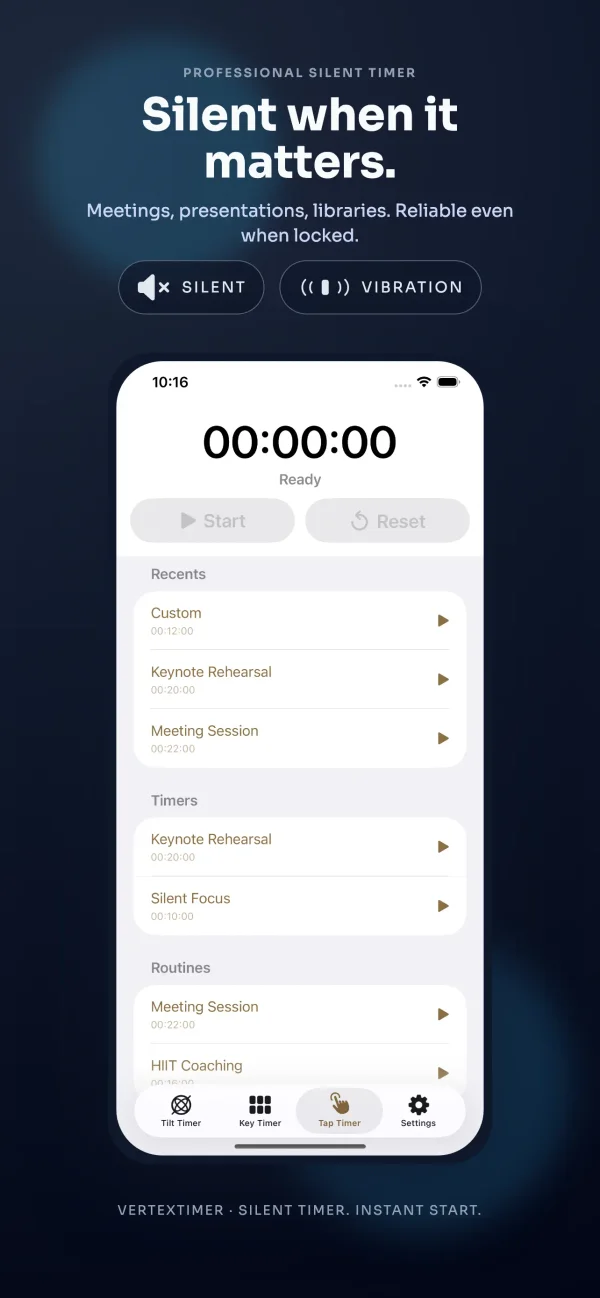
VertexTimer is a next-generation timer app you can rely on even when you can’t make a sound.
In meetings, presentations, lectures, or at the library—you can manage time accurately while staying considerate of everyone around you.
■ A silent timer you can trust
Timeboxing in meetings, keeping track during presentations, pacing lectures, focused study in a library.
Even in places where you can’t use sound, VertexTimer notifies you with vibration.
It can notify you in the background and even while your phone is locked.
■ Start instantly from your Home Screen
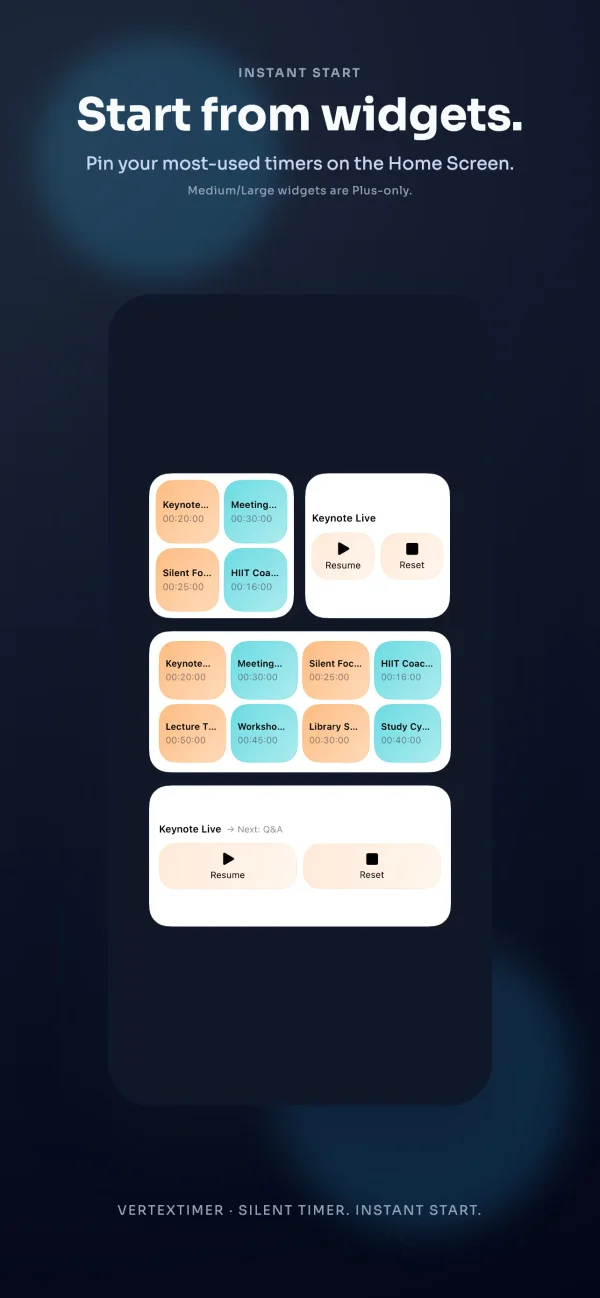
Just tap a widget to start a timer without even opening the app.
“30 minutes” before a meeting, “Pomodoro 25 minutes” when you begin studying, “HIIT 45 seconds” for workouts—
your timers are right on the Home Screen, so you can act before you even have to think.
Supports three widget sizes: Small, Medium, and Large.
Choose the layout that fits your style (Medium/Large are available with the Plus plan).
■ Automate complex schedules with Routines
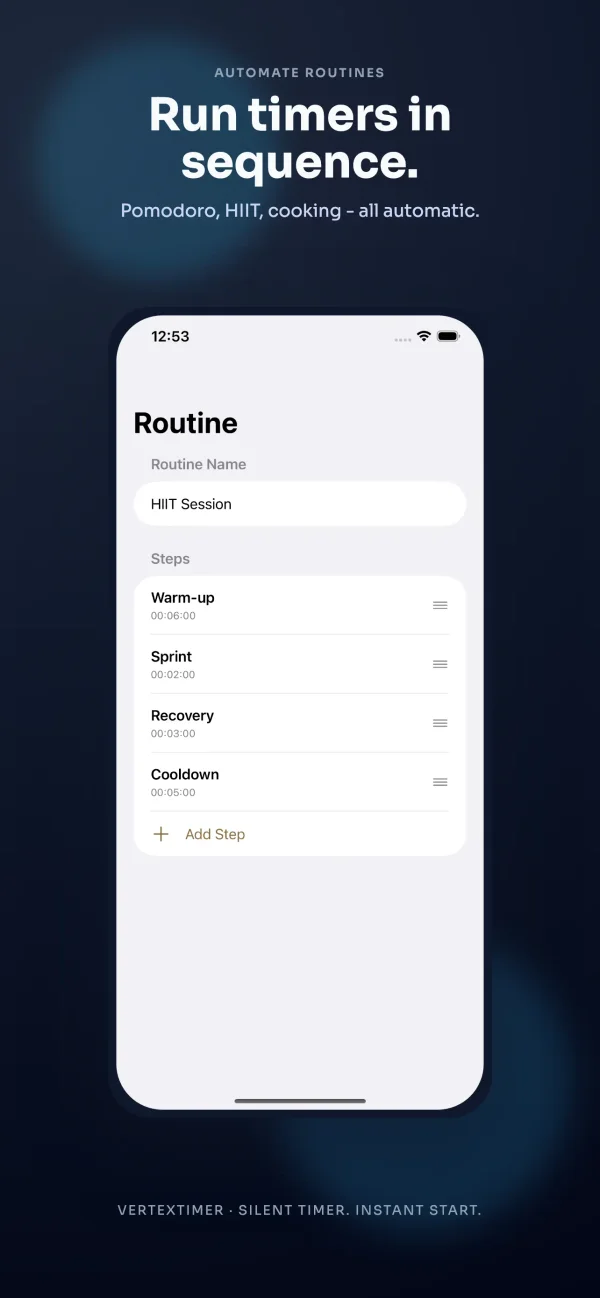
With Routines, you can run multiple timers in sequence—perfect for workflows that have several steps.
[Pomodoro Technique]
Automatically chain “Focus 25 min → Break 5 min → Focus 25 min → Break 15 min” to stay in the zone.
[HIIT Training]
Run “Workout 45 sec → Rest 15 sec” automatically—great for gym sessions.
[Step-by-step Cooking]
Set timers per step like “Boil pasta 10 min → Make sauce 5 min → Plate 2 min.”
[Bedtime Routine]
Quietly manage “Reading 15 min → Stretching 10 min → Meditation 5 min”
so you can unwind at your pace without waking anyone up.
■ Three timer modes
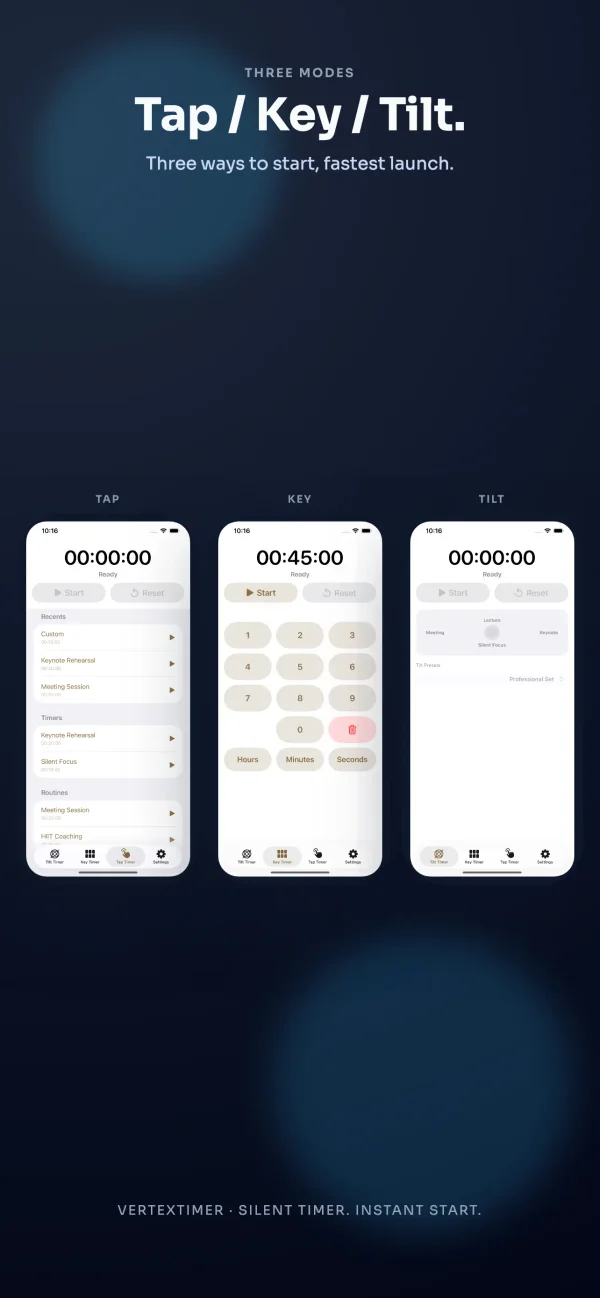
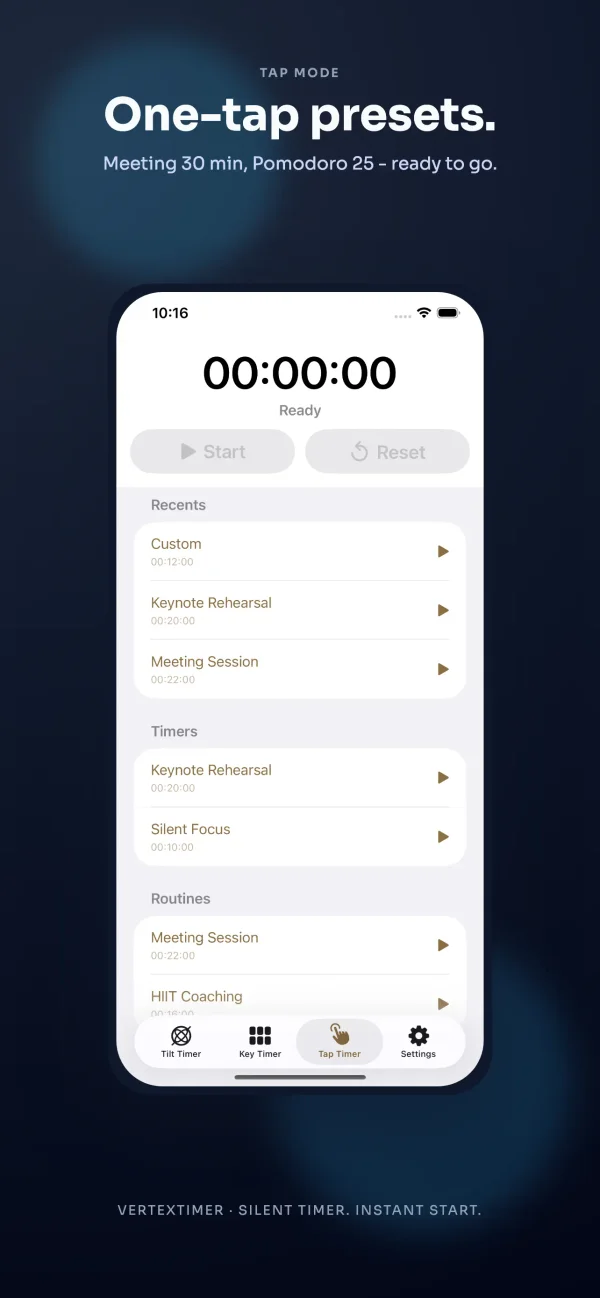
[Tap (One-Tap) Mode]
Start a preset timer with one tap—the simplest, easiest mode.
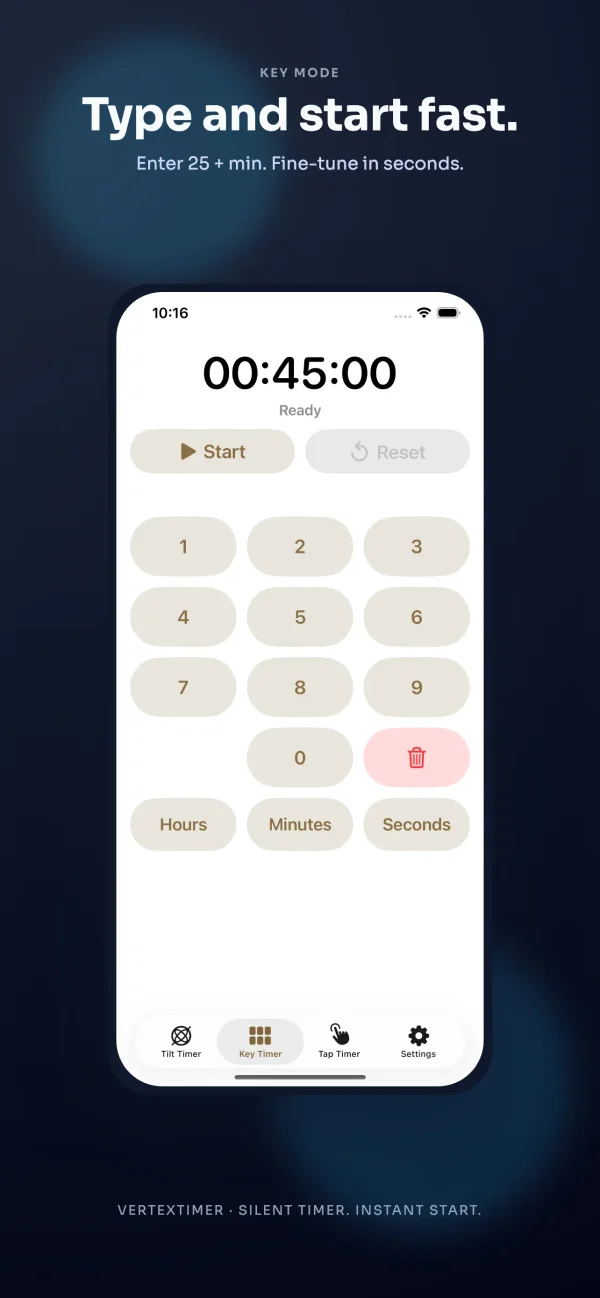
[Key (Keypad) Mode]
Set time fast with number keys. Type “25” and tap the “min” button to start a 25-minute timer.
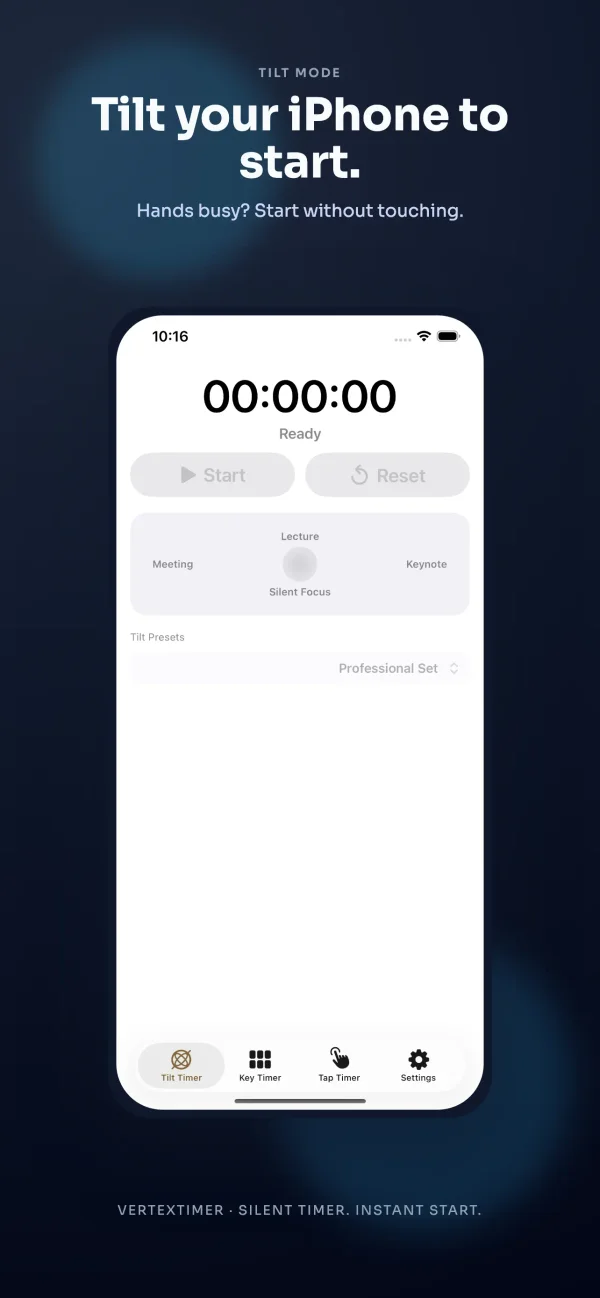
[Tilt Mode]
Start a timer just by tilting your iPhone right, left, forward, or backward.
Assign frequently used durations (5, 10, 25, 60 minutes, etc.) to each direction.
■ Preset & Routine management
[Save Timers]
Save frequently used timers and organize them by purpose
[Routines]
Run multiple timers in sequence.
Set a name and duration for each step, then run them in order.
■ Check progress even on the Lock Screen
Supports Dynamic Island and Live Activity.
■ Example use cases
[Meetings & Presentations]
For meetings with strict timeboxes or presentations with time limits.
Start instantly from a widget, keep an eye on remaining time via Dynamic Island.
Silent notifications help you manage time confidently without disturbing others.
[Library & Study Rooms]
Track study time without bothering anyone.
Vibration-only alerts keep you focused, and Pomodoro routines boost efficiency.
Run “25 min focus → 5 min break” automatically.
[Bedroom & Bedtime Routines]
Manage bedtime habits without waking your family.
Automate reading, stretching, meditation, and more with routines.
Stay on your own pace in a quiet environment.
[Gym & Workouts]
Great for HIIT or circuit training.
A routine like “45 sec workout → 15 sec rest” is incredibly handy.
Start instantly from a widget without breaking your flow.
[Parenting & Childcare]
For bedtime routines, feeding intervals, nap tracking, and more.
Measure time without sound—no need to worry about waking your baby.
■ Pricing
[Free Plan]
• 1 Tilt preset
• 1 Routine
• Unlimited single timers
• Small widget only
• All timer modes available
[Plus Plan]
• Unlimited presets
• Unlimited routines
• All widget sizes (Small / Medium / Large)
■ Recommended for
• Anyone who wants to manage meeting/presentation timeboxes
• Anyone using the Pomodoro technique to improve focus
• People who want a quiet bedtime routine timer in the bedroom
• Anyone who needs workout intervals at the gym
• Parents who want to manage time without waking their baby
■ Support
For questions or requests, feel free to contact us at:
https://kohakuwebdesign.net/apps/vertextimer#support
Terms of Use: https://www.apple.com/legal/internet-services/itunes/dev/stdeula/
Yang baru
Versi 1.0.1 · 28/4/2026
Alarm Pack has been added. Purchase it to unlock alarm features. We also added a Lifetime plan that lets you use all features forever with a one-time purchase.
Privasi aplikasi
Yang dinyatakan Hiroki Sakaguchi di App Store tentang cara aplikasi ini menangani data.
-
Data tidak dikumpulkan
Pengembang tidak mengumpulkan data apa pun dari aplikasi ini.
Praktik privasi dapat bervariasi, misalnya berdasarkan fitur yang Anda gunakan atau usia Anda.
Informasi
- Penjual
- Hiroki Sakaguchi
- Kategori
- Produktivitas
- Versi
- 1.0.1
- Diperbarui
- 28/4/2026
- Dirilis
- 5/2/2026
- Ukuran
- 4,1 MB
- Memerlukan
- iOS 26.1 atau yang lebih baru
- Batasan usia
- 4+
- Harga
- Gratis
- Pembelian dalam aplikasi
- Ya
- Bahasa
- Inggris, Jepang, Rusia, Spanyol
- Hak cipta
- © 2026 Hiroki Sakaguchi
Mungkin Anda juga suka
-
 Nudge - Focus TimerProduktivitas
-
 DayLine - Daily PlannerProduktivitas
-
 Calendar & Tasks: CalityProduktivitas
-
 Chronicle: LitRPG TrackerProduktivitas
-
 Flow TimersProduktivitas
-
 Cortex: AI Focus TimerProduktivitas
-
 Just Timer - CepatMulti timer sederhana
-
 Visiting Angels Tracy CAProduktivitas
-
 Habit Maker: Jadwal MingguanHabit Tracker: Kerja & Hidup
-
 My Daily MemoBuku Harian, Jurnal, Kalender