Video Chapter Player
Set time secret video player
Dirancang untuk iPhone, iPod touch
Rp 59ribu
- Batasan usia4+
- KategoriKegunaan
- PengembangTakeshi Kayahashi
- BahasaJepang+ 1 lainnya
- Ukuran13,9 MB
Tertaut ke halaman resmi App Store
Download.org tidak menyimpan file Video Chapter Player apa pun. Tombol ini membuka halaman aplikasi di App Store, tempat Takeshi Kayahashi menerbitkannya. Halaman terakhir diperiksa pada 12/11/2026.
Tangkapan layar

Tentang
Pengembang belum menyediakan teks ini dalam bahasa Anda.
"Video Chapter Player" is a useful tool to enjoy the watch and set the chapter in mp4 format video.
With the abolition of iTunes, macOS catalina or later can be transferred from the file of the connected terminal from Finder.
We recommend to healthy men, is a useful video player to watching videos for adults.
watching videos revolution, the video player innovation in mobile.
In trust of security, it can be used to not found the secret to the parent, friends and partners.
You can transfer one mp4 video to the VideoChapterPlayer folder in Files App.
[New]
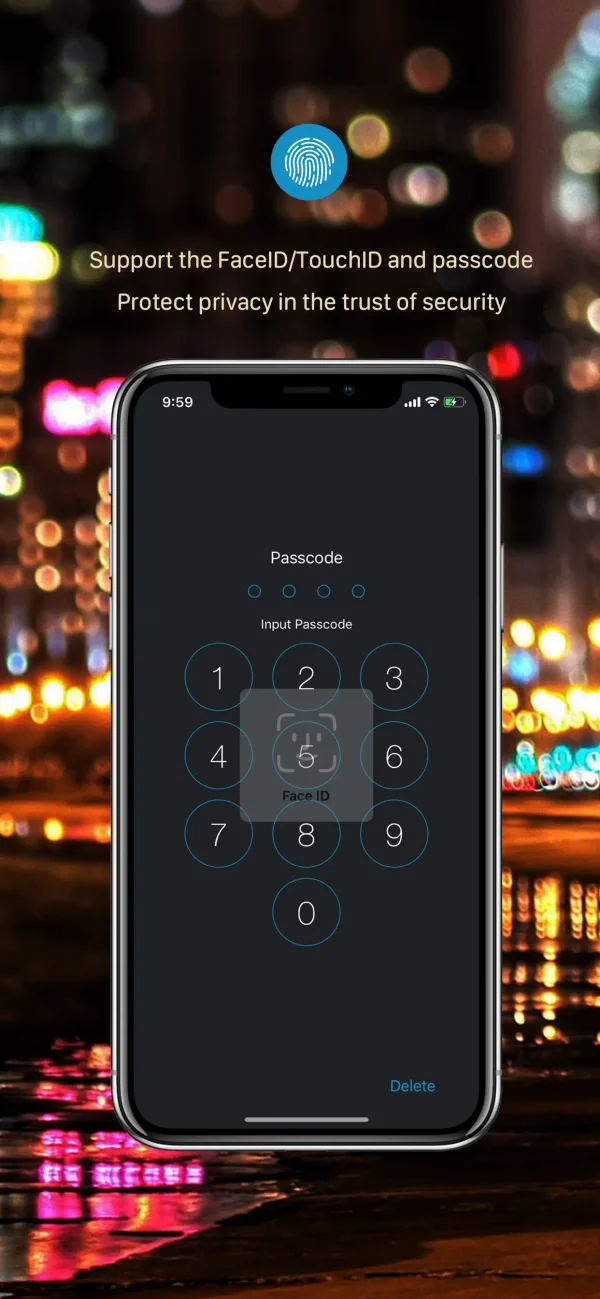
The face ID is linked automatically with the passcode.
[Attention]
Support only one mp4 file.
[Feature]
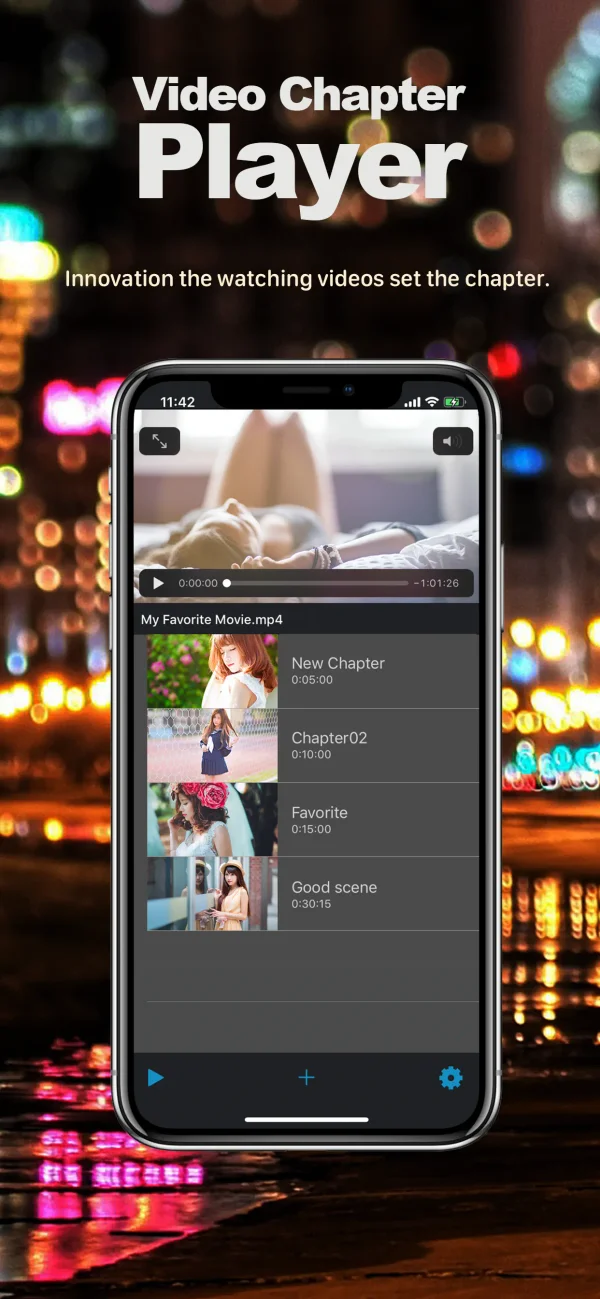
Setting the chapter is also smooth access can be managed in the list with a thumbnail.
Also easy to understand displays the preview When you enter a time when the chapter setting.
It is possible to put security at the touch ID and app dedicated passcode privacy and use the reassurance.
[How to use]
1.
You can transfer one mp4 video to the VideoChapterPlayer folder in Files App.
Connect the PC a device, Open iTunes or Finder(macOS Catalina) connect device.
Synchronize the device the mp4 format video that was prepared in addition to the iTunes of "ChapterPlayer" app.
2.
Restart or the app on the device, to update the list in the swipe-down, to recognize the file.
3.
Enter the start time in the chapter setting mode, add to the list.
4.
To seek from the scene by tapping a cell on the list can be played.
5.
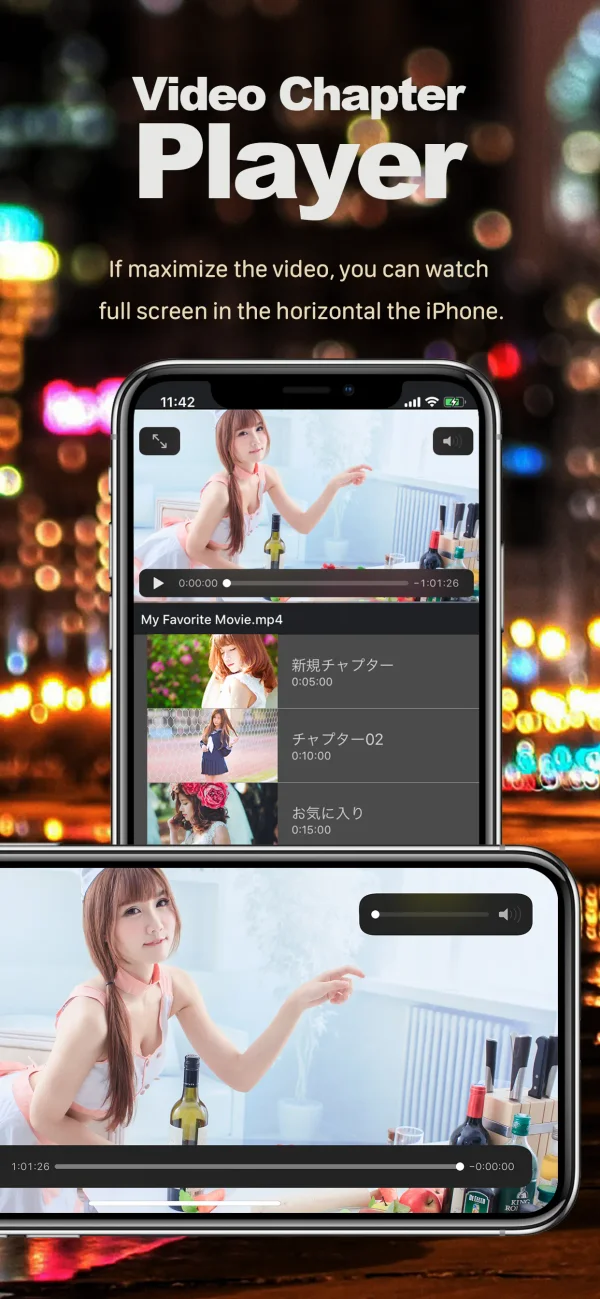
Full screen by the maximum of the video controller.
When full-screen you can watch in the landscape orientation device.
6.
Initialization of the list, security configuration, change the password code is in the config mode.
Yang baru
Versi 3.2 · 27/1/2025
- Fixed an issue in iOS18 where video files could not be copied to the app from the Files app, etc.
- Fixed a display issue when playing videos.
- Added one page to the tutorial.
Privasi aplikasi
Yang dinyatakan Takeshi Kayahashi di App Store tentang cara aplikasi ini menangani data.
-
Data tidak dikumpulkan
Pengembang tidak mengumpulkan data apa pun dari aplikasi ini.
Praktik privasi dapat bervariasi, misalnya berdasarkan fitur yang Anda gunakan atau usia Anda.
Informasi
- Penjual
- Takeshi Kayahashi
- Kategori
- Kegunaan
- Versi
- 3.2
- Diperbarui
- 27/1/2025
- Dirilis
- 2/9/2016
- Ukuran
- 13,9 MB
- Memerlukan
- iOS 11.0 atau yang lebih baru
- Batasan usia
- 4+
- Harga
- Rp 59ribu
- Bahasa
- Jepang, Inggris
- Hak cipta
- © Beliebrave