Voca Player
Audiobookshelf & Plex player
Dirancang untuk iPhone, iPad
Gratis · Pembelian dalam aplikasi
- Batasan usia4+
- KategoriHiburan
- PengembangVeloSec
- BahasaInggris
- Ukuran7,4 MB
Tertaut ke halaman resmi App Store
Download.org tidak menyimpan file Voca Player apa pun. Tombol ini membuka halaman aplikasi di App Store, tempat VeloSec menerbitkannya. Halaman terakhir diperiksa pada 14/11/2026.
Tangkapan layar
Tentang
Pengembang belum menyediakan teks ini dalam bahasa Anda.
Voca is a beautifully simple audiobook player for your own media server. Connect to Audiobookshelf, Plex or files on your device and start listening in seconds, at home or on the go.
Stream from your own server
Voca connects directly to your Audiobookshelf or Plex server, or plays audiobooks stored on your device. No third-party cloud. No subscriptions. Your library, your way.
Pick up where you left off
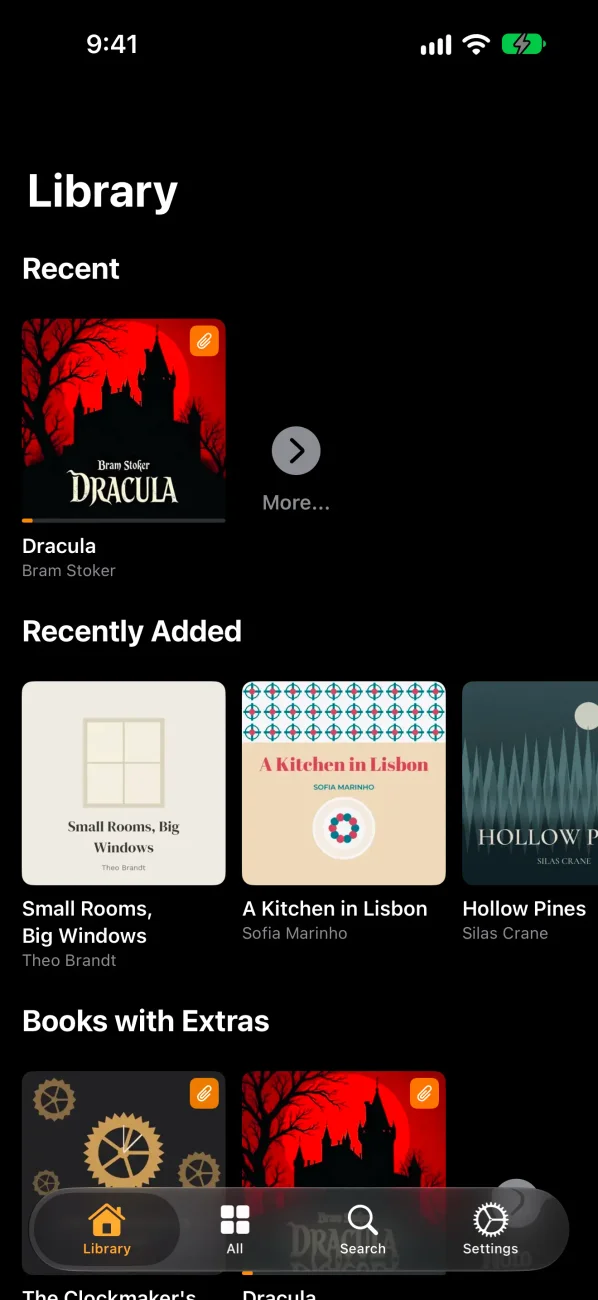
Home shows what you're listening to, the next book in each series you're reading, your downloads, your Reading List, recent additions, a few discoveries, and the books you've finished. Your Reading List syncs across your iPhone, iPad, Mac and Apple TV.
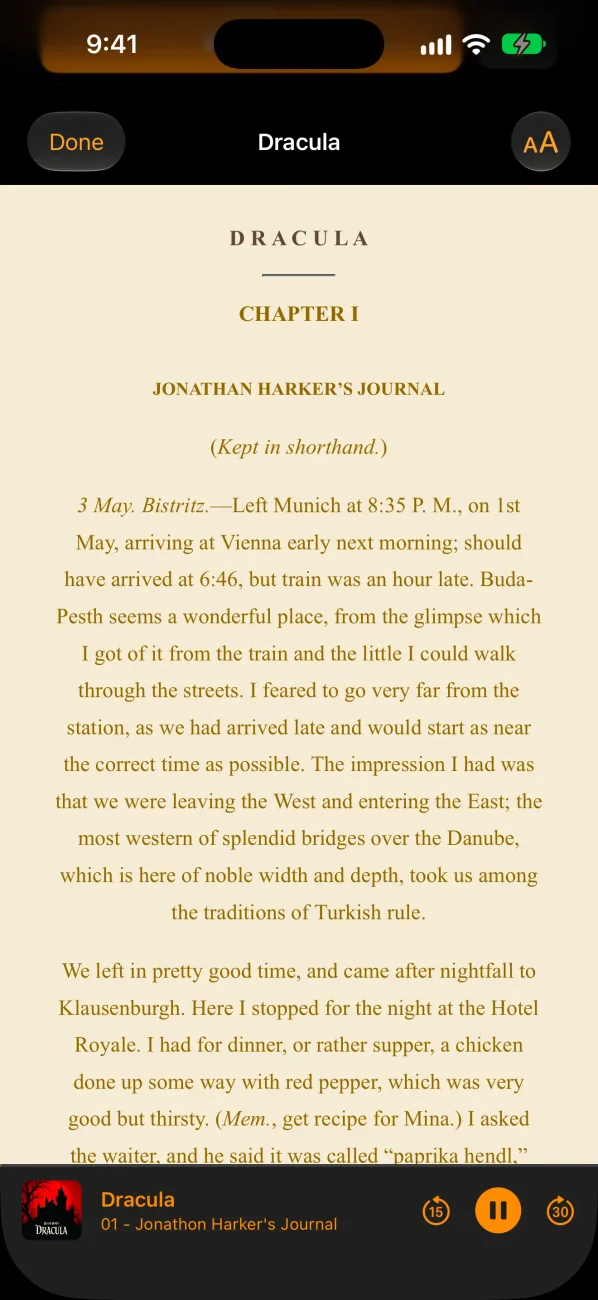
Live captions
Turn on captions to see the narration as it's read, scrolling like lyrics with the sentence being spoken highlighted, in place of the cover on iPhone and beside the player on iPad and Mac. The text is made on your device as the book plays, so your audio never leaves it.
Extras built in
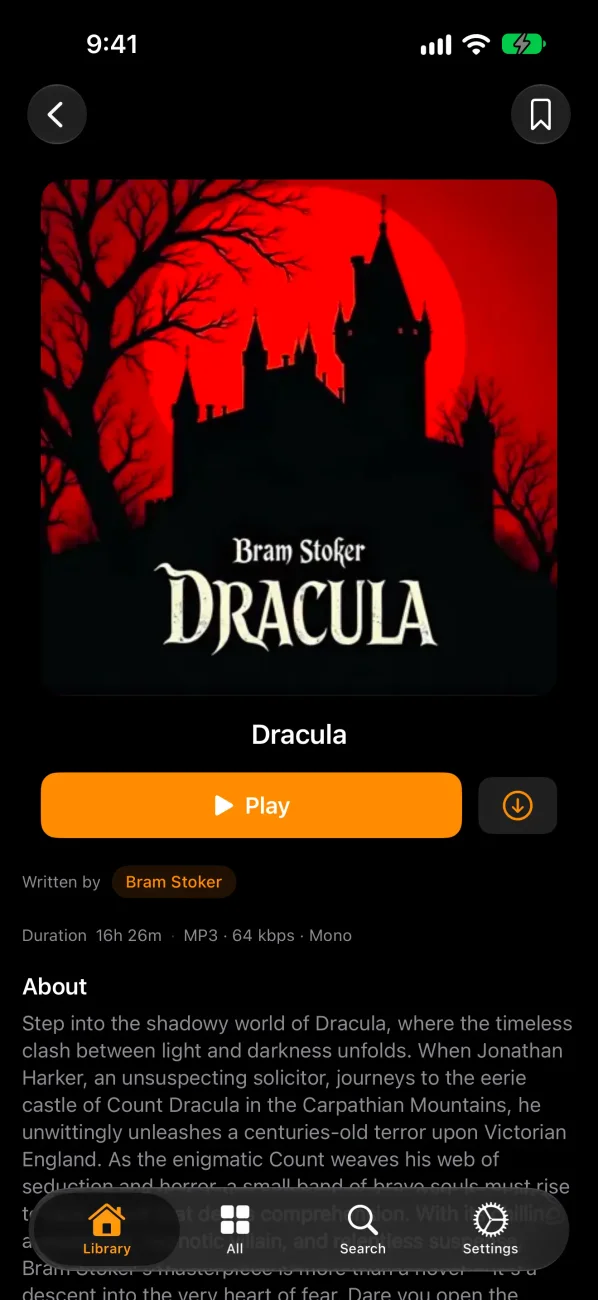
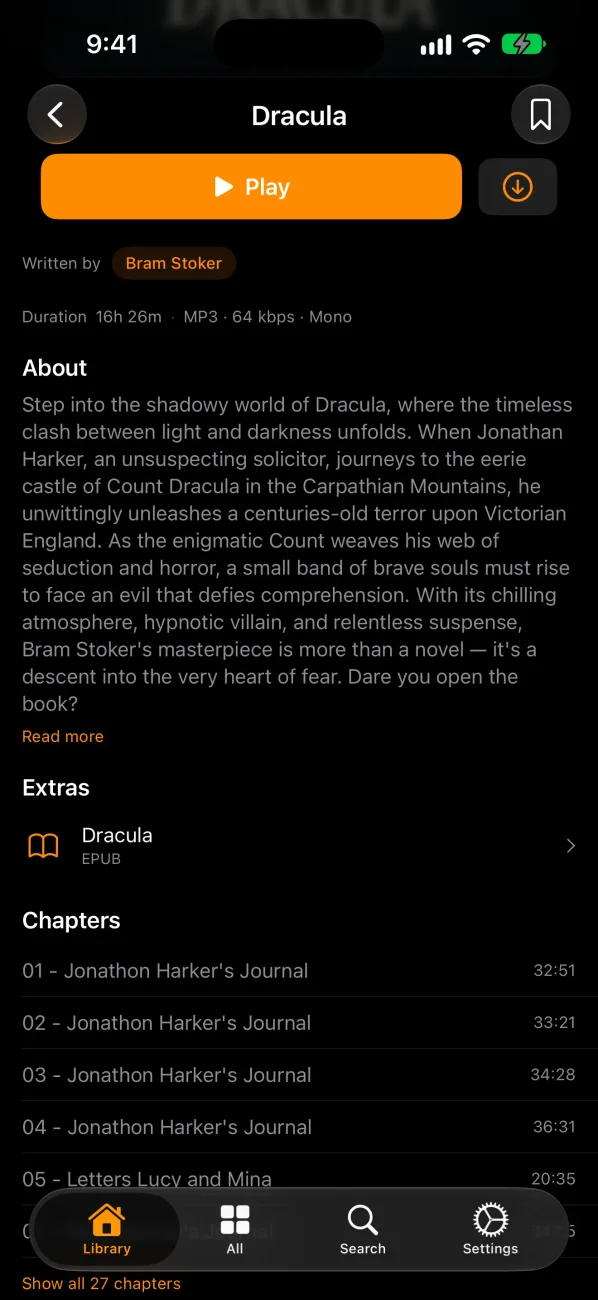
Companion files stored alongside the audio, such as maps, liner notes, author commentary, or the full text of the book as a PDF or EPUB, appear with your audiobook. Open them beside the player and read along while you listen.
Take it offline
Unlock unlimited downloads with a single one-time purchase. Download your audiobooks, with their chapters and extras, and listen anywhere with no internet connection. You can even send books to your Apple Watch and leave your phone at home.
Built for listening
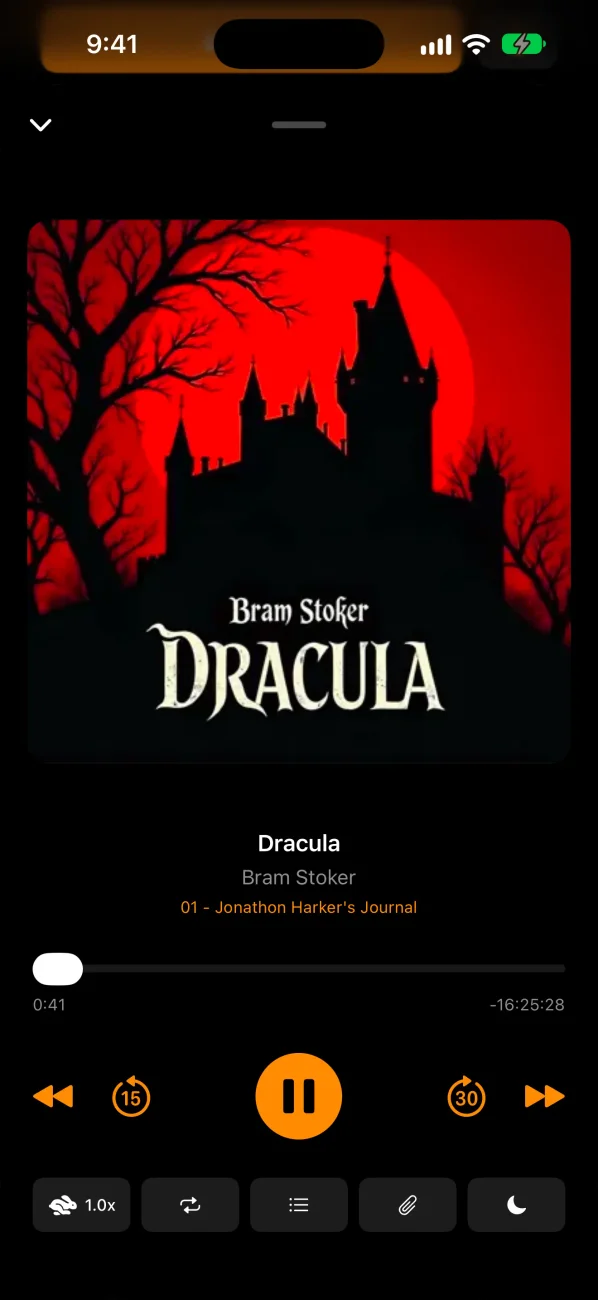
• Gapless playback across multi-file audiobooks
• Lock Screen, Control Centre and CarPlay controls
• Home Screen and Lock Screen widgets, and a Play or Pause control for Control Centre and the Action button
• Bluetooth headphone support: single press to skip 30 seconds, double press to jump chapters
• Playback speed from 0.5× to 3.0×
• A scrubber that follows the current chapter, with a tap to switch to the whole book
• Sleep timer by time, at the end of a chapter, or after any number of chapters
• Double-tap the cover art to move between chapters
Every screen
Voca adapts to iPhone, iPhone Duo, iPad and Macs with Apple silicon, putting the player beside your chapters or documents when there's room. On Mac and on iPad with a keyboard, Playback and Go menus come with shortcuts. On Apple Watch, play books sent from your iPhone and follow along from your watch face. On Apple TV, browse your library while you listen, with your current book in the Top Shelf.
Your whole library, beautifully organised
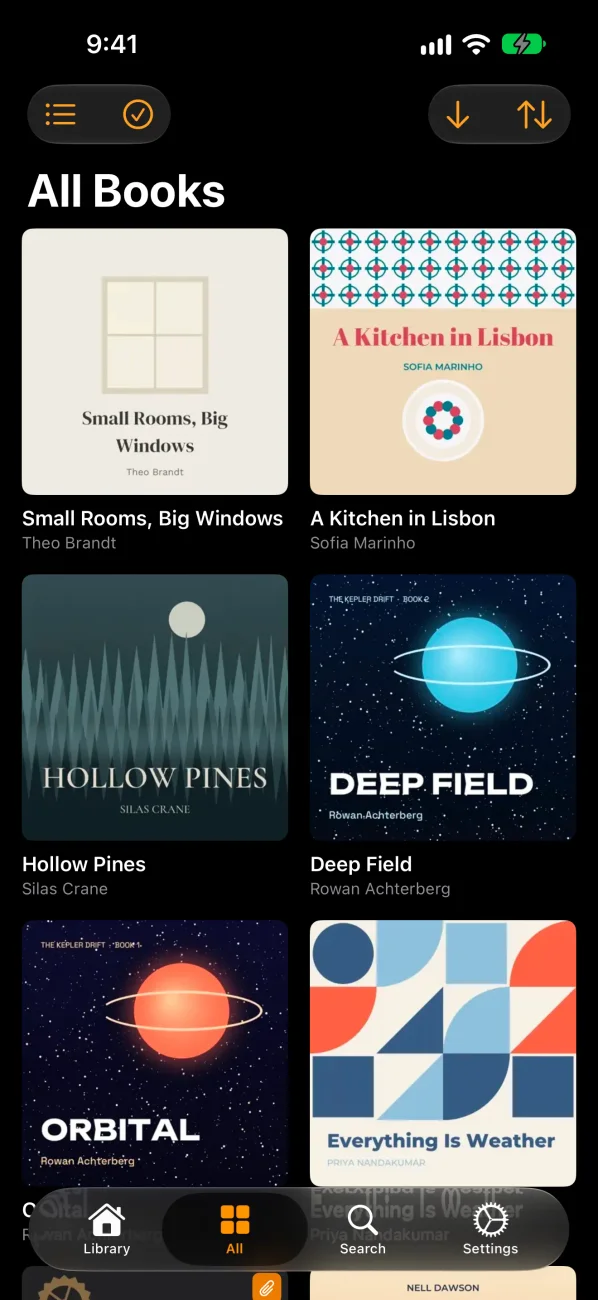
Browse thousands of books in a fast, searchable grid, arranged A to Z, by author, series, genre and collection. With Audiobookshelf, a Series tab shows the series you're in the middle of, the next book in each, and every series in reading order.
Privacy first
Voca collects nothing. Everything stays between your device and your own server.
Requirements
Voca needs your own Audiobookshelf or Plex server, or audiobooks stored on your device. It includes no audiobook content.
Offline downloads, and sending books to Apple Watch, require a one-time in-app purchase.
Live captions need iOS 27 or later on a device that supports on-device transcription.
Yang baru
Versi 1.3.10 · 12/11/2026
If you're enjoying Voca, it may now ask, once in a while, for a rating on the App Store. It only asks after you've been listening for a while, at a pause or the end of a book, never mid-listen.
Apple Watch: Voca's own headphones now appear on the Not Playing screen and on your watch face complications, in Voca's orange.
Widgets: Voca on your Home Screen and Lock Screen, in small, medium and large, with play, pause and skip, and your Continue Listening on the large one. On iOS 18 there's also a Play or Pause control for Control Center and the Action button.
Captions: turn them on in the player to see the narration as it's read, scrolling in place of the cover like lyrics. They're made on your device as the book plays, so nothing leaves it, though unusual names may be spelled the way they sound. Needs iOS 27 or later on a device that supports on-device transcription.
A finished book now plays again from the beginning when you press Play or choose it again.
Tall cover art no longer pushes the player's controls off the screen.
Privasi aplikasi
Yang dinyatakan VeloSec di App Store tentang cara aplikasi ini menangani data.
-
Data tidak dikumpulkan
Pengembang tidak mengumpulkan data apa pun dari aplikasi ini.
Praktik privasi dapat bervariasi, misalnya berdasarkan fitur yang Anda gunakan atau usia Anda.
Informasi
- Penjual
- LV-223 PTY LTD
- Kategori
- Hiburan
- Versi
- 1.3.10
- Diperbarui
- 12/11/2026
- Dirilis
- 16/4/2026
- Ukuran
- 7,4 MB
- Memerlukan
- iOS 17.0 atau yang lebih baru
- Batasan usia
- 4+
- Harga
- Gratis
- Pembelian dalam aplikasi
- Ya
- Bahasa
- Inggris
- Hak cipta
- © Copyright 2026 VeloSec