- Batasan usia9+
- KategoriFoto & Video
- PengembangShamrock Records, Inc.
- BahasaInggris+ 1 lainnya
- Ukuran88,5 MB
Tertaut ke halaman resmi App Store
Download.org tidak menyimpan file VoiceShutter apa pun. Tombol ini membuka halaman aplikasi di App Store, tempat Shamrock Records, Inc. menerbitkannya. Halaman terakhir diperiksa pada 12/11/2026.
Tangkapan layar

Tentang
Pengembang belum menyediakan teks ini dalam bahasa Anda.
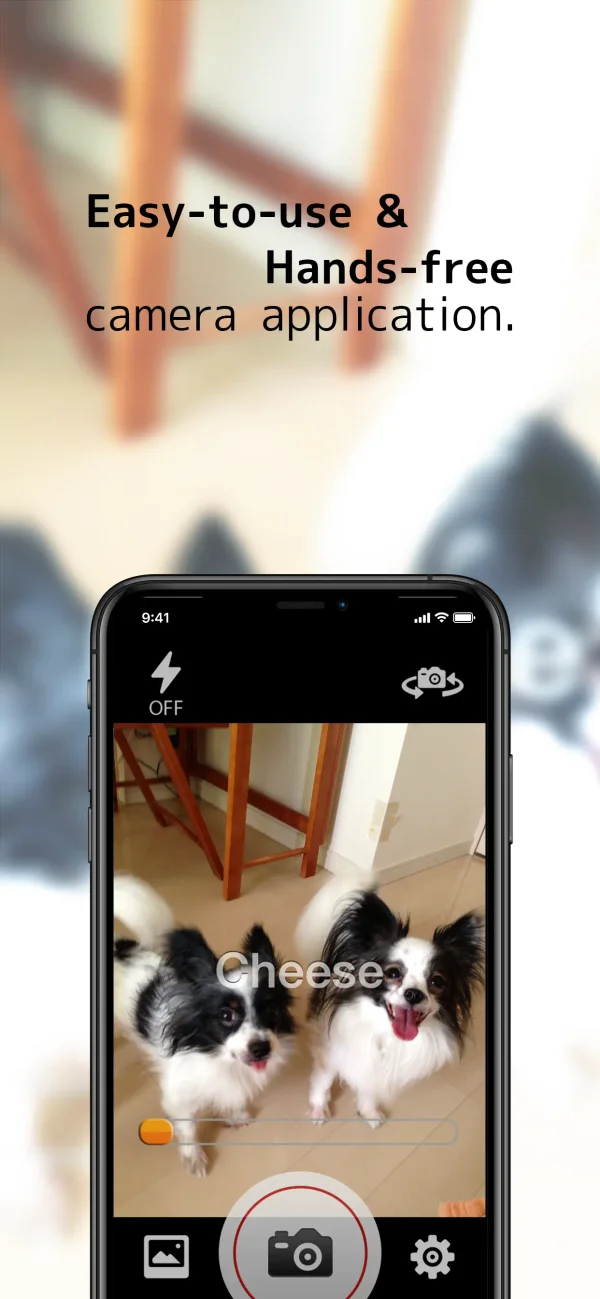
Say “Cheese” and take a photo.
Voice Shutter is a camera app designed to make taking photos easier, with large shutter buttons and voice recognition. Tap a button or say a shutter phrase to capture a photo—ideal for selfies, group photos, and moments when you want to keep your hands off the screen.
To get started, say one of the phrases shown on the camera screen. When the app recognizes your phrase, it takes a photo. A green indicator expands in the center of the screen to show your voice input.
Choose up to three shutter phrases in Settings. Voice recognition supports English and Japanese. You can also add and edit your own phrases when using Japanese recognition.
Large shutter buttons sit at the top and bottom of the screen. Hold your device horizontally, and they’re within reach on either side. Buttons and text turn to match how you hold your device, and photos are saved in the orientation in which they were taken.
Voice Shutter is useful when you want to:
- Take selfies or group photos with your device on a stand
- Keep your composition steady without reaching for the shutter
- Take photos when small buttons are difficult to press
- Photograph food or small objects without touching the screen
Adjust your shots with a range of camera features:
- Front and rear camera switching
- Zoom using multiple lenses on supported devices
- Flash modes: Off, Auto, and On
- Tap to focus and press and hold for AE/AF lock
- Exposure compensation to adjust brightness
- A rule-of-thirds grid
- High-resolution photo saving
- Optional mirroring of photos taken with the front camera
- Optional location tags
Choose from eight photo aspect ratios: Current Screen (Wallpaper), Square, 16:9, 5:4, 7:5, 4:3, 5:3, and 3:2. A framing guide shows the area that will be saved for your chosen ratio.
Turn on “Detect Hand Movement” to wait until your device has been steady for 1.5 seconds before taking a photo. This works with both the shutter buttons and voice-triggered photography.
Browse your photos in the app’s photo library. View thumbnails, zoom in, move between photos, share, mark favorites, and delete photos. Switch between photos taken with Voice Shutter and photos you’ve allowed the app to access in your library.
VoiceOver support is available for key controls, including buttons, settings, focusing, AE/AF lock, and photo zoom controls.
For better voice recognition, use the app in a quiet place, stay close enough for your device to hear you, and speak clearly. Recognition can vary depending on background noise, your distance from the device, and the phrase you use.
The app requests access to the camera, microphone, and photo library. Follow the instructions shown when you first open the app. You can choose to allow access to selected photos only. Location access is used if you enable location tags for your photos.
Available lenses, zoom ranges, flash features, and photo resolutions vary by device.
Voice Shutter uses the AmiVoice speech recognition engine from Advanced Media, Inc.
Yang baru
Versi 16 · 13/10/2026
Some bugs were fixed.
Privasi aplikasi
Yang dinyatakan Shamrock Records, Inc. di App Store tentang cara aplikasi ini menangani data.
-
Data tidak dikumpulkan
Pengembang tidak mengumpulkan data apa pun dari aplikasi ini.
Praktik privasi dapat bervariasi, misalnya berdasarkan fitur yang Anda gunakan atau usia Anda.
Informasi
- Penjual
- Shamrock Records, Inc.
- Kategori
- Foto & Video
- Versi
- 16
- Diperbarui
- 13/10/2026
- Dirilis
- 20/3/2013
- Ukuran
- 88,5 MB
- Memerlukan
- iOS 16.2 atau yang lebih baru
- Batasan usia
- 9+
- Harga
- Rp 19ribu
- Bahasa
- Inggris, Jepang
- Hak cipta
- © Shamrock Records, Inc.
Mungkin Anda juga suka
-
 Say Cheese 〜 しゃべって撮るカメラFoto & Video
-
 Olli by TinrocketFoto & Video
-
 Easy-ID-Photo Creator ProFoto & Video
-
 SaySnapFoto & Video
-
 Neu:CAMERAtanFoto & Video
-
 MyCam Pro – 48MP Manual ProCamFoto & Video
-
 Average Face PROFoto & Video
-
 SigNote — Doodle onto PhotosFoto & Video
-
 Chopper: Video Silence RemoverFoto & Video
-
 Shred SnapFoto & Video