
WafoNavi
Your PC game position, live
Dirancang untuk iPhone, iPad, iPod touch
Gratis
- Batasan usia4+
- KategoriKegunaan
- Pengembanghyunjin sung
- BahasaInggris
- Ukuran35,1 MB
Tertaut ke halaman resmi App Store
Download.org tidak menyimpan file WafoNavi apa pun. Tombol ini membuka halaman aplikasi di App Store, tempat hyunjin sung menerbitkannya. Halaman terakhir diperiksa pada 28/11/2026.
Tangkapan layar
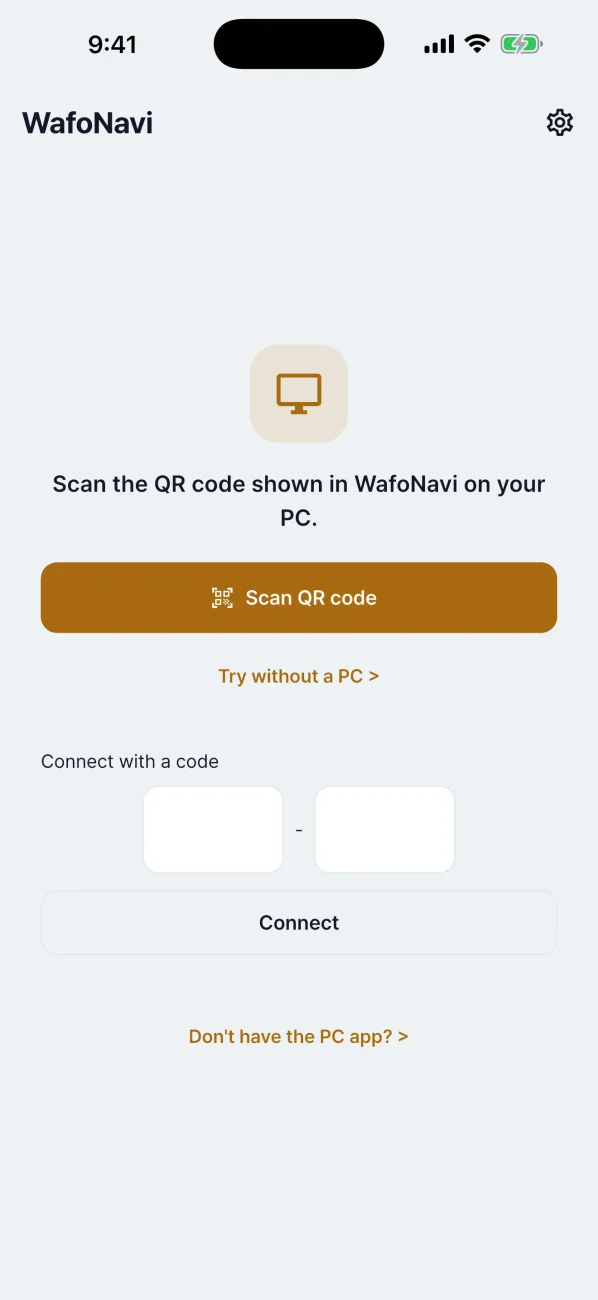
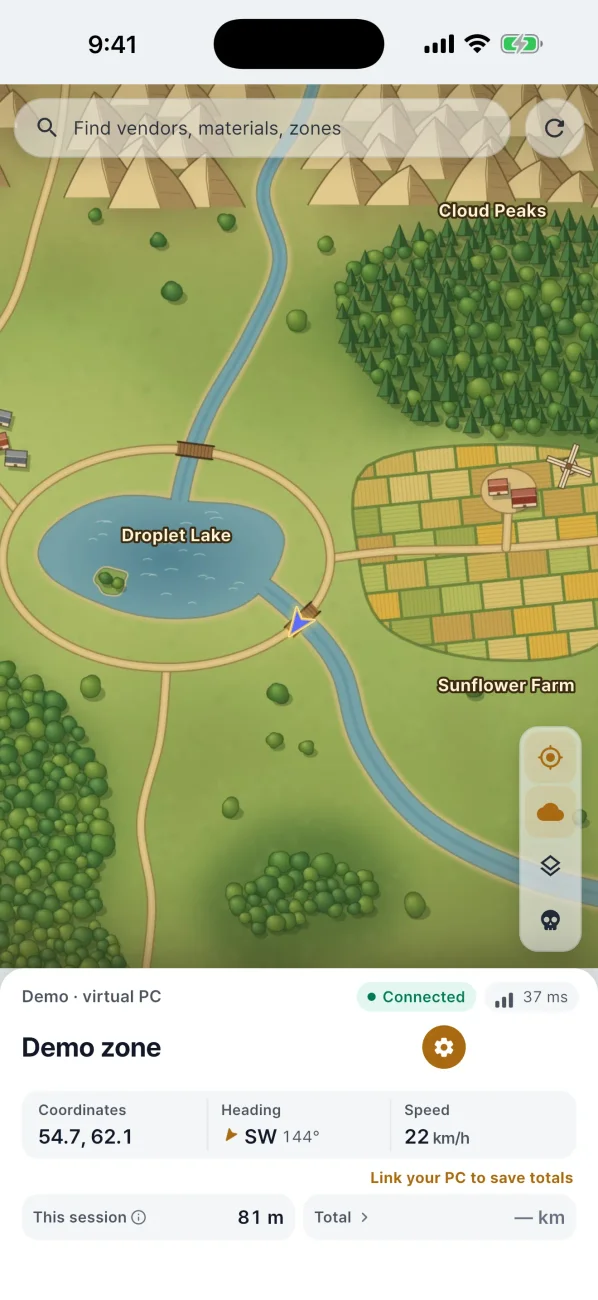
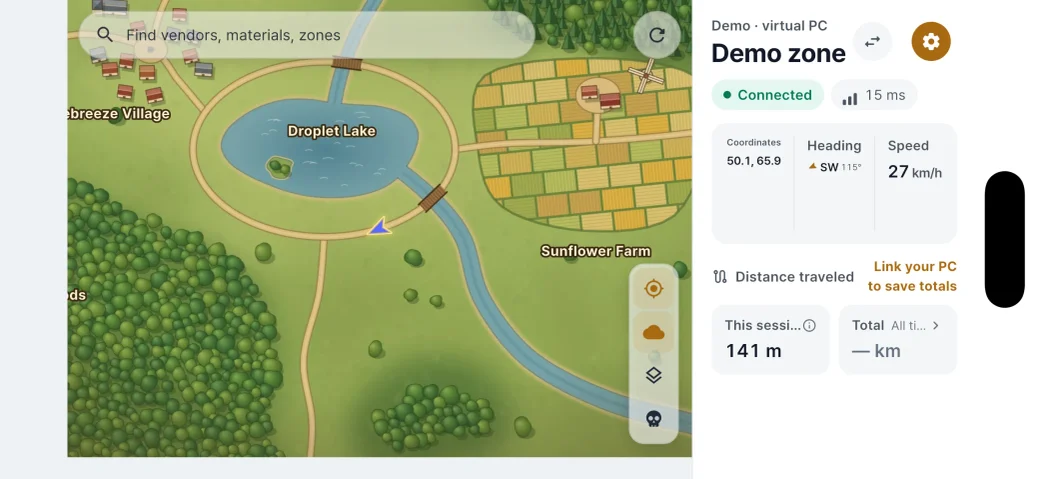
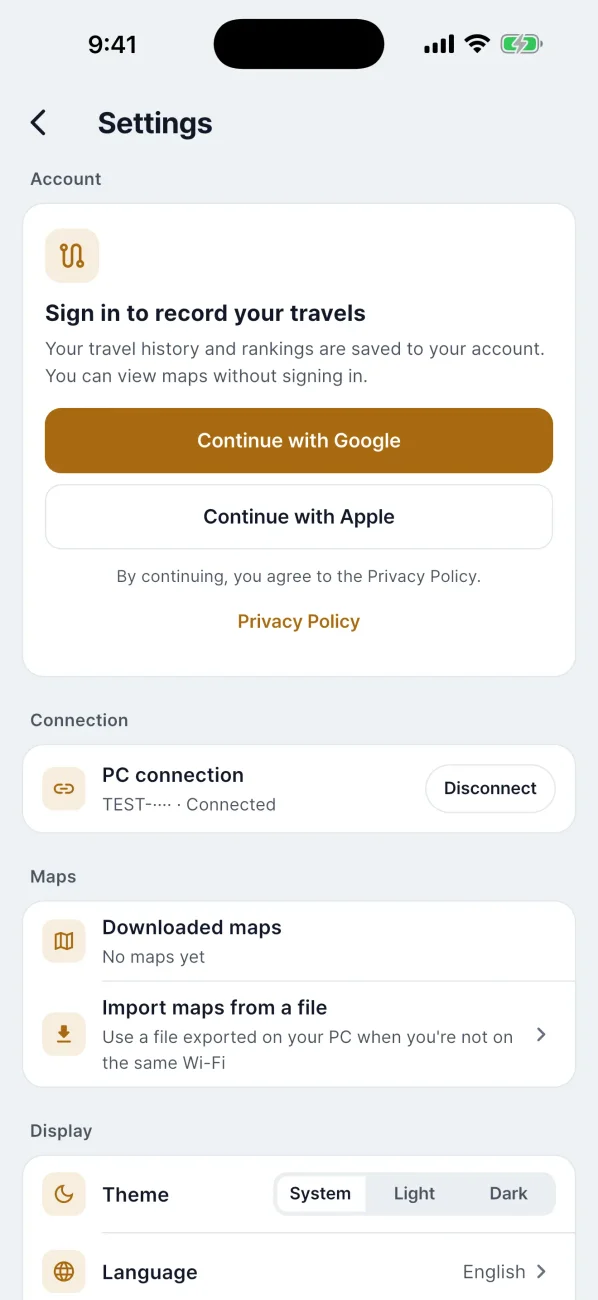
Tentang
Pengembang belum menyediakan teks ini dalam bahasa Anda.
WafoNavi is an unofficial fan app that shows where you are in your PC game on an iPhone or iPad map, in real time.
■ How it works
- The WafoNavi addon draws a tiny color block in the corner of your game screen.
- The PC program reads that block and sends your position. It never reads game memory or presses keys for you.
- Scan the QR code on the PC screen with the app to connect instantly.
■ Features
- Live position, facing arrow, and trail
- Zone maps built from the game files on your own PC (sent automatically over the same Wi-Fi)
- Zone browsing and zoom, search for vendors, materials and zones, with route guidance
- Distance traveled: this session, total, and by type (walk, run, swim, mount, flight)
- Per-character travel history and weekly/monthly distance rankings (with sign-in)
- Korean and English, light and dark themes
■ What you need
- The WafoNavi PC program and addon on Windows or Mac (see https://volab.kr/wafonavi/)
- Sign-in is optional. Viewing the map works without an account.
- To look around without a PC, tap "Try without a PC" on the first screen.
WafoNavi is an unofficial fan project and is not affiliated with the game's publisher.
Yang baru
Versi 1.0.63 · 27/11/2026
- Navigation can now speak: distance left, new zones, boats, zeppelins, the tram and portals, and arrival. Tap "Get spoken guidance" on your first route to turn it on.
- Tap the speaker button on the route bar to hear where you are now. Long-press it to turn automatic speech on or off.
- In Settings > Voice guidance, choose how often it speaks (Normal or Less) and the speech rate. It stays quiet while your device is on silent.
- In world view, the "My location" button takes you straight back to your zone map.
Privasi aplikasi
Yang dinyatakan hyunjin sung di App Store tentang cara aplikasi ini menangani data.
-
Data yang ditautkan dengan Anda
Dapat dikumpulkan dan ditautkan dengan identitas Anda.
- Info kontak
- Konten pengguna
-
Data yang tidak ditautkan dengan Anda
Dapat dikumpulkan, tetapi tidak ditautkan dengan identitas Anda.
- Lokasi
- Pengenal
- Data penggunaan
- Diagnostik
Praktik privasi dapat bervariasi, misalnya berdasarkan fitur yang Anda gunakan atau usia Anda.
Informasi
- Penjual
- hyunjin sung
- Kategori
- Kegunaan
- Versi
- 1.0.63
- Diperbarui
- 27/11/2026
- Dirilis
- 2/11/2026
- Ukuran
- 35,1 MB
- Memerlukan
- iOS 15.0 atau yang lebih baru
- Batasan usia
- 4+
- Harga
- Gratis
- Bahasa
- Inggris
- Hak cipta
- © 2026 judgeflow