WDC
Communications done different
Dirancang untuk iPhone, iPad, iPod touch
Gratis
- Batasan usia4+
- KategoriBisnis
- PengembangWorktual Limited
- BahasaInggris
- Ukuran2,2 MB
Tertaut ke halaman resmi App Store
Download.org tidak menyimpan file WDC apa pun. Tombol ini membuka halaman aplikasi di App Store, tempat Worktual Limited menerbitkannya. Halaman terakhir diperiksa pada 13/11/2026.
Tangkapan layar


Tentang
Pengembang belum menyediakan teks ini dalam bahasa Anda.
WDC – Worktual Data Collection
Record. Transcribe. Manage. Simplify Speech Data Collection.
WDC (Worktual Data Collection) is an intelligent voice recording and transcription application built to make speech data management smooth, fast, and accurate. Designed with simplicity and reliability in mind, WDC is your all-in-one tool for collecting, converting, and organizing spoken data. Whether you’re a researcher, developer, language trainer, or AI data specialist, WDC helps you capture high-quality speech recordings and automatically convert them into text with remarkable precision.
The app is crafted to serve professionals and organizations involved in speech dataset creation, linguistic studies, AI model training, and voice analytics. It offers a seamless end-to-end experience—from capturing audio to managing transcriptions and exporting structured data. With an intuitive interface, smart automation, and clear navigation, WDC makes speech data handling easier than ever before.
How Does It Work?
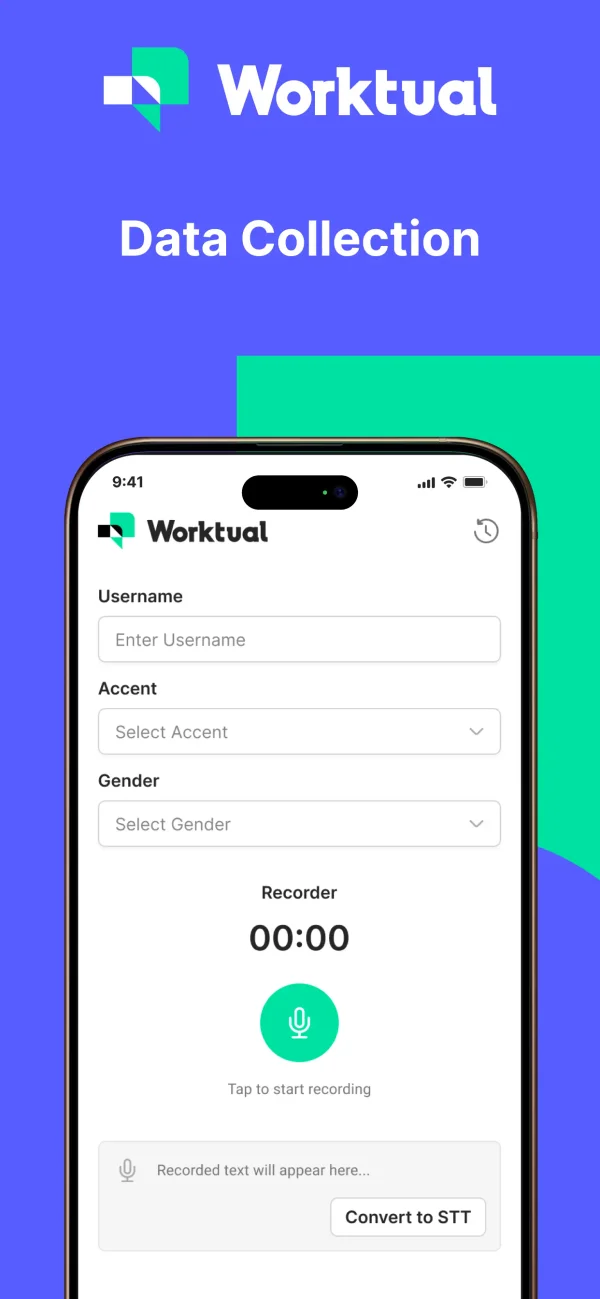
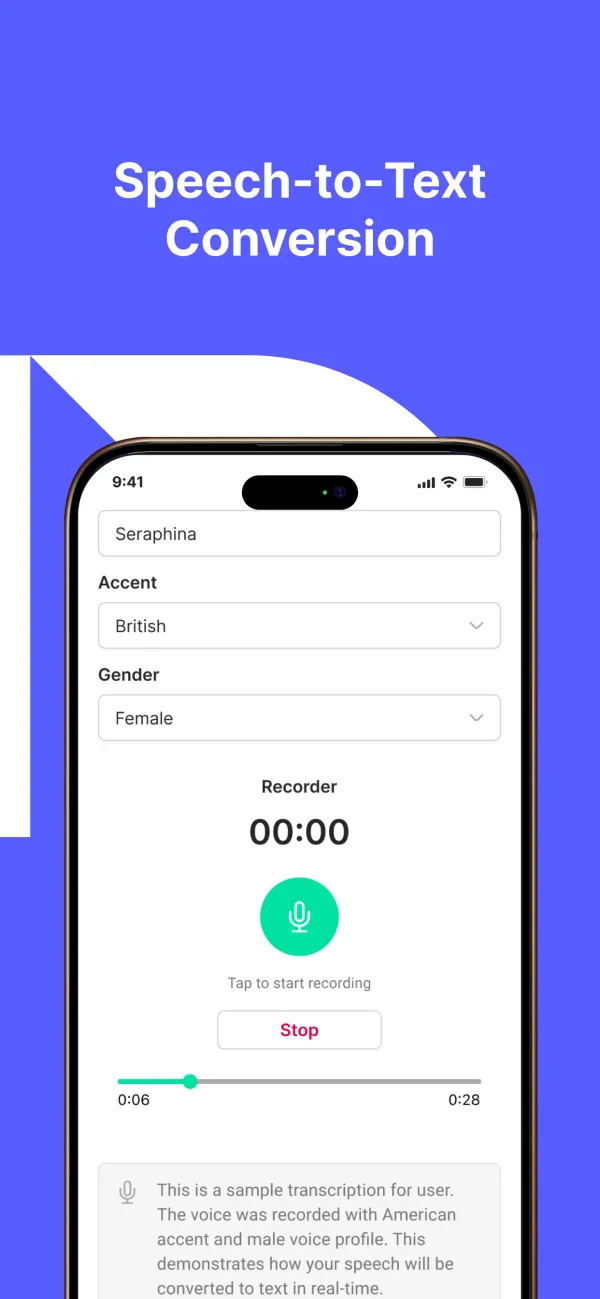
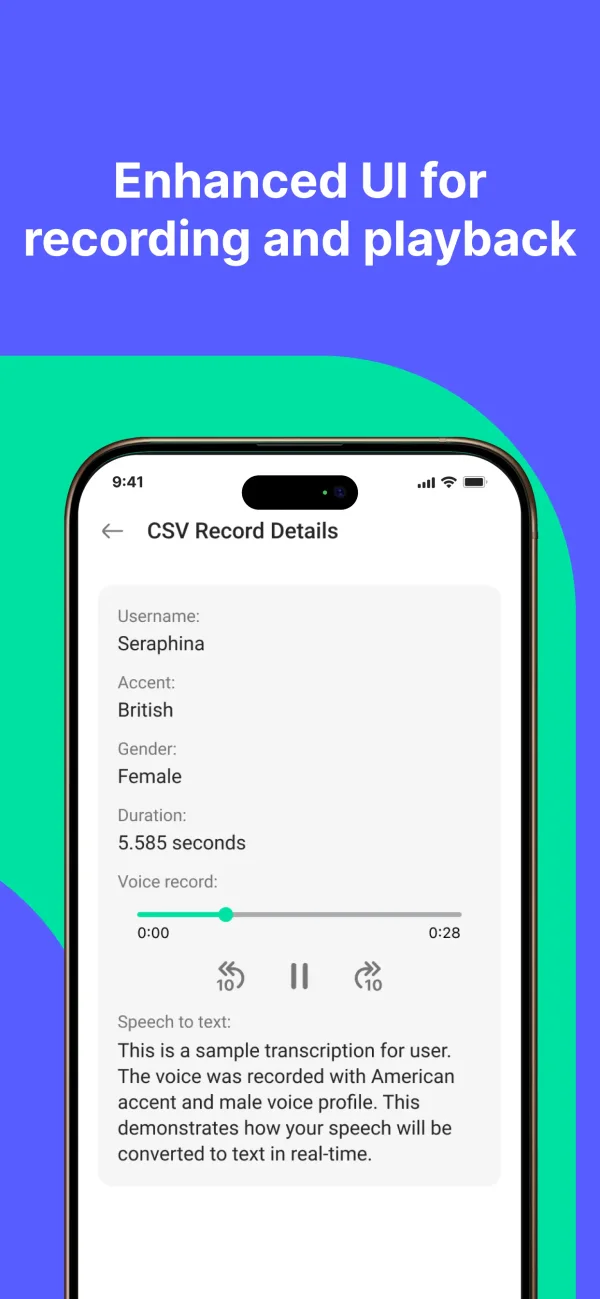
Enter the speaker details, such as name, accent, and gender. Tap Record to start speaking and Stop when finished.
Play back your recording, then click Convert to STT to instantly generate text using advanced speech-to-text technology. Review or edit the transcript, then save & download both audio and text securely.
Organize and Manage Effortlessly
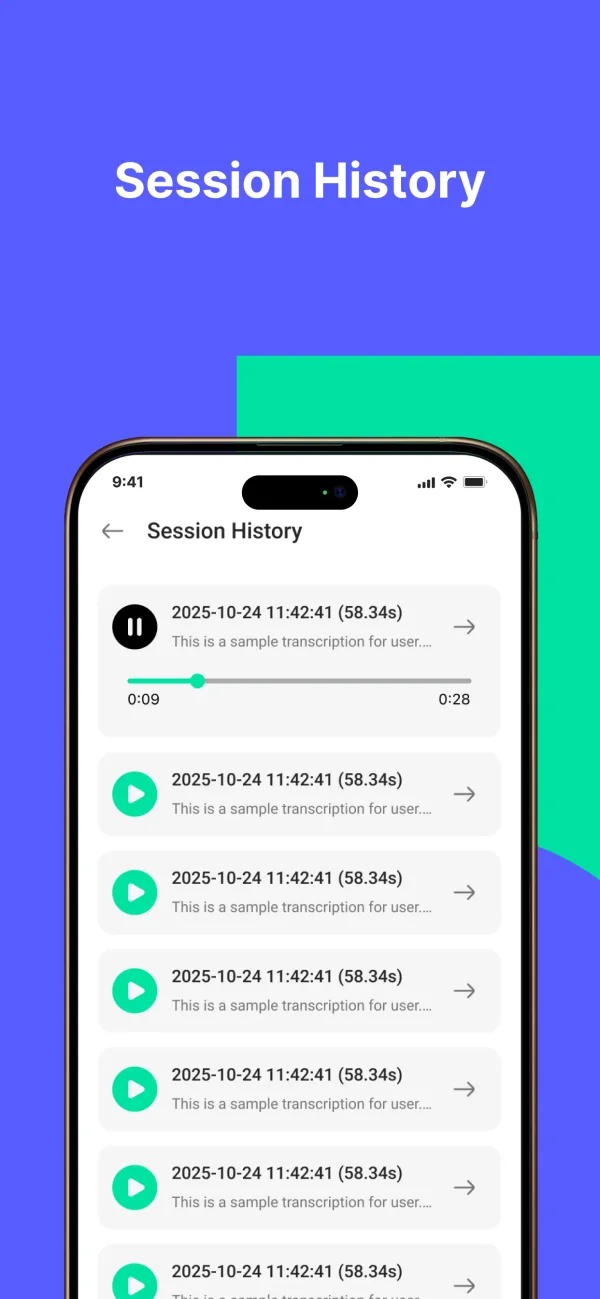
All your sessions are stored neatly in the History section. Each entry displays key information—speaker name, date, duration, and the generated transcript. If you wish to revisit any recording, simply tap Play Audio to listen again. For researchers and developers who need detailed insights, WDC allows you to view or export a CSV file containing timestamps, accent, gender, username, duration, and the full transcribed text.
And if you want to start over, just hit Reset to clear all current data and begin a new session instantly.
Why Choose WDC?
· Accurate Speech-to-Text Conversion powered by advanced AI models
· User-Friendly Interface with a simple, guided workflow
· Secure Data Handling ensuring your files are safe and accessible
· Comprehensive Session History for organized record management
· Customizable metadata, including speaker details and accents
· CSV Export Option for dataset preparation and analysis
Perfect For:
· AI & Machine Learning Teams
· Linguistic Research Projects
· Voice Recognition Model Training
· Language Learning & Accent Studies
· Data Collection and Annotation Teams
Experience a smarter, faster, and more reliable way to handle speech data with WDC—Worktual Data Collection. From recording to transcription, organization, and export—everything you need is right at your fingertips.
Yang baru
Versi 1.15 · 12/5/2026
- Bug fixes and performance optimization.
Privasi aplikasi
Yang dinyatakan Worktual Limited di App Store tentang cara aplikasi ini menangani data.
-
Data tidak dikumpulkan
Pengembang tidak mengumpulkan data apa pun dari aplikasi ini.
Praktik privasi dapat bervariasi, misalnya berdasarkan fitur yang Anda gunakan atau usia Anda.
Informasi
- Penjual
- Worktual Limited
- Kategori
- Bisnis
- Versi
- 1.15
- Diperbarui
- 12/5/2026
- Dirilis
- 7/11/2025
- Ukuran
- 2,2 MB
- Memerlukan
- iOS 15.6 atau yang lebih baru
- Batasan usia
- 4+
- Harga
- Gratis
- Bahasa
- Inggris
- Hak cipta
- © Worktual Limited
Mungkin Anda juga suka
-
 AudracareBisnis
-
 NFS MobileBisnis
-
 Earthlink ResellerBisnis
-
 Daftar Tugas & Kalender KerjaManajer Tugas, Produktivitas
-
 QCS CareBisnis
-
 ATOSS Workforce ManagementBisnis
-
 SendHype - Group textProduktivitas
-
 Group Text | Mass MessageProduktivitas
-
 POP - Paperless OnboardingBisnis
-
 AI Chat Assistant: ChatBoostAI Penulis & Pembuat Gambar