When'd I
When did I last do that?
Dirancang untuk iPhone, iPad, iPod touch
Rp 69ribu
- Batasan usia4+
- KategoriProduktivitas
- PengembangHyunWoo Lee
- BahasaInggris+ 19 lainnya
- Ukuran35,0 MB
Tertaut ke halaman resmi App Store
Download.org tidak menyimpan file When'd I apa pun. Tombol ini membuka halaman aplikasi di App Store, tempat HyunWoo Lee menerbitkannya. Halaman terakhir diperiksa pada 17/11/2026.
Tangkapan layar
Tentang
Pengembang belum menyediakan teks ini dalam bahasa Anda.
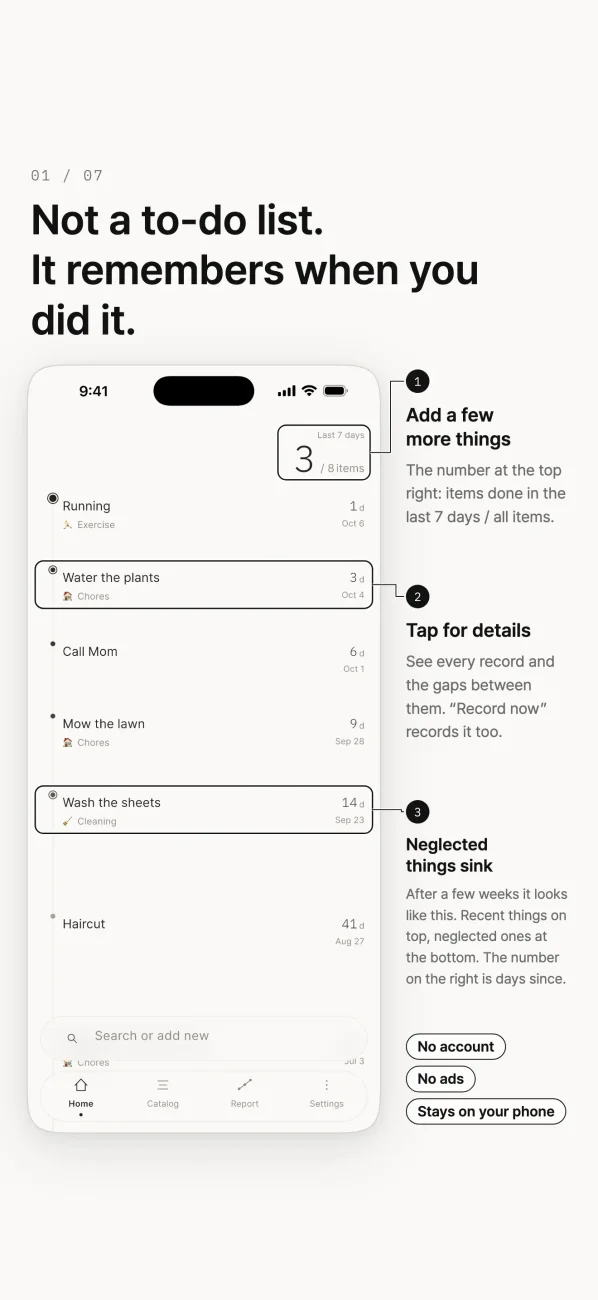
Stop managing to-dos. Just remember when you last did it.
"When did I last wash the sheets?"
"When did I change the water filter?"
"When did I last call my parents?"
Some things you can never remember. When'd I records just the date you did them.
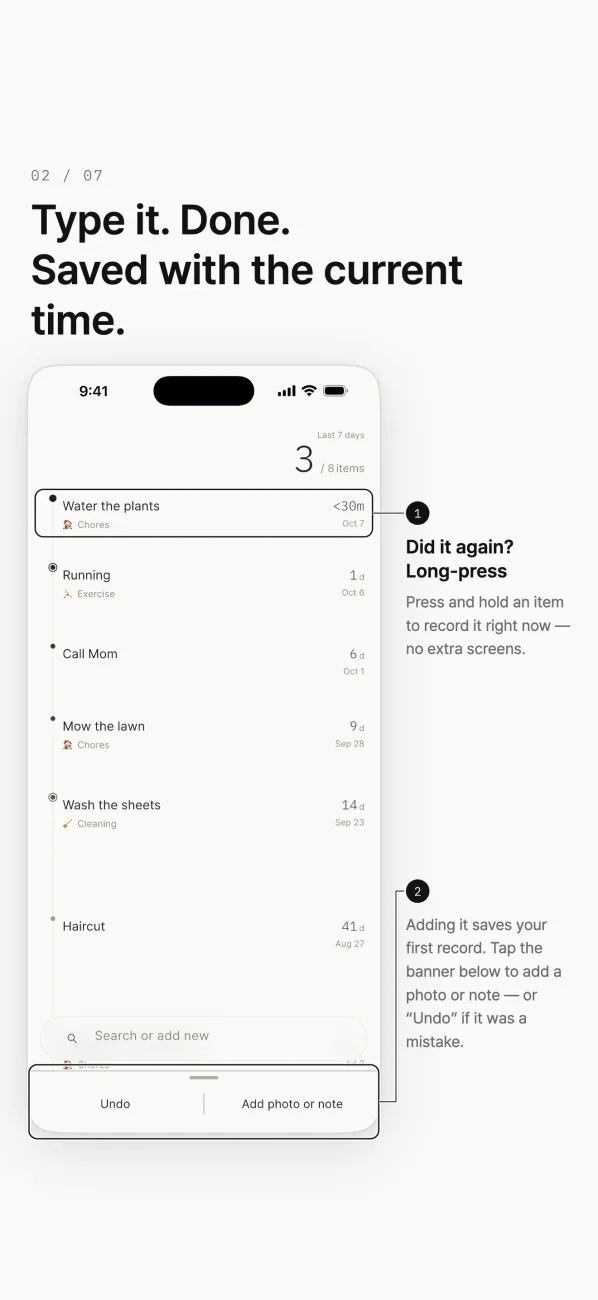
No goals, no nagging notifications, no checklists. Tap once and it's logged as today.
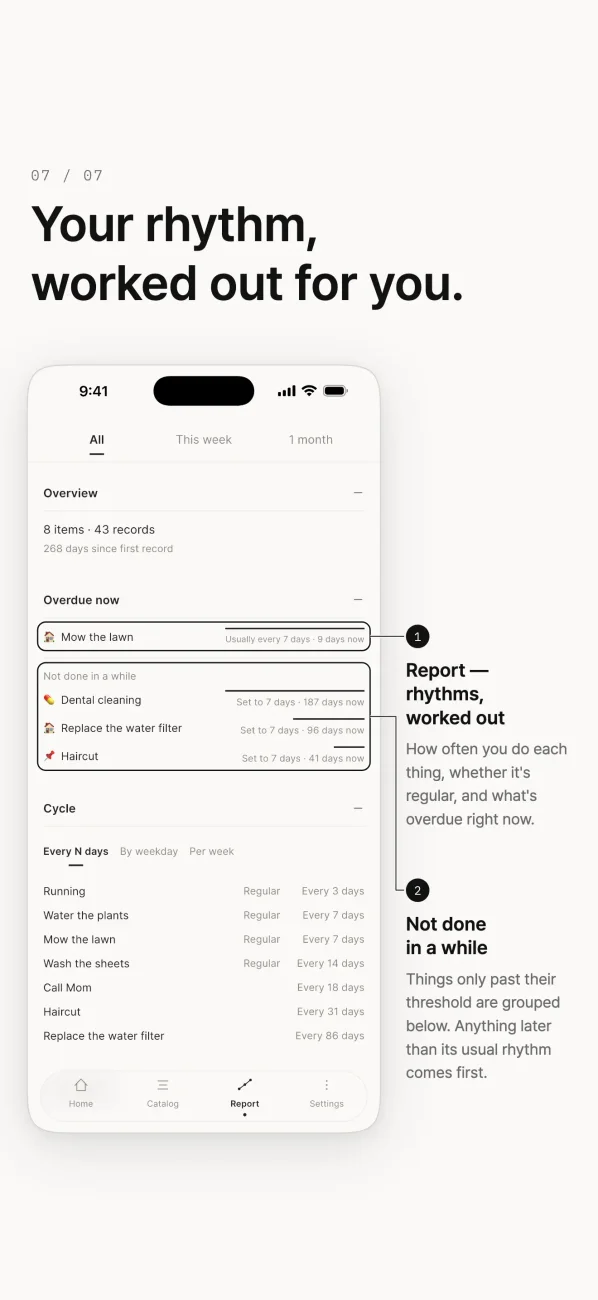
■ See how long it's been
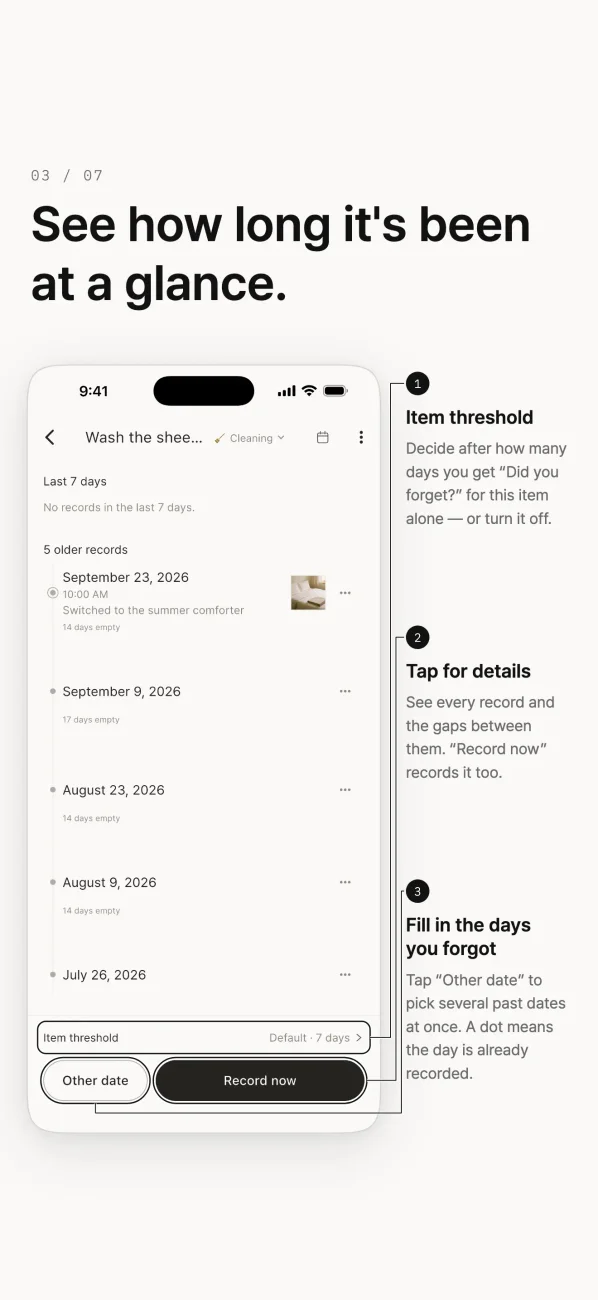
Every item shows the days since you last did it.
The longer it's been, the more it stands out.
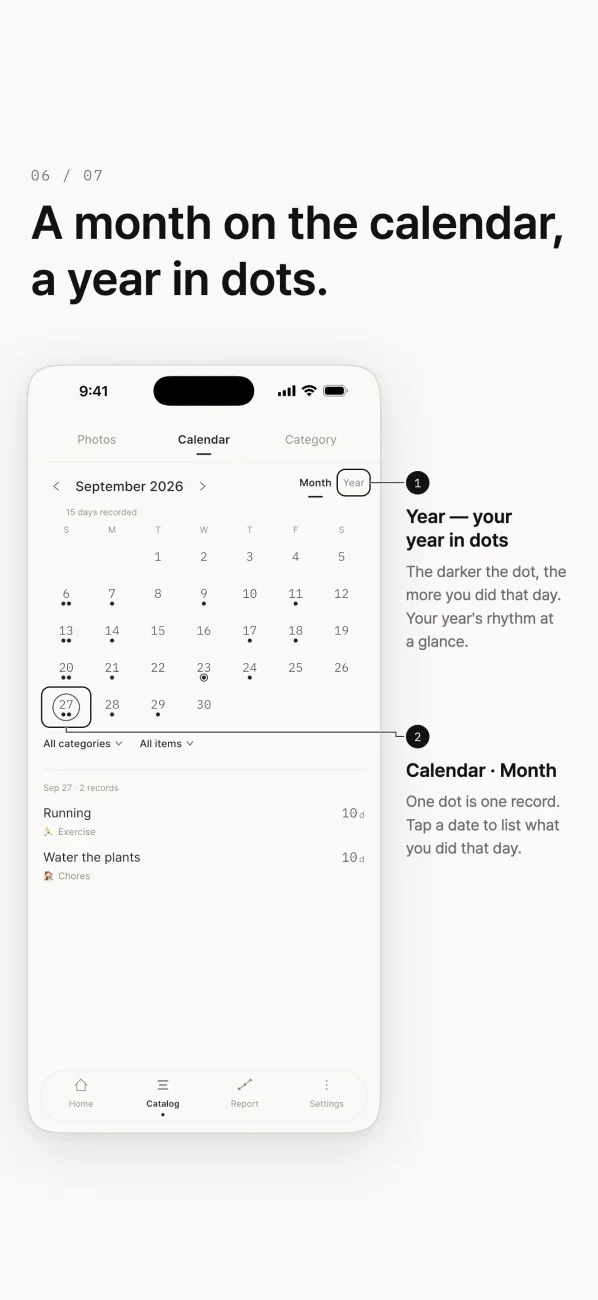
■ A timeline where distance means time
The space between dots is the actual gap between dates.
Busy stretches look dense. The months you skipped show up as empty space.
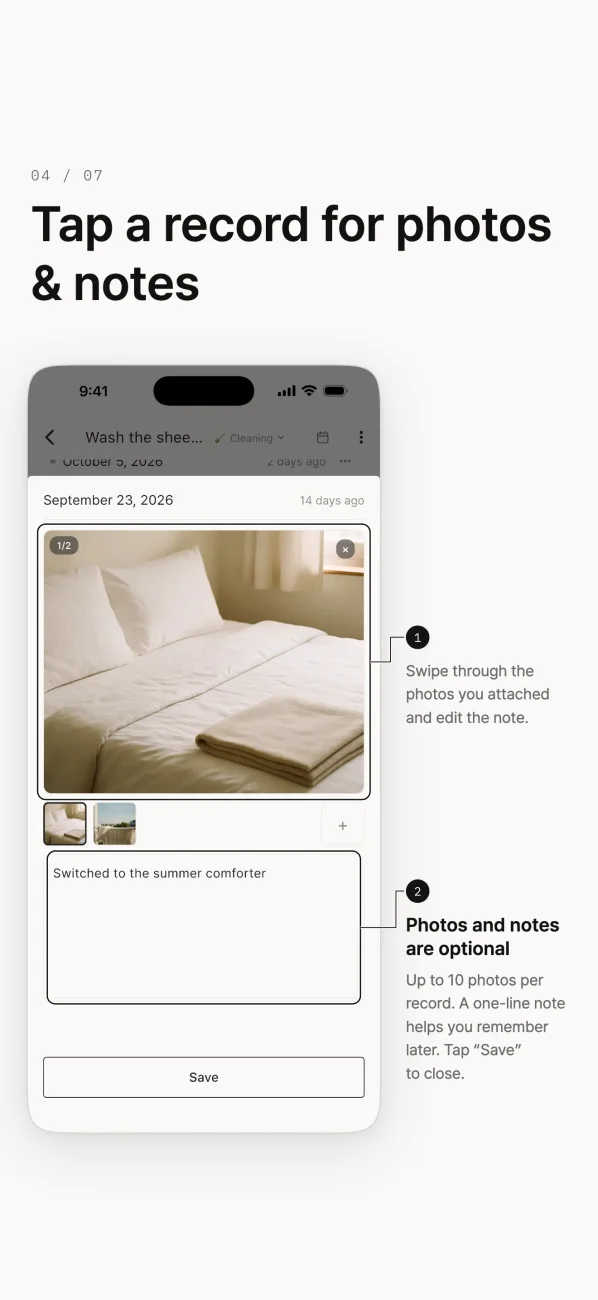
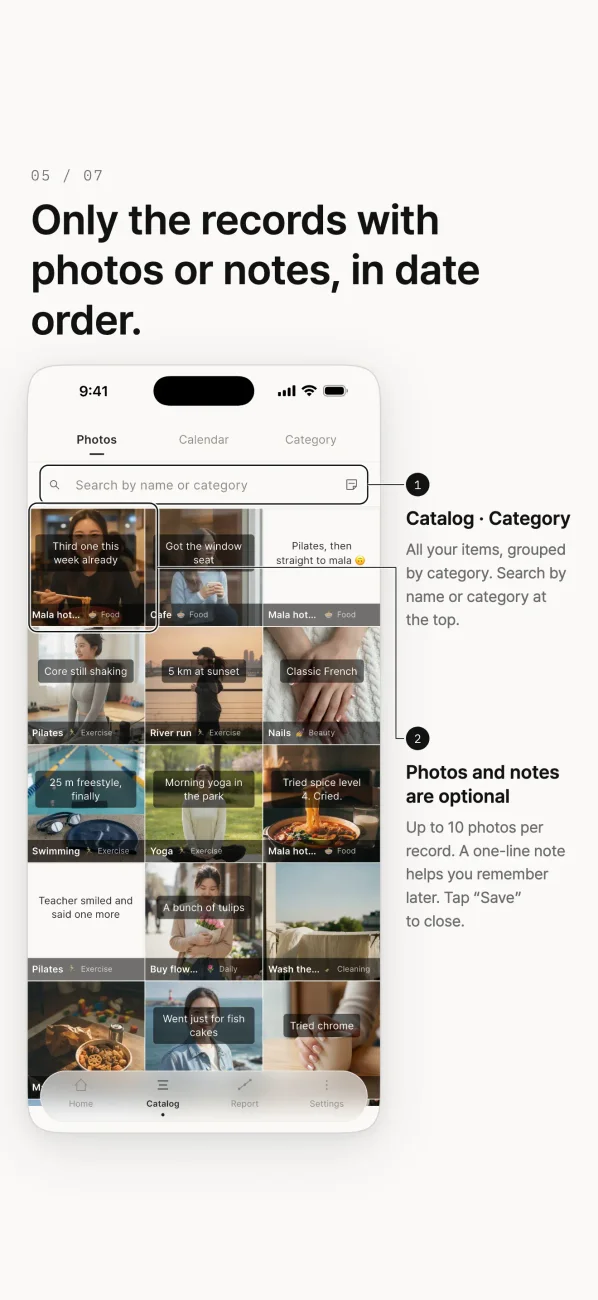
■ Photos and notes
Attach up to 10 photos and a short note to any record.
■ Widgets and Lock Screen
Check what's overdue from your Home Screen, and log without opening the app.
You can even record straight from the Lock Screen. (iOS 16.4+)
■ An optional evening nudge
Once a day, if you want it. Off by default.
■ Entirely on your device
No account, no server, no ads. Your records stay on your phone.
Export and import backup files yourself, and an automatic iCloud copy
brings everything back if you switch phones or reinstall.
■ Buy once
One purchase unlocks everything. No in-app purchases, no subscriptions, no ads.
Yang baru
Versi 5.1.9 · 16/11/2026
Turn on "Next date" in Settings to see a faint next date (your last record plus the alert days) in item details and the "Catalog" calendar. Once that date passes, it turns slightly red and is marked "Overdue"; you can turn this off with "Past dates".
"Settings" is now organized into "Display", "Records", "Reminders", "Alert days", "Data & sync" and "Help & info" groups that you tap to expand. There's also a new "Write a review" at the very bottom.
On a fresh install, a guided tour has you make your first record yourself and walks you through Home, Details, Catalog, Report and Settings. You can watch it again anytime with "Replay the intro" in "Help & info".
Privasi aplikasi
Yang dinyatakan HyunWoo Lee di App Store tentang cara aplikasi ini menangani data.
-
Data tidak dikumpulkan
Pengembang tidak mengumpulkan data apa pun dari aplikasi ini.
Praktik privasi dapat bervariasi, misalnya berdasarkan fitur yang Anda gunakan atau usia Anda.
Informasi
- Penjual
- HyunWoo Lee
- Kategori
- Produktivitas
- Versi
- 5.1.9
- Diperbarui
- 16/11/2026
- Dirilis
- 20/8/2026
- Ukuran
- 35,0 MB
- Memerlukan
- iOS 15.0 atau yang lebih baru
- Batasan usia
- 4+
- Harga
- Rp 69ribu
- Bahasa
- Inggris, Arab, Dansk (Denmark), Prancis, Jerman, Hindi, Italia, Jepang, Korea, Bahasa Melayu, Bokmål Norsk, Portugis + 8 lainnya
- Hak cipta
- © 2026 Aslla Soft
Mungkin Anda juga suka
-
 KeepNest: Screenshot OrganizerProduktivitas
-
 Marked: Organize Book QuotesProduktivitas
-
 Stash: Save Posts & Read LaterProduktivitas
-
 Picki - Bookmark Social PostsProduktivitas
-
 J Plan - Daily PlannerProduktivitas
-
 ThreadPocket - WebLink ManagerProduktivitas
-
 DueDue: Expiry & InventoryProduktivitas
-
 CalculatorKBPapan ketik sains
-
 Clipboard Manager - CopyNowProduktivitas
-
 Tuckii - Pengelola BookmarkSimpan link tanpa daftar