- Batasan usia4+
- KategoriProduktivitas
- PengembangMartin Niederl
- BahasaInggris+ 1 lainnya
- Ukuran11,4 MB
Tertaut ke halaman resmi App Store
Download.org tidak menyimpan file Whiteboard Studio apa pun. Tombol ini membuka halaman aplikasi di App Store, tempat Martin Niederl menerbitkannya. Halaman terakhir diperiksa pada 15/11/2026.
Tangkapan layar
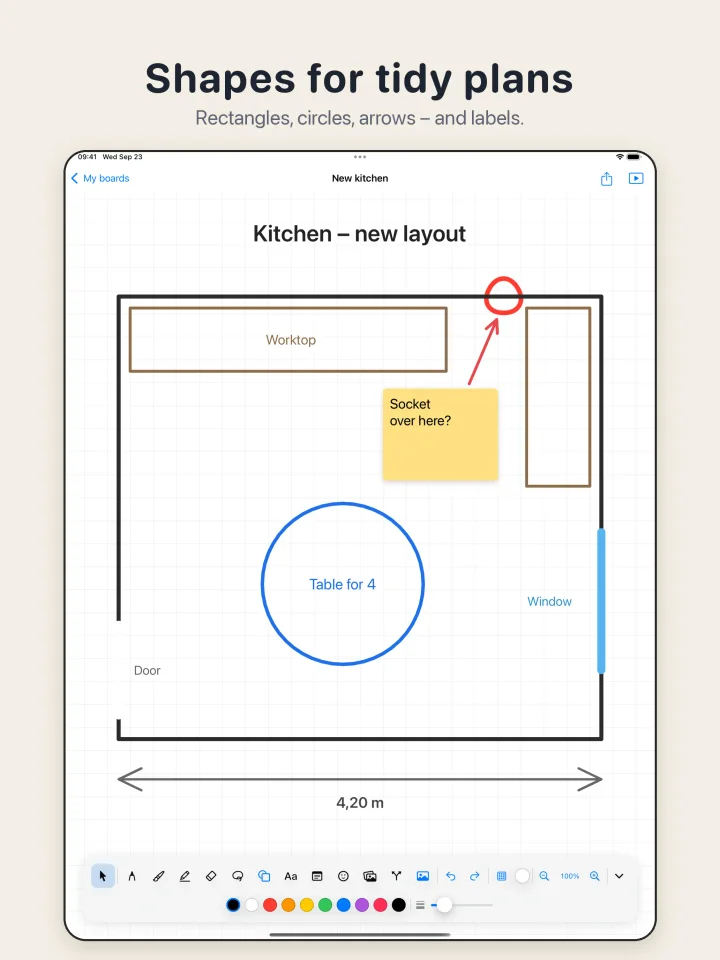

Tentang
Pengembang belum menyediakan teks ini dalam bahasa Anda.
Paper runs out. This doesn't.
Whiteboard Studio gives your iPad one sheet that keeps going in every direction. Start a sketch in one corner, pin a photo next to it, write a list underneath, and zoom out when you want to see how it all fits together. Nothing is filed away in pages or documents inside the board - it is one surface, and you move around on it.
Writing and drawing
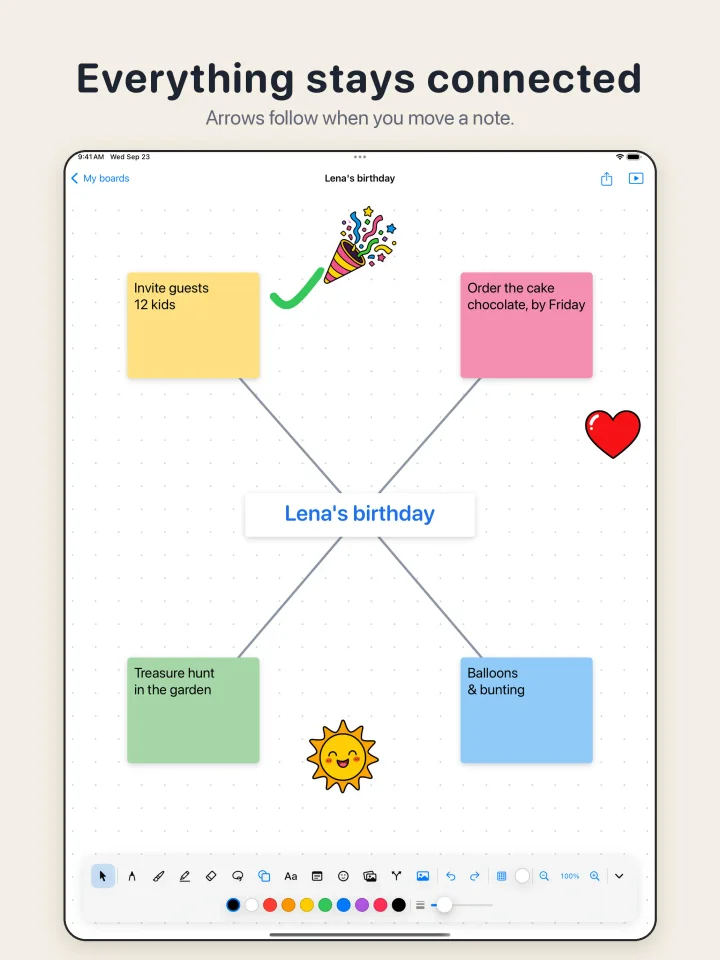
Pick up the Apple Pencil and write. Pen, marker and eraser behave the way you expect, and you can rest your hand on the glass while you work. If you would rather use a finger, that works too. Draw a rough shape and turn it into a clean one, connect two things with an arrow that stays attached when you move them, or throw a lasso around a whole corner of the board and drag it somewhere else.
Words that hold their shape
Text boxes and sticky notes take real formatting - typeface, size, colour, bold, italic - so a heading looks like a heading. On dark backgrounds the text colour adjusts itself rather than disappearing.
Things from elsewhere
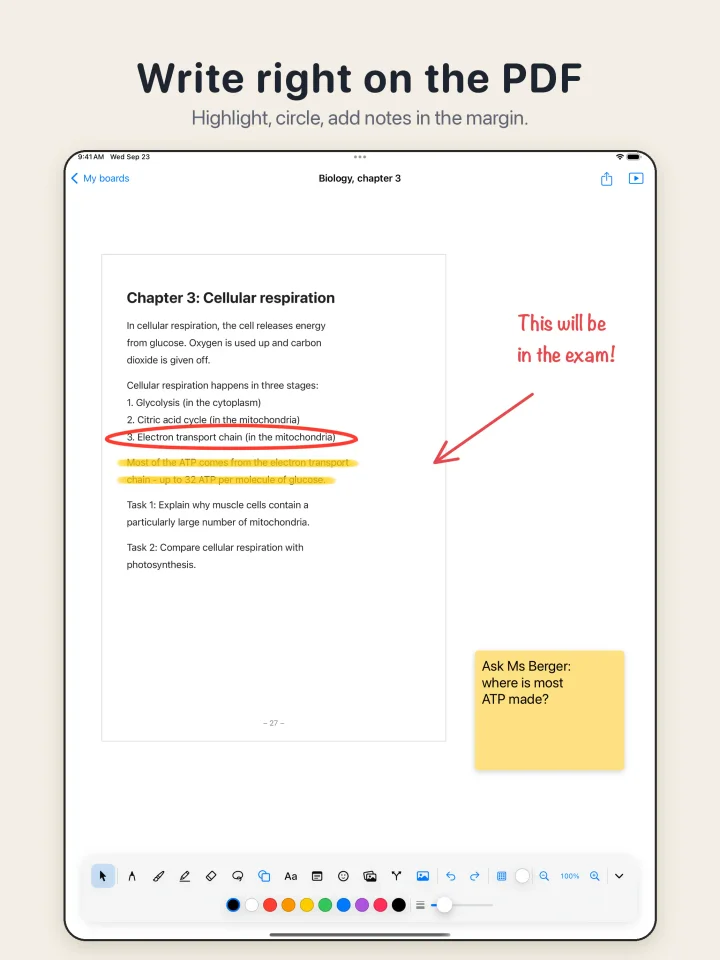
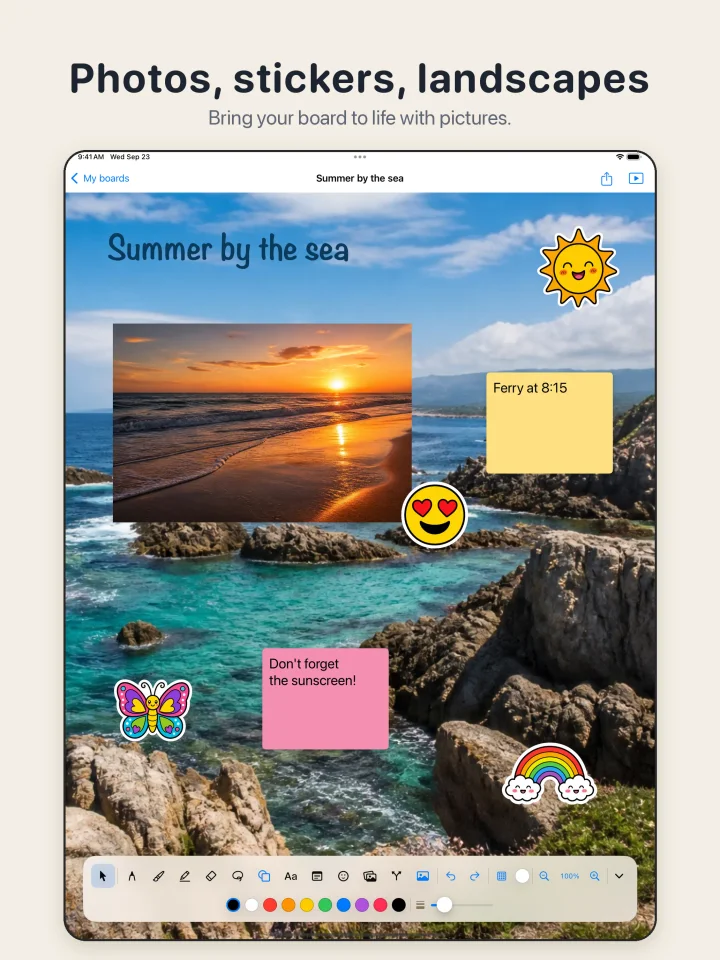
Bring in photos from your library or take one on the spot, and decide whether the picture sits in front of your drawing or behind it. Import a PDF and write straight across the pages. There are twenty-five illustrated stickers in four themes, and if you want the board to sit on a landscape instead of plain white, you can put one there - or use your own picture.
Starting points
A blank board is fine, but there are ready-made ones when you want a head start: a weekly planner, a mind map, Cornell notes, a Kanban row, an Eisenhower matrix, a pros-and-cons sheet. Backgrounds come in colour, grid, lined or dotted. Boards go into folders, and search and favourites find them again later.
Showing it to someone
Presentation mode hides the tools and gives you a laser pointer, and you can record the screen while you talk over it. Anything on a board leaves as an image or a PDF.
What happens to your boards
They stay on your iPad. There is no account to make and nothing to sign into, because there is nowhere to sign in to - the app has no server behind it, sends nothing anywhere, and carries no analytics and no advertising. It also costs nothing and asks for nothing later.
If you also use a Mac, the same app runs there and comes with the same download.
Privasi aplikasi
Yang dinyatakan Martin Niederl di App Store tentang cara aplikasi ini menangani data.
-
Data tidak dikumpulkan
Pengembang tidak mengumpulkan data apa pun dari aplikasi ini.
Praktik privasi dapat bervariasi, misalnya berdasarkan fitur yang Anda gunakan atau usia Anda.
Informasi
- Penjual
- Martin Niederl
- Kategori
- Produktivitas
- Versi
- 1.0
- Diperbarui
- 22/10/2026
- Dirilis
- 1/9/2026
- Ukuran
- 11,4 MB
- Memerlukan
- iOS 17.0 atau yang lebih baru
- Batasan usia
- 4+
- Harga
- Gratis
- Bahasa
- Inggris, Jerman
- Hak cipta
- © 2026 Martin Niederl
Mungkin Anda juga suka
-
 Longhand NotesProduktivitas
-
 PairInk: Whiteboard & NotesProduktivitas
-
 focuseenProduktivitas
-
 MyslevichProduktivitas
-
 Tiny Tools - All-in-OneProduktivitas
-
 Stacy: AI Notes & WhiteboardProduktivitas
-
 Peak Browser: AI WorkspaceProduktivitas
-
 Infinite Canvas Notes: CanvioProduktivitas
-
 TapModesProduktivitas
-
 Sticky Notes - BrainstormingProduktivitas