
Wi-Fi Optimizer & Heatmap
Wireless Quality Check
Dirancang untuk iPhone, iPad, Mac
Gratis · Pembelian dalam aplikasi
- Batasan usia4+
- KategoriKegunaan
- PengembangSTApp Professional GmbH
- BahasaInggris+ 14 lainnya
- Ukuran17,2 MB
Tertaut ke halaman resmi App Store
Download.org tidak menyimpan file Wi-Fi Optimizer & Heatmap apa pun. Tombol ini membuka halaman aplikasi di App Store, tempat STApp Professional GmbH menerbitkannya. Halaman terakhir diperiksa pada 23/11/2026.
Tangkapan layar
Tentang
Pengembang belum menyediakan teks ini dalam bahasa Anda.
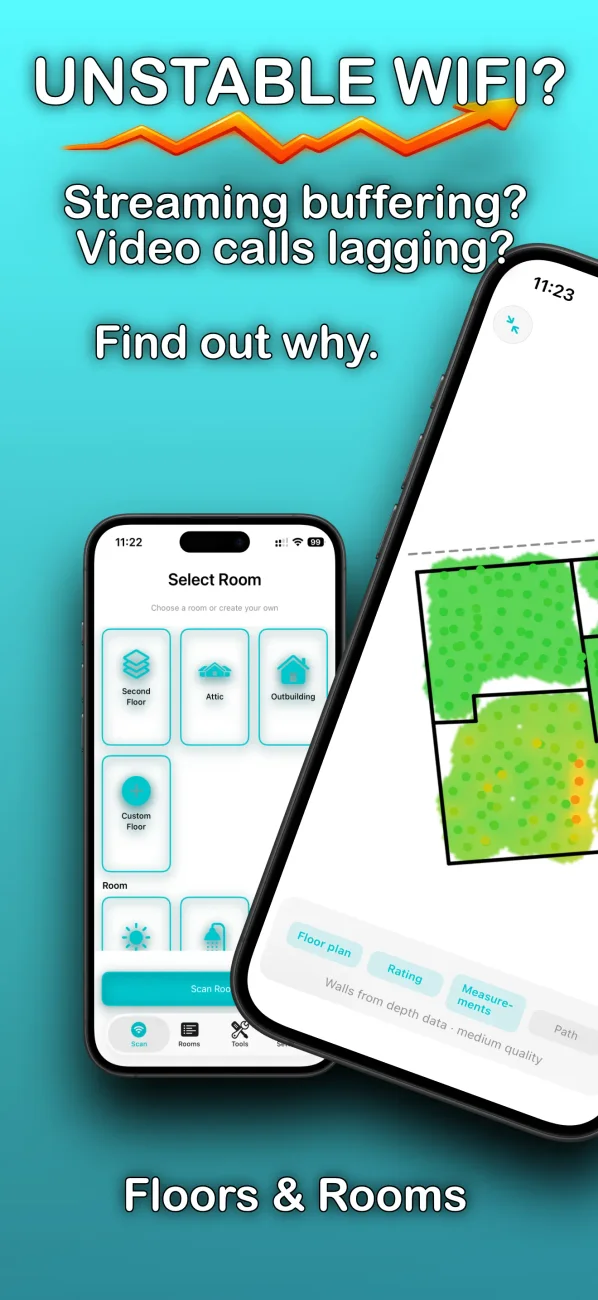
Slow Wi-Fi? Choppy streaming? Dropped video calls?
Analyze your Wi-Fi across entire floors or room by room and find out where the problem really lies.
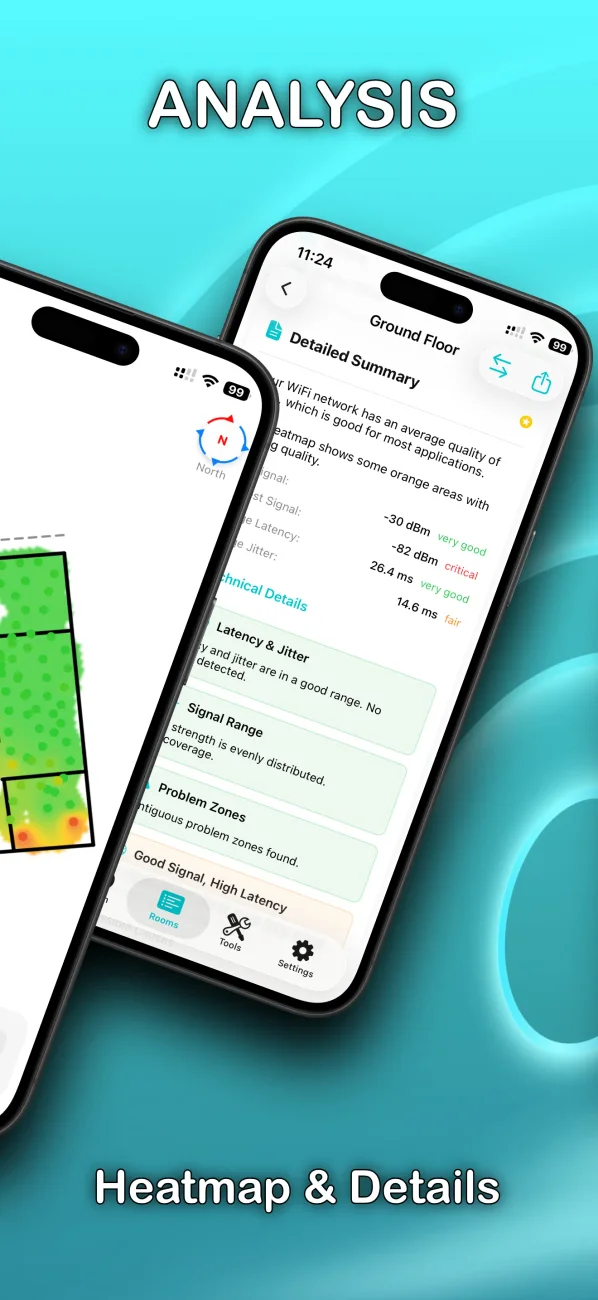
A clear, color-coded heatmap instantly shows you where your network is stable and where it needs improvement.
Find the cause, not just the symptom.
NO MORE GUESSWORK
Often the problem isn't your internet plan, but your Wi-Fi coverage.
The visual heatmap shows you at a glance
where dead zones occur,
whether your router is optimally placed,
where streaming stutters,
where video calls drop,
which rooms are suitable for working from home or gaming.
No flood of numbers, just a clear, easy-to-understand view.
ANALYZE ROOMS AND ENTIRE FLOORS
Scan individual rooms or analyze Wi-Fi coverage across an entire floor.
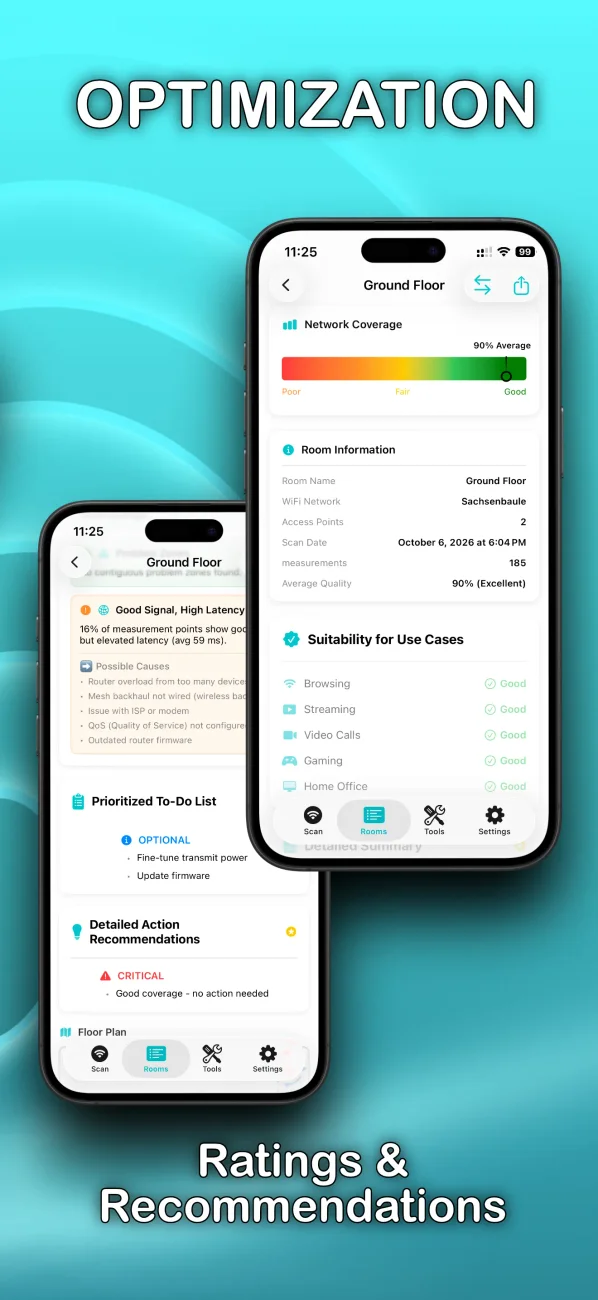
Get structured results and real insights.
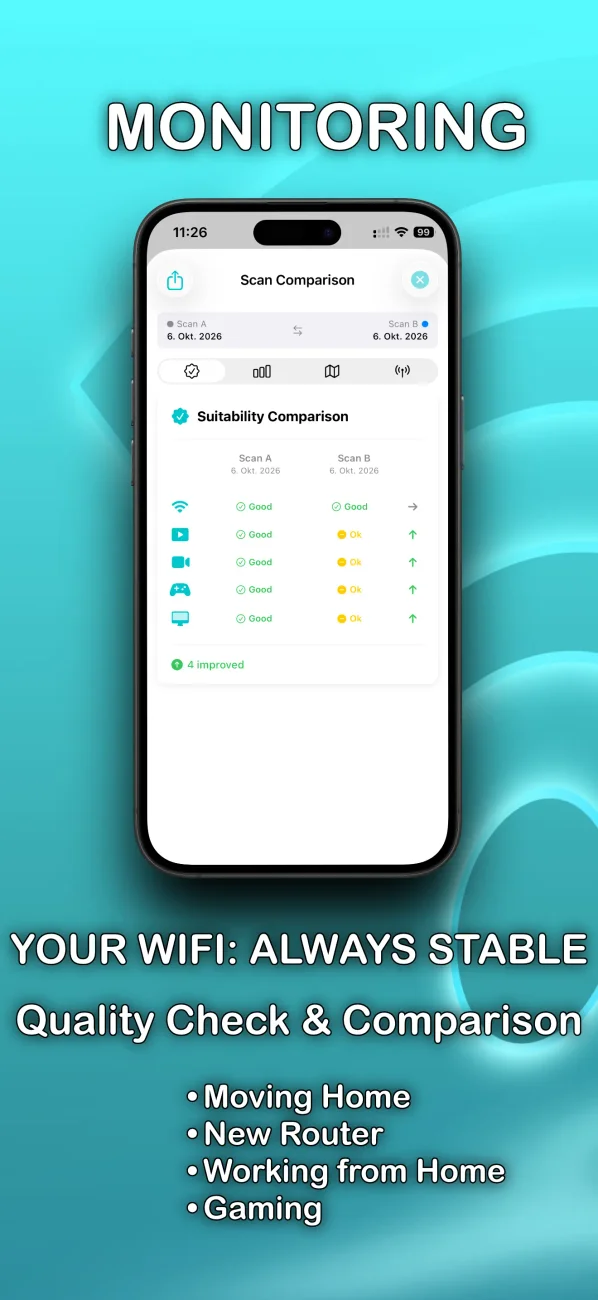
Ideal:
when moving or in a new home,
with a new router,
after rearranging furniture,
when working from home,
when you have Wi-Fi problems,
for before-and-after comparisons.
REGULAR WI-FI QUALITY CHECK
Your Wi-Fi is constantly affected by walls, furniture and devices.
A regular check helps you
detect problems early,
keep streaming stable,
optimize your router's position,
make your Wi-Fi reliable in the long run.
A quick scan every few weeks is all it takes.
SIMPLE FOR EVERYONE. PRECISE FOR ADVANCED USERS.
The app explains your Wi-Fi visually and clearly.
If you want to dig deeper, you also get:
signal strength in dBm,
ping/latency,
jitter.
Ready to use for beginners, meaningful for advanced users.
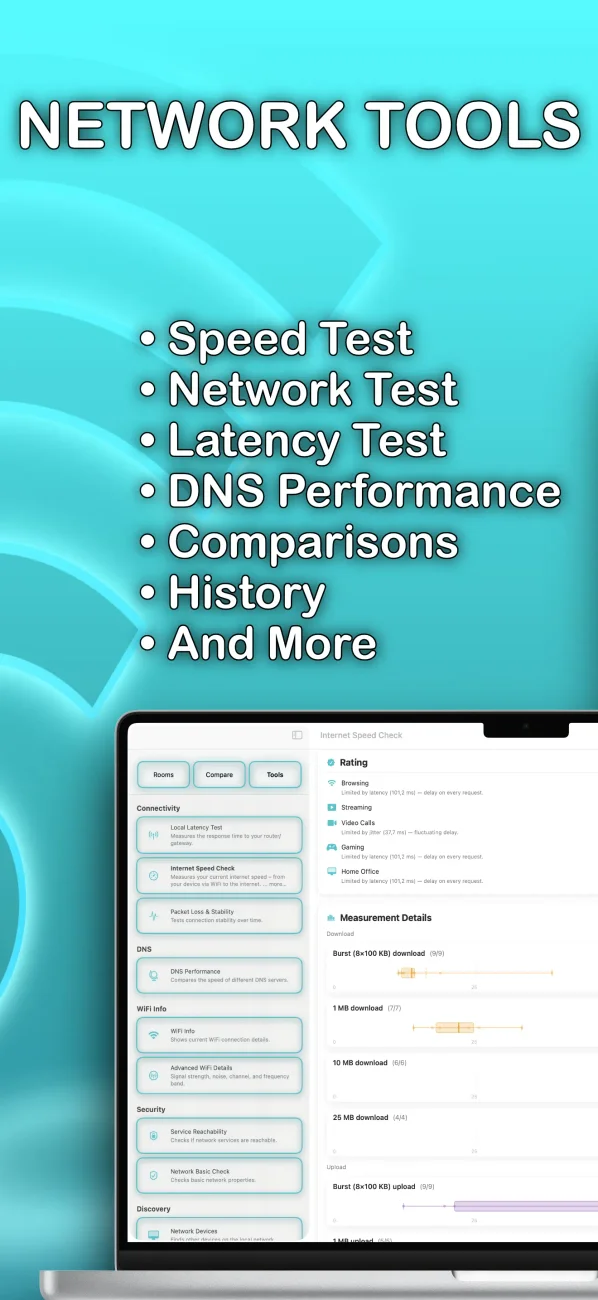
NETWORK TOOLS
Test and check your network right in the app:
internet speed,
local network latency,
packet loss and stability,
DNS performance,
network devices,
traceroute,
advanced Wi-Fi details.
Quickly find out whether the problem lies with your provider or your Wi-Fi.
No additional app needed.
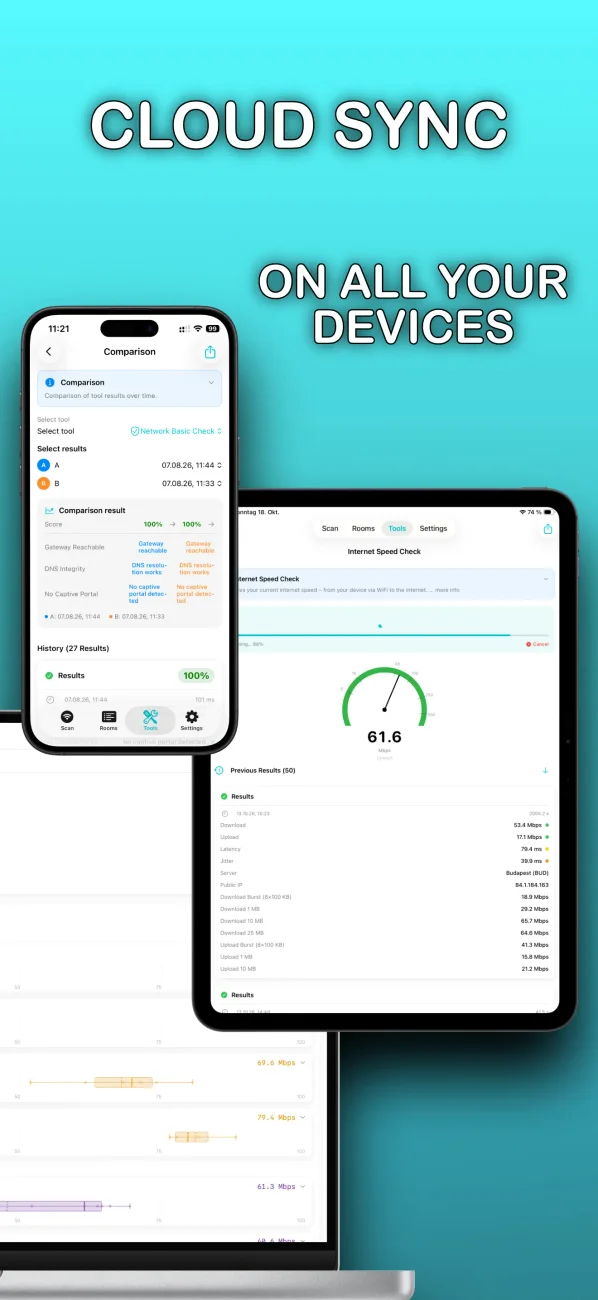
ONE SYSTEM ACROSS ALL DEVICES
Scan your Wi-Fi with your iPhone or iPad.
Analyze and compare your measurements on all your devices.
On Mac, you benefit from a larger view, a better overview and enhanced comparison options.
PREMIUM FEATURES
WLAN Optimizer & Heatmap can be used for free. Advanced analysis features and ad-free use are available with Premium.
Depending on the selected offer, Premium is available as time-limited access, a subscription, or a one-time lifetime purchase.
Current prices, durations, and terms are shown directly in the app before purchase.
PRIVACY
Measurement data stays local on your device by default. When iCloud sync is enabled, it is synced encrypted via your Apple account. No data is shared with third parties or external third-party servers.
TERMS OF USE
[https://www.apple.com/legal/internet-services/itunes/dev/stdeula/](https://www.apple.com/legal/internet-services/itunes/dev/stdeula/)
PRIVACY POLICY
https://stapppro.de/wlan_optimizer/privacy_policy.html
Yang baru
Versi 1.12 · 19/11/2026
Improvements:
- Export individual results: In the tools, swipe to an earlier result to share or print exactly that one as a PDF or CSV. The file name includes the date and time of the measurement. (Premium)
- Longer history: Each tool now keeps up to 500 results instead of 50.
Bug fixes:
- PDF in dark mode: Fixed the PDF layout in dark mode.
- PDF in your language: Results from Security Check, Port Check and Wi-Fi Info now appear in the PDF in the selected app language.
- Device search: Now also finds devices that announce themselves via HTTPS or screen sharing.
- User manual and legal notice clarified.
Privasi aplikasi
Yang dinyatakan STApp Professional GmbH di App Store tentang cara aplikasi ini menangani data.
-
Data yang digunakan untuk melacak Anda
Dapat digunakan untuk melacak Anda di aplikasi dan situs web milik perusahaan lain.
- Pengenal
- Data penggunaan
-
Data yang tidak ditautkan dengan Anda
Dapat dikumpulkan, tetapi tidak ditautkan dengan identitas Anda.
- Lokasi
- Pengenal
- Data penggunaan
Praktik privasi dapat bervariasi, misalnya berdasarkan fitur yang Anda gunakan atau usia Anda.
Informasi
- Penjual
- STApp Professional GmbH
- Kategori
- Kegunaan
- Versi
- 1.12
- Diperbarui
- 19/11/2026
- Dirilis
- 28/12/2025
- Ukuran
- 17,2 MB
- Memerlukan
- iOS 17.6 atau yang lebih baru
- Batasan usia
- 4+
- Harga
- Gratis
- Pembelian dalam aplikasi
- Ya
- Bahasa
- Inggris, Cheska (Republik Cheska), Dansk (Denmark), Belanda, Suomi (Finlandia), Prancis, Jerman, Yunani, Magyar (Hungaria), Italia, Bokmål Norsk, Polski (Polandia) + 3 lainnya
- Hak cipta
- © STApp Professional GmbH
Mungkin Anda juga suka
-
 WiFi Heatmap Planner: HeatFiCakupan sinyal, penganalisis
-
 WLAN Pi AppKegunaan
-
 Network Check: WiFi & CellularKegunaan
-
 NetSpot WiFi AnalyzerKegunaan
-
 nOversight - WiFi AnalyzerKegunaan
-
 Wifi AnalyzerInternet Speed Test Net Map
-
 Penganalisis WiFiPemindai & Penguji Jaringan
-
 Penganalisa Jaringan WiFiTemukan Perangkat Bluetooth
-
 IP Scanner - Pemindai JaringanNetwork Scanner WiFi/LAN
-
 nPerf internet speed testKoneksi Wifi 3G 4G 5G