
WriteAccess: SSH Client & SFTP
Terminal, files & server stats
Dirancang untuk iPhone, iPad
Gratis
- Batasan usia4+
- KategoriAlat Pengembang
- PengembangAlec Burrett
- BahasaInggris
- Ukuran10,1 MB
Tertaut ke halaman resmi App Store
Download.org tidak menyimpan file WriteAccess: SSH Client & SFTP apa pun. Tombol ini membuka halaman aplikasi di App Store, tempat Alec Burrett menerbitkannya. Halaman terakhir diperiksa pada 16/11/2026.
Tangkapan layar
Tentang
Pengembang belum menyediakan teks ini dalam bahasa Anda.
Something has broken on your server and your laptop is at home. Open WriteAccess, connect, fix it, and get on with your day.
WriteAccess puts a real SSH terminal, a file editor that saves straight back to your server, and live server stats on your iPhone and iPad. It is free: no account, no subscription, no ads.
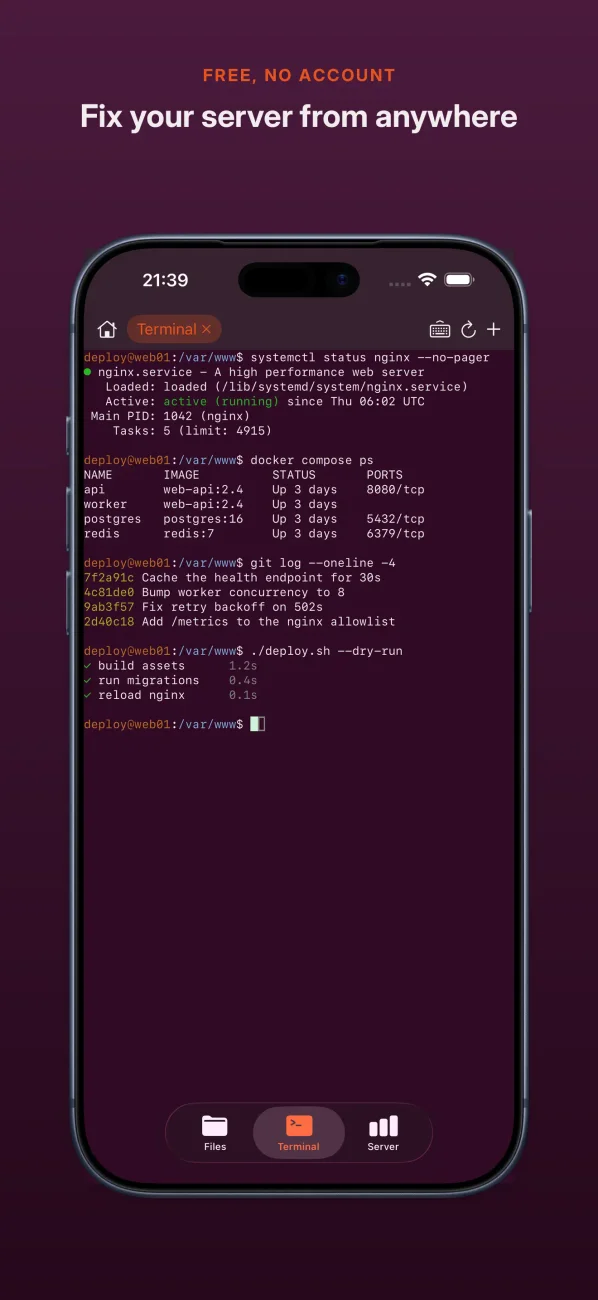
FIX IT IN THE TERMINAL
• Real SSH shells, several at once over one connection.
• A row of keys above the keyboard for Esc, Ctrl, Tab and the arrows. Choose the keys you want, in the order you want.
• Tap the command line to put the cursor exactly where you need it.
• Press and hold to copy output. Paste in from anywhere.
• Drag to scroll back through output. Pinch to zoom.
• It remembers the commands you use and suggests them as you type.
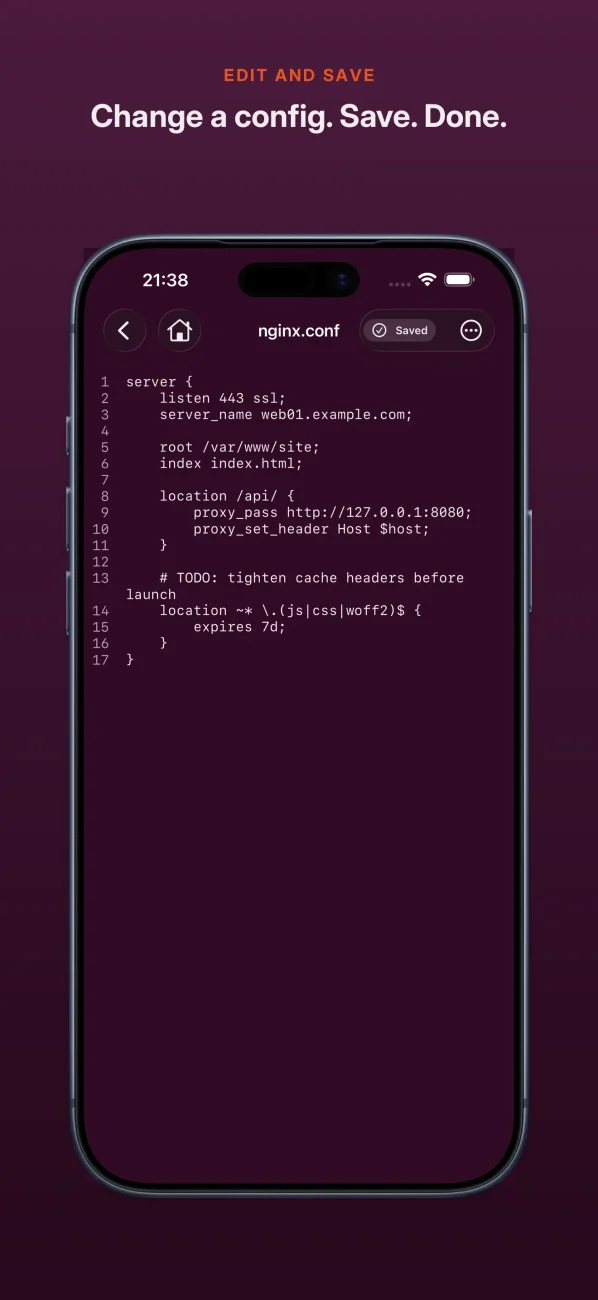
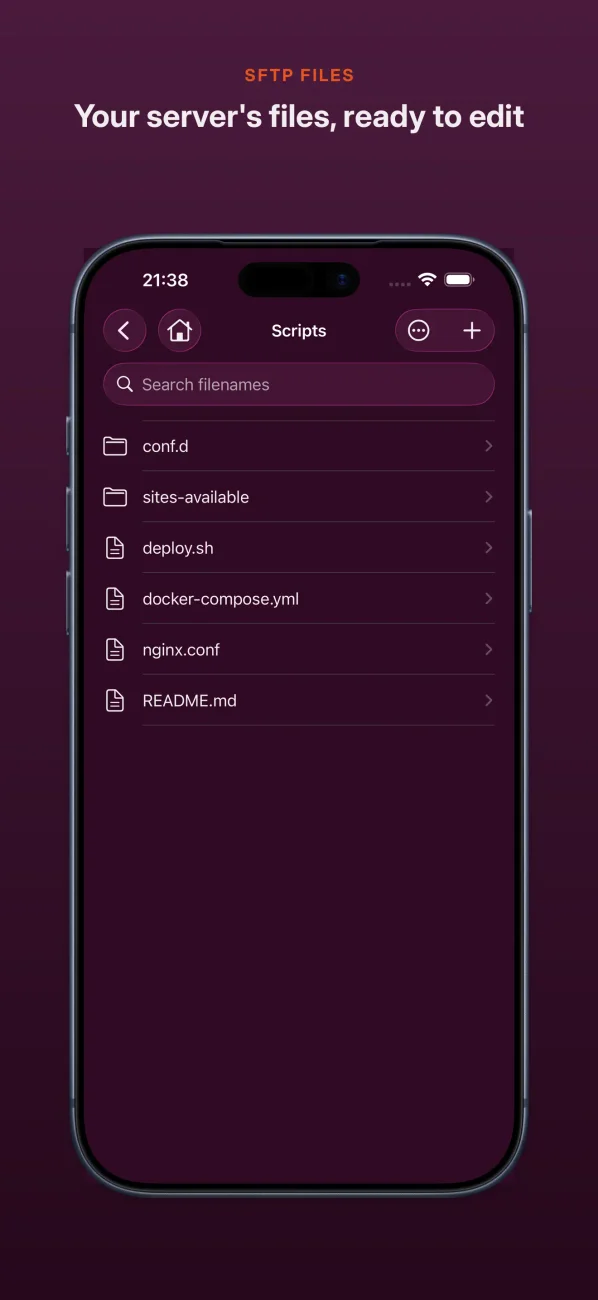
EDIT FILES WHERE THEY LIVE
• Open a config over SFTP, change it, save. It goes straight back to the server, with nothing to sync.
• "Saved" means the server confirmed it. If a server cannot promise a safe overwrite, the file opens read-only rather than risk your data.
• Browse, create, rename, delete and search your server's files.
• Edit files in the Files app as well, from iCloud Drive or On My iPhone, with Markdown highlighting. Unsaved work survives an interruption.
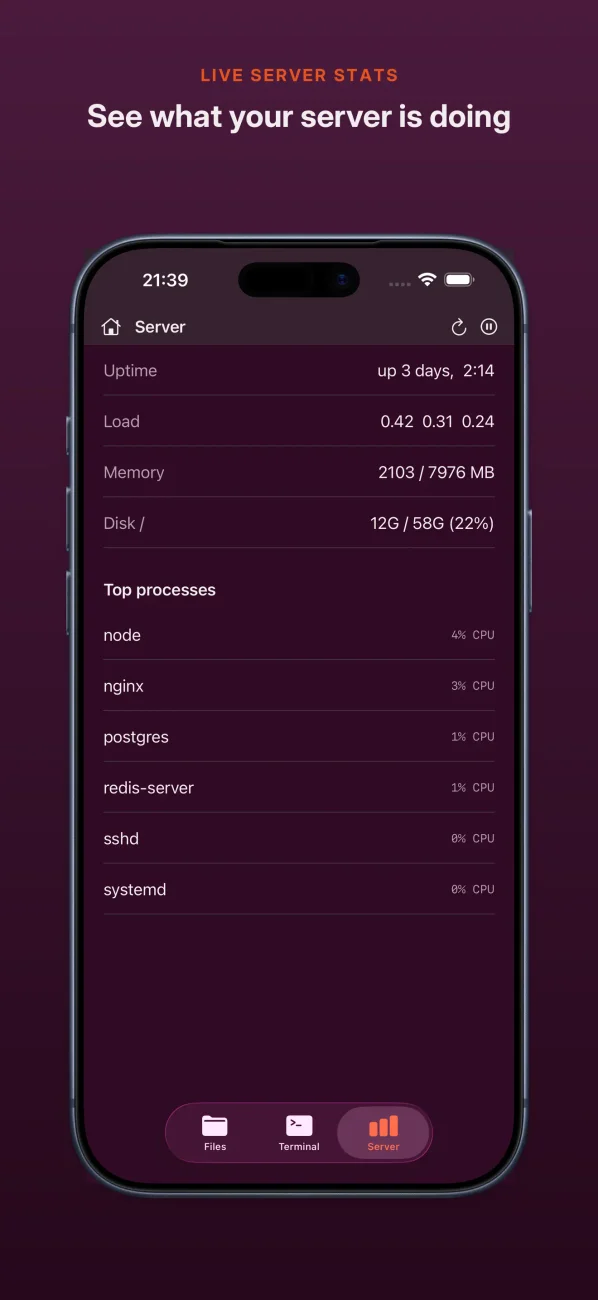
SEE WHAT YOUR SERVER IS DOING
• Uptime, load, memory, disk and the busiest processes, live.
• Spot the problem, fix it in the terminal, and watch the load come down.
DRIVE YOUR CODING AGENT FROM YOUR PHONE
• Save a start-up command for each server and open a terminal straight into your AI coding tool, or any command-line tool. It runs on your server, with your code, at your server's speed. You just steer.
BUILT FOR iPAD TOO
• Files, terminal and server stats side by side on a divider you can drag.
• Landscape, multitasking and hardware keyboards all work.
SAFE BY DESIGN
• WriteAccess connects to your servers and nothing else. No middleman, no tracking, no analytics.
• Sign in with a password, an SSH key (encrypted keys included) or your server's interactive prompt.
• Host keys are checked on every connection. If one changes, nothing connects until you say so.
• Passwords and keys stay in the iOS Keychain on your device. Your server list can follow you to your other devices through your own iCloud; passwords and keys never do.
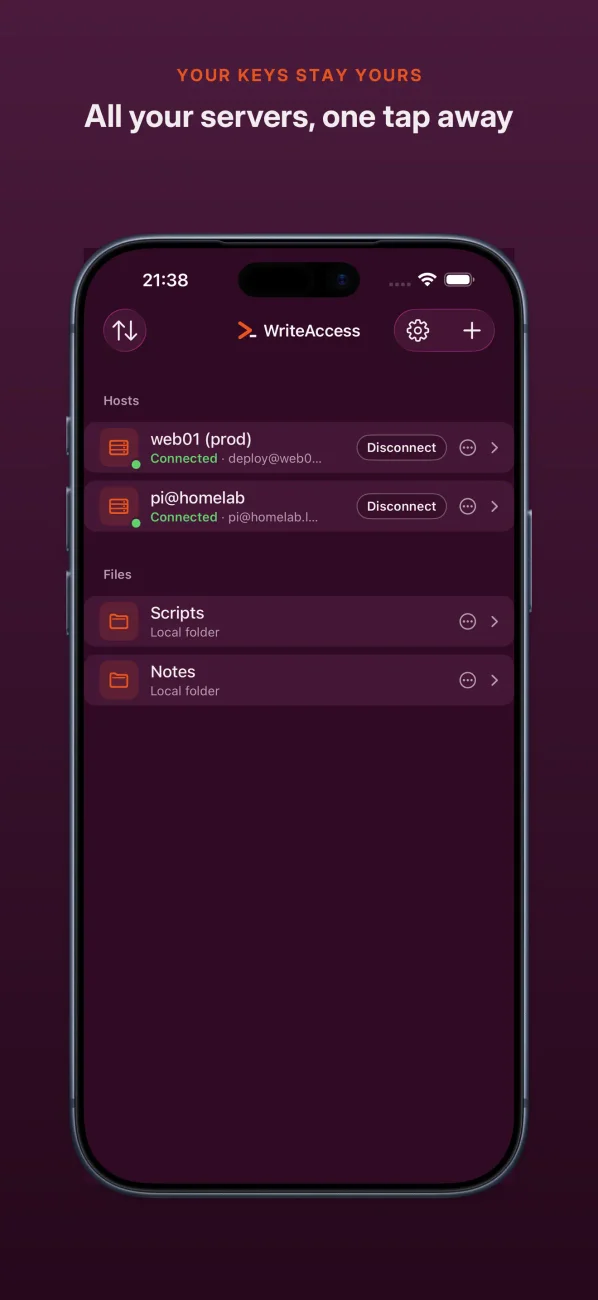
• See which servers you are connected to at a glance, and disconnect with one tap.
GOOD TO KNOW
Sessions close when you leave the app, so it is for hands-on work rather than watching long jobs. Sign-ins that need a second code after the password are not supported yet.
For your VPS, homelab, NAS, build server, or the machine your coding agent lives on. Download WriteAccess and keep your servers in your pocket.
Yang baru
Versi 1.0.157 · 5/10/2026
The terminal is now properly at home on a touch screen.
• New key row above the keyboard: Esc, Ctrl, Tab, the arrows and Paste. Ctrl and Alt stay held for your next key, and you choose which keys appear from the gear on the server list.
• Press and hold a word to select it, drag to select more, then Copy. The selection is now easy to read.
• Drag to scroll back through output. What you are reading stays put while new output arrives.
• A tap brings up the keyboard straight away.
• Brighter blues and purples, so folder names stand out on the dark background.
• On iPhone the bottom line no longer hides behind the tab bar.
Your server list now shows which servers you are connected to, with Disconnect right on the row. And the button back to it is now a Home button.
Privasi aplikasi
Yang dinyatakan Alec Burrett di App Store tentang cara aplikasi ini menangani data.
-
Data tidak dikumpulkan
Pengembang tidak mengumpulkan data apa pun dari aplikasi ini.
Praktik privasi dapat bervariasi, misalnya berdasarkan fitur yang Anda gunakan atau usia Anda.
Informasi
- Penjual
- Alec Burrett
- Kategori
- Alat Pengembang
- Versi
- 1.0.157
- Diperbarui
- 5/10/2026
- Dirilis
- 24/6/2026
- Ukuran
- 10,1 MB
- Memerlukan
- iOS 17.0 atau yang lebih baru
- Batasan usia
- 4+
- Harga
- Gratis
- Bahasa
- Inggris
- Hak cipta
- © Alec Burrett 2026
Mungkin Anda juga suka
-
 My Server: SSH & FTPAlat Pengembang
-
 SendMan: API & HTTP ClientAlat Pengembang
-
 Typst EditorAlat Pengembang
-
 View Source VibeAlat Pengembang
-
 Terminal7Alat Pengembang
-
 Crevit: Aplikasi & Web AIBuat Website & Kode Swift
-
 Mobile IDE for Claude Code AIAlat Pengembang
-
 Dev Tool box - Developer ToolsJSON, URL, Base64 & More
-
 Kodo: Editor Kode dengan AIPython dan C++ offline, SSH
-
 Swift IDE : SwiftPad CompilerAlat Pengembang