
- Batasan usia4+
- KategoriFoto & Video
- PengembangZENCO
- BahasaInggris+ 5 lainnya
- Ukuran24,0 MB
Zencut mungkin sedang tidak tersedia di App Store
Halaman di toko tidak dapat dijangkau saat terakhir kami periksa. Tautan tetap mengarah ke halaman resmi App Store.
Tangkapan layar




Tentang
Pengembang belum menyediakan teks ini dalam bahasa Anda.
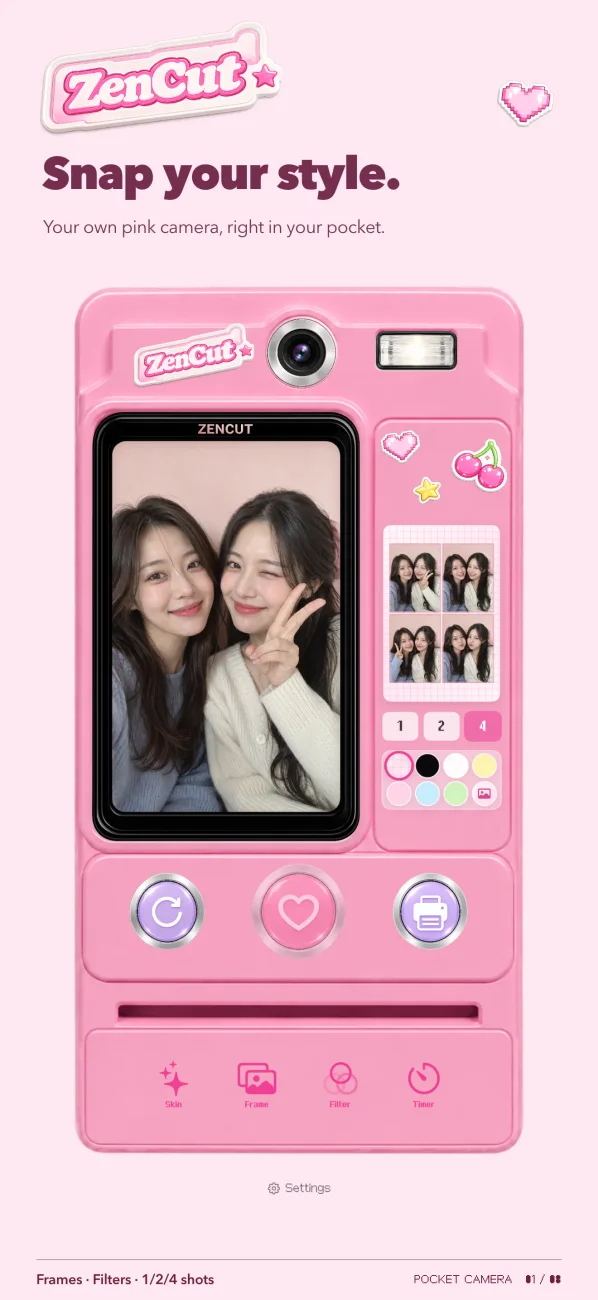
Your frames, your style. Zencut.
Capture yourself and your favorite people in a little pink photo booth. Choose a built-in frame or create your own, and make every shot feel like you.
[Tap for a photo. Hold for a Moving Cut.]
Tap the shutter for a photo, or hold it to record video. Release to finish, up to 5 seconds. Mix photos and videos in one Story Cut. Shorter clips loop to match the longest clip, and Moving Cuts are saved as MP4 videos. The app does not use the microphone, so videos contain no audio track. Photo capture and video recording are visibly indicated on screen; these indicators cannot be disabled.
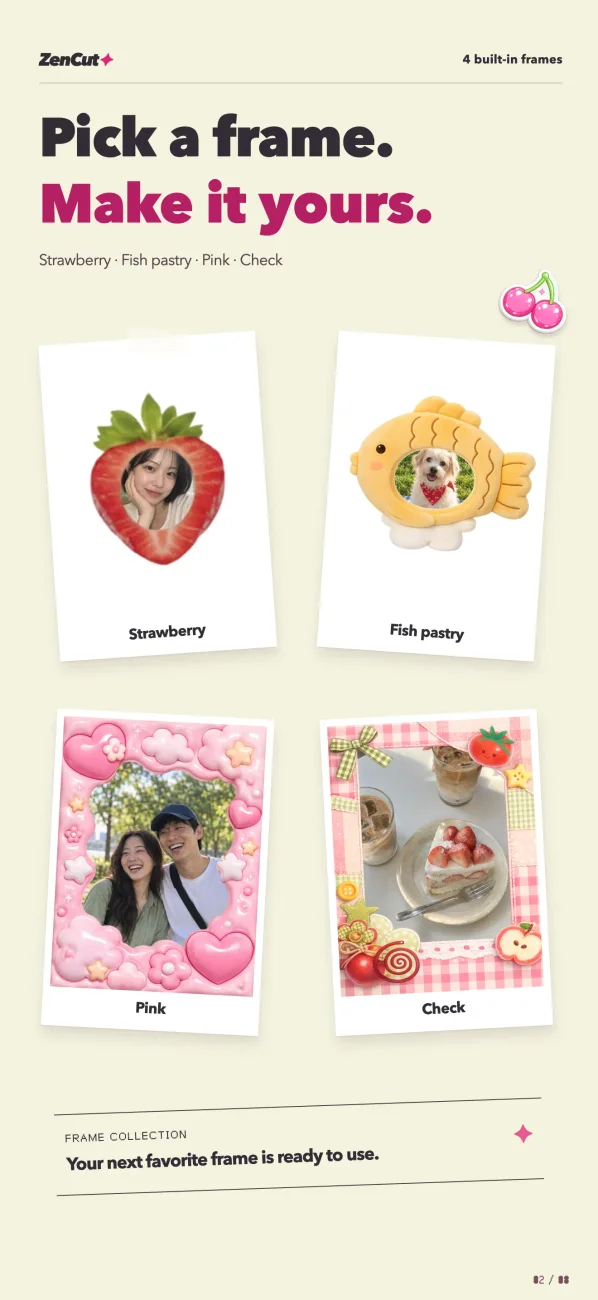
[Ready-to-use frames]
Strawberry, fish pastry, pink and check. Pick a frame right in the camera view and find the look that suits your photo.
[Custom frames from your own photos]
Import a photo to make your own frame. Choose a rectangle, circle, heart or star for the photo opening, then adjust its position, size and rotation. Name and save your finished frame to use it again.
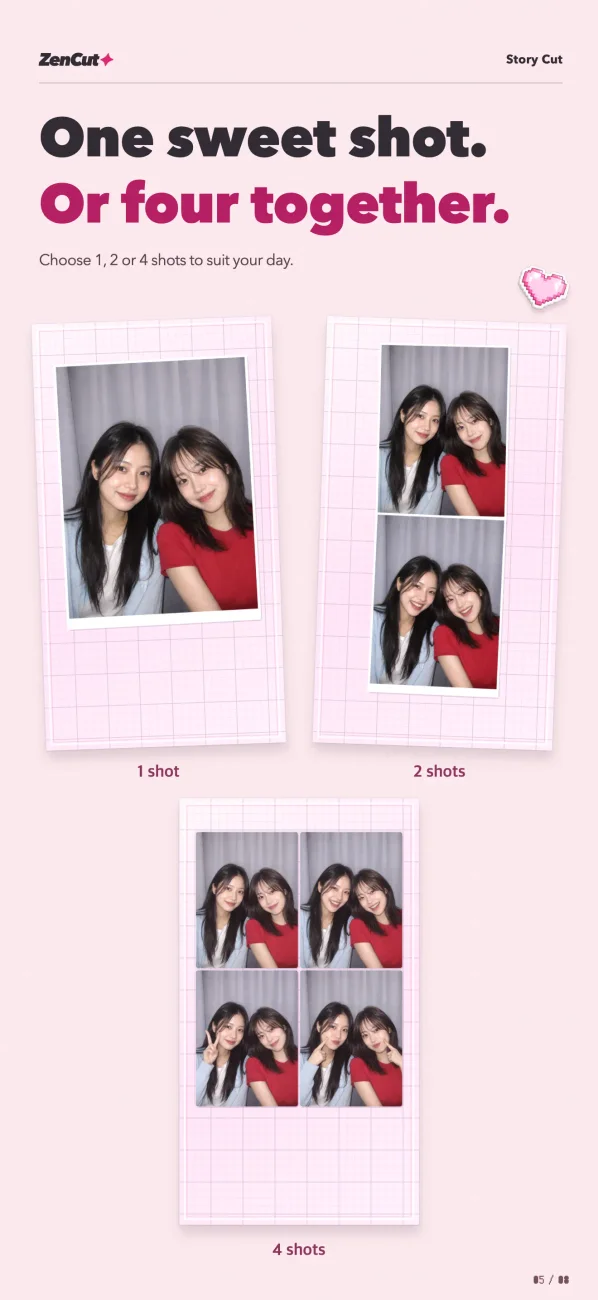
[1, 2 or 4-shot Story Cuts]
Keep it simple with one shot, stack two, or fill a four-shot layout. Choose your shot count and decorate your Story Cut with a background color or your own photo.
[Filters for your mood]
Mono, Warm, Cool, Vivid, Retro, Soft and Y2K. Preview the colors as you shoot and pick today's mood. Turn on skin smoothing when you want it and adjust the intensity.
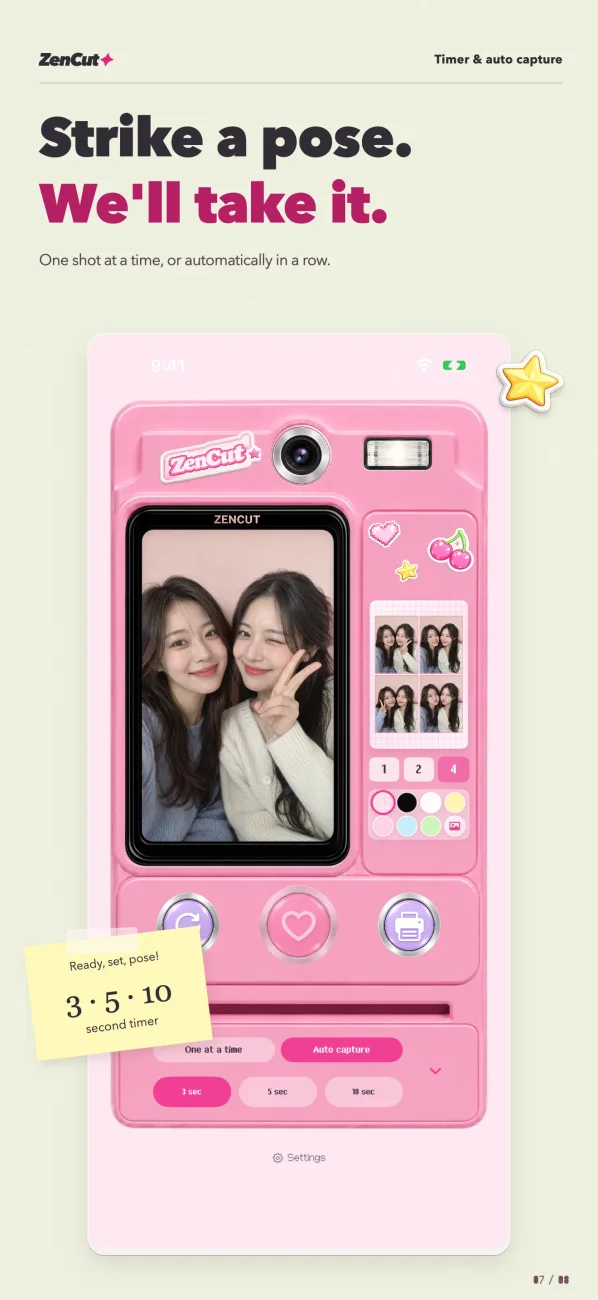
[Time to strike a pose]
Take photos immediately or use a 3, 5 or 10-second timer. Shoot one at a time or take a sequence with auto capture. When you are not capturing, double-tap the camera view to switch between front and rear cameras.
[Memories that slide out, with your words]
Enjoy a digital print animation as your creation slides into view. Hold the small preview to enlarge it and add your own caption above the date. Print your finished creation again, save it or share it. You can also save each photo shot separately.
[One purchase, all current features]
Enjoy every currently available feature without ads, subscriptions or additional in-app purchases. No sign-in is required.
Photos, videos and face analysis for skin smoothing are processed on your device. Photos, videos and face-analysis data are not uploaded. Update checks use GitHub Pages; the privacy policy explains the hosting service's security access logs, including IP addresses.
Permissions
• Camera: used to capture photos and Moving Cut videos. The microphone is not used.
• Add Photos: used to save your creations to Photos.
• Choose frame and background photos yourself with the system photo picker.
Please ask for consent before photographing or filming other people.
Yang baru
Versi 1.0.2 · 21/11/2026
Updated App Store screenshots in English, Japanese, Thai, Simplified Chinese and Traditional Chinese.
Privasi aplikasi
Yang dinyatakan ZENCO di App Store tentang cara aplikasi ini menangani data.
-
Data yang ditautkan dengan Anda
Dapat dikumpulkan dan ditautkan dengan identitas Anda.
- Data lainnya
Praktik privasi dapat bervariasi, misalnya berdasarkan fitur yang Anda gunakan atau usia Anda.
Informasi
- Penjual
- ZENCO
- Kategori
- Foto & Video
- Versi
- 1.0.2
- Diperbarui
- 21/11/2026
- Dirilis
- 27/10/2026
- Ukuran
- 24,0 MB
- Memerlukan
- iOS 17.0 atau yang lebih baru
- Batasan usia
- 4+
- Bahasa
- Inggris, Jepang, Korea, Tionghoa Sederhana, Thai, Tionghoa Tradisional
- Hak cipta
- © 2026 Zenco
Mungkin Anda juga suka
-
 Blue ToyCamFoto & Video
-
 Filmi - 필름 카메라Foto & Video
-
 SAGIKA - Retro Film CameraFoto & Video
-
 Threes: Diary Video 3 Klip9 detik, seharian tersimpan
-
 Photodesk: Beres-beres FotoBereskan foto per tanggal
-
 Nostalgia 2010 - Retro CameraFoto & Video
-
 ROLLCAFoto & Video
-
 Old FilmNuansa kamera iPhone vintage
-
 Photo Clean: Photo OrganizerFoto & Video
-
 큐티카 Cutica - 인생 셀카 필터 카메라Foto & Video