
- Age rating4+
- CategoryProductivity
- Developer兴宇 衡
- LanguagesEnglish+ 1 more
- Size21.3 MB
Links to the official App Store page
Download.org hosts no file of 1+1 workspace. The button opens its official App Store page, published by 兴宇 衡. Listing last checked on Nov 24, 2026.
Screenshots
About
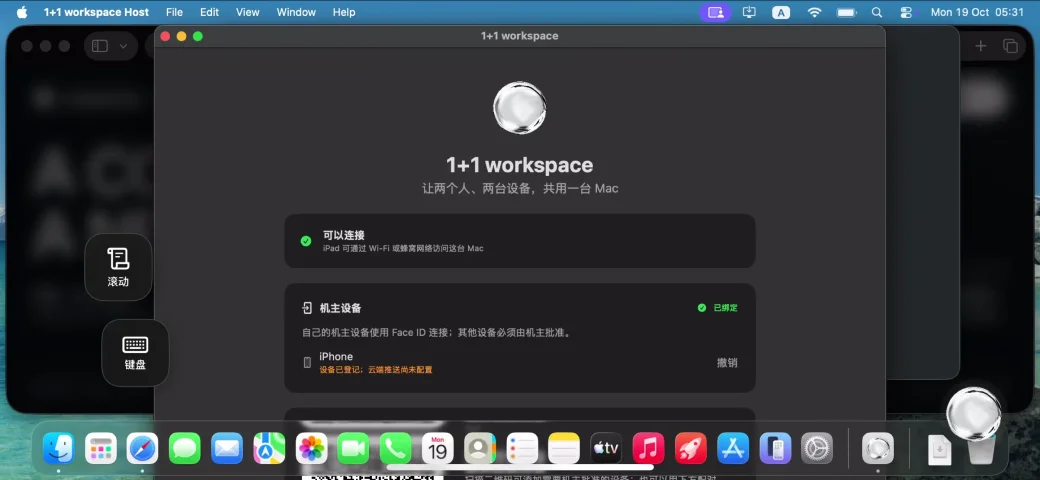
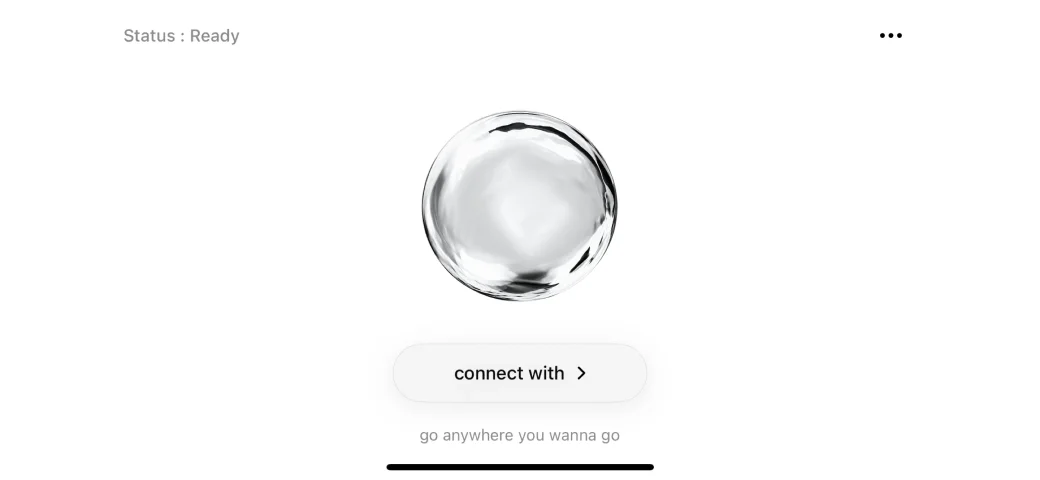
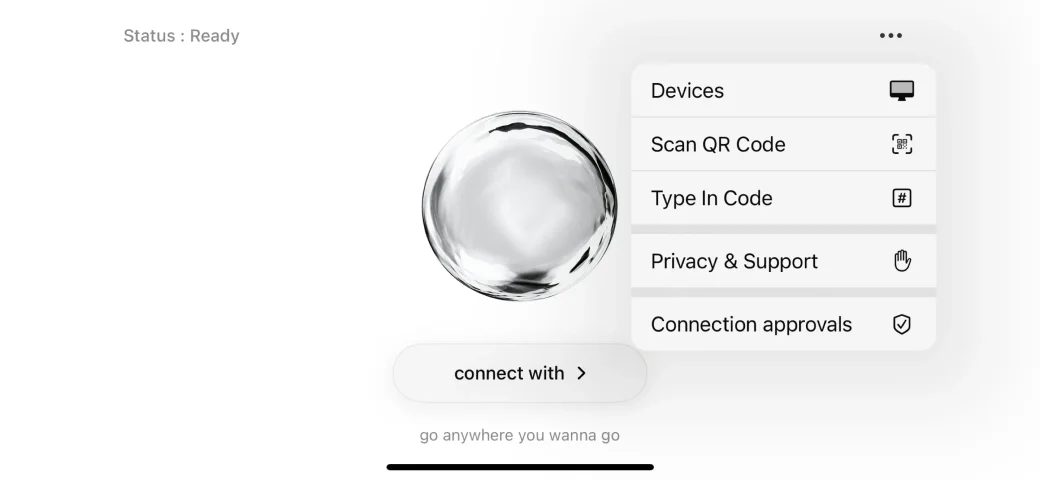
1+1 workspace lets you securely view and control your own Mac from your iPhone or iPad. Install the free 1+1 workspace Host on your Mac and scan a QR code once. After that, connect on the same Wi-Fi, from another network or over cellular.
SHARP AS A REAL SCREEN
• Native resolution: your Mac creates a display that matches your iPad or iPhone, so text stays crisp and nothing is stretched
• Three display modes: full picture, adaptive resolution and extended display
• Up to 60 frames per second, adjusting when the network weakens and recovering when it improves
• Hear your Mac's system sound; pinch to zoom on iPhone
DESIGNED FOR APPLE PENCIL
• Hover to move the pointer, tap to click, with palm rejection
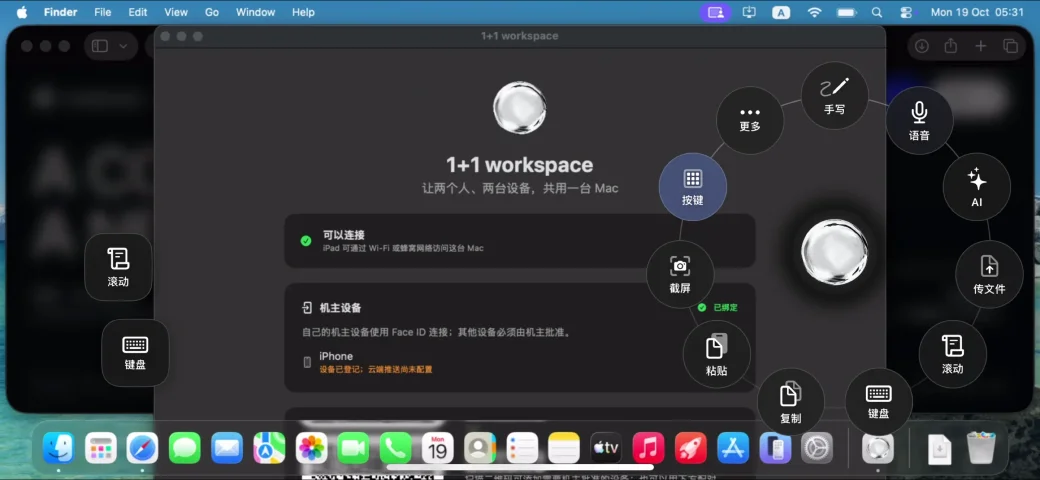
• Quick wheel: double-tap the Pencil or tap the 1+1 button to reach handwriting, voice, AI, file transfer and screenshots. Choose which features it shows
• Custom pointer styles: dot, ring, crosshair, Mac arrow and more, in your choice of colour and size
• Scroll mode: drag with the Pencil tip to scroll
• Handwriting: Chinese and English recognised automatically, on your device. Tap a character or word to rewrite it
GET WORK DONE BY SPEAKING
• Voice input in English, Mandarin and Cantonese
• AI voice assistant: add, remove and reorder apps from those installed on your Mac, then say what you need to send the text to the app you choose. It also works with command-line tools in Terminal
FILES THAT MOVE BETWEEN DEVICES
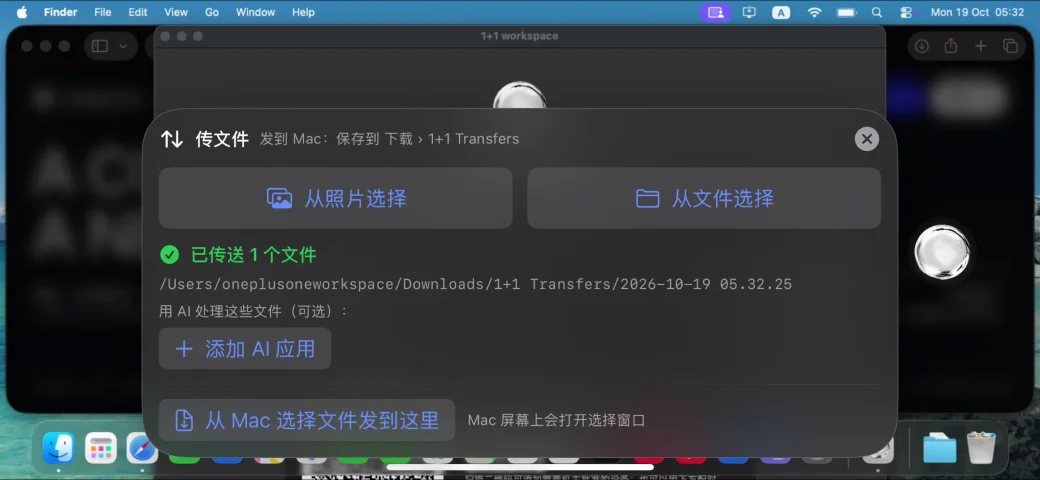
• iPhone or iPad to Mac: send photos, videos and files straight to your Mac's Downloads folder
• Mac to iPhone or iPad: send from the Mac menu bar and find them in the Files app
• Files travel encrypted between your own devices and are never stored on our servers
WORKS WITHOUT A KEYBOARD
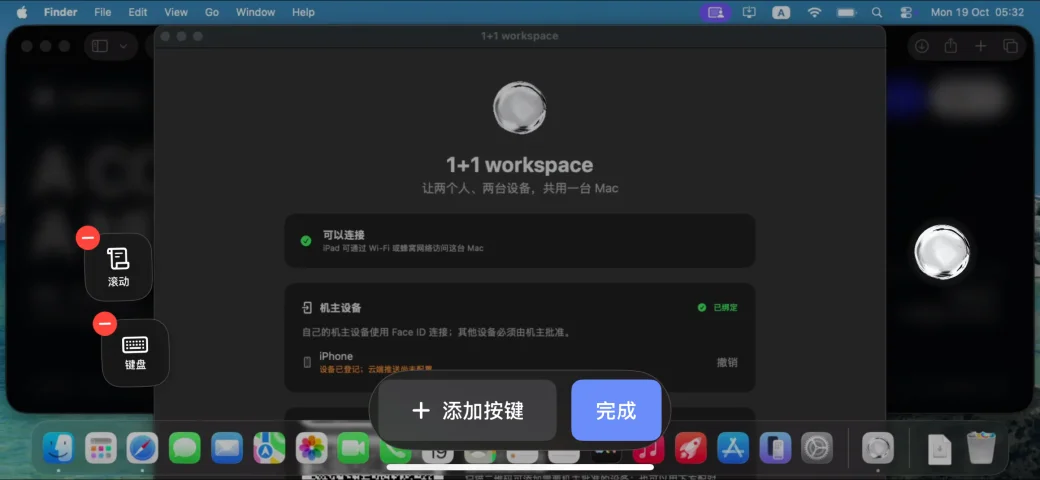
• Screen keys: place Mac shortcuts such as copy, paste, save, close window, Mission Control and arrow keys anywhere on screen
• Add, drag and remove them like Control Center; hold an arrow key to repeat
• One-tap screenshots using the Mac's own screenshot tool
FULL CONTROL
• Tap, drag, right-click and two-finger scroll
• Works with Magic Keyboard, trackpads and common Mac shortcuts
• Copy and paste text between your Mac and your iPhone or iPad
• Face ID and Touch ID owner verification; guests need the owner's approval
• Reconnects automatically after a network change or brief drop
• The Mac app tells you when an update is ready and installs it in one click
FREE ON THE SAME WI-FI
Using your Mac on the same Wi-Fi needs no account. To connect from another network, sign in once for free.
PRIVACY
Your screen, sound, input and files travel encrypted between your own devices. We ask for your consent on first launch, never sell personal information and don't track you across apps.
BEFORE YOU START
Install 1+1 workspace Host on your own Mac (macOS 13 or later, Apple silicon or Intel) from oneplusoneai.cn. Your Mac needs to stay on and running the Host, with Screen & System Audio Recording and Accessibility permissions allowed.
What’s new
Version 1.0.6 · Nov 23, 2026
Improved picture clarity and reduced buffering when viewing your Mac remotely on iPhone or iPad.
App privacy
What 兴宇 衡 declares on the App Store about how this app handles data.
-
Data linked to you
May be collected and linked to your identity.
- Identifiers
- Usage data
- Diagnostics
Privacy practices may vary, for example with the features you use or your age.
Information
- Seller
- 兴宇 衡
- Category
- Productivity
- Version
- 1.0.6
- Updated
- Nov 23, 2026
- Released
- Oct 26, 2026
- Size
- 21.3 MB
- Requires
- iOS 17.0 or later
- Age rating
- 4+
- Price
- Free
- Languages
- English, Simplified Chinese
- Copyright
- © 2026 Xingyu Heng
You might also like
-
 Afar Window: Mac Remote AccessYour Mac on iPad and iPhone
-
 ScriptPace: Voice PrompterVoice-following teleprompter
-
 Life Unlocked: Goals & BadgesTurn goals into milestones
-
 ReadOSRead, Research, Create
-
 WritingoProductivity
-
 RockFocus - Focus TrackerFocus Timer for Deep Work
-
 Figgy for FigmaUI Design & Prototypes on iPad
-
 Nudgy - Reminders Until DoneAlarm & to do list that nags
-
 极米记得Productivity
-
 Fragmemo: Note,Reminder,WidgetCapture & Organize your Memos