- Age rating4+
- CategoryProductivity
- DeveloperChester Carlson
- LanguagesEnglish
- Size2.8 MB
Links to the official App Store page
Download.org hosts no file of 20/20 Focus. The button opens its official App Store page, published by Chester Carlson. Listing last checked on Nov 18, 2026.
Screenshots

About
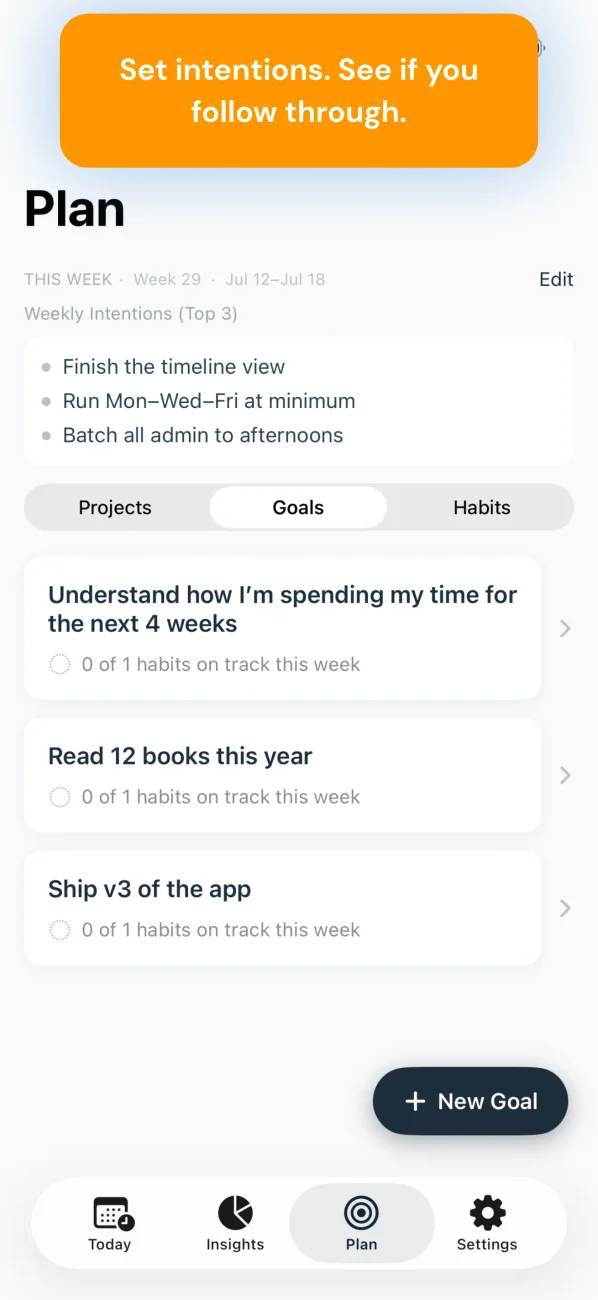
20/20 asks what you've been doing every 20 minutes — a 5-second log that builds an honest picture of your days At the end of the day and the week, you have real data on how you actually spent your time. No complexity. Just truth.
The core habit is simple: when the reminder arrives, log what you were doing. That's it. Over days and weeks, patterns emerge. You see where your time went. You make better decisions about where it goes next.
TODAY TAB
Your daily view at a glance. A completion ring shows what percentage of your check-in windows are logged. Navigate to past days to fill in anything you missed.
LOGGING
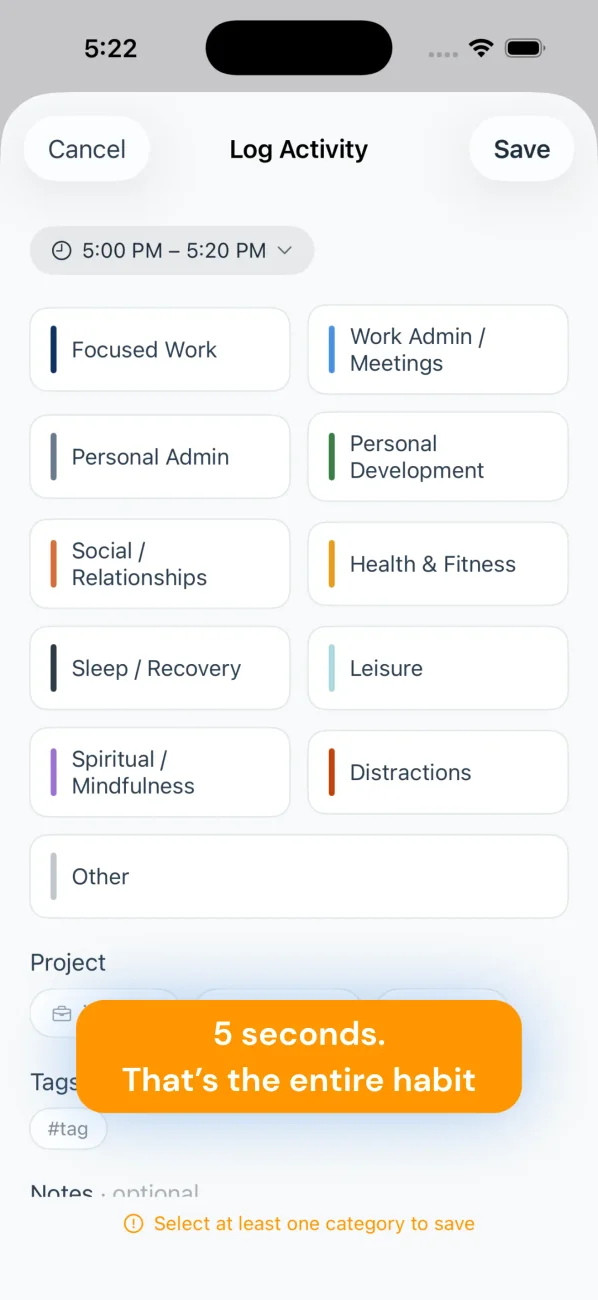
Describe your activity in a few words, pick a category, and save. Use voice input, just speak and the app transcribes it. Tap a recent activity to repeat it instantly. Log a single slot or bulk-fill an entire afternoon.
11 CATEGORIES
Focused Work · Work Admin / Meetings · Personal Admin · Personal Development · Social / Relationships · Health & Fitness · Sleep / Recovery · Leisure · Spiritual / Mindfulness · Distractions · Other
Fixed categories mean your data is consistent and your charts are always meaningful.
INSIGHTS
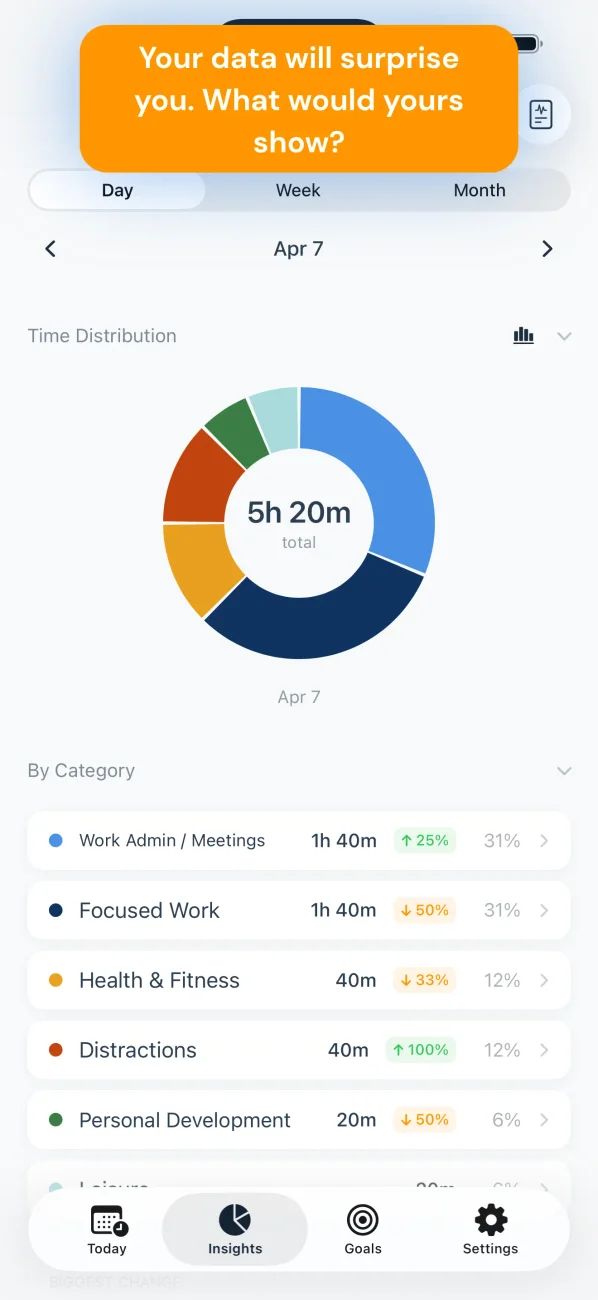
See your time as a pie chart or bar chart, broken down by category. Navigate by day, week, or month. See what changed compared to last period. Spot the trends that are easy to miss in the middle of a busy week.
WEEKLY REPORTS
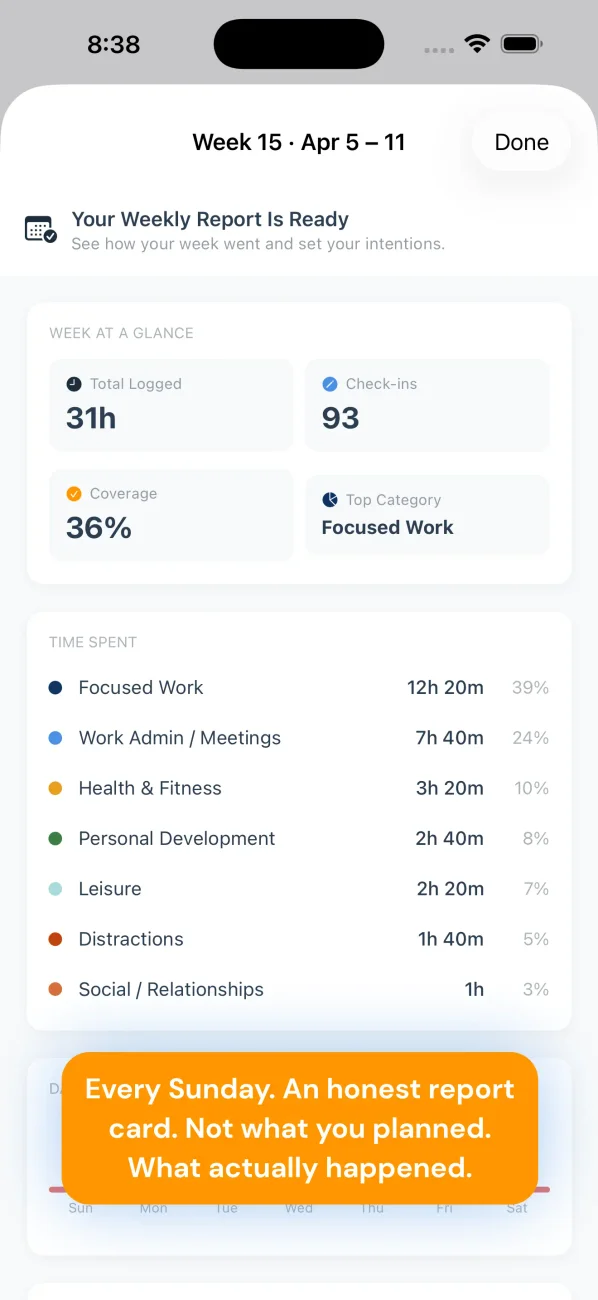
Every Sunday, 20/20 generates a report of your week. How you spent your time, what your best category was, what shifted and personalized commitments to carry into next week.
ICLOUD SYNC
Your data stays in your own iCloud account. It syncs automatically across your Apple devices. We have no servers. We never see your data.
20/20 Focus Includes
→ Streaks: Day, week, and month streaks with your all-time bests
→ Top Activities: See your most-logged activities ranked by time
→ Tag Analytics: Track patterns within categories using custom tags
→ Tag Heatmap: A calendar view of any tag over time
→ Focus Score: A 0–100 metric reflecting the quality of your time allocation
→ Advanced Analytics: Category timeline, hourly patterns, personalized insight opportunities
→ Project, Goals & Habits: Set outcomes, build habits, track weekly progress
→ Full Weekly Reports: All 8 sections, full history, personalized commitments
Annual: $3.99/year - includes a 7-day free trial
Lifetime: $9.99 once - yours forever, all future updates included
20/20 is designed for people who care about their time and want to take control of it without turning self-improvement into a second job.
No ads. No social features. No gamification. Just your time, clearly organized.
Terms of Use: https://get2020.app/terms
Privacy Policy: https://get2020.app/privacy
What’s new
Version 3.2 · Jul 16, 2026
UI updates, new features, updated app walk-throughs
App privacy
What Chester Carlson declares on the App Store about how this app handles data.
-
Data not collected
The developer does not collect any data from this app.
Privacy practices may vary, for example with the features you use or your age.
Information
- Seller
- Chester Carlson
- Category
- Productivity
- Version
- 3.2
- Updated
- Jul 16, 2026
- Released
- Mar 17, 2026
- Size
- 2.8 MB
- Requires
- iOS 16.0 or later
- Age rating
- 4+
- Price
- Free
- In-app purchases
- Yes
- Languages
- English
- Copyright
- © 2026 Twenty Twenty Labs
You might also like
-
 whatareyoudoingProductivity
-
 Chrono TimeBlocksTrack your time blocks
-
 aTaskProductivity
-
 Storage Tracker ProProductivity
-
 DawnletHabits, Tasks, Money, Journal
-
 Zettelkasten: Notes GraphBacklinks & Knowledge Base
-
 AUDIT Timer | AccountabilityYou don't have a time problem.
-
 What's Next? (productivity)Effective Incremental Progress
-
 Routine: Daily Planner & ToDoBuild Habits, Get Things Done
-
 Minder: Random RemindersSmall habits reminder app