
3D Geometry: Solids & Sections
Rotate, slice & unfold shapes
Designed for iPhone, iPad, Mac
Free · In-app purchases
- Age rating4+
- CategoryEducation
- Developer光浩 李
- LanguagesEnglish
- Size3.1 MB
Links to the official App Store page
Download.org hosts no file of 3D Geometry: Solids & Sections. The button opens its official App Store page, published by 光浩 李. Listing last checked on Nov 18, 2026.
Screenshots

About
Solid geometry is hard when you can't picture it. 3D Geometry turns textbook diagrams into 3D models you can rotate, slice and unfold, and gives every length, area and volume as an exact value like 2√2 or 12π.
Free to download: the core 3D models, formulas and unfolding animations are free, and every Pro tool can be tried in full once before you decide.
FREE FEATURES
• 9 solids: cube, cuboid, regular tetrahedron, square pyramid, triangular prism, cylinder, cone, sphere, torus
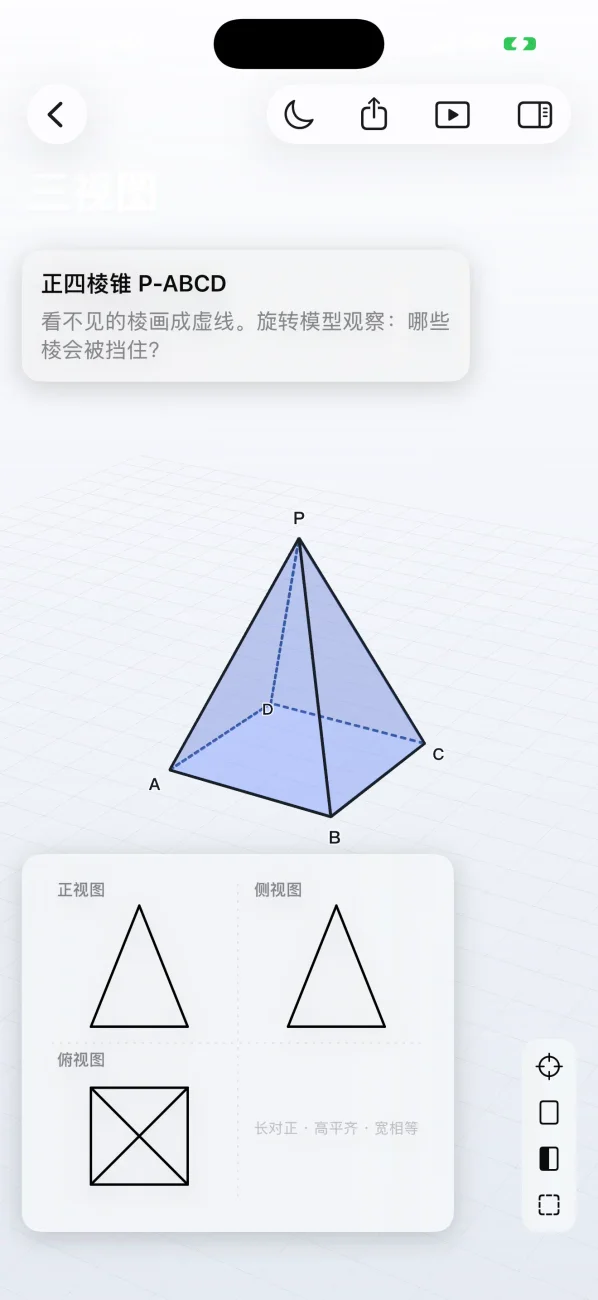
• Textbook labeling (ABCD-A₁B₁C₁D₁); hidden edges turn dashed automatically from any angle
• Formulas with exact answers: surface area, volume, diagonals, slant height and more
• Unfolding animations: cubes, prisms and pyramids open step by step; a cone unrolls into a sector; a sphere is approximated by orange-peel gores
PRO PROBLEM-SOLVING TOOLS
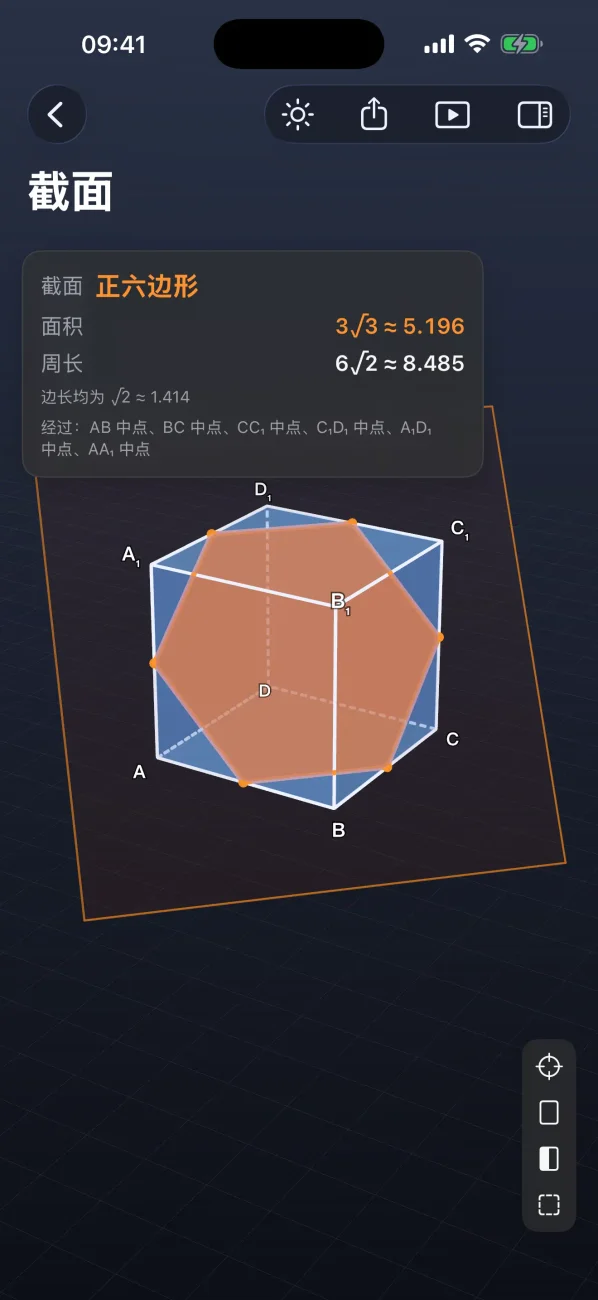
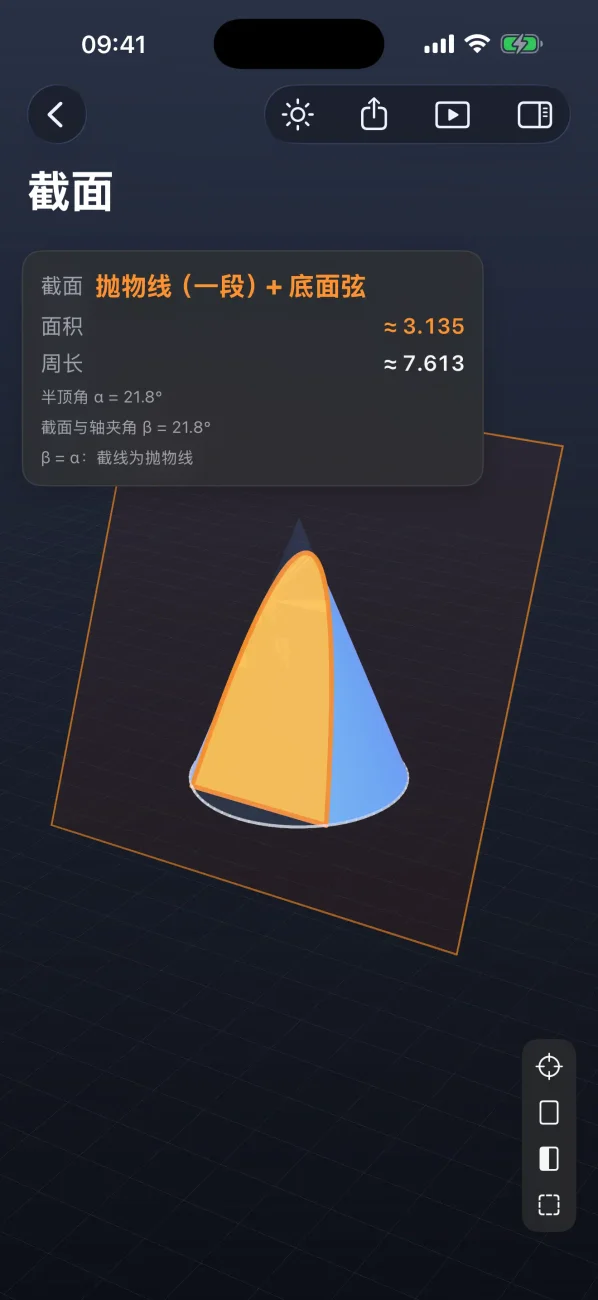
• Cross-sections: drag a cutting plane and see the section's shape and area in real time. Reproduce the triangle, rhombus, pentagon and regular hexagon sections of a cube, or slice a cone to get an ellipse, parabola and hyperbola
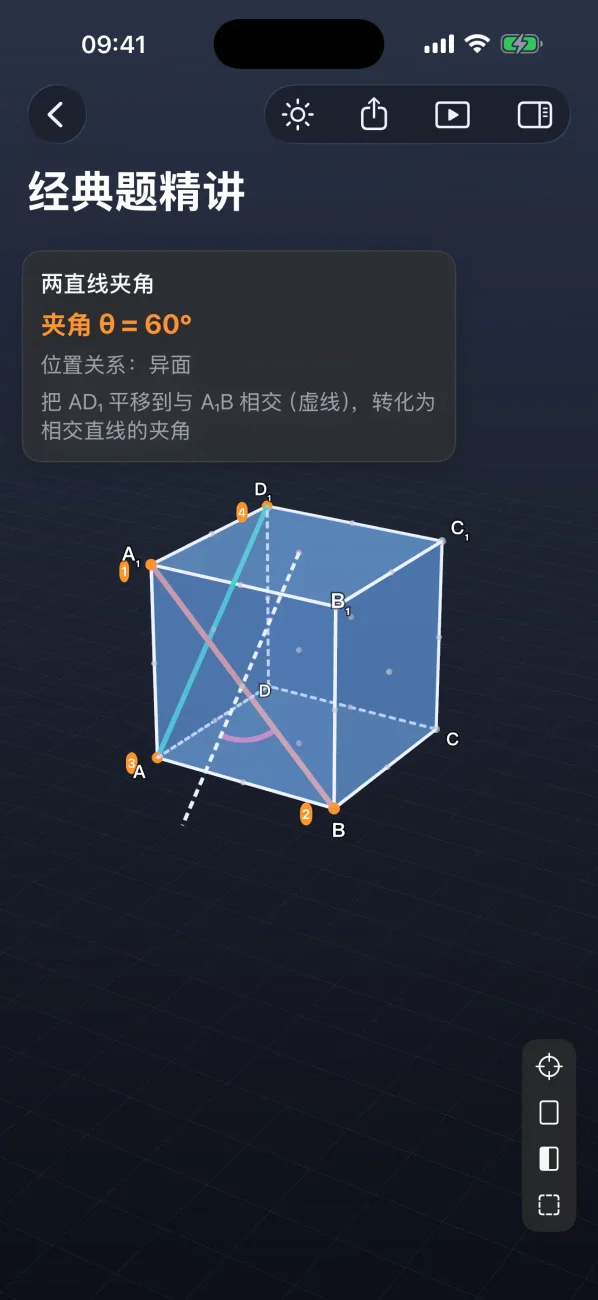
• Angles and distances in space: tap points in 3D to get the angle between skew lines, line–plane angle, dihedral angle, point-to-plane distance and distance between skew lines, with the translated line, projection or common perpendicular drawn for you
• Circumscribed and inscribed spheres: center, radius and derivation steps, all visualized
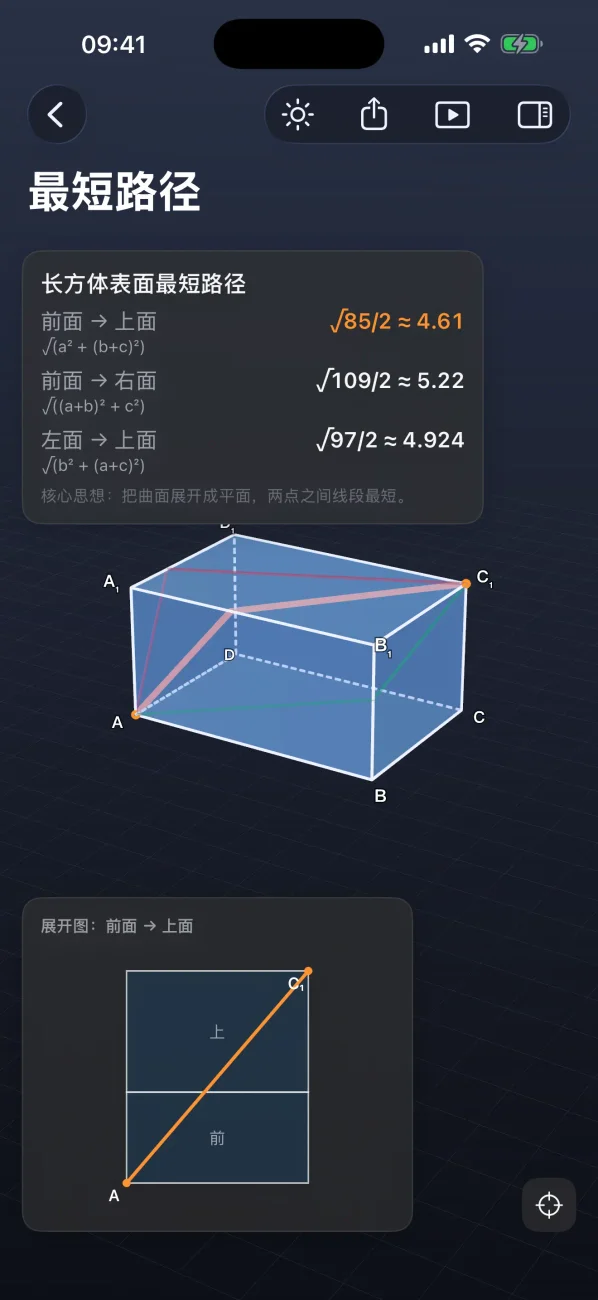
• Shortest paths: the classic "ant on a box" problem with three unfoldings compared; unroll a cylinder or cone to turn the curved path into a straight line
• Cube nets: folding animations for all 11 nets, opposite faces color-matched, common trick shapes, and a random "will it fold?" quiz
• Three views: front, side and top orthographic views in standard layout, with hidden edges dashed
• 24 worked exam-style problems: hint, answer, then step-by-step solution, each opening in 3D so you can explore it yourself
• Classroom mode: full-screen presentation, whiteboard background, pen annotations, and export to high-resolution images and GIF animations for slides
ONE-TIME PURCHASE, NO SUBSCRIPTION
Pro is a single in-app purchase that unlocks everything on iPhone, iPad and Mac.
WHO IT'S FOR
• Middle school students: nets, shortest paths, three views
• High school students: cross-sections, circumscribed spheres, angles and distances in space
• Math teachers: demonstrate on a projector, annotate, and export animations for lessons
Note: the in-app text is currently in Chinese. The 3D models, labels and math notation work in any language.
What’s new
Version 2.0.1 · Oct 6, 2026
English App Store page added. Minor fixes and improvements.
App privacy
What 光浩 李 declares on the App Store about how this app handles data.
-
Data not collected
The developer does not collect any data from this app.
Privacy practices may vary, for example with the features you use or your age.
Information
- Seller
- 光浩 李
- Category
- Education
- Version
- 2.0.1
- Updated
- Oct 6, 2026
- Released
- May 22, 2026
- Size
- 3.1 MB
- Requires
- iOS 17.0 or later
- Age rating
- 4+
- Price
- Free
- In-app purchases
- Yes
- Languages
- English
- Copyright
- © 2026 李光浩
You might also like
-
 SectionLab: 3D Geometry LabEducation
-
 MemochessStudy & memorize chess games
-
 GeoShape ExplorerLearn Geometry in 3D
-
 Solution Equilibria LabCalculate equilibrium consts
-
 Eductify Parent ConnectYour Child’s Learning Progress
-
 GT GraphPlot beautiful math functions.
-
 Beautiful MathMath that finally makes sense
-
 投影与视图3D教具Education
-
 Polynomial RegressionInterpolation & Approximation
-
 Nayeem's English CareEducation