- Age rating4+
- CategoryProductivity
- DeveloperOleksandr Turevskiy
- LanguagesEnglish+ 76 more
- Size8.5 MB
Links to the official App Store page
Download.org hosts no file of 5001 Tomatoes. The button opens its official App Store page, published by Oleksandr Turevskiy. Listing last checked on Nov 13, 2026.
Screenshots


About
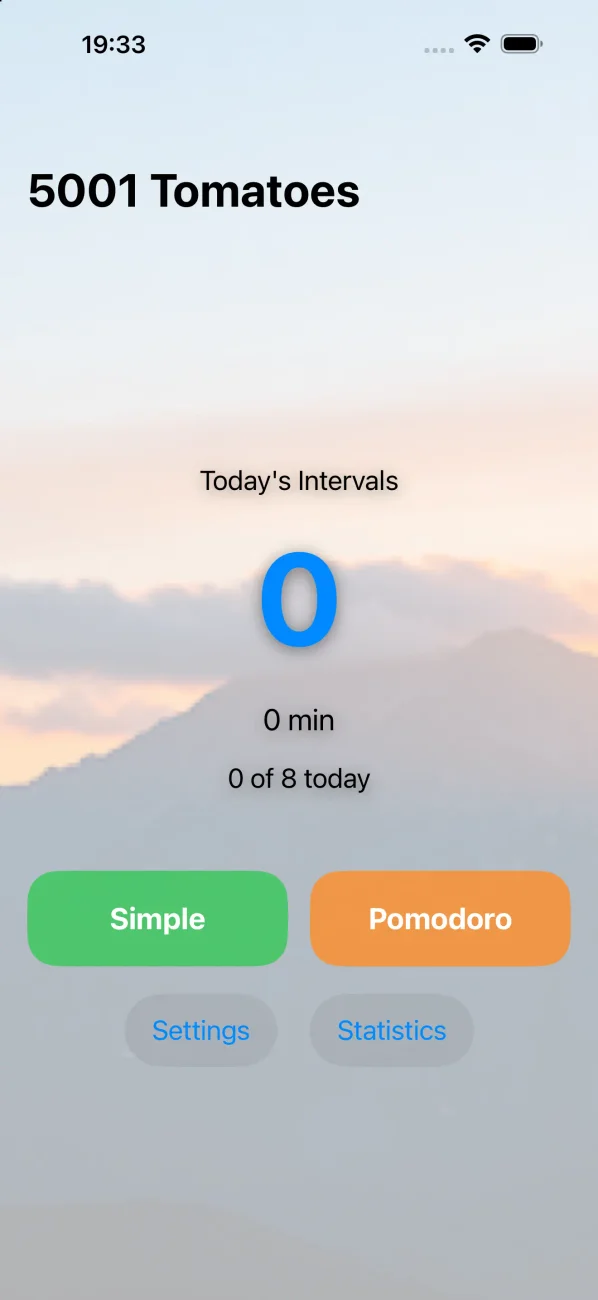
Stay focused and productive with 5001 Tomatoes, a minimalist interval timer designed for Apple Watch and iPhone. Perfect for Pomodoro technique, work intervals, meditation, exercise breaks, or any timed activity.
TWO WAYS TO RUN A TIMER:
• Simple — one interval, or a sequence that repeats: 1:00, 1:30, 2:00, 3:00…
• Pomodoro — Work, Short Break and Long Break, four cycles at a time
• Either mode can start the next interval on its own, or wait for you to tap Continue
KEY FEATURES:
• Quick Start Timer - Begin your interval with a single tap
• Today's Progress - Track completed intervals and total time at a glance
• Session Statistics - View your productivity history and patterns
• Customizable Duration - Adjust timer length to fit your needs
• Clean Interface - Distraction-free design optimized for watchOS
• Visual & Haptic Feedback - Clear completion notifications
• Multi-language Support - Use the app in your preferred language
• No Ads - Focus on your work without interruptions
• Privacy-First - Your data stays on your device
PERFECT FOR:
• Pomodoro Technique practitioners
• Students studying in focused intervals
• Professionals managing work sessions
• Fitness enthusiasts timing exercise sets
• Meditation and mindfulness practice
• Anyone wanting to build better time management habits
HOW IT WORKS:
1. Open the app and see your today's interval count
2. Tap Simple or Pomodoro to start
3. Focus on your task until completion
4. Get notified when your interval is done
5. Review your statistics to track progress
5001 Tomatoes helps you build consistency through simple, repeatable intervals. No complicated setup, no overwhelming features - just start the timer and focus on what matters.
Download 5001 Tomatoes today and transform how you manage your time!
What’s new
Version 1.4.0 · Nov 5, 2026
Simple mode can now run a sequence of intervals — set 1:00, 1:30, 2:00 and so on, and they repeat from the first. It also gains the Continue Automatically switch Pomodoro already had: let the next interval start on its own, or wait for you to tap Continue. Settings are now grouped by mode.
App privacy
What Oleksandr Turevskiy declares on the App Store about how this app handles data.
-
Data not collected
The developer does not collect any data from this app.
Privacy practices may vary, for example with the features you use or your age.
Information
- Seller
- Oleksandr Turevskiy
- Category
- Productivity
- Version
- 1.4.0
- Updated
- Nov 5, 2026
- Released
- Oct 8, 2025
- Size
- 8.5 MB
- Requires
- iOS 17.0 or later
- Age rating
- 4+
- Languages
- English, Afrikaans, Albanian, Amharic, Arabic, Armenian, Azerbaijani, Basque, Bengali, Bosnian, Bulgarian, Burmese + 65 more
- Copyright
- © 2026 Oleksandr Turevskiy
You might also like
-
 WatchPomo - Focus TimerWatch-First Pomodoro Timer
-
 MinuteurXRest Reminder Timer
-
 Meltime: ADHD Focus TimerVisual Study Timer & Deep Work
-
 NudgerooRandom Notifications
-
 Looper - Interval TimerA minimalist timer for focus
-
 TimeSee: Visual Timer for ADHDBeat Time Blindness & Focus
-
 AI Note & Task Capture: ĀtmaxVoice Capture & AI Organizer
-
 Count Up Down TimerSwipe to set, count & speed
-
 Focus Master.Pomodoro Timer & Activity Log
-
 AI Pomodoro Timer: Get PomaliaTo-Do Focus Work/Study Tracker