
- Age rating4+
- CategoryHealth & Fitness
- DeveloperRyan Troxler
- LanguagesEnglish
- Size1.4 MB
Links to the official App Store page
Download.org hosts no file of 7day. The button opens its official App Store page, published by Ryan Troxler. Listing last checked on Nov 18, 2026.
Screenshots

About
Your weight changes every single day — after a salty meal, a hard workout, a bad night's sleep. None of those daily swings tell you what's actually happening.
Your weekly average does.
7day is a bodyweight tracker built around one idea: the 7-day rolling average is your true weight. Log once a day, and let the weekly average show you what's real.
HOW IT WORKS
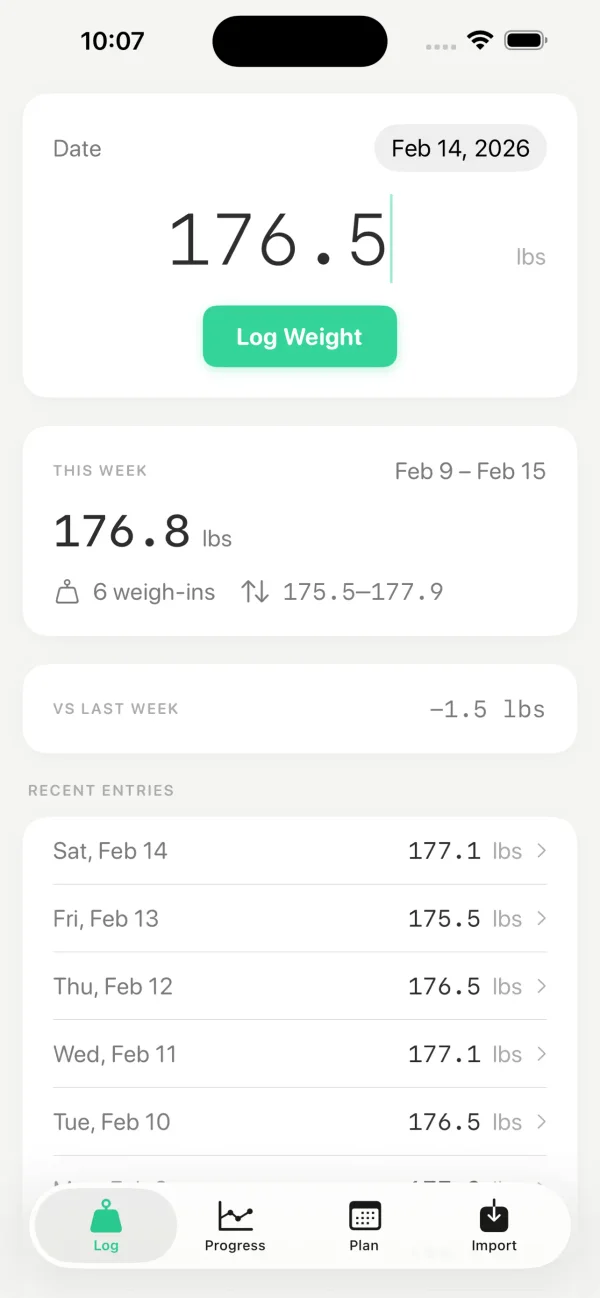
Open the app. Type your weight. Done. The whole thing takes about 3 seconds.
Behind that simple log, 7day calculates your weekly average automatically. That's the number you check. That's the number that tells you whether your cut is working, your bulk is on track, or your maintenance is dialed in.
PLAN YOUR TRAINING BLOCKS
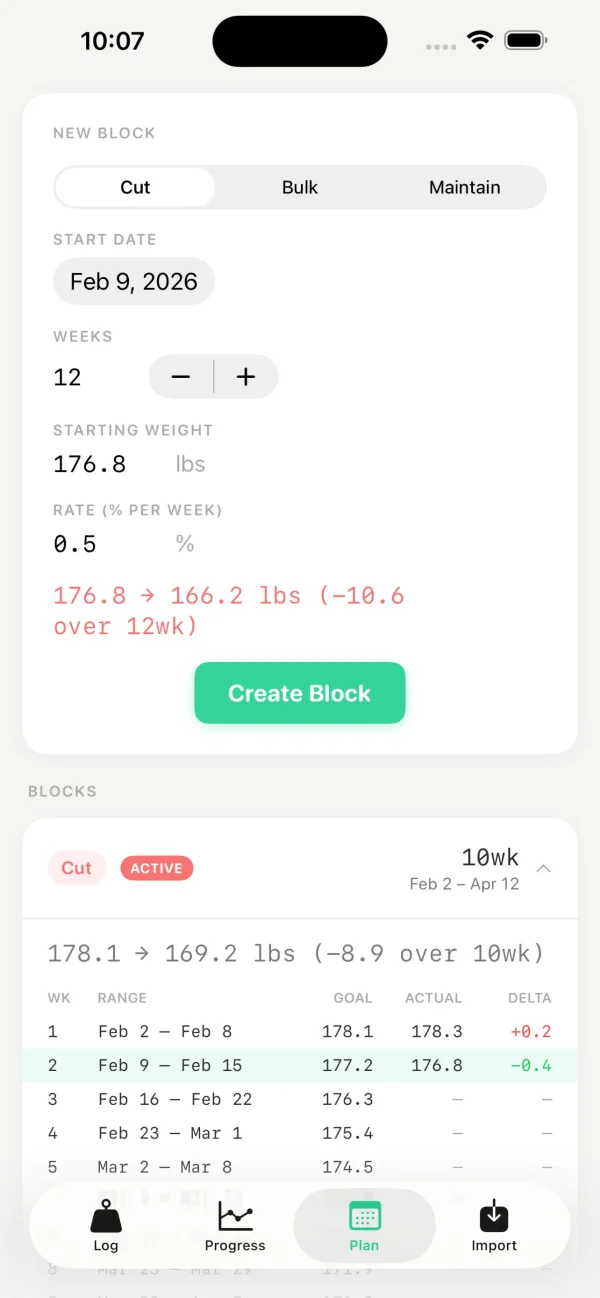
Set a goal: lose 0.5% per week for 12 weeks. Or gain. Or maintain. 7day maps out your target week by week and shows you exactly how your actual weekly average compares to the plan. No guessing, no vibes — just clean data against a clear goal.
SEE YOUR REAL PROGRESS
The progress chart plots weekly averages over time with your goal line overlaid. You'll see your actual trend — not the random noise of daily fluctuations. Week-by-week breakdowns show your average, entry count, range, and how you're tracking against your block.
IMPORT YOUR HISTORY
Already tracking weight in a spreadsheet? Import your data via CSV and see your full history inside 7day from day one.
BUILT FOR PEOPLE WHO KNOW WHAT THEY'RE DOING
7day is not a calorie counter. It doesn't have motivational quotes, streak badges, or social features. It's a precision tool for people who program their training in blocks, track their macros, and want clean weekly data without the clutter.
- Log weight in ~3 seconds
- Automatic 7-day rolling averages
- Block-based goal planning (cut / bulk / maintain)
- Weekly average progress charts with goal overlay
- Week-by-week breakdown with color-coded deltas
- CSV import and export
- Minimal, calm, distraction-free design
What’s new
Version 1.1.0 · Mar 3, 2026
What's New
- Plan tab redesigned — Current and previous blocks are now split into separate tabs. Current blocks show in chronological order with the new block form at the bottom. Previous blocks get their own dedicated
view. The form also smartly defaults the start date to the Monday after your latest block ends.
- Last week's average — The "vs Last Week" card on the Log tab now shows last week's average weight alongside the delta, so you can see both numbers at a glance.
App privacy
What Ryan Troxler declares on the App Store about how this app handles data.
-
Data not collected
The developer does not collect any data from this app.
Privacy practices may vary, for example with the features you use or your age.
Information
- Seller
- Ryan Troxler
- Category
- Health & Fitness
- Version
- 1.1.0
- Updated
- Mar 3, 2026
- Released
- Feb 18, 2026
- Size
- 1.4 MB
- Requires
- iOS 26.2 or later
- Age rating
- 4+
- Price
- Free
- Languages
- English
- Copyright
- © 2026 Ryan Troxler
You might also like
-
 Trendio: Weekly Average WeightHappy Relationship with Scale
-
 Daily Average WeightTrack 7- and 14-day trends
-
 Average Weight: 7-Day TrackerDaily weight, clearer trends
-
 Calkit – Calorie TrackerTrack calories & weight simply
-
 Weightly: Weight TrackerPrivate Log & Trend Lines
-
 Wee Notes: Baby Log & JournalThe baby log you'll keep
-
 Klemy: Gym Log on Your WristLift Log, Sets & Rest Timer
-
 The Retreat ProgramsHealth & Fitness
-
 Weight Grid: Weight TrackerGoals, Trends & Streaks
-
 Serene TimerWakes you up gently