
7DaysTutor: Tutor Assistant
Lesson planner & tracker
Designed for iPhone, iPad
Free · In-app purchases
- Age rating4+
- CategoryEducation
- DeveloperEugene Popovsky
- LanguagesEnglish+ 5 more
- Size12.0 MB
Links to the official App Store page
Download.org hosts no file of 7DaysTutor: Tutor Assistant. The button opens its official App Store page, published by Eugene Popovsky. Listing last checked on Nov 16, 2026.
Screenshots
About
7DaysTutor is an intelligent and easy-to-use app designed specifically for tutors, mentors, trainers, and educators. It combines all the essential tools for organizing individual and group lessons, managing students, payments, and analytics in one convenient interface. No more routine — just teaching.
KEY FEATURES:
• Student and Group Management
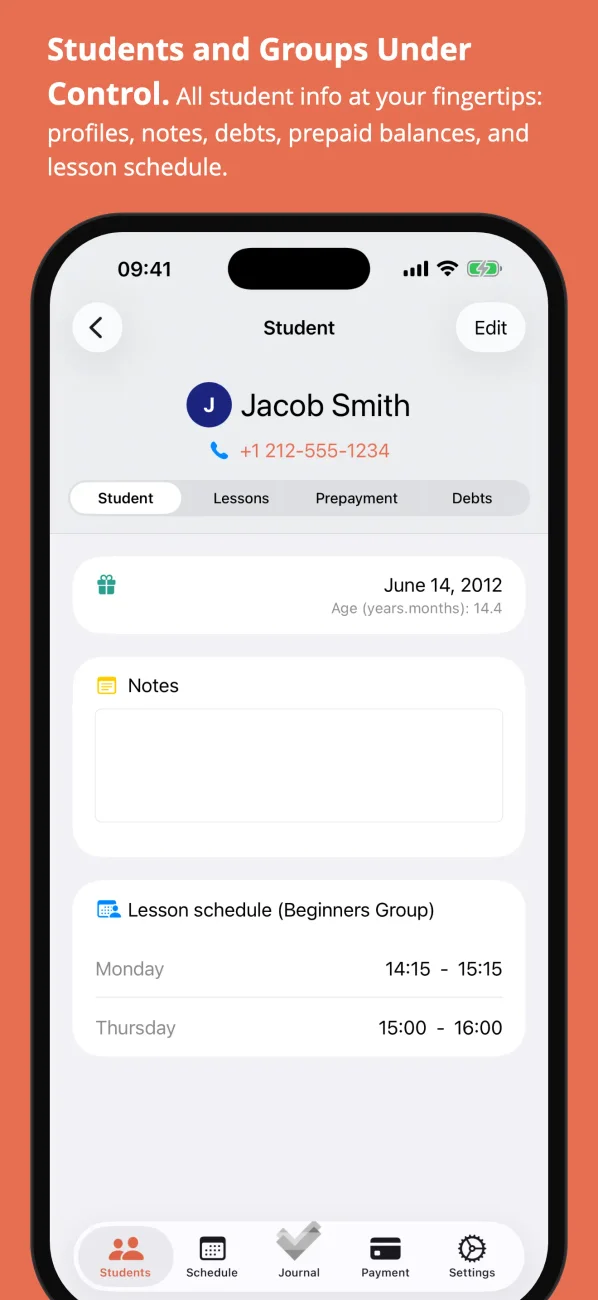
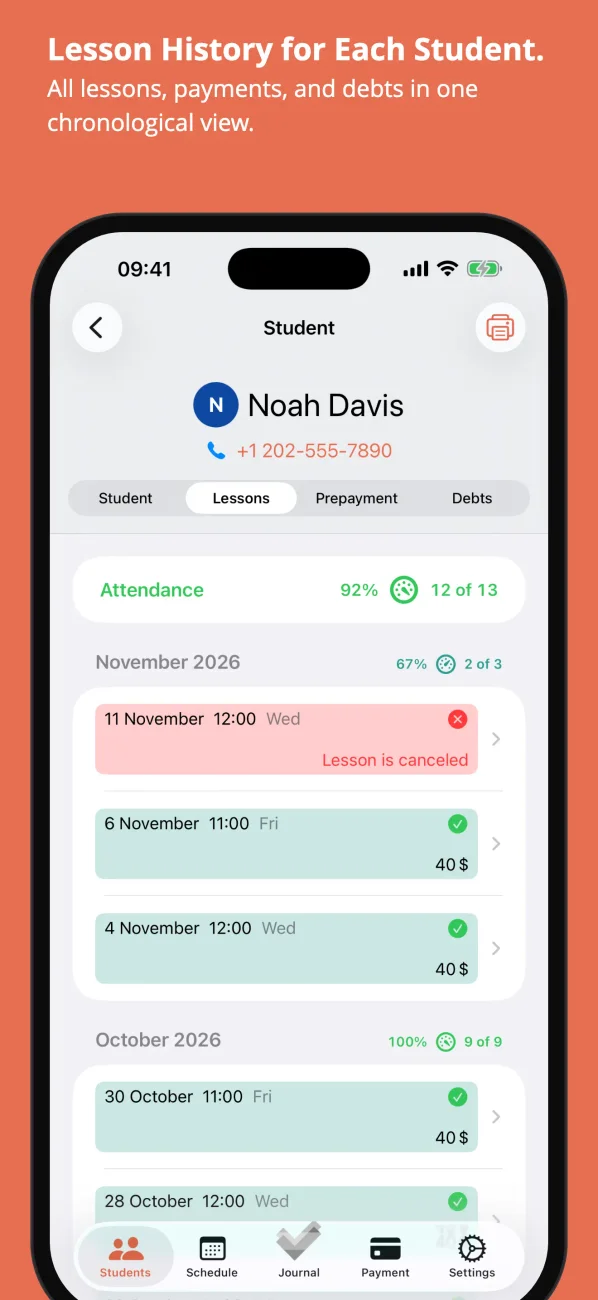
Create student profiles with contacts, birthdays, and individual rates. Keep notes, group students, and track lesson and payment history. See each student's attendance as a percentage and by month, and print it.
• Interactive Schedule
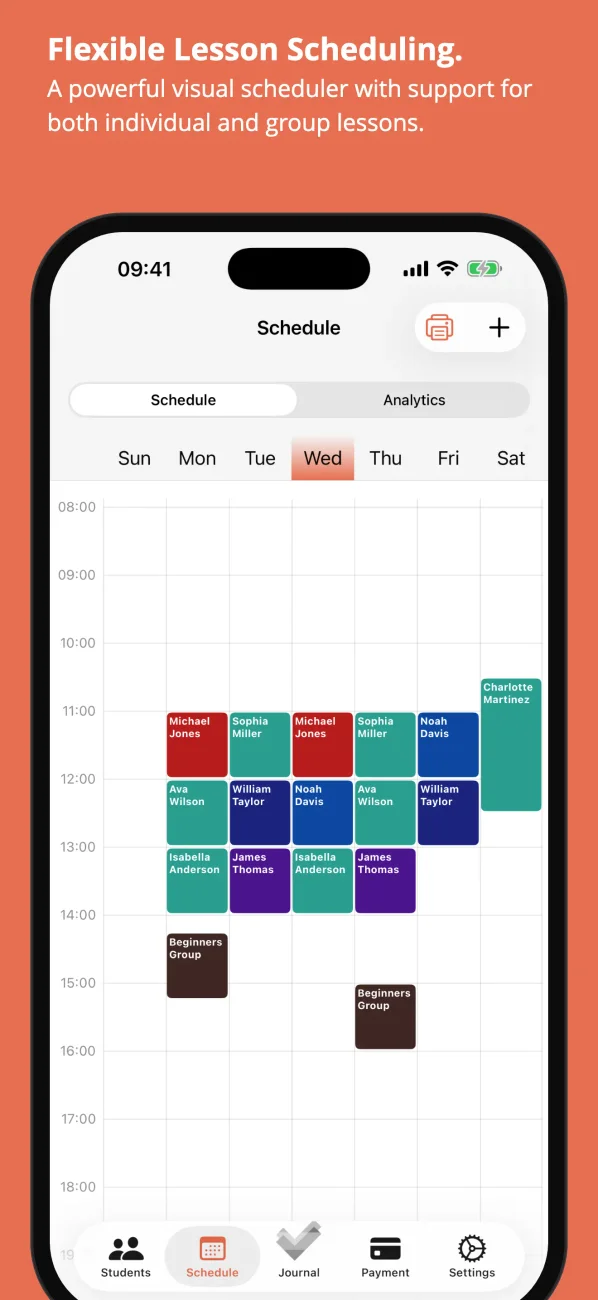
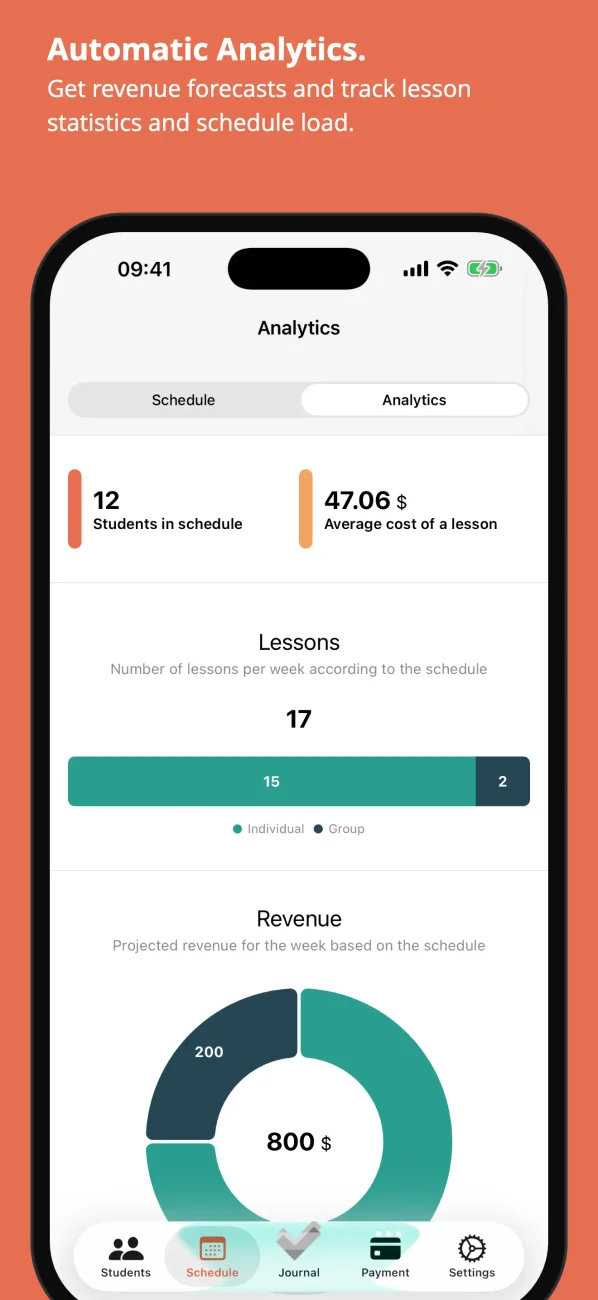
A clear visual editor with a grid by weekdays and time. Easily add individual and group lessons, set durations, and get automatic revenue forecasting based on your schedule. To move a lesson, just drag its slot to another time or day.
• Digital Lesson Journal
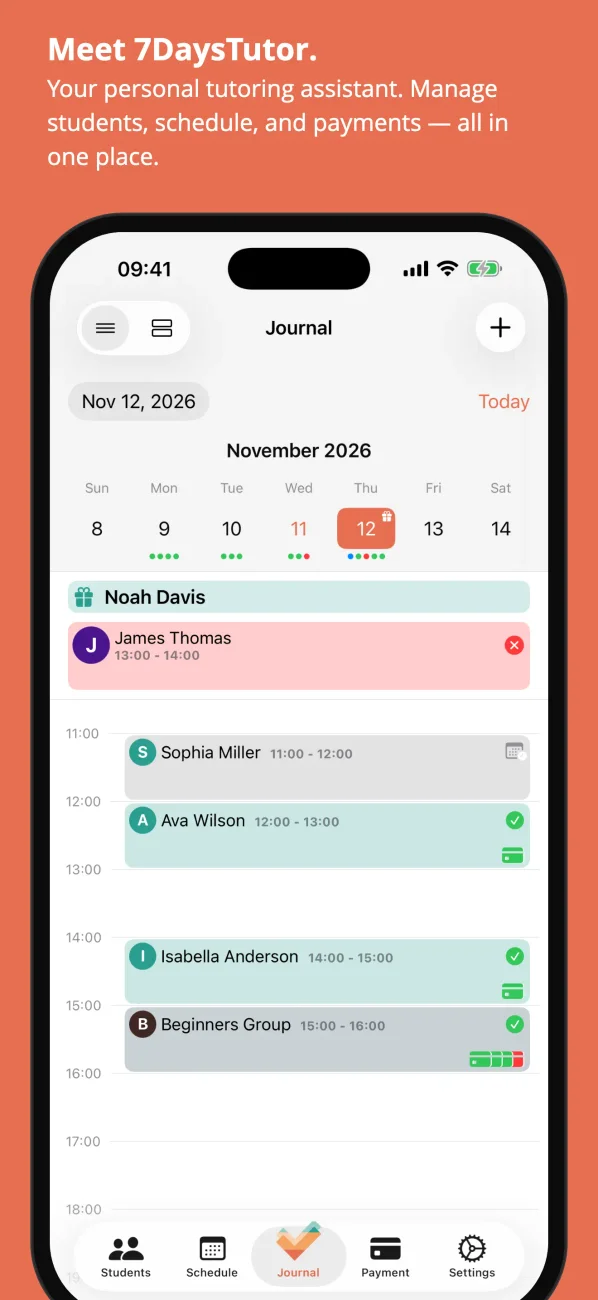
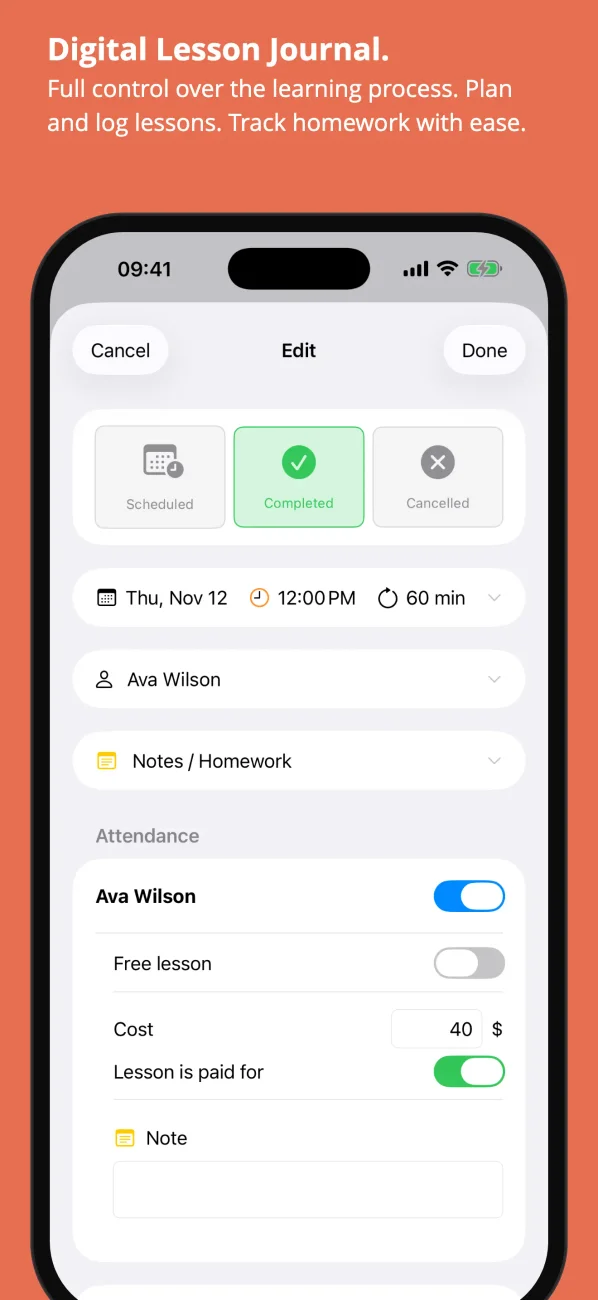
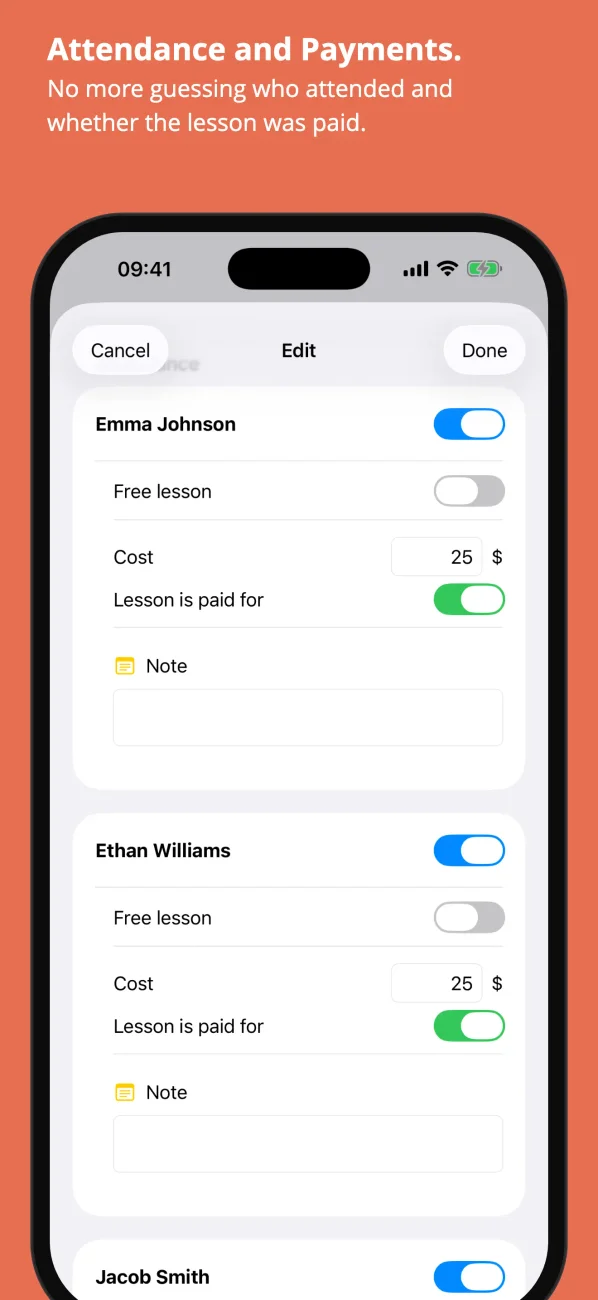
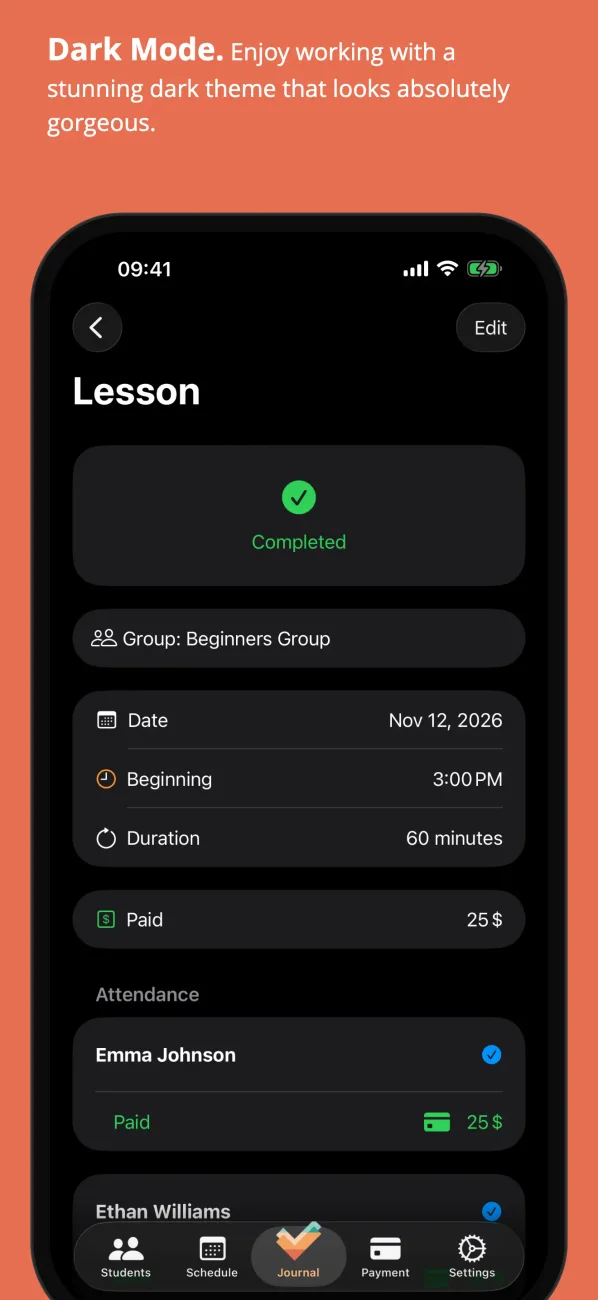
Record each lesson: date, time, status (completed, canceled, planned), homework, attendance, comments, and payments. Payment status is visible right in the Journal, and canceled lessons don't take up time in the grid. The journal is the core tool for your teaching practice.
• iPhone Calendar in the Journal
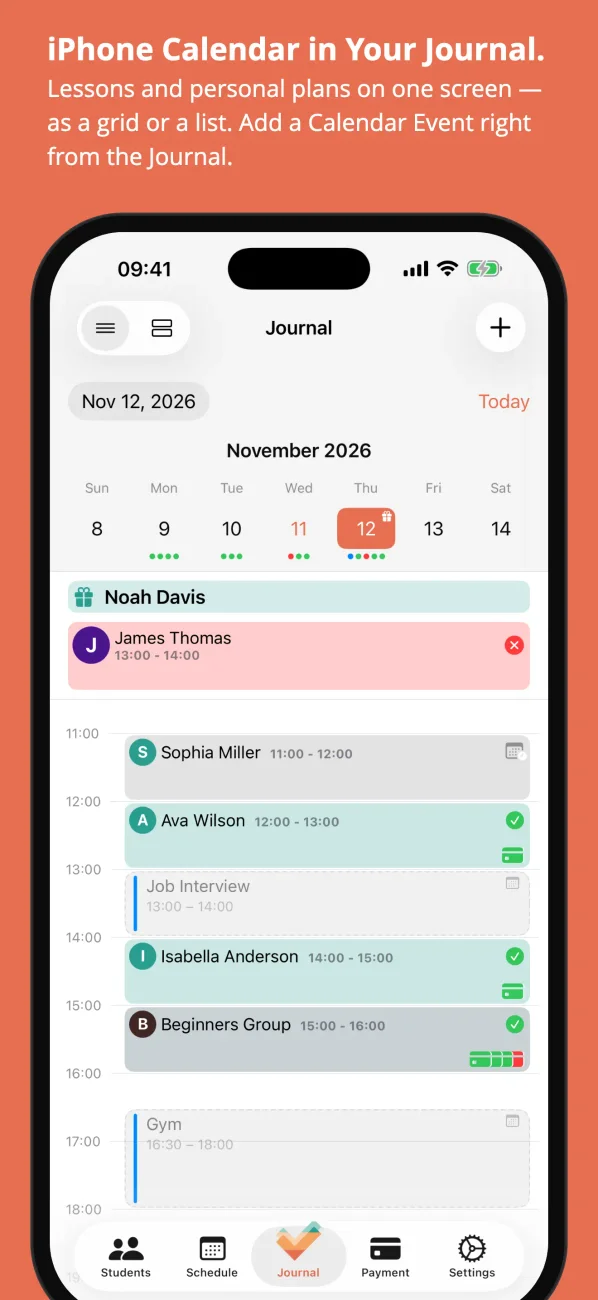
Meetings and personal plans from your iPhone Calendar appear in the Journal next to your lessons. If an event overlaps a lesson, the app warns you. Add a new event right from the Journal — it is saved to your iPhone Calendar.
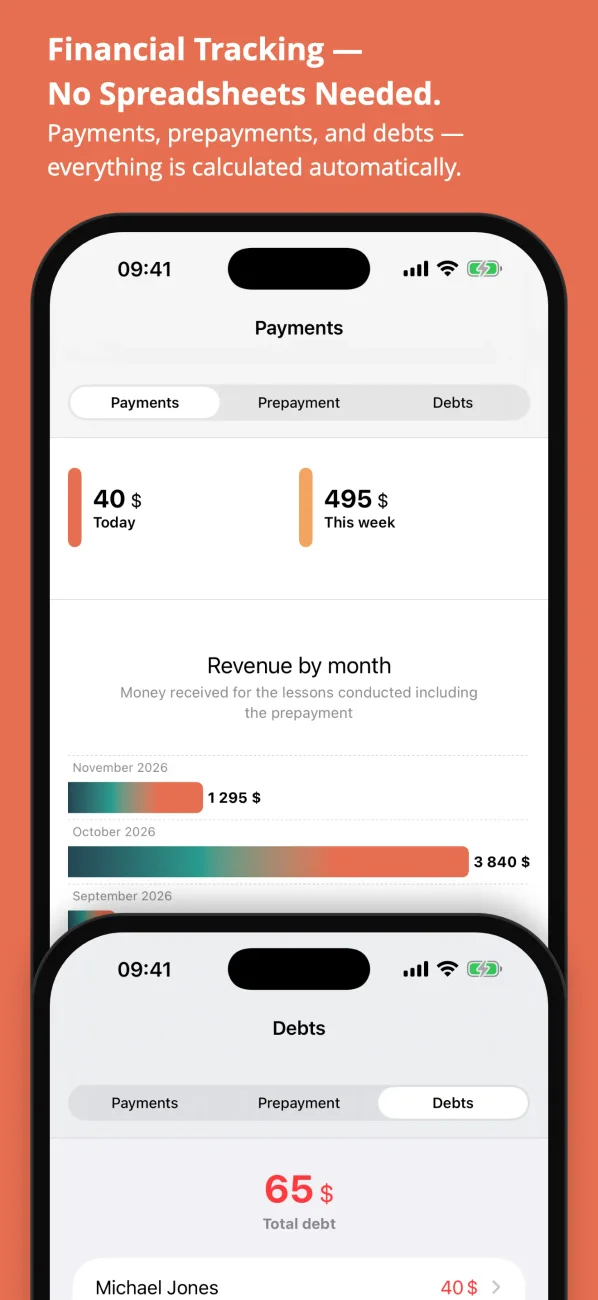
• Financial Tracking and Payments
Easily manage prepayments, debts, and lesson payments. Supports partial payments and automatic deductions from balances.
• Detailed Analytics
Track key metrics: average lesson cost, number of lessons per week, revenue by day and lesson type, load, and income forecasts.
• Smart Reminders
Push notifications about upcoming lessons — never forget a session. Student birthdays are shown right in the Journal.
WHO IS 7DAYSTUTOR FOR:
Education and Training:
• School Tutors
• Language Teachers
• Exam Preparation Mentors
Arts and Creativity:
• Music Teachers, Choreographers, Acting Coaches
• Drawing, Design, and Photography Instructors
Fitness and Health:
• Fitness, Yoga, Pilates Instructors
• Dietitians and Sports Coaches
Personal Development:
• Coaches, Psychologists, Career Consultants
Child Development:
• Speech Therapists and Early Development Specialists
Skills and Hobbies:
• Driving Instructors, Programmers, and Chess Coaches
ADDITIONAL FEATURES:
• PDF printing of schedules, student lessons, and attendance
• Customizable lesson pricing for individual and group sessions
• iCloud sync and encrypted backups
• Light, dark, and system themes
• Face ID / Touch ID support
• Flexible settings for lesson duration and working hours
• Data clearing with prepayment retention
Download 7DaysTutor and manage your teaching business like a pro. Everything under control — in one app.
Terms of Use: https://www.apple.com/legal/internet-services/itunes/dev/stdeula/
What’s new
Version 1.7.0 · Nov 12, 2026
iPhone Calendar in the Journal
Turn on iPhone Calendar in Settings, and your events will appear in the Journal next to your lessons — in both grid and list view. If an event overlaps a lesson, the app warns you.
Calendar Events
Tap “+” or press and hold an hour in the Journal, then choose Calendar Event. The event is saved to your iPhone Calendar, not to the app.
Plus minor fixes and improvements.
App privacy
What Eugene Popovsky declares on the App Store about how this app handles data.
-
Data used to track you
May be used to track you across apps and websites owned by other companies.
- Identifiers
- Usage data
-
Data linked to you
May be collected and linked to your identity.
- Identifiers
- Usage data
Privacy practices may vary, for example with the features you use or your age.
Information
- Seller
- Eugene Popovsky
- Category
- Education
- Version
- 1.7.0
- Updated
- Nov 12, 2026
- Released
- Jun 2, 2025
- Size
- 12.0 MB
- Requires
- iOS 18.1 or later
- Age rating
- 4+
- Price
- Free
- In-app purchases
- Yes
- Languages
- English, French, German, Italian, Russian, Spanish
- Copyright
- © 2025-2026 Eugene Popovsky
You might also like
-
 Tutor Pro calendar for teacherUltimate Tutoring Companion
-
 TeacherMate: For TutorsTutor's smart assistant
-
 TutorPlanSchedule, Payments, Students
-
 LMS Школа. Классный журналEducation
-
 REPETIT.RU - Поиск репетитораEducation
-
 Repetitor.ru - Для репетиторовEducation
-
 Журнал Дневник.руEducation
-
 Introvert: self-developmentExpand your mind every day
-
 Plant Disease IdentificationCheck if Plant Sick by Photo
-
 dialed.gg +Color Memory Games