
8Terminal: SSH Client
SFTP & Tunnels · No Account
Designed for iPhone, iPad, Mac
In-app purchases
- Age rating4+
- CategoryDeveloper Tools
- DeveloperMilos Vesic
- LanguagesEnglish
- Size59.6 MB
Links to the official App Store page
Download.org hosts no file of 8Terminal: SSH Client. The button opens its official App Store page, published by Milos Vesic. Listing last checked on Nov 12, 2026.
Screenshots

About
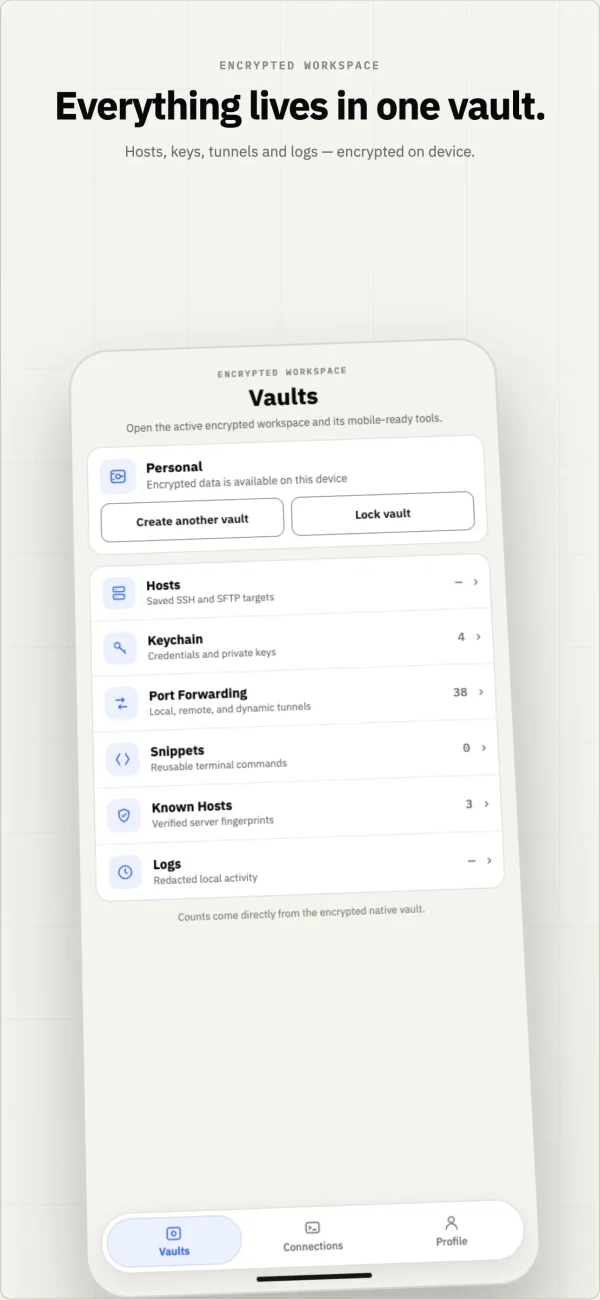
8Terminal is an SSH client for iPhone and iPad that needs no account. Your hosts, keys and passwords live in an encrypted vault on your device — there is nothing to sign up for and no server of ours in between.
TERMINAL
• Native SSH, built in — not a wrapper around another client
• GPU-accelerated terminal with a key row for Esc, Ctrl, Alt, Tab, arrows, Shift-Tab, Home, End, Page Up/Down and F1–F12
• Hardware keyboard on iPad: Esc, Tab, Ctrl keys, Cmd+T, Cmd+W and Cmd+1–9
• Several sessions at once, with a Live Activity that shows when a coding agent is waiting — and Return, Ctrl-C and Reconnect buttons
• Reconnects when you come back, and reattaches your tmux or zellij session
• Paste a screenshot straight into the terminal; its location data is removed first
• Find in the terminal, and open https links after you confirm
• Send a saved password into a prompt with Face ID — it never touches the clipboard
HOSTS AND KEYS
• Password, key and two-factor keyboard-interactive sign-in; Ed25519, ECDSA and RSA keys in OpenSSH and PuTTY formats
• Generate a key on the phone and install it on a host in one step
• OpenSSH certificates from your CA
• A key kept in the Secure Enclave, used with Face ID for every sign-in
• Agent forwarding that asks you before every signature
• Chains of up to four jump hosts, and environment variables per host
• Unknown host keys ask first; a changed host key blocks the connection
• Post-quantum key exchange (mlkem768x25519-sha256) with servers that offer it
SFTP AND TUNNELS
• Browse, upload and download over the connection you already opened
• Folders, permissions, Quick Look and Share, keep both or replace
• An interrupted transfer resumes where it stopped
• Local, remote and dynamic (SOCKS5) port forwarding
WIDGETS AND SHORTCUTS
• A Home Screen widget with your recent hosts
• Shortcuts to connect to a host, run a snippet (after you review it) or start a tunnel
ENCRYPTED VAULT, ON YOUR TERMS
• Argon2id and XChaCha20-Poly1305; unlock with Face ID or your master password
• Several vaults if you keep work and home apart
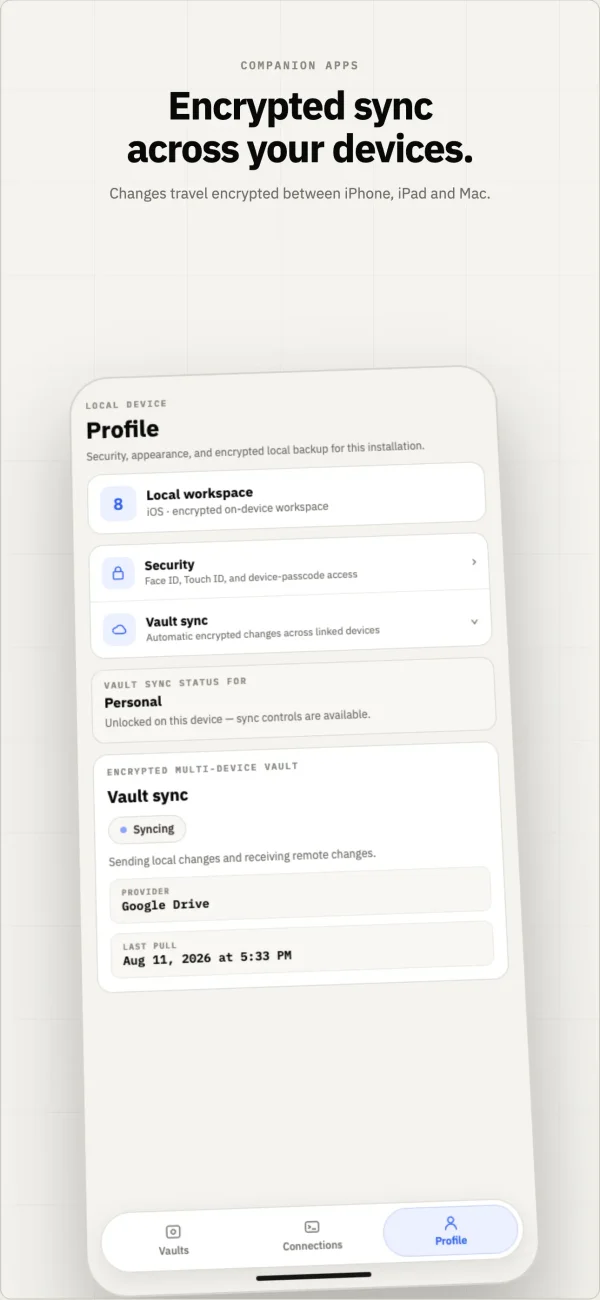
• Back up to your own iCloud Drive or Google Drive, or export one file — free
• Import hosts from MobaXterm, PuTTY, Tabby and your OpenSSH config; export and import readable JSON without secrets
AI ASSISTANT, YOUR KEY
• Bring your own OpenAI, Anthropic, OpenRouter or compatible key; it stays on this device
• By default you choose what it reads, and a command it suggests runs only after you approve it, exactly once
• Optional Auto mode, off until you turn it on: give it a goal and it runs read-only checks on your Linux server by itself, without touching your terminal, and asks before anything that changes the server
• In Auto mode what those checks print is sent to your AI provider. Your passwords, keys and vault are never sent, and you agree before the first run
• Stop ends a run at once
8TERMINAL PRO — $5.99 ONCE
• End-to-end encrypted vault sync between your iPhone, iPad and Mac, through your own cloud
• Link a new device with a verification code
• One purchase covers every device on your Apple Account and your Family Sharing group. No subscription.
Everything else in 8Terminal is free, on every device, with no time limit.
PRIVACY
No account, no tracking, no analytics. Crash reports stay off until you turn them on, and never contain hostnames, usernames, terminal output or anything from your vault.
Terms of Use: https://www.apple.com/legal/internet-services/itunes/dev/stdeula/
What’s new
Version 1.0.7 · Nov 10, 2026
Hosts are easier to organize and edit on iPhone and iPad.
• Browse groups and subgroups, with hosts organized into collapsible sections. Search reveals the matching groups.
• Open a host's details before connecting. On wider iPad layouts, the list and details appear side by side.
• Select several hosts to delete together. Remove a group while keeping its hosts, or delete the group and its hosts after reviewing the affected items.
• A redesigned host editor puts settings into clear sections, with a searchable group picker and suggestions from your existing tags. The layout adapts to iPhone and iPad.
• Unsaved edits ask before being discarded. Saving an incomplete form opens the section and focuses the field that needs attention.
• Clear filters in Keychain and Snippets, and find existing hardware keyboard shortcuts in Profile.
• Improved dialog focus and Escape behavior with a hardware keyboard, and fixed fields shifting after a validation error.
App privacy
What Milos Vesic declares on the App Store about how this app handles data.
-
Data not linked to you
May be collected but is not linked to your identity.
- Diagnostics
Privacy practices may vary, for example with the features you use or your age.
Information
- Seller
- Milos Vesic
- Category
- Developer Tools
- Version
- 1.0.7
- Updated
- Nov 10, 2026
- Released
- Aug 22, 2026
- Size
- 59.6 MB
- Requires
- iOS 17.0 or later
- Age rating
- 4+
- In-app purchases
- Yes
- Languages
- English
- Copyright
- © 2026 Milos Vesic
You might also like
-
 Loopsy TerminalDeveloper Tools
-
 OrbitSSH - Mobile TerminalSFTP, Tmux & File Manager
-
 Gumpbox - AI SSH clientEnable secured AI for SSH
-
 pmoshSSH terminal built for tmux
-
 GateShell - SSH Client & SFTPZero-backend terminal & Docker
-
 BalauDeckSSH, SFTP, tunnels & DB
-
 Pocket-Devpocket friendly Linux control
-
 SSH SpeedMobile Terminal & SFTP Client
-
 Opsivo: SSH, SFTP & DockerLinux Server & Terminal Client
-
 API Requester: HTTP ClientDebug APIs fast and easily