
- Age rating4+
- CategoryUtilities
- DeveloperAntonio Ruffolo
- LanguagesEnglish+ 17 more
- Size9.4 MB
Links to the official App Store page
Download.org hosts no file of A Complex Calc. The button opens its official App Store page, published by Antonio Ruffolo. Listing last checked on Nov 23, 2026.
Screenshots



About
Work with complex numbers, scientific functions and unit conversions on your iPhone. A Complex Calc keeps your expression, result and next step together.
EDIT WITHOUT STARTING OVER
Place the cursor where you need a correction, reopen your latest submitted expression, or edit History entries that retain their original input. Paste supported expressions and review them before calculating. Undo and redo recent input changes during your current session.
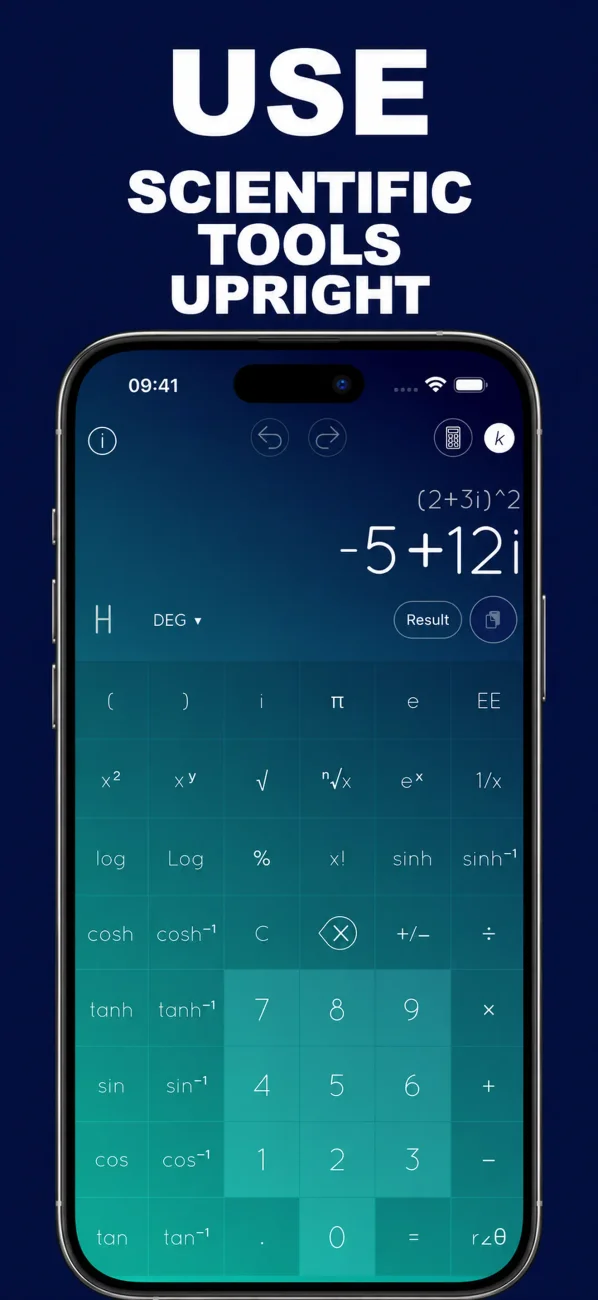
USE SCIENTIFIC TOOLS IN PORTRAIT
Choose Basic or Scientific without rotating your phone. Keep trigonometric functions, logarithms, powers and constants close, with degree and radian controls.
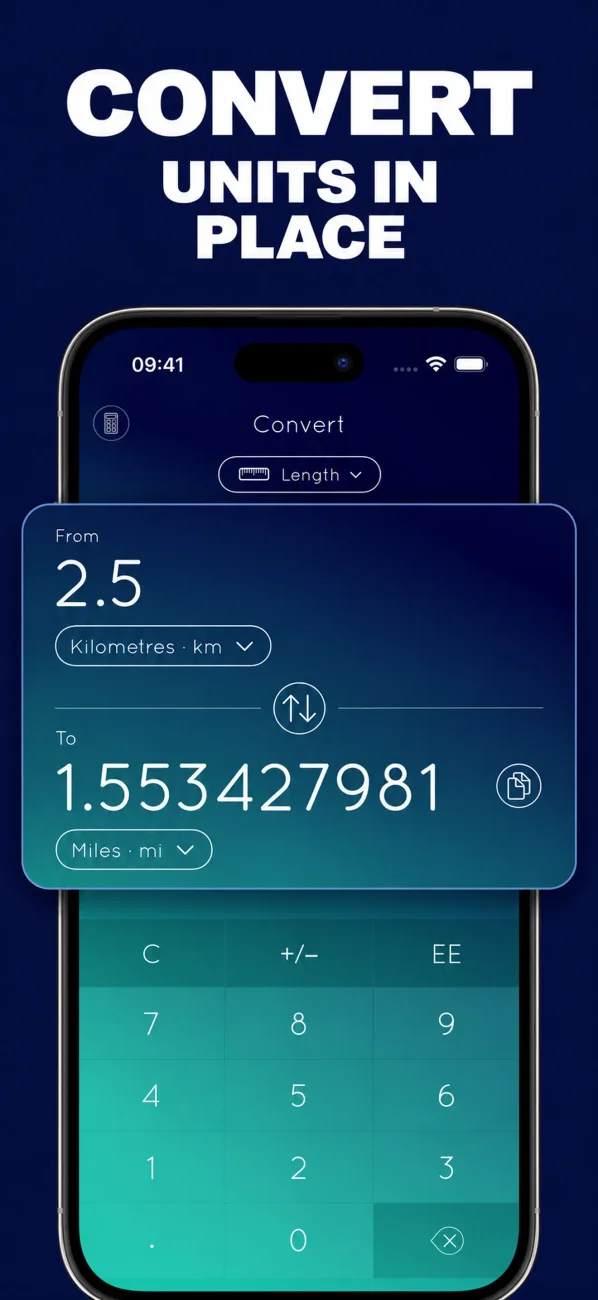
CONVERT UNITS ON THE SAME SCREEN
Convert length, area, volume, mass, temperature, speed, energy, power, pressure, time, angles and electrical quantities. Swap compatible units, copy a converted value, and return to your calculator session.
KEEP AND SHARE USEFUL WORK
Mark History entries as favorites and filter them for quick access. Share a completed or saved calculation as text or a PNG image, with its recorded expression and result.
SEE COMPLEX RESULTS CLEARLY
Compare rectangular and polar forms, inspect the complex-plane diagram, and copy either representation. Clearer error guidance helps you correct an expression, while automatic scientific notation keeps small nonzero results visible.
Requires iOS 18 or later.
What’s new
Version 1.2.0 · Nov 13, 2026
• Enter complex numbers in polar form with explicit degree or radian angles.
• Choose Automatic, Fixed, Scientific or Engineering notation, with adjustable precision.
• Calculate factorials for real and complex numbers, with clearer errors for unsupported inputs.
App privacy
What Antonio Ruffolo declares on the App Store about how this app handles data.
-
Data not collected
The developer does not collect any data from this app.
Privacy practices may vary, for example with the features you use or your age.
Information
- Seller
- Antonio Ruffolo
- Category
- Utilities
- Version
- 1.2.0
- Updated
- Nov 13, 2026
- Released
- Apr 22, 2018
- Size
- 9.4 MB
- Requires
- iOS 18.0 or later
- Age rating
- 4+
- Price
- Free
- Languages
- English, Czech, Danish, Dutch, Finnish, French, German, Greek, Hungarian, Italian, Norwegian Bokmål, Polish + 6 more
- Copyright
- © Antonio Ruffolo
You might also like
-
 Complex RPN CalculatorComplex Numbers RPN Calculator
-
 Calculator for Complex FieldEveryday + professional uses
-
 UniCount scientific calculatorEngineering & complex numbers
-
 CalccisA RPN calculator
-
 RLM-10CXScientific Calculator
-
 Plottron3D graphing calculator
-
 PyCalcCalculate better with Python
-
 bcRPNUtilities
-
 PCalc LiteThe Best Calculator
-
 Calculator #Scientific Calculator