Abookio Audiobook Player
Listen Beautifully
Designed for iPhone, iPad
Free · In-app purchases
- Age rating4+
- CategoryBooks
- DeveloperTristan Heine
- LanguagesEnglish+ 5 more
- Size88.3 MB
Links to the official App Store page
Download.org hosts no file of Abookio Audiobook Player. The button opens its official App Store page, published by Tristan Heine. Listing last checked on Nov 23, 2026.
Screenshots



About
Your books. Your pace. Your place to get lost in a story.
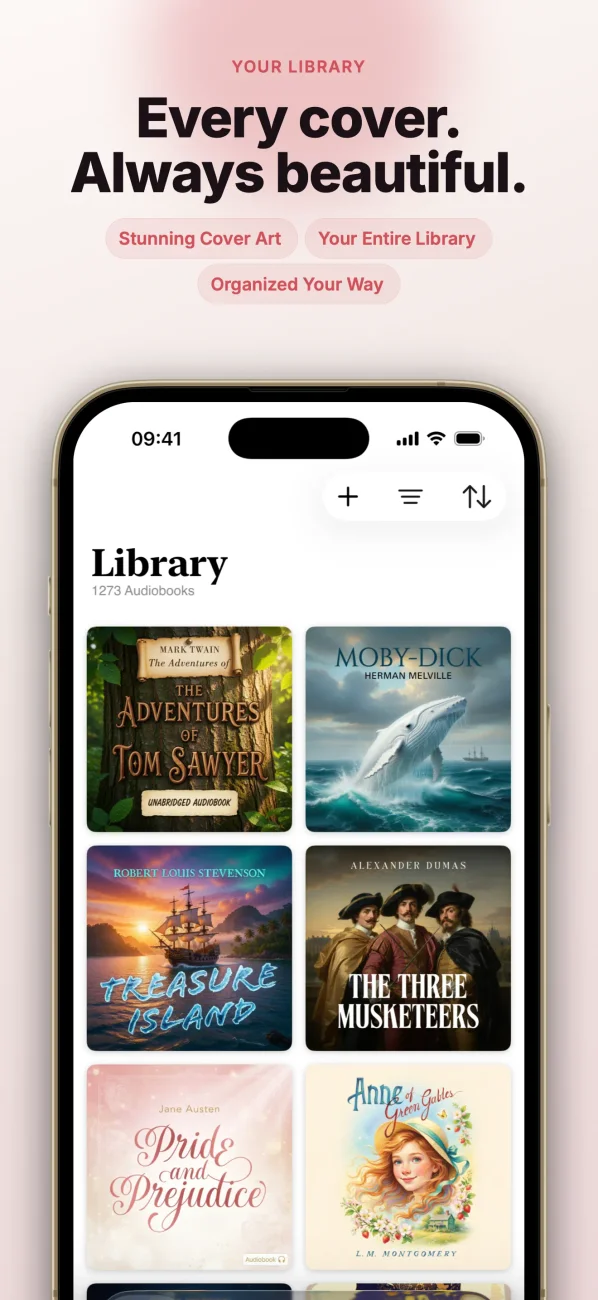
Abookio brings your audiobooks together in a personal library built around you. Listen with thoughtful playback controls, read along with live transcription, and pick up the story with a quick recap whenever you need one. Bring your own books and enjoy them without ads or tracking.
STAY IN THE STORY
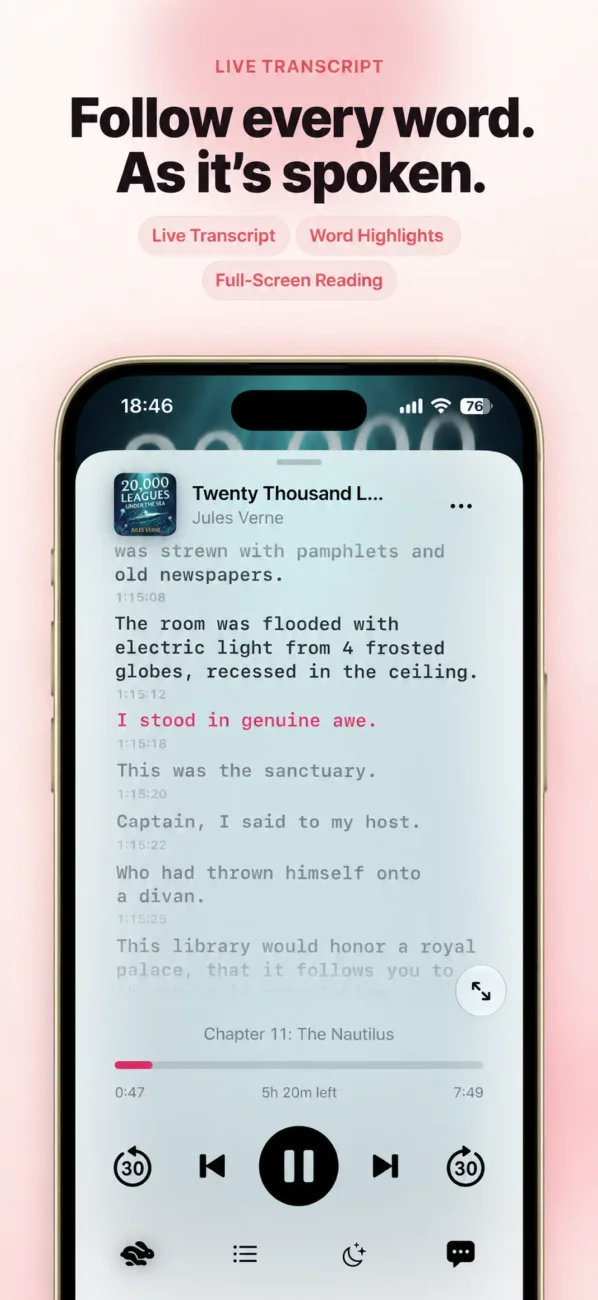
• Follow the narration with live transcription
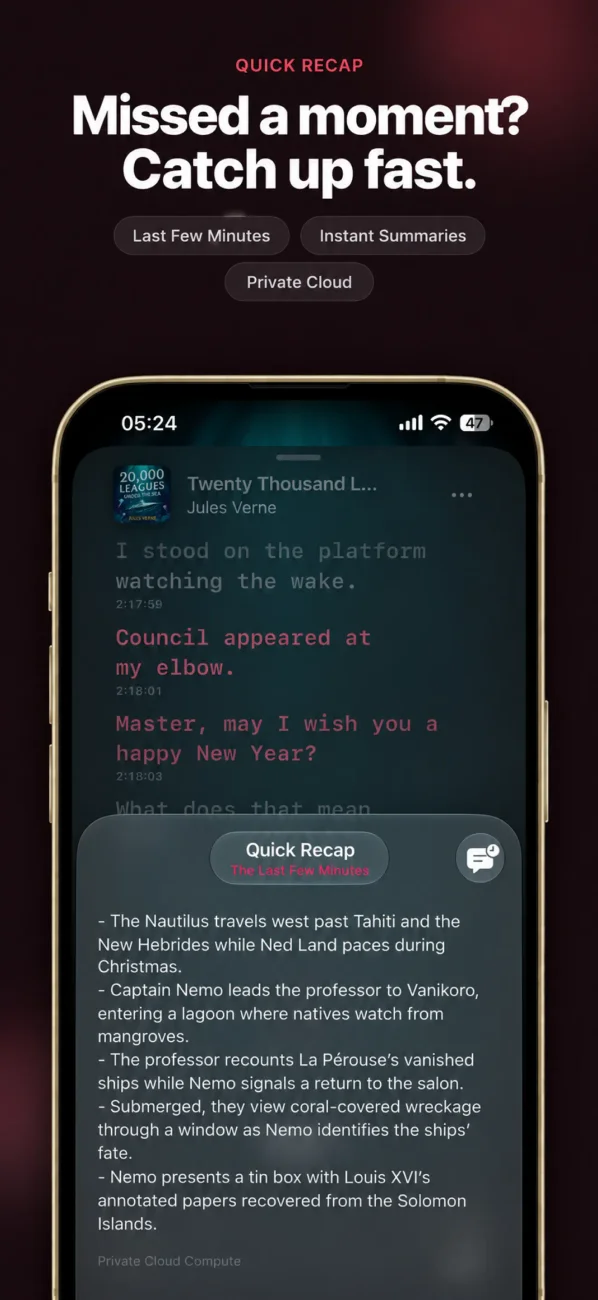
• Catch up with a short recap of the last few minutes
• Get chapter summaries to refresh your memory
• Read EPUBs right in the app
• Save bookmarks and notes for moments worth keeping
MAKE YOUR LIBRARY YOUR OWN
• Play all major audiobook formats, including FLAC
• Browse by author, narrator, series, genre, tags, and more
• Build smart collections that organize books automatically using your own rules
• Create collections, wishlists, and custom reading lists
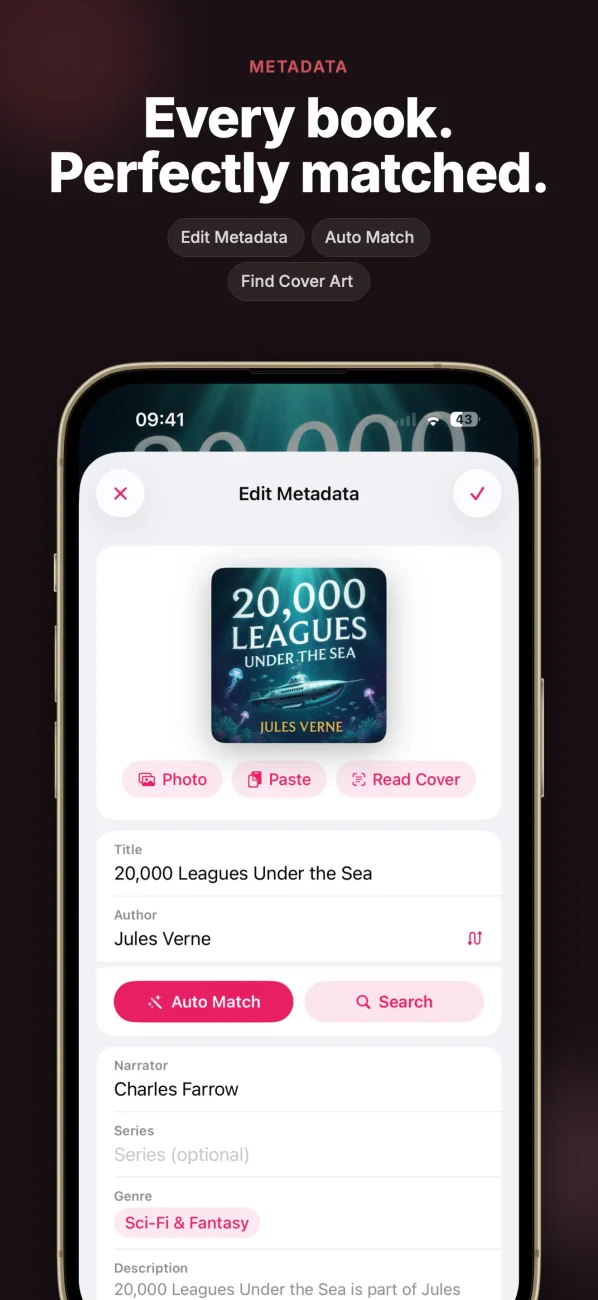
• Edit rich metadata with automatic lookup
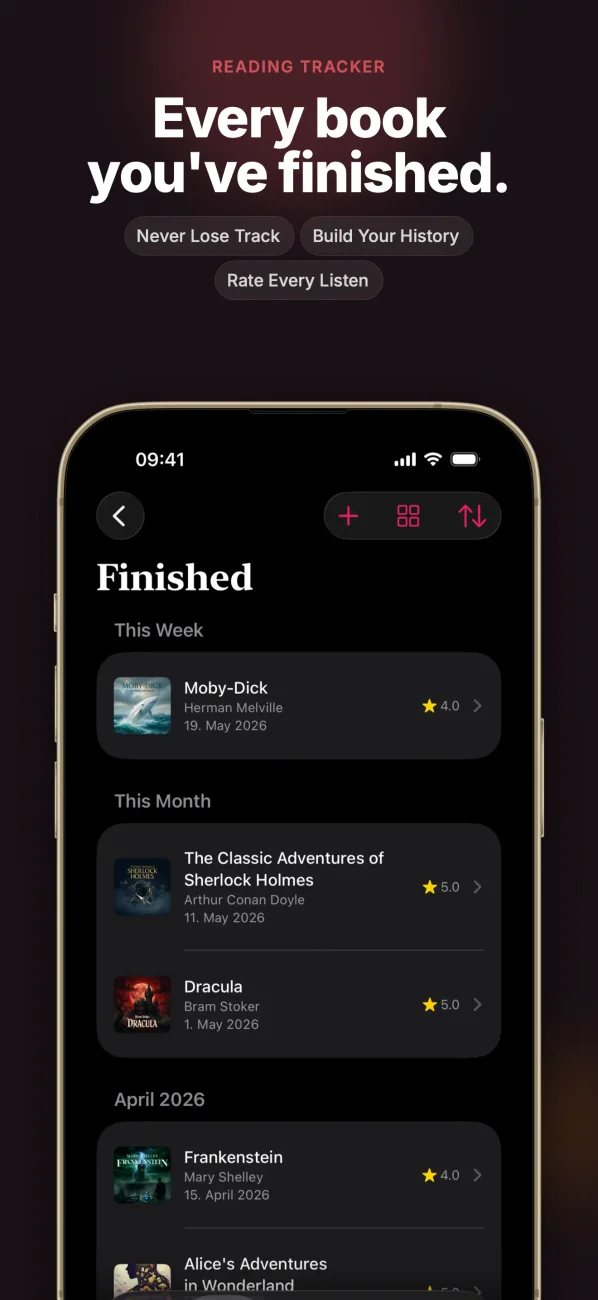
• Rate your books and track what’s finished, in progress, or up next
SETTLE IN FOR A GOOD LISTEN
• Ease back into the story with smart rewind after breaks and overnight pauses
• Drift off with a sleep timer and shake to extend it
• Rotate the cover artwork to move precisely through a book
• Skip silence and balance volume with normalization
• See your remaining listening time with Live Activities
• Resume exactly where you left off—even after re-importing a book
SEE YOUR READING LIFE TAKE SHAPE
• Build listening streaks and keep the habit going
• Track listening time and finished books
• Discover your most-listened-to authors, narrators, and genres
• Explore how your listening changes over time
• Share beautifully designed listening cards
BRING THE LIBRARY YOU ALREADY LOVE
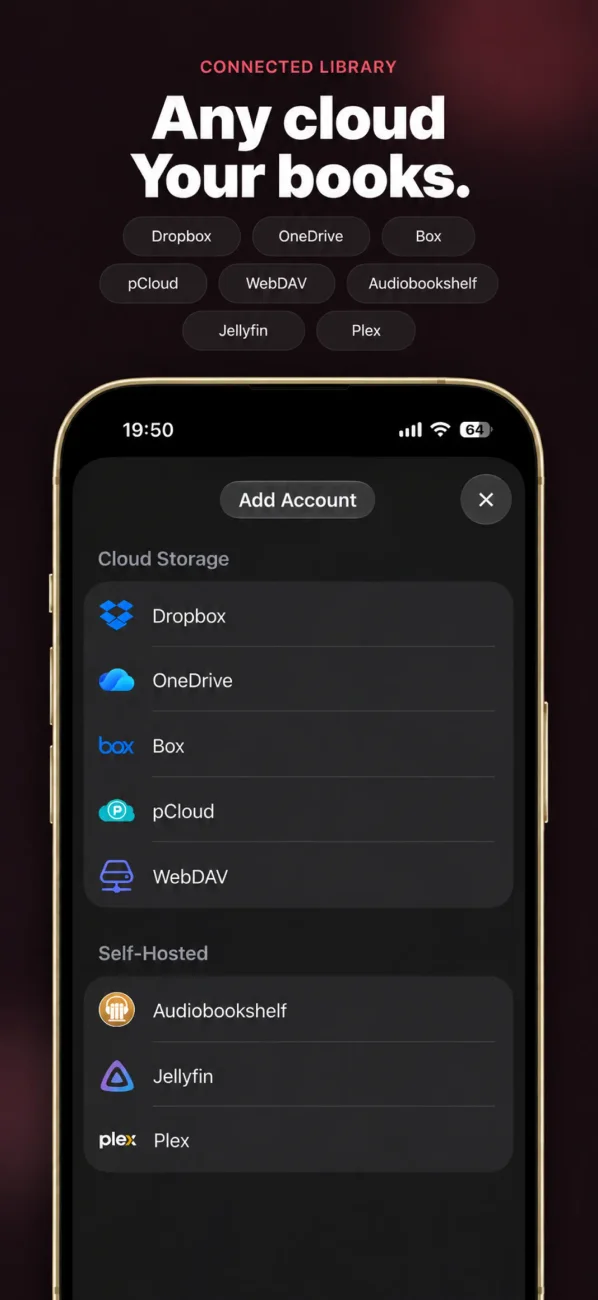
Import local files or connect your cloud storage and self-hosted servers:
• Audiobookshelf
• Plex
• Jellyfin
• WebDAV
• Dropbox
• OneDrive
• Box
• pCloud
AT HOME, ON A WALK, ON THE ROAD
• Enjoy Abookio on iPhone, iPad, and Apple Watch
• Listen in the car with CarPlay
• Keep your library close with Home Screen widgets
• Use Siri for convenient control
• Keep your library safe with secure, automatic iCloud backups that you can restore on another device
YOUR LIBRARY IS PERSONAL
No account required. No analytics. No tracking.
ABOOKIO PRO
Connect cloud storage and self-hosted servers, bring multiple sources into one unified library, and unlock more ways to enjoy your books:
• Listen on Apple Watch and in the car with CarPlay
• Look up and import book metadata details
• Read along with live transcription and catch up with recaps
• Personalize your Home Screen with Pro widgets
• Try preview features, including EPUB reading and Book Intelligence tools such as location extraction
Your books. Your data. Yours alone.
Terms of Use (EULA): https://abookio.app/terms
Privacy Policy: https://abookio.app/privacy
What’s new
Version 6.0.1 · Nov 21, 2026
This update brings an easier way to add books, a fresh look for your library, and a winter app icon.
ADD BOOKS FROM YOUR COMPUTER
• Upload audiobooks wirelessly from any web browser on your Mac or PC, or connect with a cable and copy them with Finder or iTunes.
• Drop audiobooks into the Abookio folder in the Files app, and they're added to your library automatically.
• Download audiobooks and podcasts from a web address.
• Connect your MEGA account to stream and download audiobooks from the cloud.
LISTENING
• Skip intros and credits with a single tap.
• Abookio now knows when you reach the end of a book and invites you to rate it.
• A redesigned Read Status makes it easier to track your progress, and now lets you add notes.
LIBRARY
• Curate has a beautiful new icon view, plus ready-made templates to start a collection in seconds.
• Choose the buttons that appear beside Play, and find every detail about a book in the new Book tab.
• Smarter metadata gives you better book matching and suggested matches to review and accept. You can also turn off iTunes as a source.
• When you match a book's details using Audible as a source, chapter titles and times are added automatically when available.
DESIGN
• Settings has been reorganized for clarity, with a new search bar to find any setting quickly.
• Journal has been refined to make your listening history clearer and easier to browse.
• Welcome the season with a new snowy app icon, available in Settings > Appearance.
This update also includes bug fixes and performance improvements.
App privacy
What Tristan Heine declares on the App Store about how this app handles data.
-
Data not collected
The developer does not collect any data from this app.
Privacy practices may vary, for example with the features you use or your age.
Information
- Seller
- Tristan Heine
- Category
- Books
- Version
- 6.0.1
- Updated
- Nov 21, 2026
- Released
- Nov 13, 2025
- Size
- 88.3 MB
- Requires
- iOS 18.0 or later
- Age rating
- 4+
- Price
- Free
- In-app purchases
- Yes
- Languages
- English, French, German, Hindi, Simplified Chinese, Spanish
- Copyright
- © 2026 Abookio
You might also like
-
 TonspurYour Audiobookshelf companion
-
 Audra BooksAudiobookshelf Client
-
 Lysn: Audiobook PlayerBooks
-
 Bloox - M4B Audiobook PlayerTranscripts, recaps, book chat
-
 Spine - Audiobook PlayerAudiobooks, finally beautiful
-
 Audiobook Player: MP3 M4A M4BImport, Stream & Play Offline
-
 BookenEasy audiobook listening
-
 Fable FrogPlayer for Audiobookshelf
-
 Ink&EchoEbooks & audiobooks, one shelf
-
 Still: for AudiobookshelfAudiobooks, Ebooks, Podcasts