Aboscan: Subscription Tracker
Find forgotten subscriptions
Designed for iPhone, iPad
In-app purchases
- Age rating4+
- CategoryFinance
- DeveloperGerhard Kanzler
- LanguagesGerman+ 1 more
- Size11.9 MB
Links to the official App Store page
Download.org hosts no file of Aboscan: Subscription Tracker. The button opens its official App Store page, published by Gerhard Kanzler. Listing last checked on Nov 25, 2026.
Screenshots
About
Streaming, cloud storage, fitness, insurance — subscriptions add up to more than you think. In just a few minutes, Aboscan gives you the full picture: what you're subscribed to, what it costs and when you need to cancel. Made for Germany, Austria and Switzerland.
HOW IT WORKS
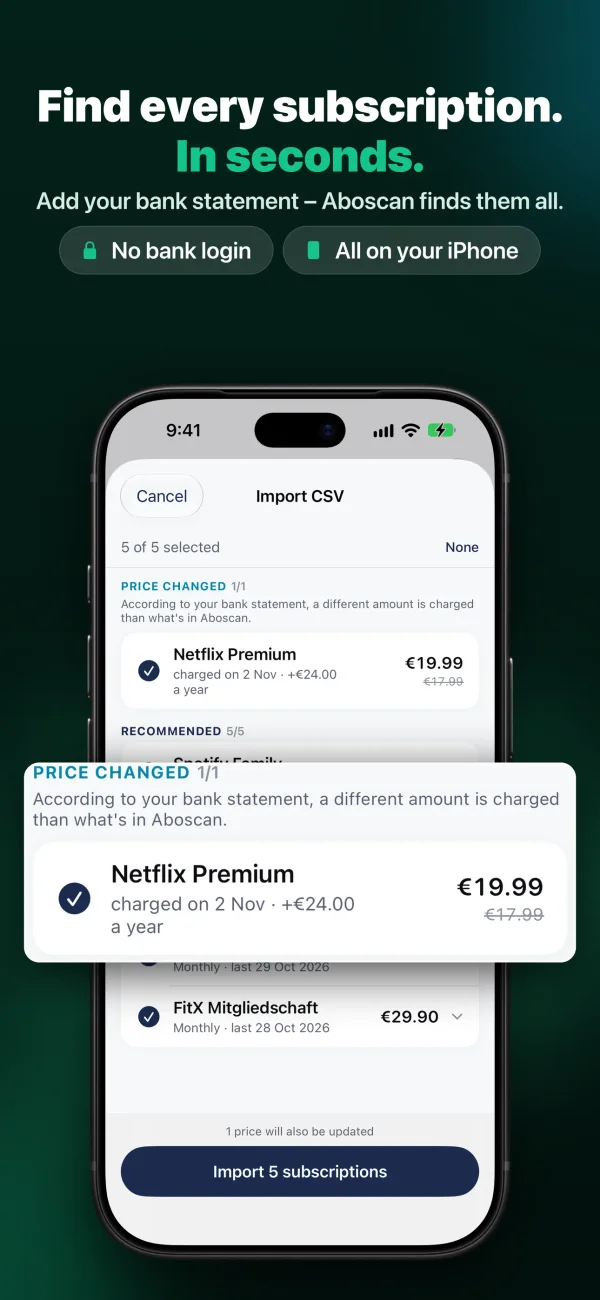
1. Import your bank statement: download your transactions in online banking — as CSV, PDF, CAMT or MT940 — or simply take screenshots of the transaction list in your banking app. No bank login, no credentials, no purchase required. For 16 banks in Germany, Austria and Switzerland, Aboscan shows you where to find the export — including Sparkasse, DKB, ING, N26, George and PostFinance.
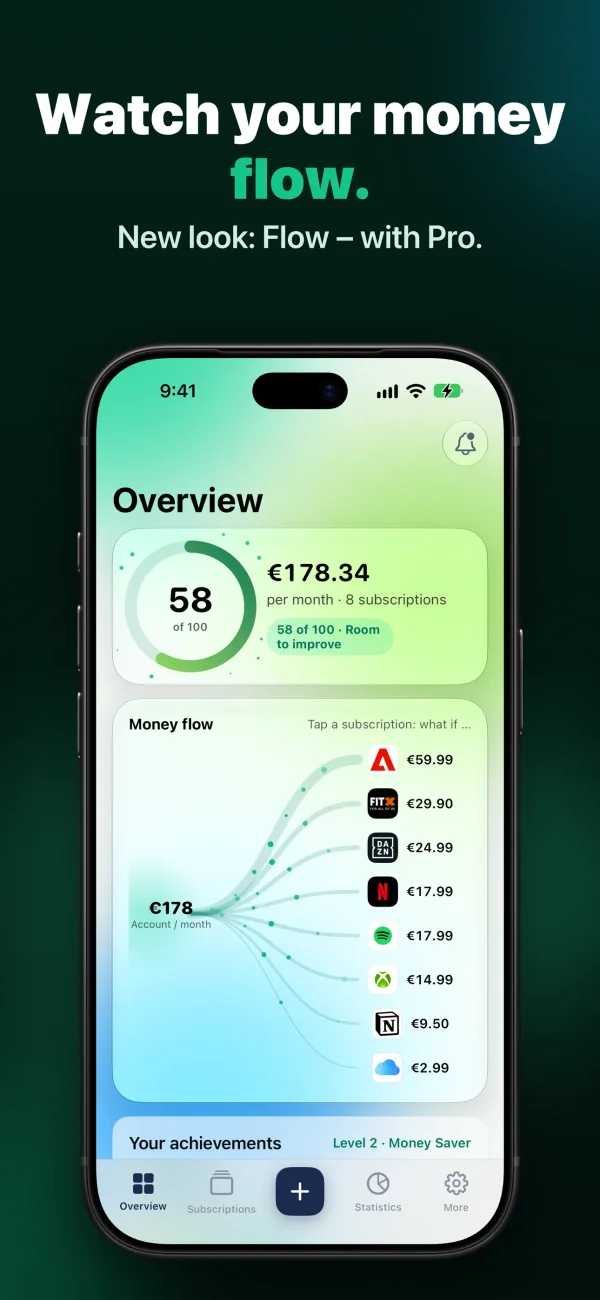
2. Detect subscriptions automatically: Aboscan finds recurring payments, matches them to known providers (Netflix, Spotify, Adobe and many more) and sorts them into categories. Credits such as your salary are left out.
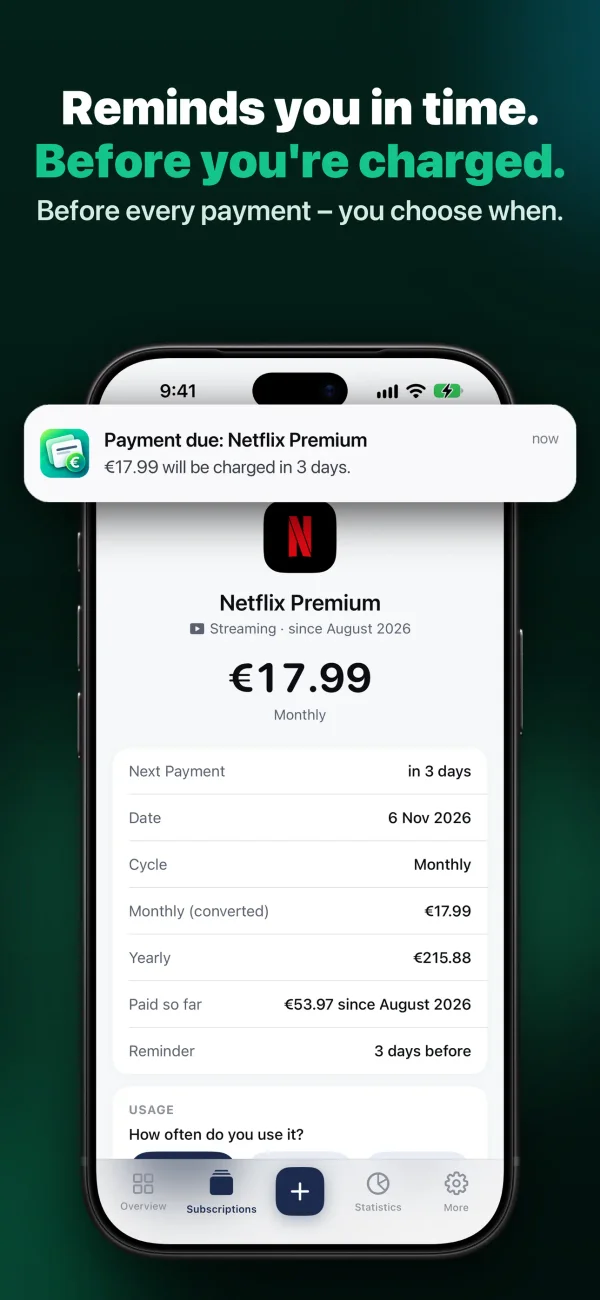
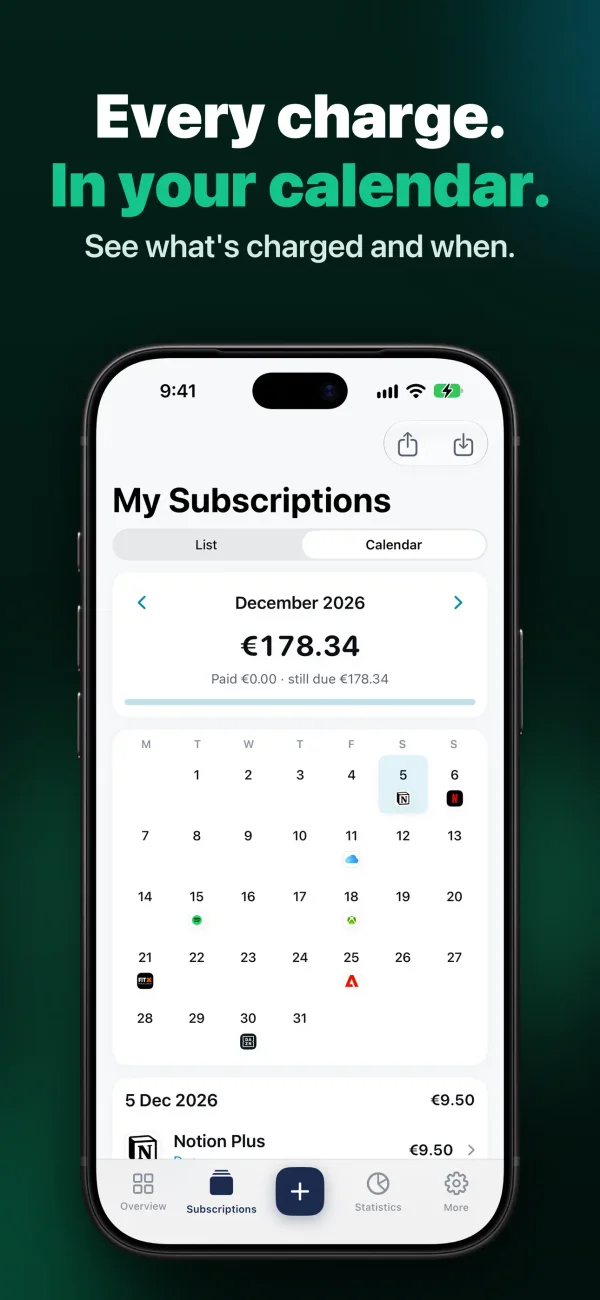
3. Stay on top: see all subscriptions with costs and upcoming payment dates — and get reminded in time, before anything renews.
No bank statement? No problem: when you first open the app, tap the subscriptions you have and choose your plan.
YOUR BENEFITS
• Automatic subscription detection from bank statements, PDFs or screenshots
• Reminders before payments, cancellation deadlines and the end of free trials
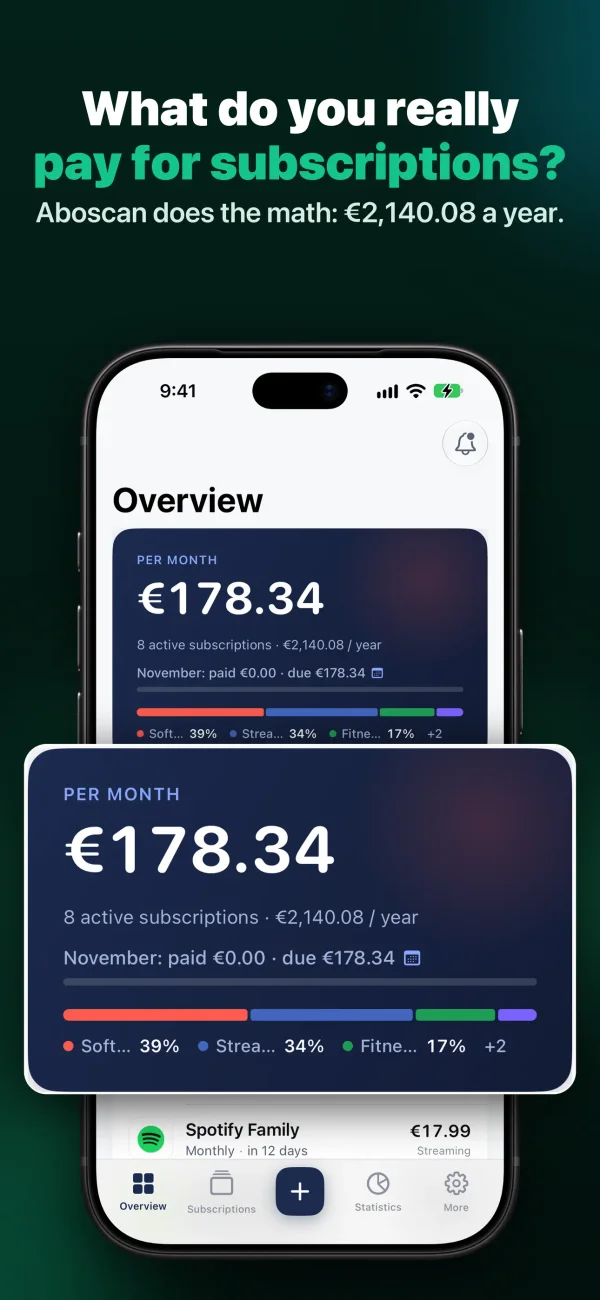
• Monthly and yearly costs at a glance
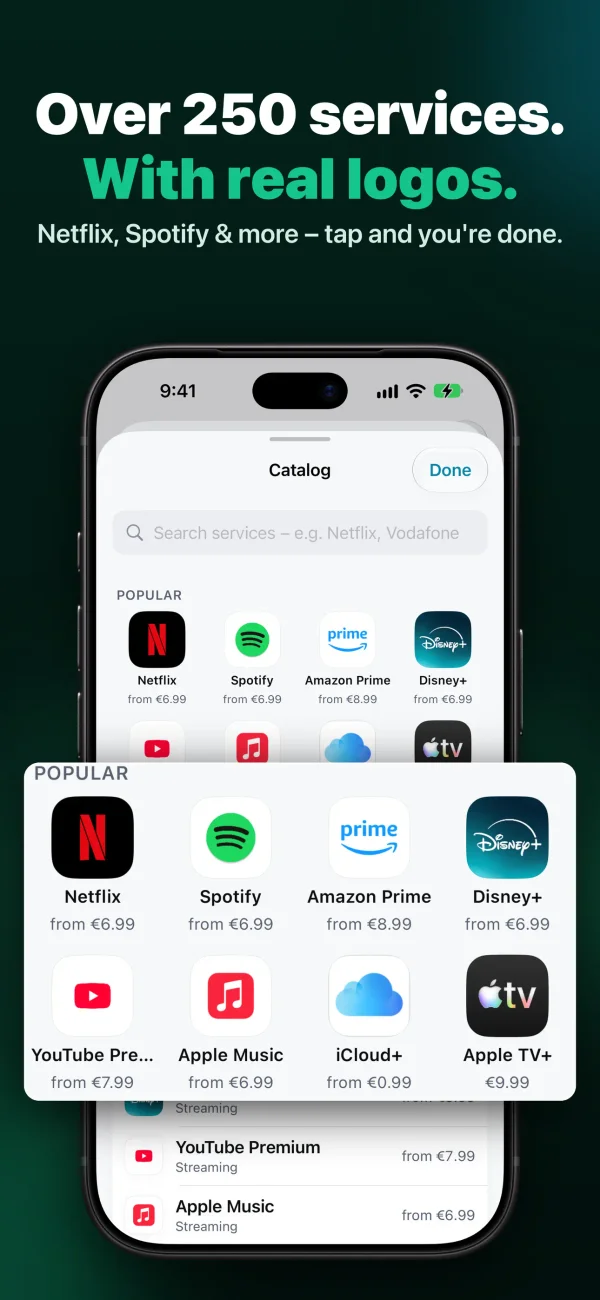
• A calendar of every charge this month, real logos for over 240 services
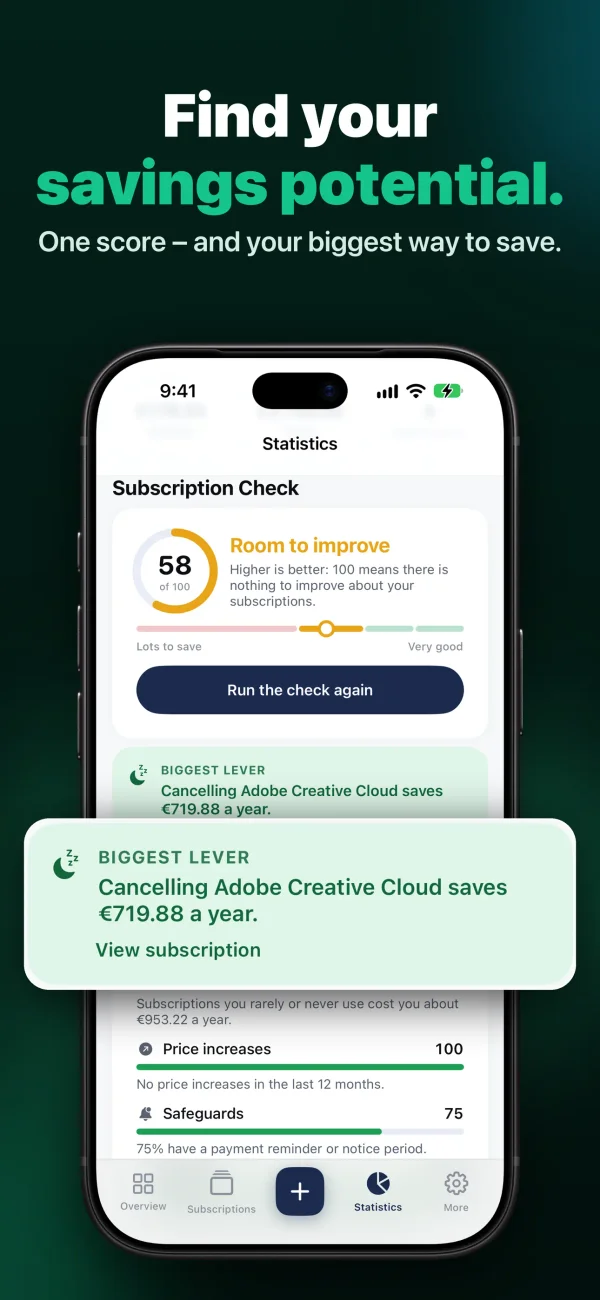
• Subscription Check: a score from 0 to 100, free
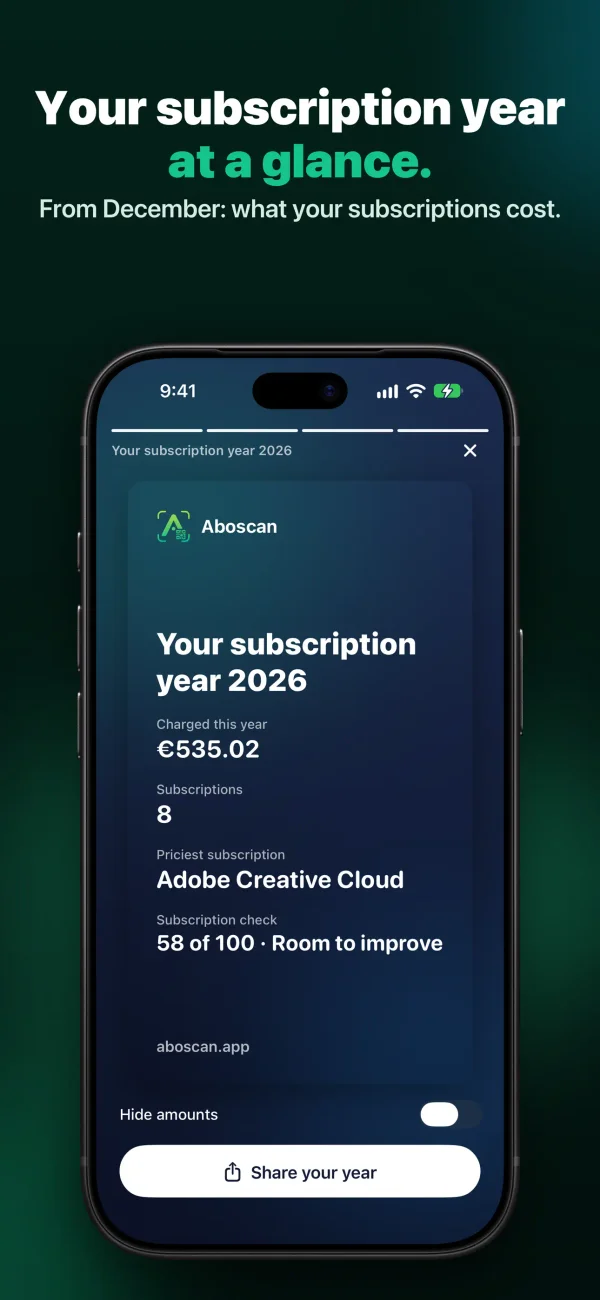
• Your subscription year: a year in review from December to share, free
• Achievements and weekly goals for tidying up your subscriptions
• Analysis with Pro: Subscription Check, “What if …”, the next 12 months, ways to save down to a cheaper plan, price increases – also as a PDF
• Cancellation info right on each subscription: link, email or postal address, plus notice period and contract number hints where available
• Add them yourself: pause, fixed term, one-time, shared – in lists like Family and your own categories
• Widgets, Siri and Spotlight, export as PDF and CSV
• Optional iCloud sync through your private iCloud
• In German and English
PRIVACY FIRST
• No bank login: Aboscan never connects to your bank account
• No sign-up, no account, no email address needed
• The analysis runs entirely on your iPhone — no transaction ever leaves your device
• With Apple Intelligence even more accurate, on the device as well
• GDPR-compliant
• No ads, no selling of your data
START FREE, UNLOCK ONCE
Aboscan Basic is free — and the bank statement import is included: analyse, see the result, add up to 3 subscriptions or create them yourself. Reminders and cost overview included.
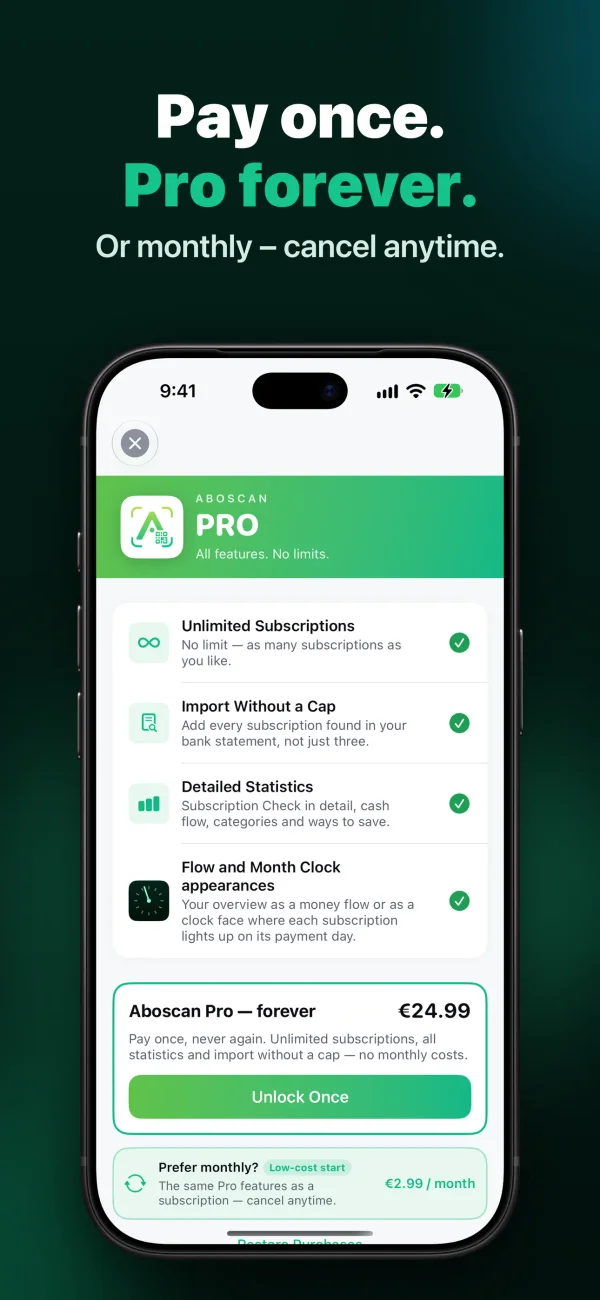
Unlock Aboscan Pro with a one-time payment — not a subscription. Forever: add any number of subscriptions per import, track as many as you like, the analysis with Subscription Check, outlook and ways to save, contract document scanning, plus the Flow and Month Clock looks. An app against subscriptions shouldn't be one itself. If you prefer to pay monthly, Pro is also available as a monthly subscription.
Get the full picture now — your first scan takes less than five minutes.
SUBSCRIPTION & PRICES
• Aboscan Basic is free forever (up to 3 subscriptions).
• Aboscan Pro (Lifetime) is a one-time purchase for €24.99 — not a subscription, no recurring costs.
• Aboscan Pro (Monthly) is a subscription for €2.99 per month.
For the subscription:
• Payment is charged to your Apple ID account at confirmation of purchase.
• The subscription renews automatically for the same period at the same price unless it is cancelled at least 24 hours before the end of the current period.
• Your account is charged for renewal within 24 hours before the end of the current period.
• You can manage and cancel your subscription at any time after purchase in your Apple ID account settings.
• Prices may vary by region and storefront.
Terms of Use: https://aboscan.app/agb
Privacy Policy: https://aboscan.app/datenschutz
What’s new
Version 1.15 · Nov 24, 2026
New in 1.15: saving, in black and white.
• Analysis as a PDF: key figures, Subscription Check, outlook, categories and ways to save at a glance – to file, print or share.
• Cheaper plan: if your service has a cheaper tier, Aboscan shows it as a way to save – with the saving per year.
• The service’s website is filled in when you add a subscription or import it.
• The import now also recognises subscriptions by the web address in the payment reference.
• When choosing a service, offers from your country appear higher up.
App privacy
What Gerhard Kanzler declares on the App Store about how this app handles data.
-
Data not linked to you
May be collected but is not linked to your identity.
- Usage data
- Diagnostics
Privacy practices may vary, for example with the features you use or your age.
Information
- Seller
- Gerhard Kanzler
- Category
- Finance
- Version
- 1.15
- Updated
- Nov 24, 2026
- Released
- Jul 21, 2026
- Size
- 11.9 MB
- Requires
- iOS 18.0 or later
- Age rating
- 4+
- In-app purchases
- Yes
- Languages
- German, English
- Copyright
- © Copyright by Aboscan
You might also like
-
 AboPilot: Subscription TrackerNever miss a cancellation
-
 Abo Tracker UltimateAbos, Budget und Ersparnisse
-
 SubTrack: SubscriptionBills & Subscriptions Tracker
-
 DolFin: Budget & SubscriptionsSpot Recurring Charges & Fees
-
 Bill Reminder — KyroSubscriptions & Trial Calender
-
 Budget & Net Worth: InvestrMoney manager & bill organizer
-
 Auric — Net Worth & AssetsTrack Your Wealth
-
 QAYTA: Subscription TrackerBill reminders, trials, budget
-
 SubZenit - Sub ManagerBudget & Subscription Tracker
-
 AboFalle – Abos verwaltenFinance