Accessibility Audit
WCAG Contrast & Target Check
Designed for iPhone, iPad
Free · In-app purchases
- Age rating4+
- CategoryDeveloper Tools
- DeveloperValeriya Pekar
- LanguagesEnglish+ 1 more
- Size4.1 MB
Links to the official App Store page
Download.org hosts no file of Accessibility Audit. The button opens its official App Store page, published by Valeriya Pekar. Listing last checked on Nov 23, 2026.
Screenshots
About
Don’t let accessibility compliance halt your deployment.
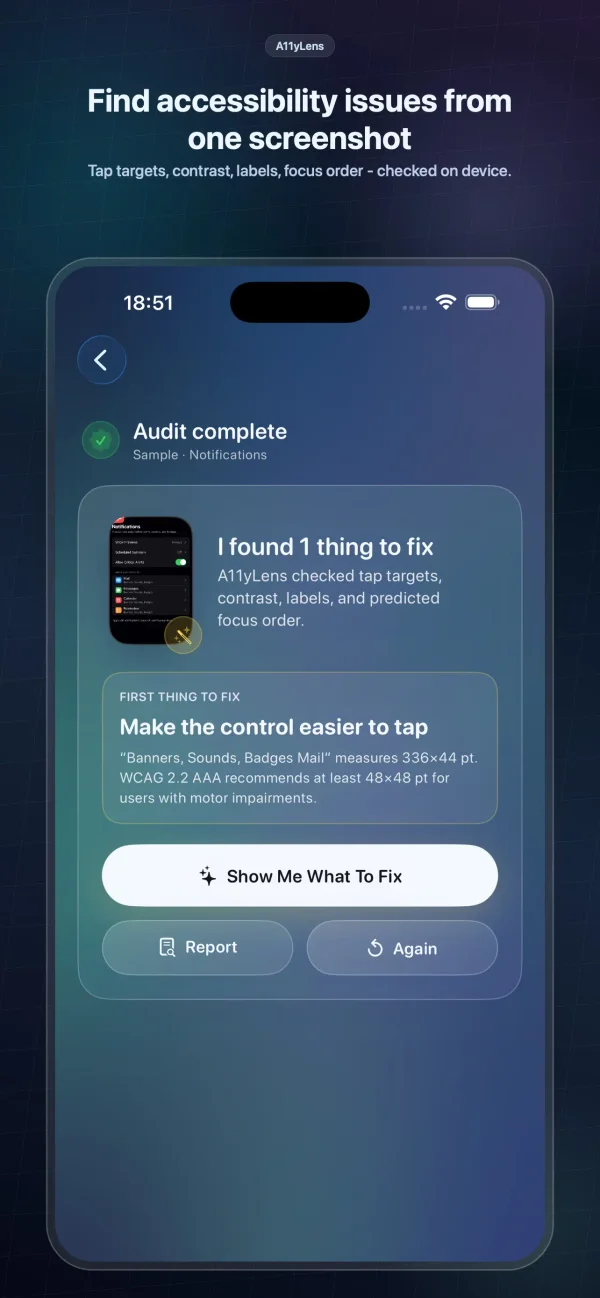
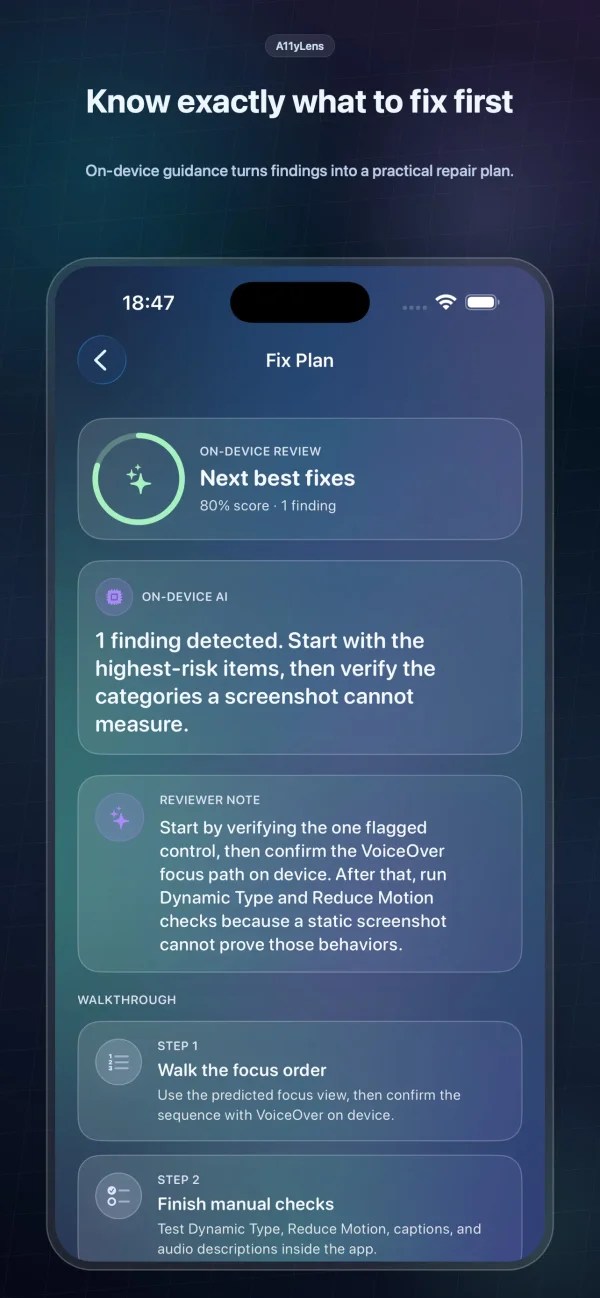
With Apple’s enforcement of Accessibility Nutrition Labels and global regulatory pressures like the European Accessibility Act (EAA), submitting inaccurate accessibility declarations can stall your app in App Review or risk serious compliance rejections. Accessibility Audit provides a seamless, offline-first auditing engine that checks your mobile user interfaces in seconds.
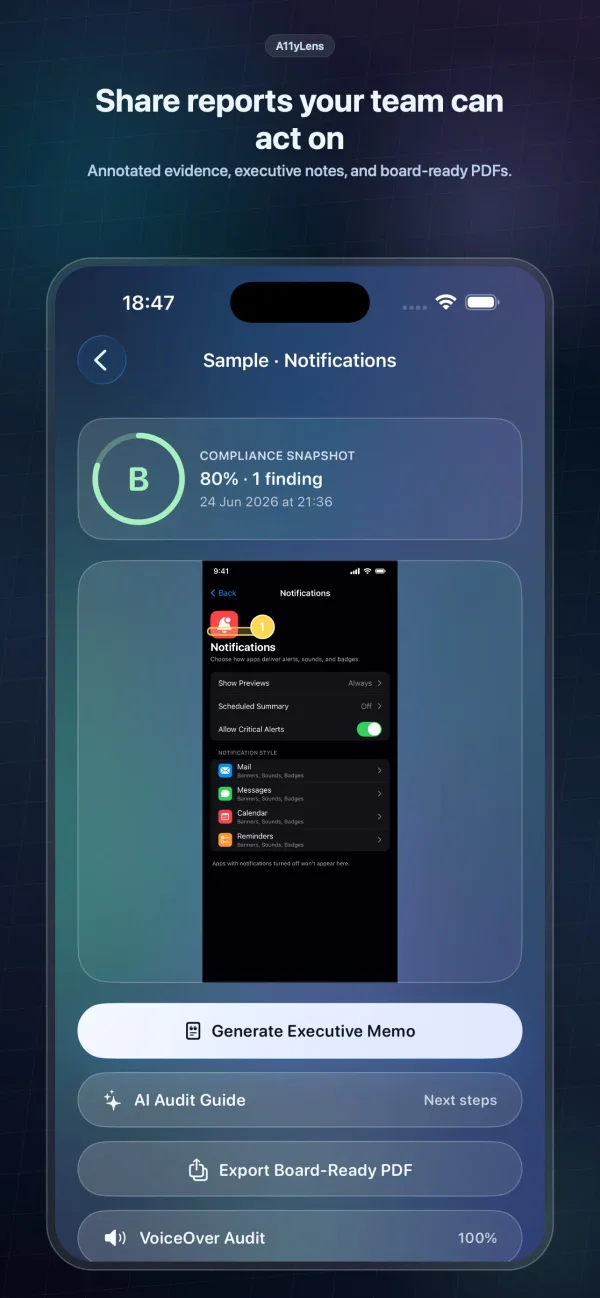
Simply load or drop a screenshot into the workspace to run an on-device, localized compliance scan that helps you confidently fill out your metadata sheets.
Core Compliance Pillars:
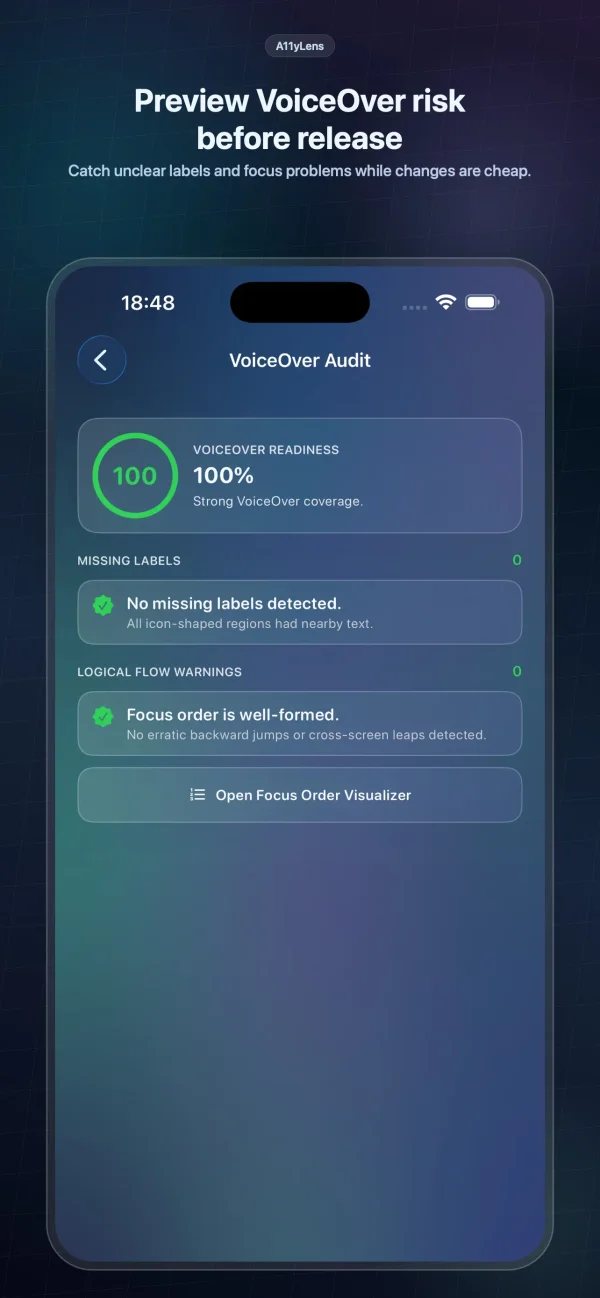
VoiceOver Semantic Validation: Automatically detects missing interactive text labels and analyzes structural focus routes. The engine visualizes the logical path a screen-reader user would navigate, warning you if layout hierarchies jump or skip critical elements.
WCAG 2.2 Contrast Math Engine: Computes pixel-precise relative luminance ratios across light and dark interfaces. Instantly maps text elements and background layers to verify conformity with absolute standard requirements (4.5:1 or 3:1 targets). Tap Target Physical Auditing: Measures the physical boundaries of touch elements. Identifies interactive regions failing the baseline requirement (44x44pt or 48x48pt) and highlights narrow spacing boundaries to mitigate accidental mis-taps.
Privacy-First Processing: Your visual layout components and technical designs never leave your local device. Every calculations engine and programmatic vision layer runs locally, ensuring proprietary mockups remain confidential.
Direct Compliance Mapping Built For App Store Connect:
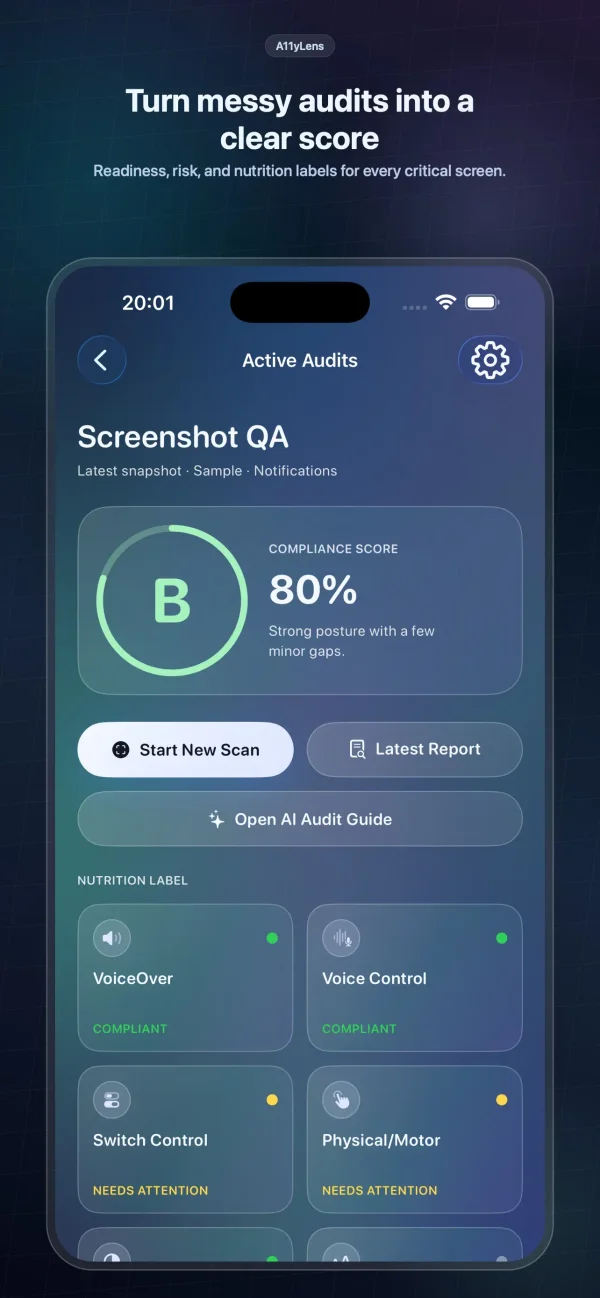
Generate immediate, actionable insights specifically formatted to answer the official App Store declaration sections:
Interaction Methods: Clear visibility scores for VoiceOver and Voice Control frameworks.
Visual Accessibility: Mathematical validation patterns across Sufficient Contrast metrics.
Interface Flexibility: Immediate confirmation that element clusters safely scale and hold spatial integrity.
Eliminate the guesswork of self-reporting. Download today to secure an uncompromised, accessible user experience for everyone while accelerating your release cycle.
Prepare for Accessibility Nutrition Labels.
Terms of Service: https://www.apple.com/legal/internet-services/itunes/dev/stdeula
Privacy Policy : https://riyapekar.blogspot.com/2026/05/accessibility-audit-privacy-policy.html
What’s new
Version 1.03 · Nov 16, 2026
Now you can see WGAC colours suggestions for each element
App privacy
What Valeriya Pekar declares on the App Store about how this app handles data.
-
Data not collected
The developer does not collect any data from this app.
Privacy practices may vary, for example with the features you use or your age.
Information
- Seller
- Valeriya Pekar
- Category
- Developer Tools
- Version
- 1.03
- Updated
- Nov 16, 2026
- Released
- May 25, 2026
- Size
- 4.1 MB
- Requires
- iOS 26.0 or later
- Age rating
- 4+
- Price
- Free
- In-app purchases
- Yes
- Languages
- English, Simplified Chinese
- Copyright
- © Valeriya Pekar
You might also like
-
 Colour Contrast Checker WCAGAccessibility Test AA AAA Hex
-
 Contrastly: WCAG CheckerPick Colors, Fix Contrast
-
 Metadata Translator: ASOQuickly Localise App Metadata
-
 Pocket Console: Cloud ToolsCloud Admin for Developers
-
 MCP StudioManage & test MCP servers
-
 GitHub Status MonitorGitHub monitoring & alerts
-
 Domain Details for SafariRDAP, WHOIS & domain research
-
 A11y TesterDeveloper Tools
-
 A11y ExampleDeveloper Tools
-
 BT/BLE ScannerScan. Detect. Connect.