
AccessibleLabels
Labels for the blind
Designed for iPhone, iPad, iPod touch
In-app purchases
- Age rating4+
- CategoryUtilities
- DeveloperMoritz Weinig
- LanguagesGerman+ 1 more
- Size11.6 MB
Links to the official App Store page
Download.org hosts no file of AccessibleLabels. The button opens its official App Store page, published by Moritz Weinig. Listing last checked on Nov 12, 2026.
Screenshots
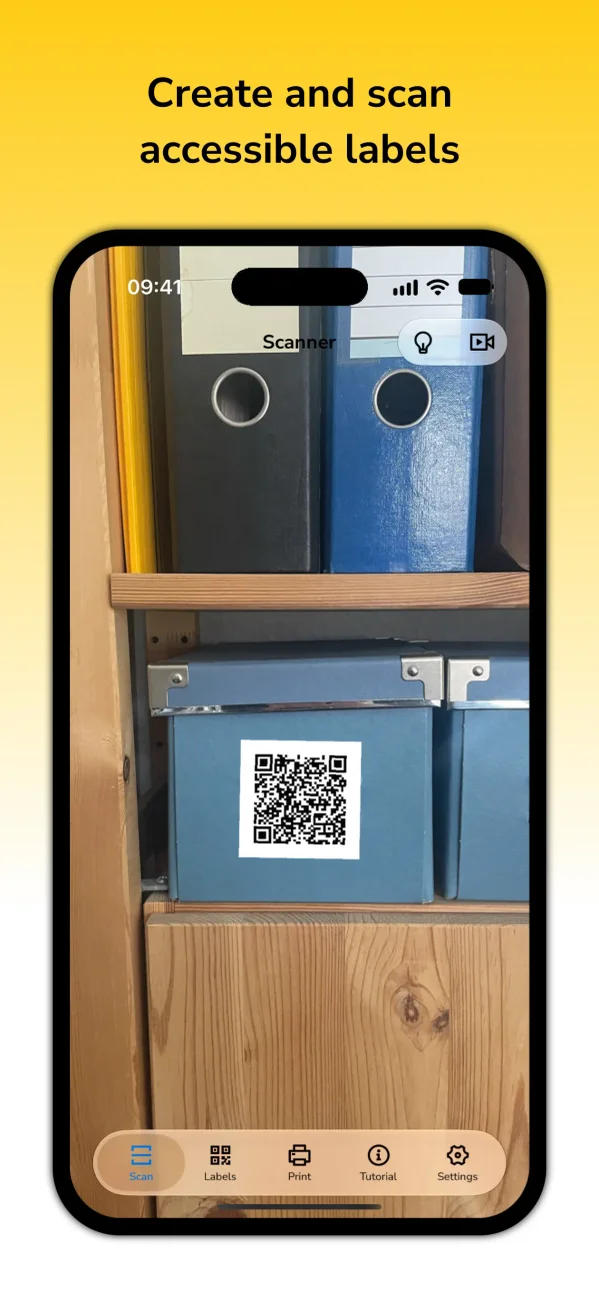


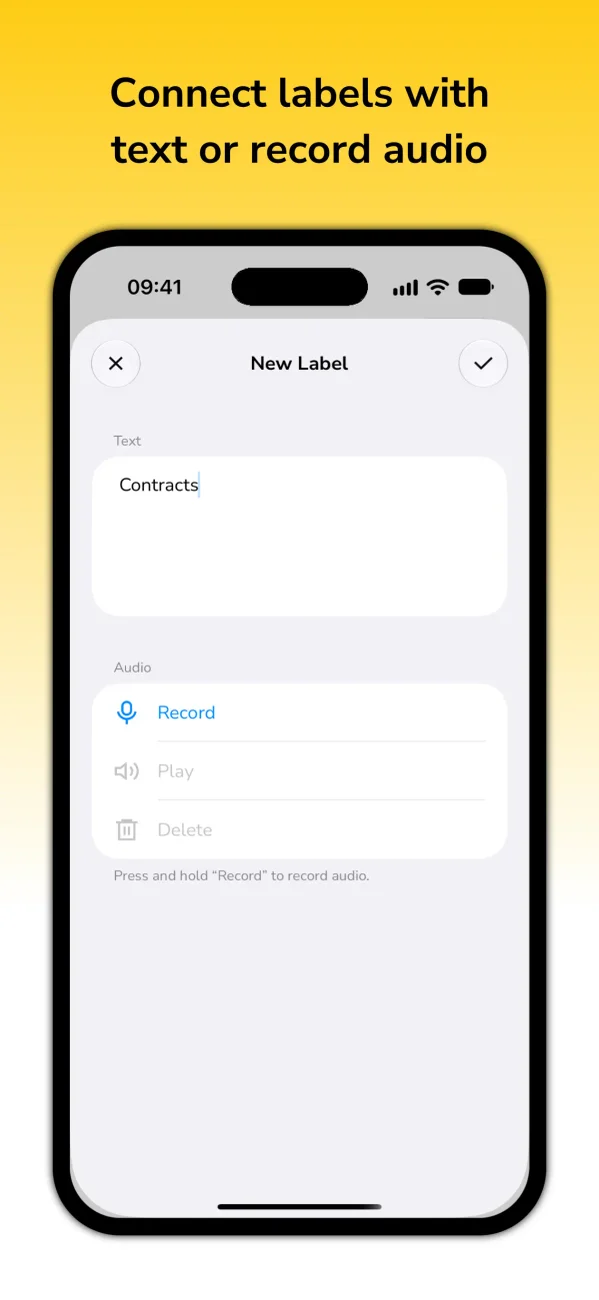
About
Create and read accessible labels for the blind and visually impaired. Use the app to generate QR codes that you can print out on inexpensive adhesive labels and then attach to any objects. Scan the QR codes with the camera of your iPhone or iPad and link them to texts and voice recordings. When a label is scanned again, the previously stored content is played back. Thus, the app can represent an alternative to expensive hardware solutions.
First test with a maximum of ten labels and activate the app for a fee if you like it. Choose between the in-app purchases “Single” just for you and “Family” for your entire family as part of family sharing.
• Free from ads
• In-app purchases – no subscription
• Detailed online manual
• Support via email and WhatsApp in case of problems
• Updates with improvements and fixes
• Can be used offline
• VoiceOver support
Print the labels yourself with a normal printer on standard multipurpose label sheets or use a suitable label printer. Pick from predefined formats or create your own label format. You can also share the generated documents with someone to help you print them.
In addition to different modes for scanning the labels and playing back the stored information, the app also enables you to search for specific labels. The app uses acoustic signals to help you navigate to the label you want.
The app was developed and tested in collaboration with the German company 2of1. The company has many years of experience in the distribution of various aid technologies, which benefit both private everyday life and the individual professional integration of blind and visually impaired people.
Further highlights at a glance:
• Create clear folder structures to organize your labels
• Speech recognition to generate preview texts for your voice recordings
• Use your device’s flashlight when it’s too dark for the camera
• Operate the app with the VoiceOver rotor
Developer: Moritz Weinig, Hoher Kamp 6, 26215 Wiefelstede, Germany, VATIN (USt-IdNr.): DE319833568, Phone: +49 1523 39 70 734, Email: apps@moritzweinig.com
What’s new
Version 1.1.3 · Oct 7, 2026
• General updates
App privacy
What Moritz Weinig declares on the App Store about how this app handles data.
-
Data not collected
The developer does not collect any data from this app.
Privacy practices may vary, for example with the features you use or your age.
Information
- Seller
- Moritz Weinig
- Category
- Utilities
- Version
- 1.1.3
- Updated
- Oct 7, 2026
- Released
- Oct 22, 2024
- Size
- 11.6 MB
- Requires
- iOS 15.0 or later
- Age rating
- 4+
- In-app purchases
- Yes
- Languages
- German, English
- Copyright
- © 2026 Moritz Weinig
You might also like
-
 Sedris VisionUtilities
-
 MarktlotseUtilities
-
 B-AssistentUtilities
-
 K-AssistentsRezepte mit einem Klick
-
 OVERVIEW Buchungen & TermineUtilities
-
 QR VoiceScan and Listen QR Codes
-
 Object detector for blindWorks with LiDAR or AR
-
 Clarity: Vision AccessibilityIntuitive Vision Tools For All
-
 Perception AssistVisual help for blind users
-
 Subtitles Viewer PROCaptions for cinema and TV