
ACE - OPTCG Pregrading
AI Card Grading for One Piece
Designed for iPhone, iPod touch
Free · In-app purchases
- Age rating4+
- CategoryUtilities
- DeveloperTerror LLC
- LanguagesEnglish
- Size41.4 MB
Links to the official App Store page
Download.org hosts no file of ACE - OPTCG Pregrading. The button opens its official App Store page, published by Terror LLC. Listing last checked on Nov 15, 2026.
Screenshots

About
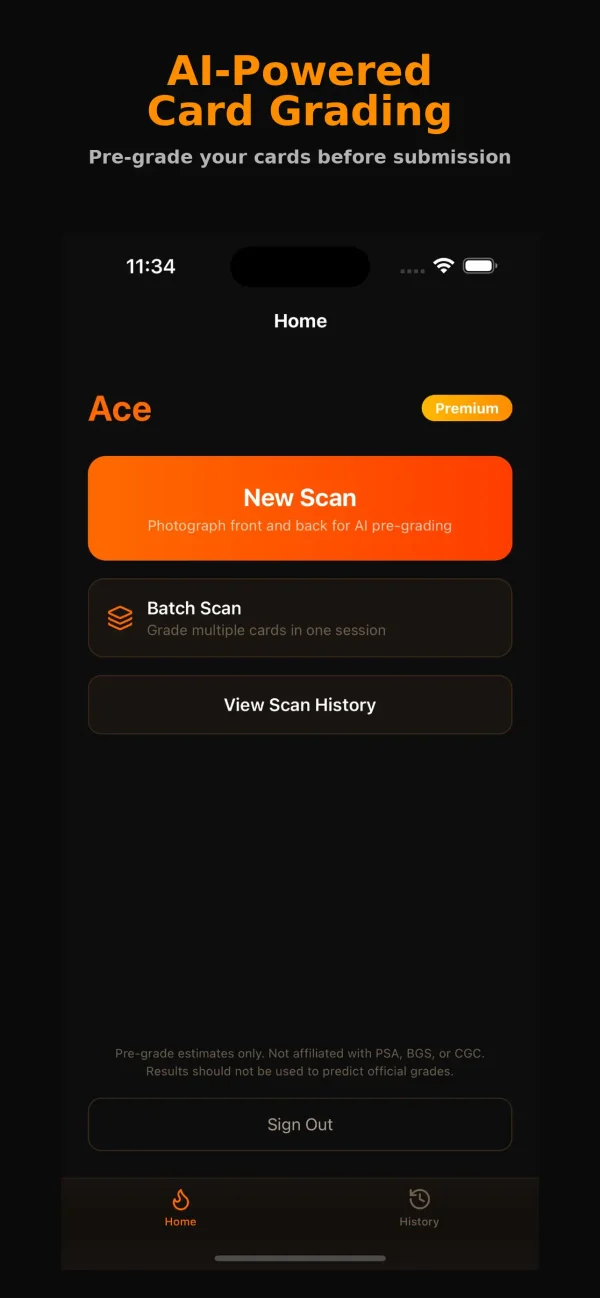
Ace uses advanced AI to analyze your One Piece Trading Card Game cards and deliver detailed pre-grade estimates — right from your phone.
HOW IT WORKS
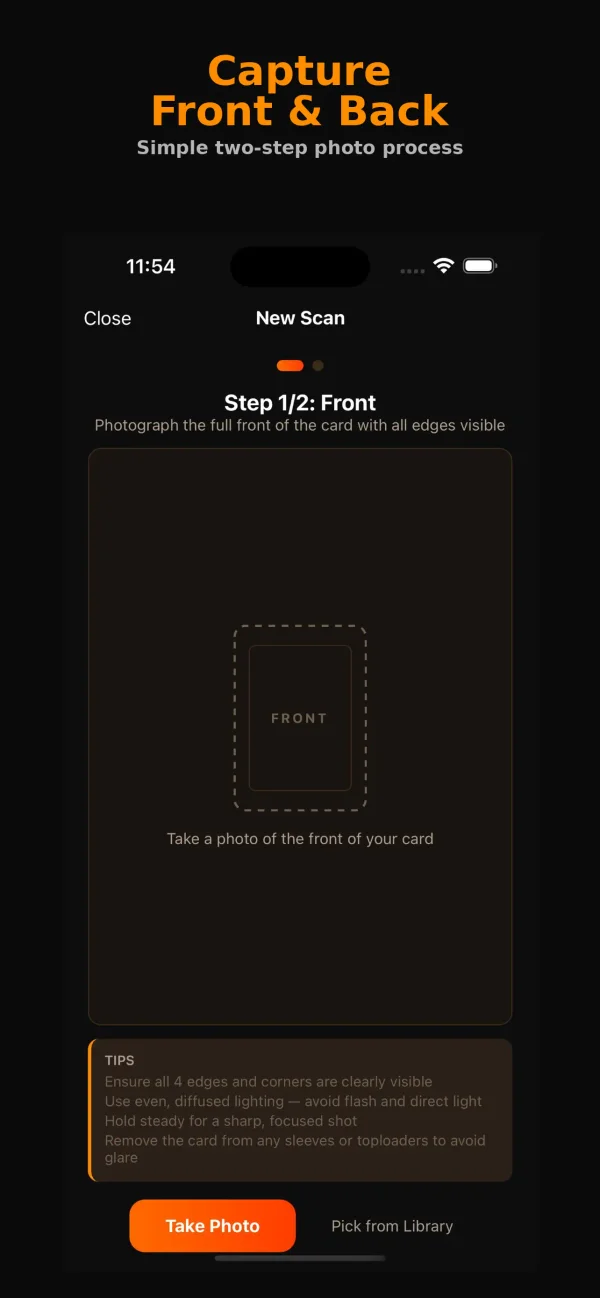
1. Photograph the front and back of your card
2. Ace's AI identifies your card and matches it against a reference catalog
3. Receive a detailed grade report with subgrades for centering, corners, edges, and surface
DETAILED GRADING
Every scan produces a comprehensive report modeled after professional grading standards. Each card receives an overall grade (1-10) along with
individual subgrades and confidence scores. The AI examines your card for whitening, centering shifts, corner wear, edge damage, and surface defects —
on both the front and back.
CARD IDENTIFICATION
Ace automatically identifies your card by reading the card number and matching it against a catalog of One Piece TCG cards. It even distinguishes
between regular art, alternate art, and parallel variants using visual comparison.
REFERENCE COMPARISON
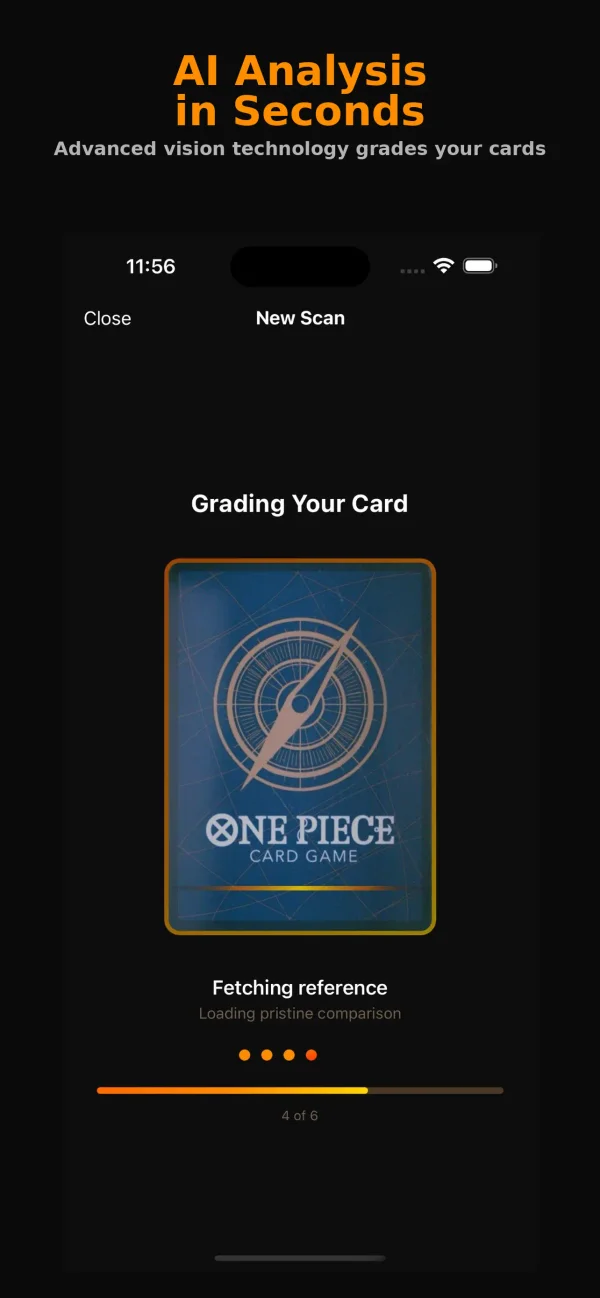
When your card is identified, Ace fetches a pristine reference image and uses it as a baseline during grading — the same way a professional grader would
compare against a known standard.
BATCH GRADING
Grade multiple cards in a single session with batch scanning. Photograph each card, add it to your queue, and submit them all at once. Track progress as
each card is graded.
SHARE YOUR RESULTS
Generate a styled grade report image and share it directly to social media, messaging apps, or anywhere else using the native share sheet.
SCAN HISTORY
All your past scans are saved so you can revisit grades and track your collection's condition over time.
FREE & PREMIUM
Start grading for free with a daily scan limit. Upgrade to Premium for unlimited scans, batch grading, and priority processing.
IMPORTANT DISCLAIMER
Ace provides AI-powered pre-grade estimates only. Results may differ from official grading services such as PSA, BGS, or CGC. Do not use Ace to
guarantee or predict grades from professional grading companies.
Link to Terms of Use: https://www.apple.com/legal/internet-services/itunes/dev/stdeula/
What’s new
Version 1.0.4 · Feb 16, 2026
fixed bugs
App privacy
What Terror LLC declares on the App Store about how this app handles data.
-
Data linked to you
May be collected and linked to your identity.
- Contact info
-
Data not linked to you
May be collected but is not linked to your identity.
- Purchases
- Identifiers
- Usage data
- Diagnostics
Privacy practices may vary, for example with the features you use or your age.
Information
- Seller
- Terror LLC
- Category
- Utilities
- Version
- 1.0.4
- Updated
- Feb 16, 2026
- Released
- Feb 1, 2026
- Size
- 41.4 MB
- Requires
- iOS 15.1 or later
- Age rating
- 4+
- Price
- Free
- In-app purchases
- Yes
- Languages
- English
- Copyright
- © Terror LLC
You might also like
-
 CenterGrade AppCard Centering & Grade Predict
-
 OPABC - Card Scanner & DecksOPTCG collection & card prices
-
 CenterMint: Card CenteringIdentifier, Grading & Prices
-
 TurnZero HQ: the TCG CompanionCollect. Build. Play. Connect.
-
 Grade.IQAI Pokemon Card Grading
-
 MintPick: AI Card CenteringAny Photo · PSA, BGS, CGC
-
 Chasing FoilTrading card prices & binders
-
 Easy Centering Tool for TCGTrace corners. Any angle works
-
 FiveoakOnline reviews, SMS, analytics
-
 MTG Scanner • Card CollectorIdentify Magic companion cards