
- Age rating4+
- CategoryUtilities
- DeveloperAlexandr Degteari
- LanguagesEnglish
- Size15.1 MB
Links to the official App Store page
Download.org hosts no file of ActGen. The button opens its official App Store page, published by Alexandr Degteari. Listing last checked on Nov 23, 2026.
Screenshots

About
One spreadsheet, a stack of finished documents.
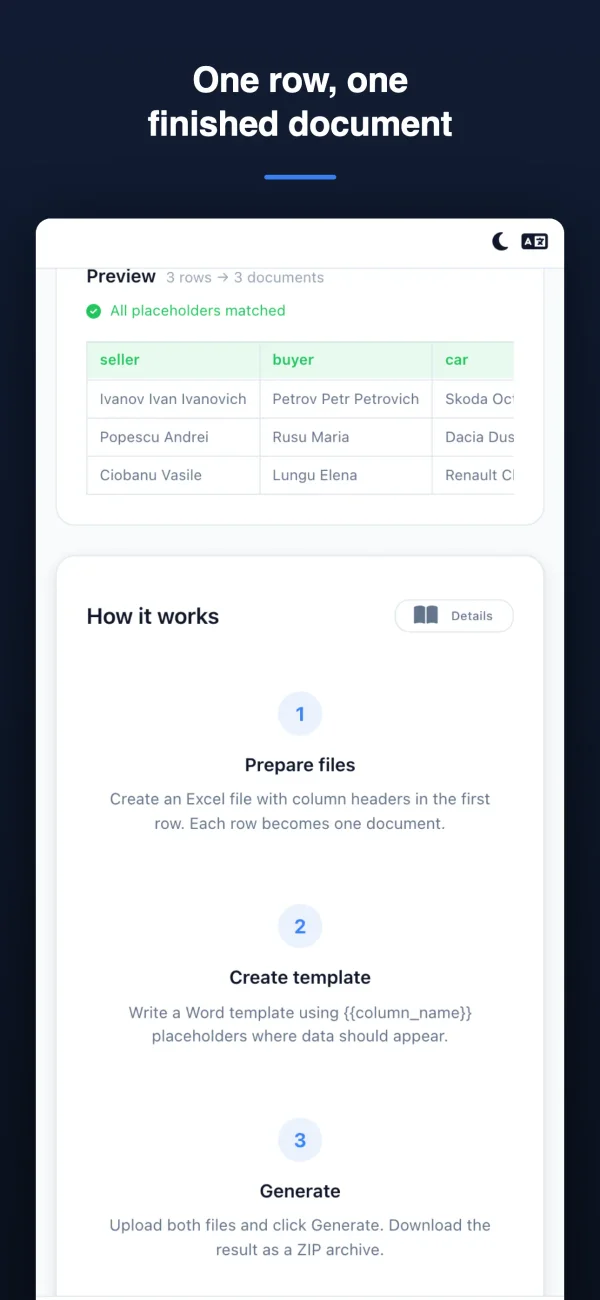
ActGen takes a list in Excel and one Word template and turns them into finished files: as many rows as the table has, that many documents come out. Fifty contracts that used to take an evening are done in seconds.
HOW IT WORKS
1. A list in Excel or an online spreadsheet shared by link. The first row holds the column names — client, date, amount. Every row after that becomes its own document.
2. A template in Word. Your usual form, with the column name in double curly braces wherever the text changes. Letterhead, signatures, tables and stamps stay exactly as they are.
3. Finished documents in Word or PDF. One file with all the pages, or an archive with one document per row.
WHY NOT MAIL MERGE OR A CLOUD ADD-ON
• A file for every row, Word or PDF, named from your columns. No macros.
• Amounts and dates as in your sheet: the Excel cell format carries over — separators, currency, date format.
• A picture or QR code for every row, from a column of the table.
• Amounts in words in English, Russian and Romanian, with cents, kopecks and bani.
• Runs on your device: it never asks for access to your documents or accounts, so nothing breaks when permissions change.
• Free: no subscription, no trial, no sign-up, no card.
• No quotas: as many documents as your sheet has rows.
YOU DO NOT HAVE TO WRITE THE TEMPLATE BY HAND
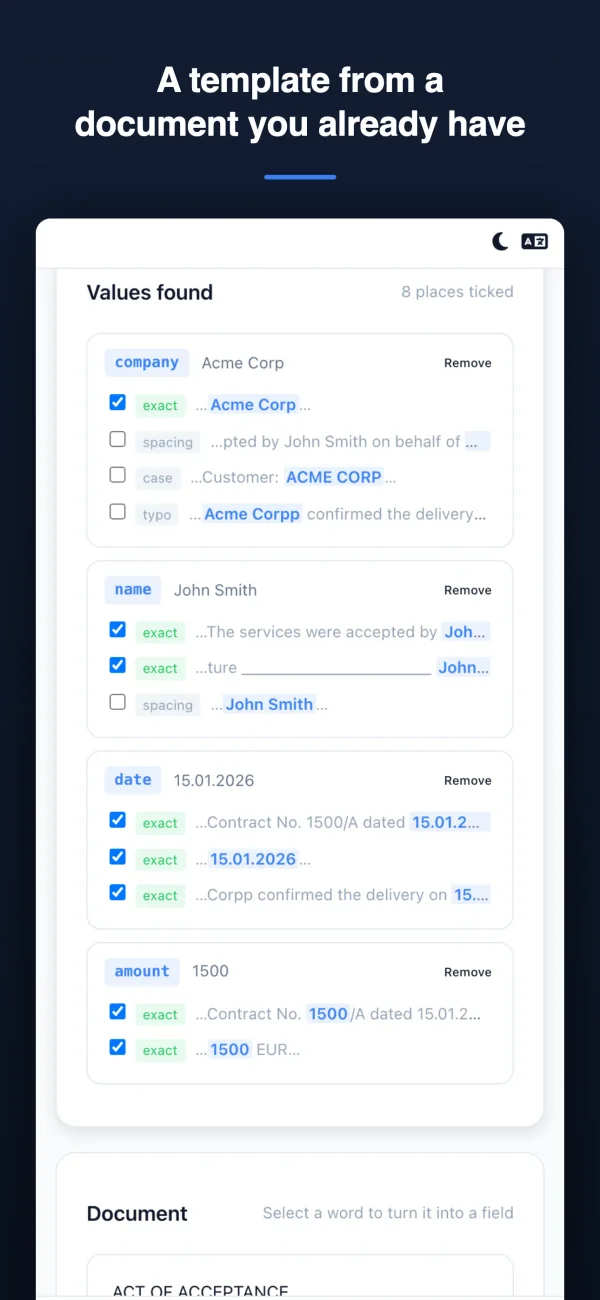
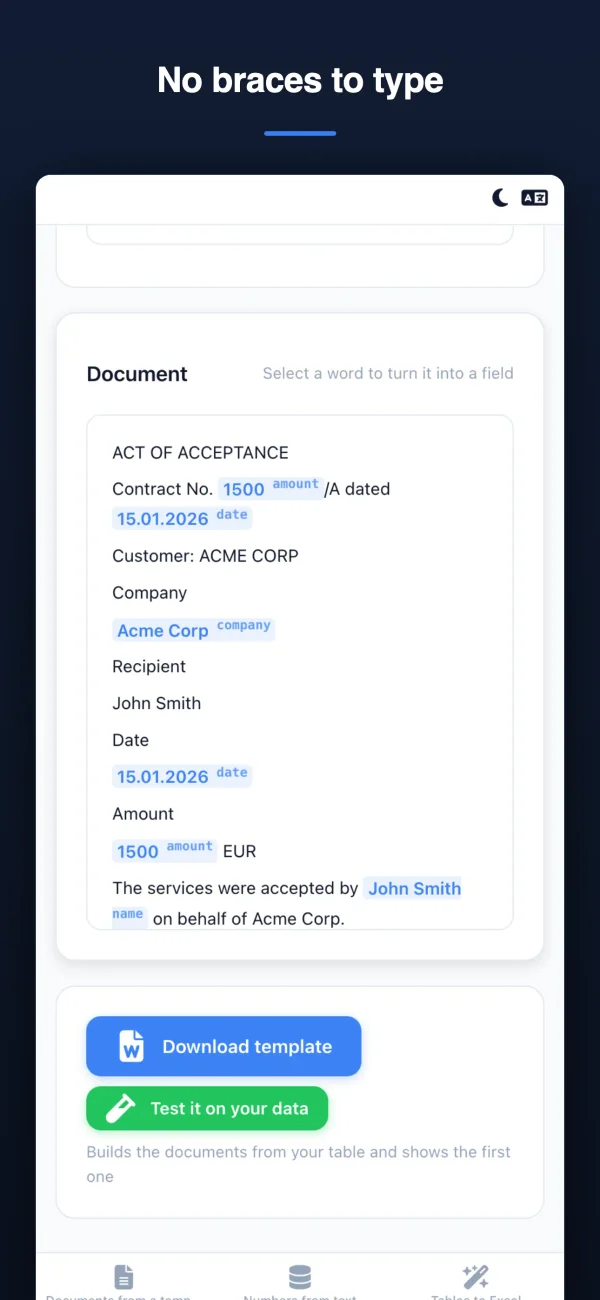
If you already have a filled-in document, load it together with the spreadsheet. The app finds the spreadsheet values inside the text and offers to turn them into fields.
It notices near matches too — a different case, an odd space, a typo — and shows every place separately, with the words around it, so the decision stays yours. You can also select a word yourself; on a phone, long-press it.
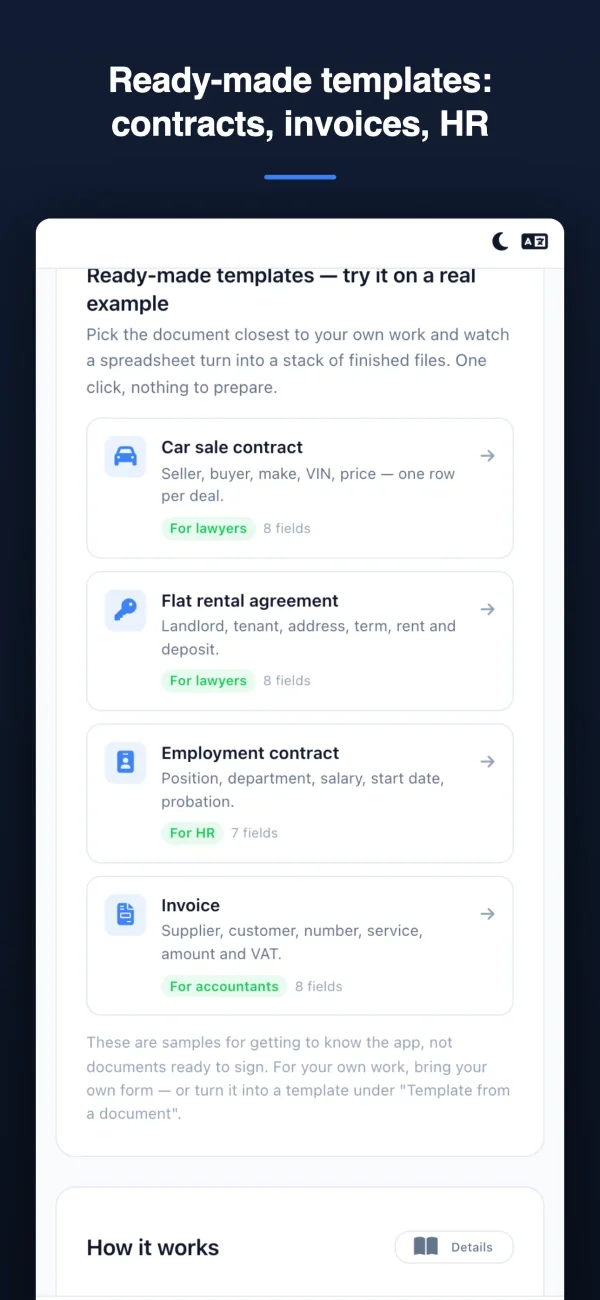
READY-MADE TEMPLATES TO TRY
• Car sale contract
• Flat rental agreement
• Employment contract
• Invoice
Each opens in one click together with its spreadsheet, so you can see how it all works before loading any files of your own. These are samples for getting to know the app, not documents ready to sign.
WHAT ELSE IT DOES
• Numbers out of text. When one cell holds a whole sentence — "rate 2.5 l/ha, water 300 l/ha" — it pulls every number into a column of its own. You only show it which words to look between.
• Word tables into Excel. It finds the tables in a document, works out where the headers are, and hands back a clean file. Merged cells and tables with no header row included.
• Open in ActGen. Open or share an Excel or Word file from Files, Mail or a messenger, choose ActGen, and it lands in the right box.
WHO IT IS FOR
Accountants — invoices and acceptance certificates in batches. Lawyers — contracts down a list of counterparties. HR — employment contracts and orders. Small firms where the same paperwork comes round every week.
WORTH KNOWING
Documents are built on your device — your files are never uploaded.
Interface and ready-made templates in English, Russian and Romanian.
What’s new
Version 1.1.5 · Nov 19, 2026
• New: amount in words. {{in words USD: Sum}} writes 12345.5 as “twelve thousand three hundred forty-five dollars and 50 cents”. Russian and Romanian too, with kopecks and bani: {{прописью рубли: Сумма}}, {{în litere lei: Suma}}. Without a currency you get the words alone. See the Help page.
• New: a full name in a Russian case. {{родительный: ФИО}} turns “Иванов Иван Иванович” into “Иванова Ивана Ивановича”: five cases, men and women, initials kept. See the Help page.
• Numbers from text: when an item finds nothing, a yellow warning names it and says which field to check, instead of a silently empty column.
• On iPhone the “Show me an example” button is now on the first screen of every tool.
• VoiceOver reads the names of the number fields in Tables to Excel and Numbers from text.
• The app is smaller: about 1.4 MB of unused files removed.
• Finished documents and archives are 5 times smaller.
• Faster: the app opens quicker, and a big Excel file with several sheets loads up to 2–3 times faster.
• Clearer errors and hints: a broken Excel file, a template without fields or a stalled online spreadsheet now say what went wrong. Better VoiceOver support, and demo videos respect Reduce Motion.
• Fix: in a template with pictures or QR codes, {{#Column}} blocks work again, and a field named like “constructor” or “toString” no longer prints stray text.
App privacy
What Alexandr Degteari declares on the App Store about how this app handles data.
-
Data not collected
The developer does not collect any data from this app.
Privacy practices may vary, for example with the features you use or your age.
Information
- Seller
- Alexandr Degteari
- Category
- Utilities
- Version
- 1.1.5
- Updated
- Nov 19, 2026
- Released
- Apr 28, 2026
- Size
- 15.1 MB
- Requires
- iOS 15.0 or later
- Age rating
- 4+
- Price
- Free
- Languages
- English
- Copyright
- © 2026 Degteari Alexandr
You might also like
-
 AltHub IdPUtilities
-
 Secure DayLedgerYour secret media notes
-
 Куб онлайнUtilities
-
 Линк КамерыUtilities
-
 Spoken AlarmAlarms that speak to you!
-
 Resistance Calculator: In OhmsResistor bands, Watt & Ohm Law
-
 Numsify: Virtual Number & SMSReceive SMS, OTP & 2nd Number
-
 Hearing Aid: Listening DeviceSound Amplifier & Live Listen
-
 LinkUp: Family&Couple LocatorGPS Location & Phone Tracker
-
 EasleepNeuroscience for Good Sleep