Action Cam Hub: Multi Camera
Camera Remote & Sync Recording
Designed for iPhone
Free · In-app purchases
- Age rating4+
- CategoryPhoto & Video
- DeveloperStephen Wissmann
- LanguagesEnglish
- Size175.3 MB
Links to the official App Store page
Download.org hosts no file of Action Cam Hub: Multi Camera. The button opens its official App Store page, published by Stephen Wissmann. Listing last checked on Nov 26, 2026.
Screenshots


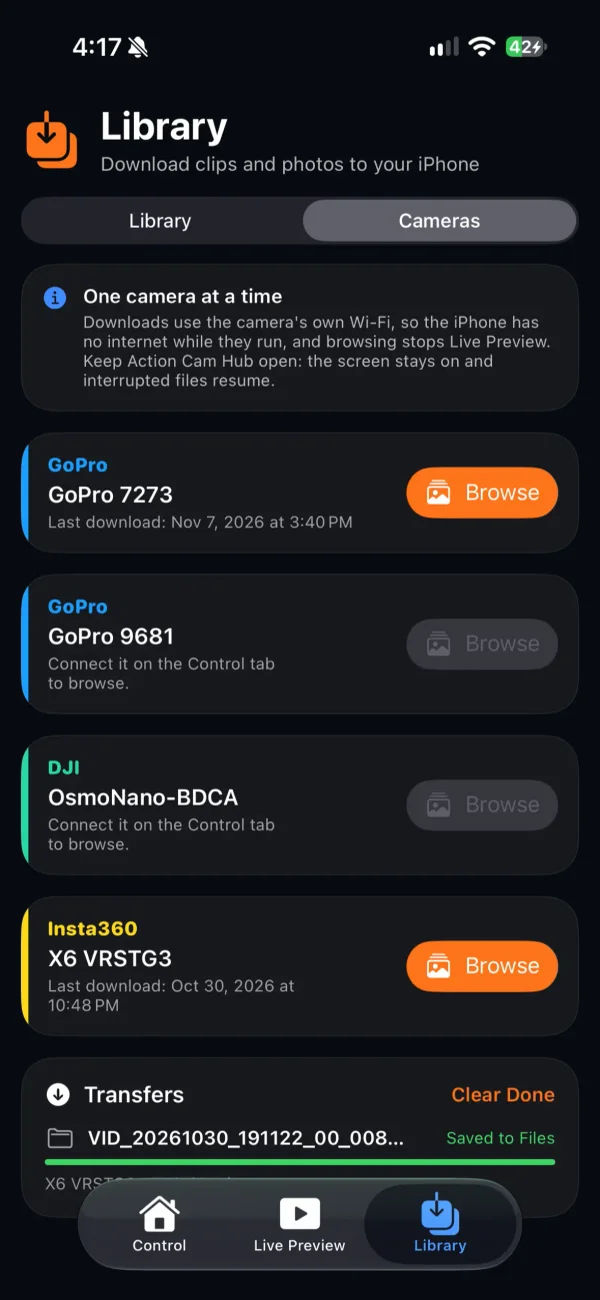
About
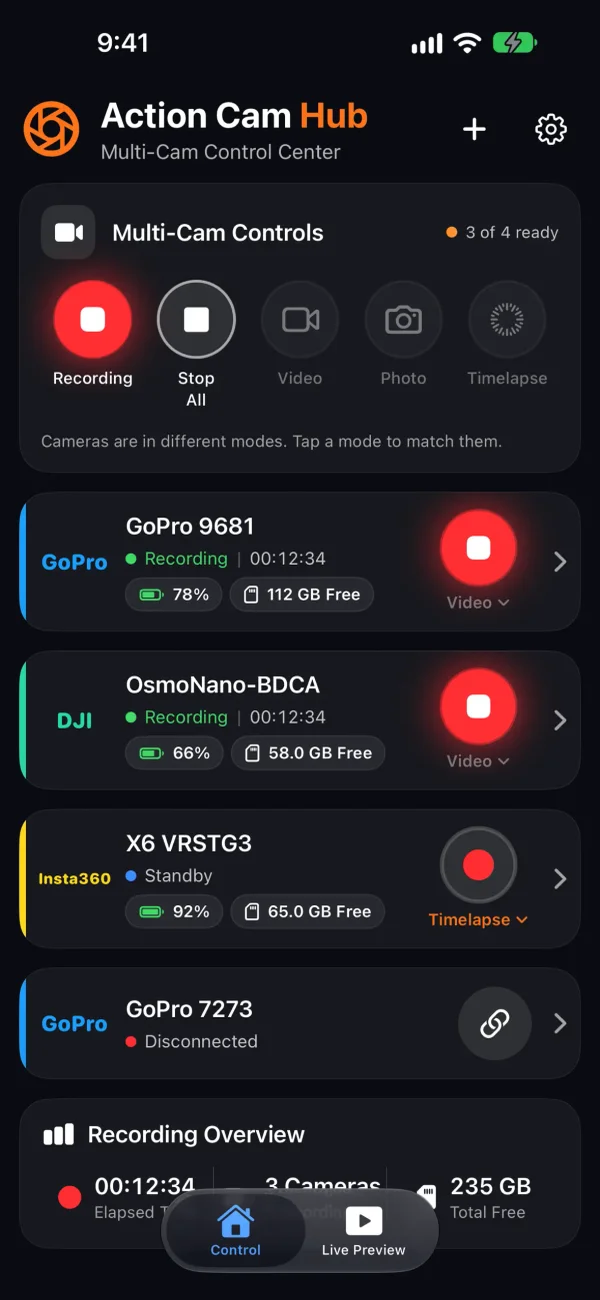
Action Cam Hub is a multi camera remote for your action cameras. Connect your GoPro, Insta360 and DJI Osmo cameras to one iPhone over Bluetooth, start and stop every camera at once for synced multi-angle recording, see what each one sees, and bring all your footage together in one Library.
Free with two cameras. Unlock Pro once for all your cameras, with a 7-day free trial. Or a one-time purchase that lasts FOREVER, no subscription.
ONE TAP FOR EVERY CAMERA
• Record All and Stop All start and stop every connected camera together
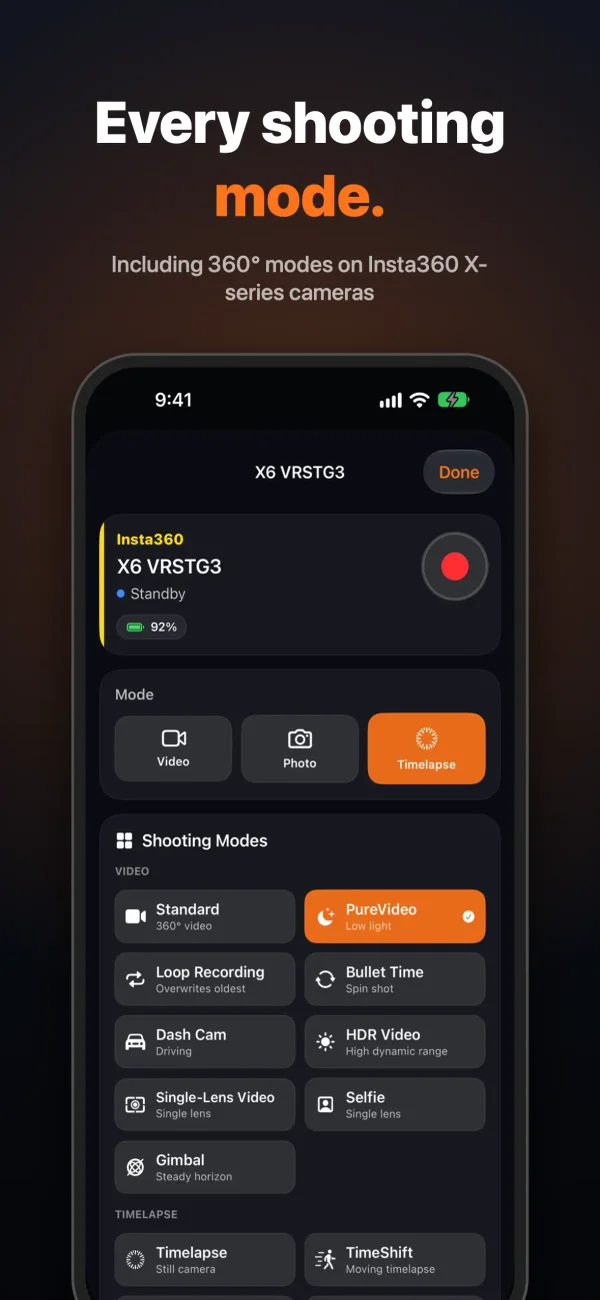
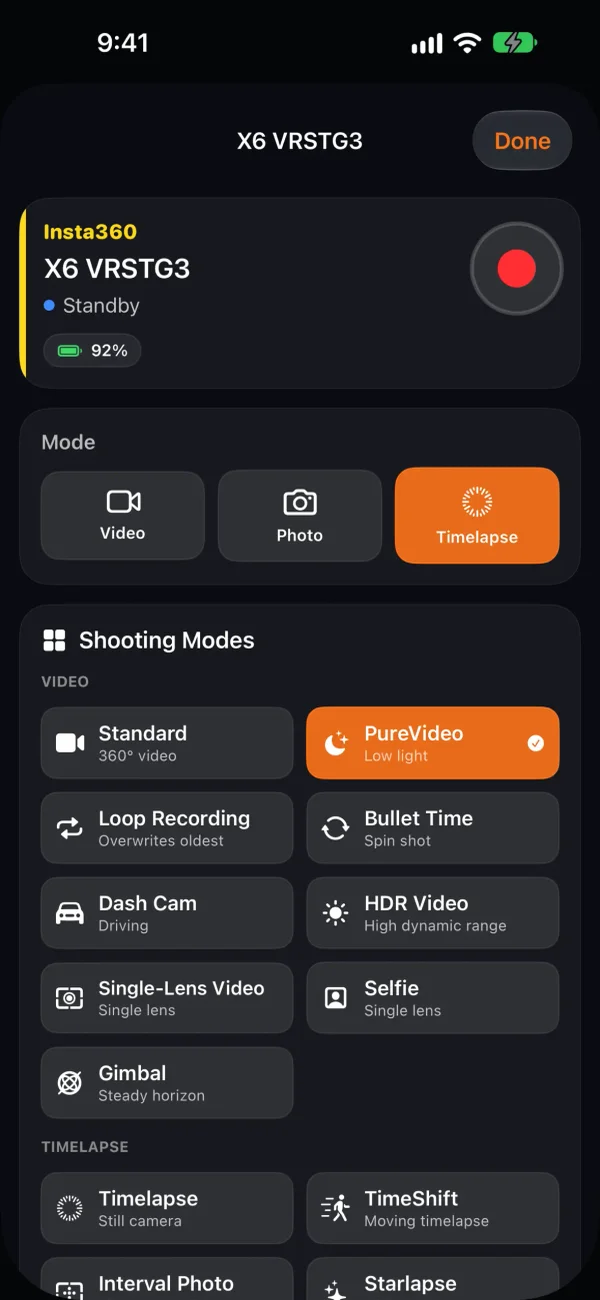
• Switch every camera to Video, Photo or Timelapse at once
• See each camera’s battery, storage, mode and recording status at a glance
• Name your cameras (“Jack’s Mini”, “Helmet cam”) and see that name everywhere
LIVE PREVIEW
• Check framing on each camera with a live preview over the camera’s own Wi-Fi
• 360° live preview for Insta360 cameras: drag to look around
YOUR FOOTAGE, IN ONE LIBRARY
• Browse each camera’s clips and photos with date, length and size
• Tap any clip to preview it on the camera before you download it
• Pick clips, or tap “New since last download” to get only what’s new
• Save to Photos or to Files; long GoPro recordings split into parts show and play as one clip
• Interrupted downloads resume by themselves, with clear progress
• One Library for everything you downloaded from every camera: play clips full screen, swipe between them, view photos, filter by camera, and share several at once
• Delete clips from a camera when you’re done, with a confirmation every time, or have them deleted only after they’re safely saved on your iPhone
INSTA360 360° EXPORT
• Export a properly stitched 360° video, ready for 360° players and video sites
• Or frame your shot: drag and zoom behind a box, pick 16:9, 9:16 or 1:1, trim, and export a regular video
• Stitching, horizon levelling and framing all happen on your iPhone
CAMERA SETTINGS
• Change resolution, frame rate, lens and more on GoPro and Insta360 cameras
• Settings come from the camera itself, so you only see options your camera supports
HANDS-FREE
• Siri: “Start recording with Action Cam Hub”, “Stop recording with Action Cam Hub”
• Long-press the app icon for Record All, Stop All and Take Photo
• A Live Activity on the Lock Screen and Dynamic Island shows the recording time, with a Stop button
• Apple Watch app: record, stop and switch modes from your wrist
GREAT FOR
• Moto vlogs: helmet cam, chest cam and bike cam all rolling together
• Mountain biking, skiing, snowboarding and surfing
• Multi-angle vlogs, interviews, car and cockpit setups
• 360 reframe: turn Insta360 footage into vertical or widescreen clips for social media
WORKS WITH
• GoPro HERO11 Black and HERO11 Black Mini (other recent GoPro models with Open GoPro support may work)
• Insta360 X-series cameras, including X6
• DJI Osmo Nano (record, photo, timelapse, mode switching, downloads)
Cameras connect over Bluetooth; live preview and transfers use the camera’s own Wi-Fi, one camera at a time. Keep the app open during downloads and exports. Cameras start within a fraction of a second of each other; this isn’t frame-accurate timecode sync.
Action Cam Hub has no accounts, ads or tracking, and nothing you record is uploaded.
Action Cam Hub is an independent app and is not affiliated with or endorsed by GoPro, Insta360 or DJI. All trademarks belong to their owners.
What’s new
Version 2.4 · Nov 24, 2026
• Free now works with two cameras at a time
• Try Pro free for 7 days, with all your cameras
• Connected cameras move to the top of the list
App privacy
What Stephen Wissmann declares on the App Store about how this app handles data.
-
Data not collected
The developer does not collect any data from this app.
Privacy practices may vary, for example with the features you use or your age.
Information
- Seller
- Stephen Wissmann
- Category
- Photo & Video
- Version
- 2.4
- Updated
- Nov 24, 2026
- Released
- Nov 11, 2026
- Size
- 175.3 MB
- Requires
- iOS 17.0 or later
- Age rating
- 4+
- Price
- Free
- In-app purchases
- Yes
- Languages
- English
- Copyright
- © Swiss IT Products LLC
You might also like
-
 Dual Cam Recorder Pro One TakeOne Shot. Portrait + Landscape
-
 Dual Cam Recorder: OneTakePortrait & Landscape Video
-
 Chromatica Mark IIPremium mobile photography
-
 MP4 Video Player: FramelensInbuilt OCR & Visual Search
-
 mosaic + : Blur photo & video.Auto Blur Face, Censor, Detect
-
 GRecord: Live Screen RecorderFace Cam, Audio & Live Stream
-
 Picmori: Photo CleanerA Swipe Game to Free Up Space
-
 Video Compressor GoldShrink videos and photos
-
 ColorLab: Photo & Video EditorFilm Looks, Camera & Templates
-
 Video Joiner & Trimmer Provideo merger app